






Copilot is in All Microsoft 365 Apps
Exciting News! Copilot is in All Microsoft 365 Apps. Day by day, Copilot is ensuring its place in the tech world. Copilot is the best AI chat assistant, and it makes everything easier. Nowadays, copilot is a software and an AI companion for all users. It empowers you to achieve more than ever before.
Copilot is now integrated with all devices and will be available in all the Microsoft 365 Apps. This will have a more significant impact on all the workers for their day-to-day work. Also, the help of the copilot will enhance productivity and assist you in solving complex tasks.
Copilot for Microsoft 365 is the best service, which will help maximise your business potential and achieve more. Copilot for Microsoft 365 offers intelligent suggestions, insights, automation, collaboration, and security features.
The impact of Copilot for Microsoft 365 will help the user save time, improve productivity, and enhance creativity. The copilot ensures the security and privacy of users.

- Use Microsoft Copilot with any App on Android and iOS Devices
- Microsoft Integrates Notepad with Copilot on Windows 11
- Copilot Vs Copilot Pro Vs Copilot for Microsoft 365 Comparison
Copilot is in All Microsoft 365 Apps
Microsoft Copilot for Microsoft 365 is an AI-powered productivity tool that smoothly integrates with popular Microsoft 365 apps, including Word, Excel, PowerPoint, and Outlook. With this feature, business enterprises get better performance and enhance productivity.
| Copilot is in the Microsoft 365 App | Description |
|---|---|
| Copilot is in the Excel | Data analysis enchancement |
| Copilot in Onenote | Supercharge your note-taking |
| Copilot in Powerpoint | Inspiration into pro presentations |
| Copilot in Word | Smart Writing assistant |
Copilot is in Excel
The copilot in Excel is like having an intelligent helper to help you with the spreadsheets. This will be helpful for your work, enhance productivity, and save your work time. Copilot will provide smart suggestions and formulas to work with your data. The first step is to enable Copilot to read the data by following the steps.
- Turn your data into a table
- Select the first cell of your data
- In the top menu, click on “Format as a Table
- Then, choose the appearance of your table
Read More – Copilot in Excel AI Integration to Automate Excel Tasks Coming Soon
Note: You can create different types of charts based on the data that you created
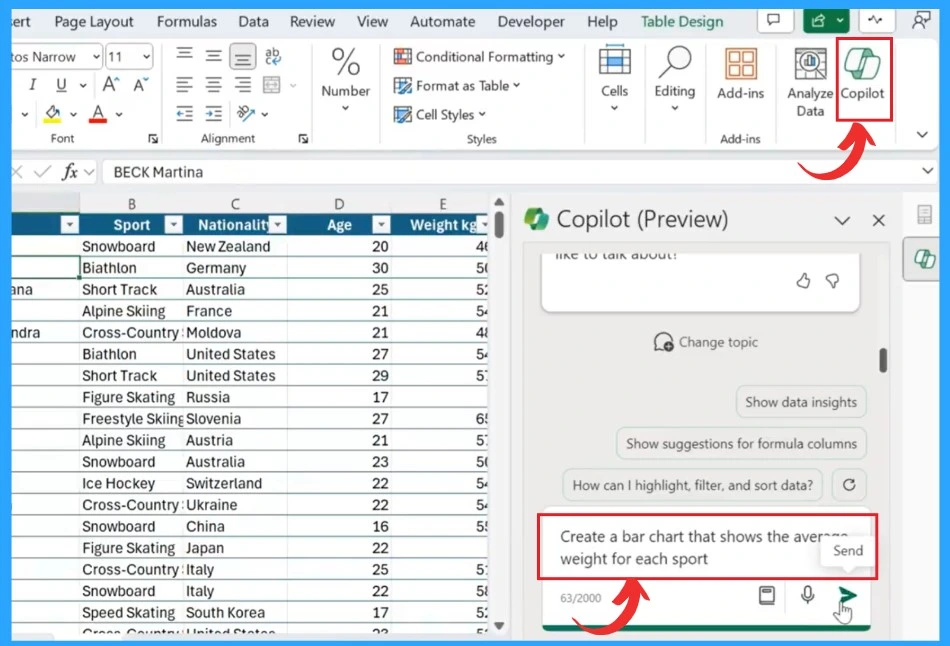
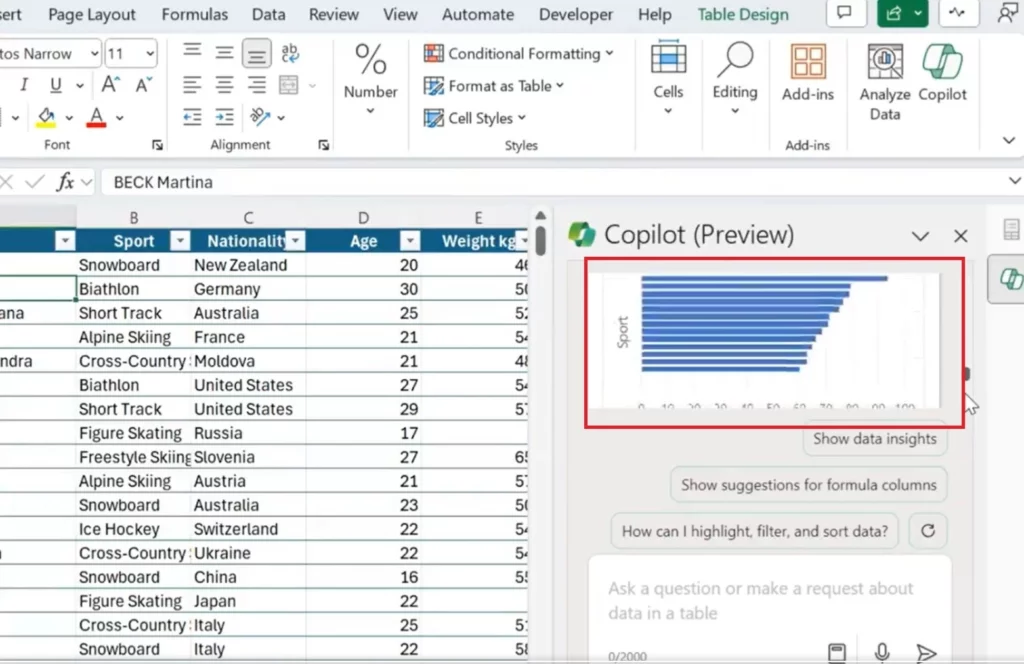
In the above screenshots, the user asks the copilot to Create a bar chart that shows the average weight of each sport based on the data entered. The copilot will show the Chart in the copilot chat box.
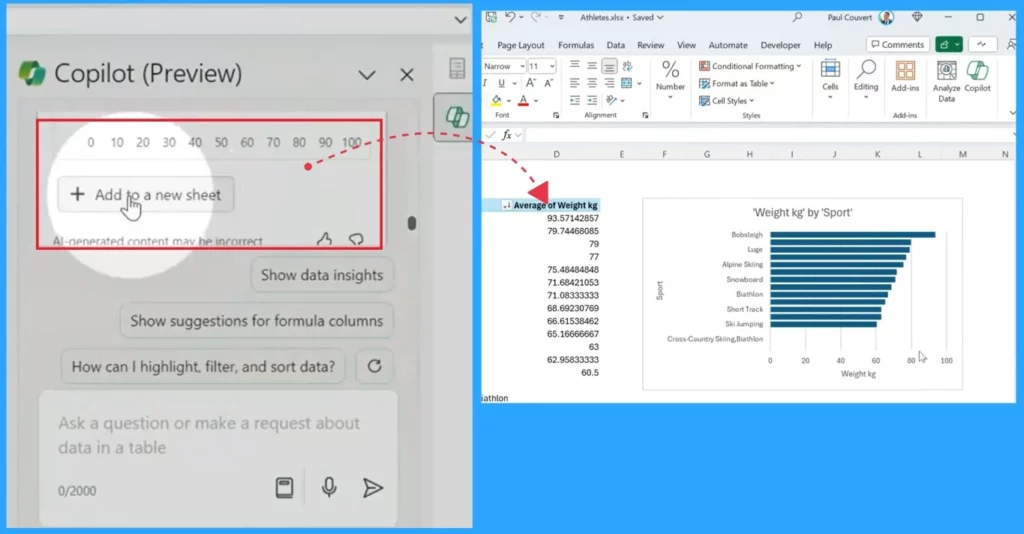
After getting a chart based on your data, Do you want to add the charts to your new Excel sheet? Yes, it’s possible. In the chat box of Copilot, there is an option ”Add to a new sheet” that will help you to add the chart to your Excel sheet.
Copilot in OneNote
Copilot in OneNote is a powerful feature that will enhance your note-taking experience. With Copilot, you’ll discover new ways to understand and create data and information effectively.
Read more – Copilot in OneNote | Your Digital Notebook Reimagined with Copilot
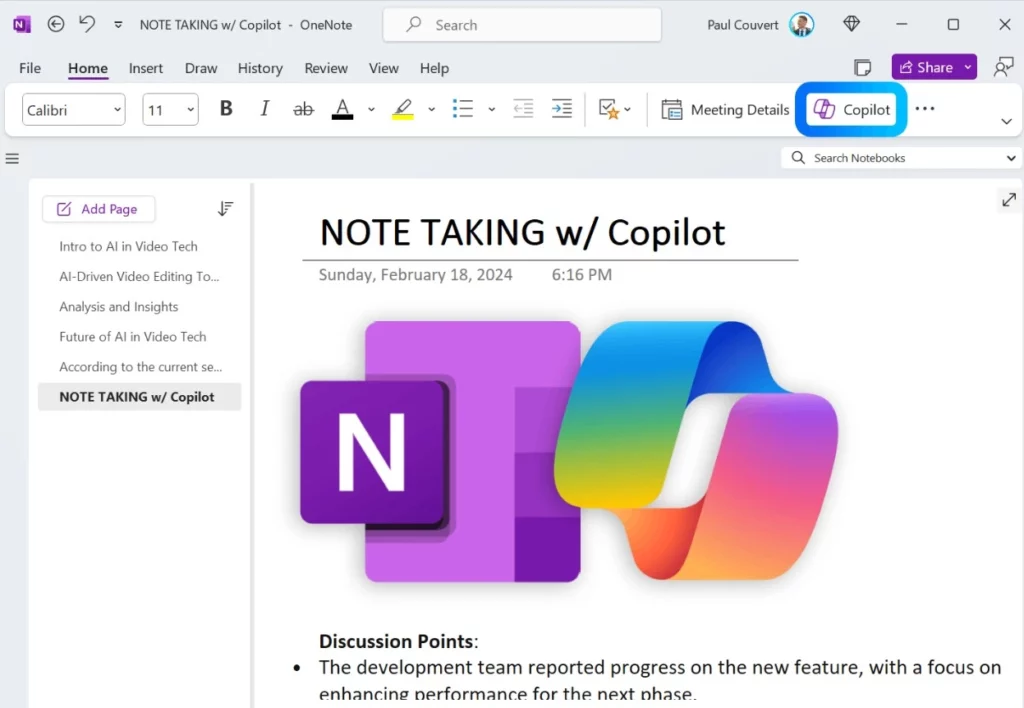
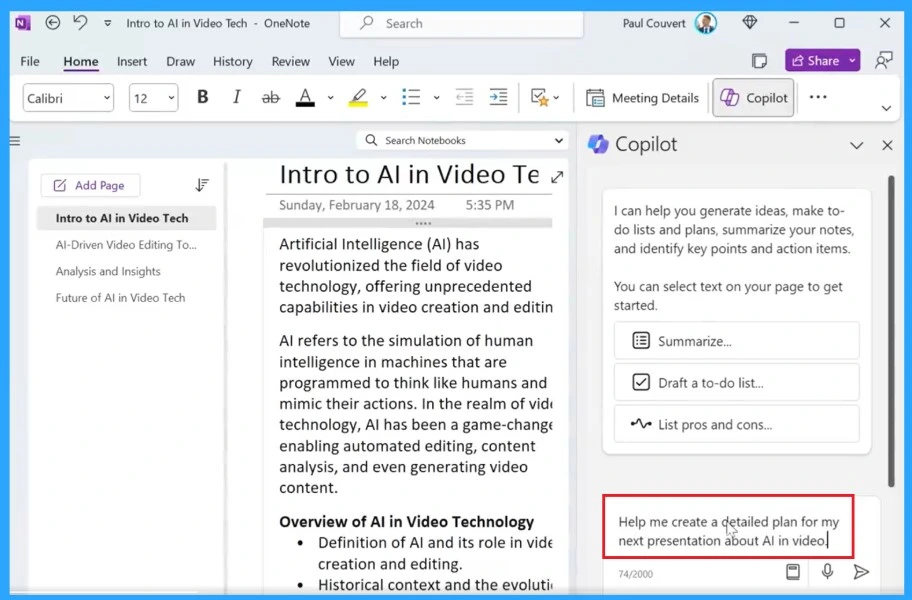
Copilot will help users with writing, idea generation and complex tasks. With the help of copilot, you can ask various note-taking needs, such as summarizing articles, generating outlines, creating questions, and more. You can ask for simple words if you don’t understand the sentences.
- Copilot can rephrase and format your notes, making them more transparent and easier to understand
- You can copy the contents to the OneNote
Copilot in Powerpoint
Microsoft 365 allows users to create PowerPoint presentations with the help of Copilot AI, powered by GPT-4 and Dall-E 3. The copilot in PowerPoint will generate slides, text, and presenter notes for the users. The user can also modify content as they wish.
Read More – Copilot in PowerPoint Turn Word Docs into Powerpoint Automatically
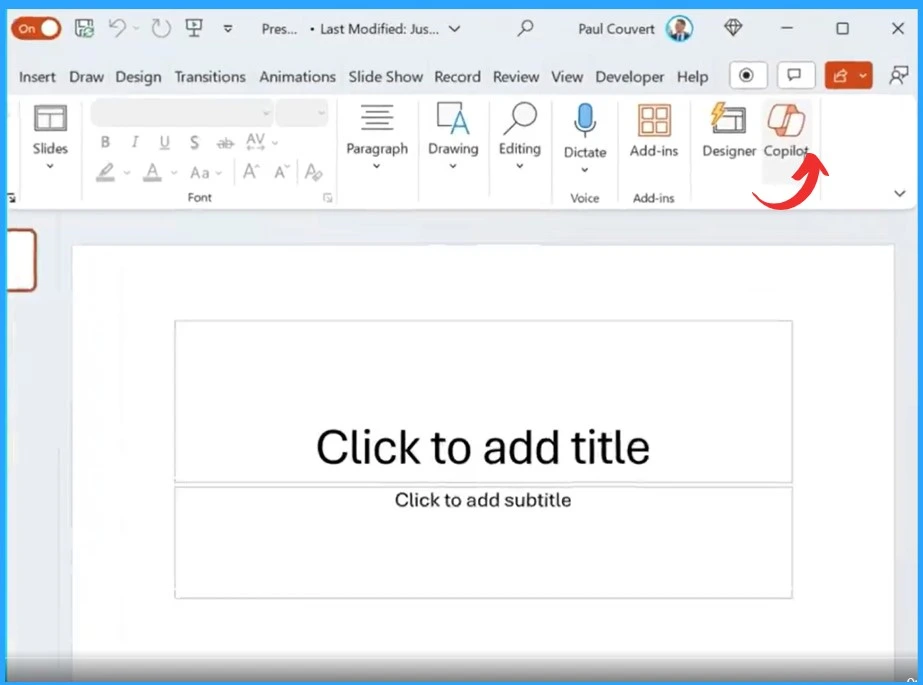
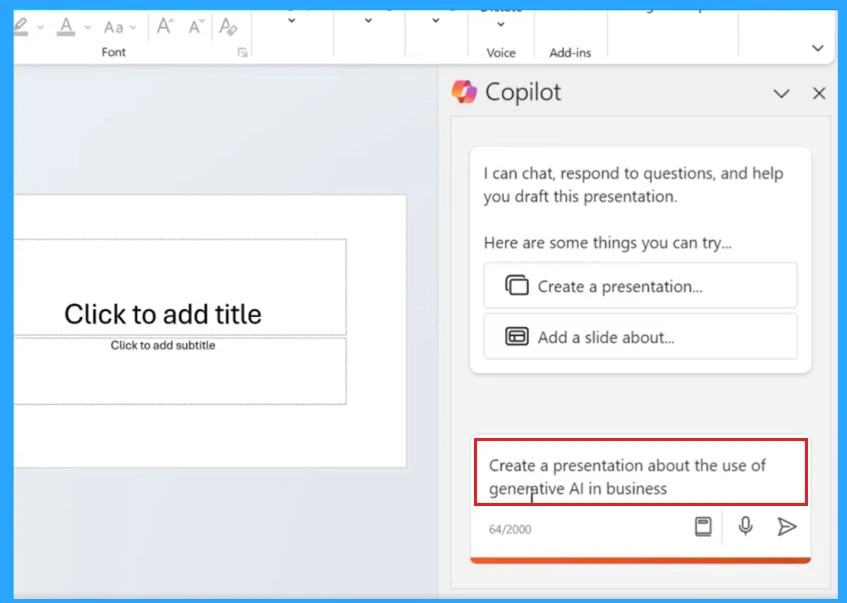
With the help of Copilot, you can create presentations. You need to give a topic for presentations. Below the screenshot, you can see that asking about the use of generative AI in business is the topic.
- You will get a Presentation related to generative AI in business
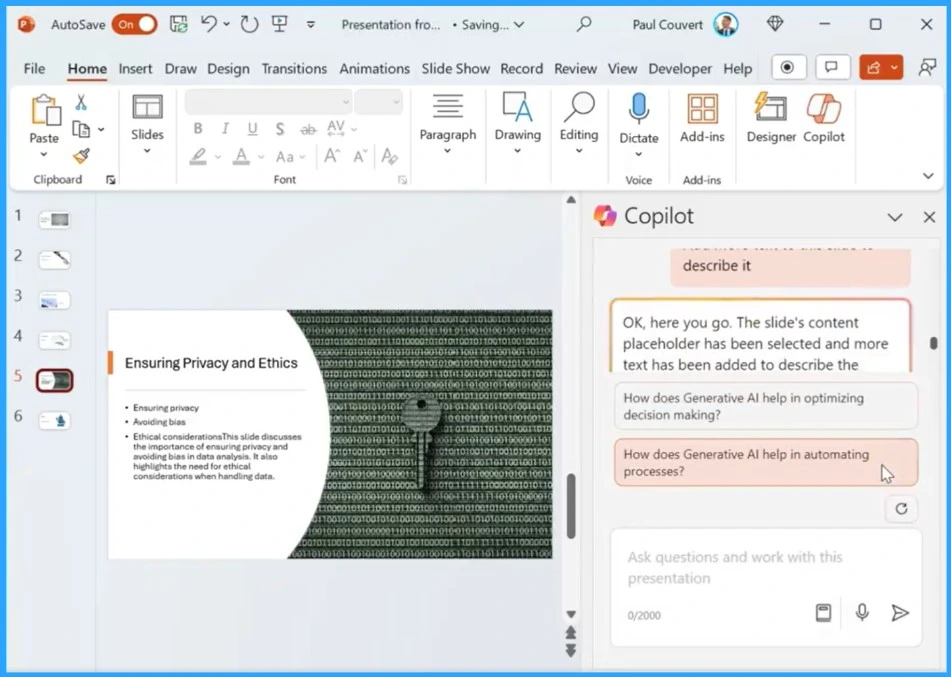
You can ask the copilot for help if you need more text-added slides. You can easily organize your slides by allowing Copilot to restructure them.
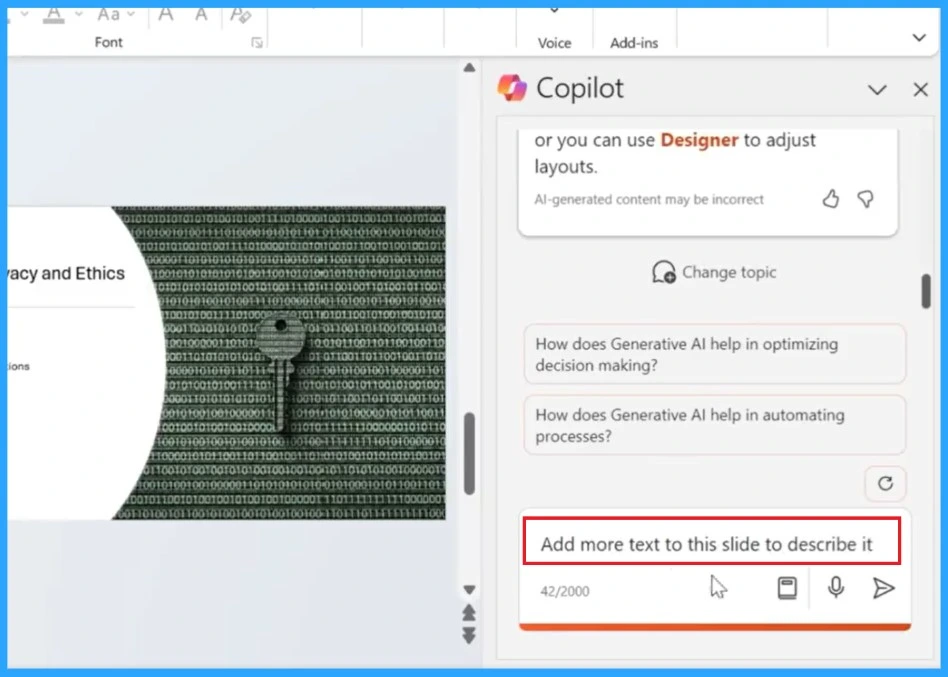
Copilot will generate slides or images to improve your work and efficiency. In the screenshots below, you can see the slides get more text added with Copilot’s help.
Copilot in Word
Copilot in Word is a feature that helps users write and edit content in Microsoft Word. Copilot can suggest words, sentences, paragraphs, or even entire documents based on the user’s input. Also, Copilot can check the grammar, spelling, punctuation, and style of the user’s writing.
Read more – AI Powered Copilot in Word to Automate Creation of Complex Documents
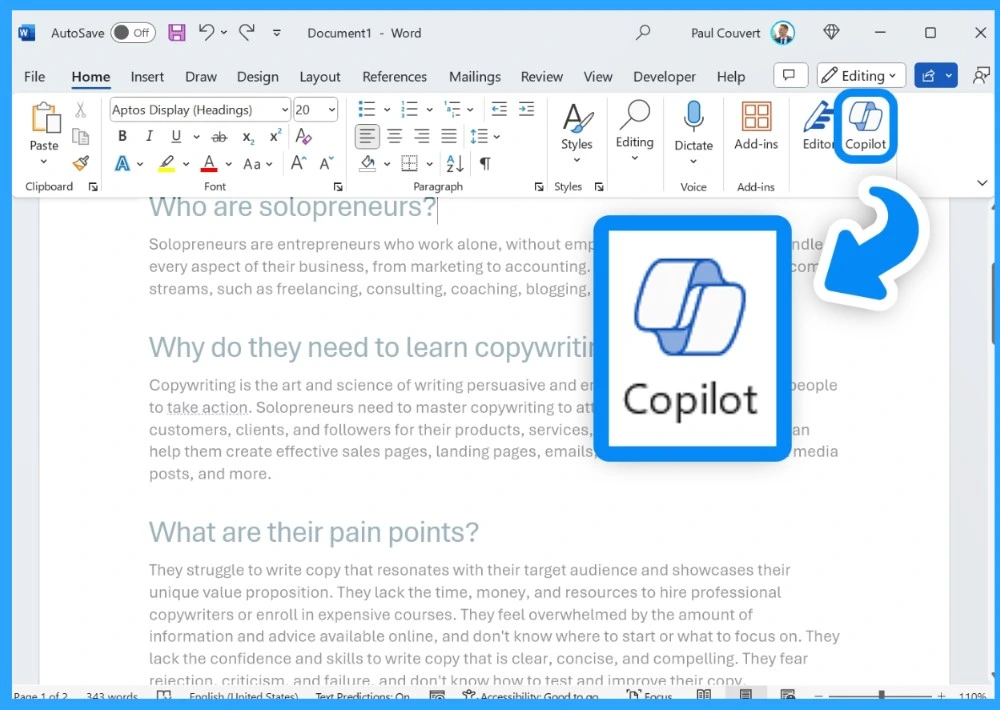
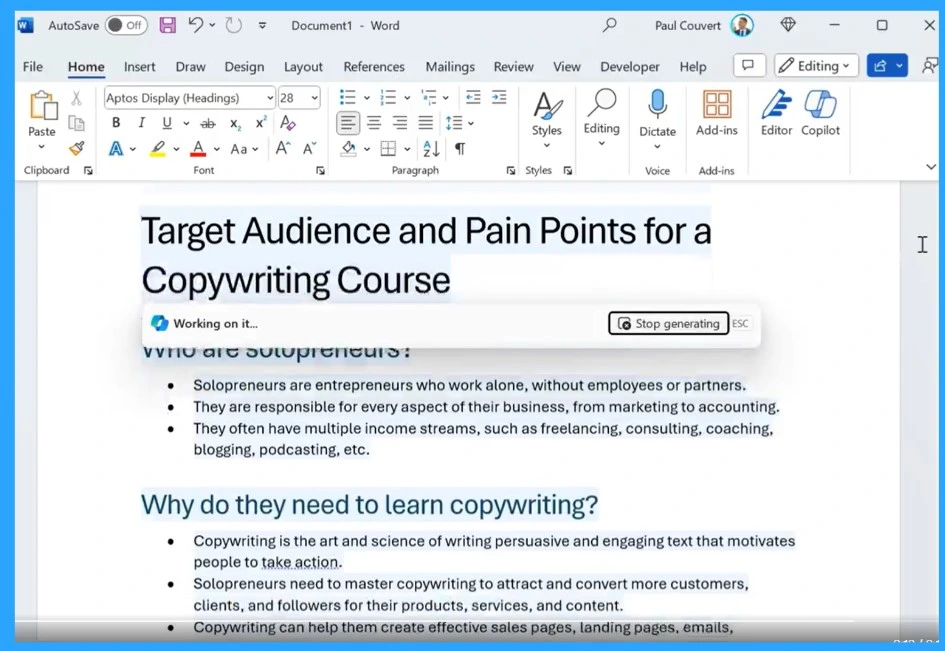
Click the Copilot icon in the left margin of your Word document. Enter the specific topic in the screenshots: “I’m creating a course to teach solopreneurs how to get better at copywriting. Create a list with bullet points to identify the target audience and their pain points.” and ask for a generation.
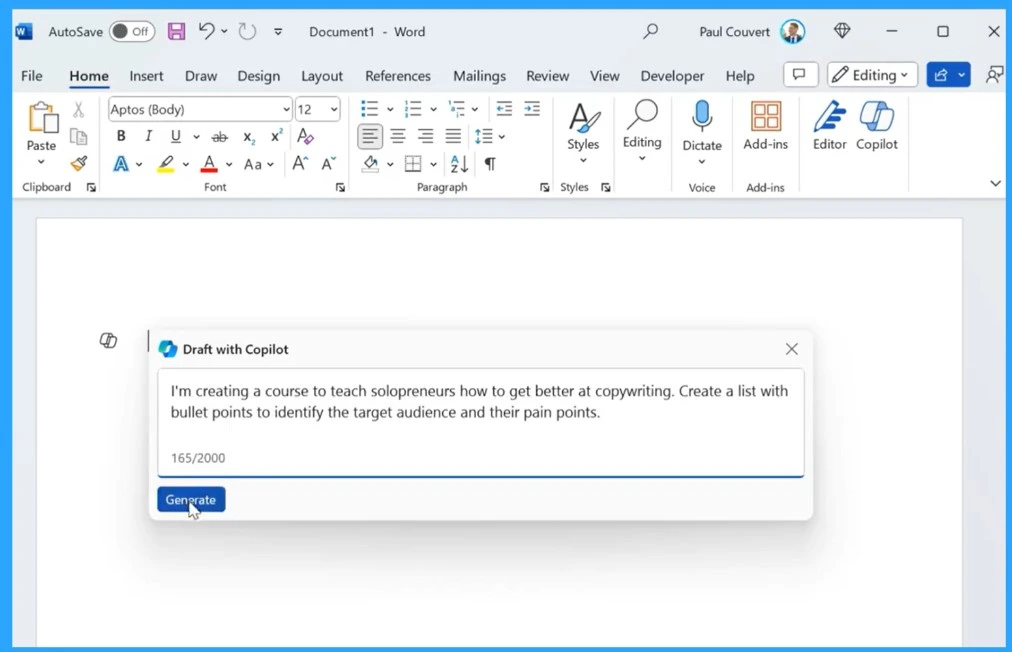
This topic is intentionally simple; additional context can significantly improve Copilot’s response. You can use Copilot to rewrite a sentence to make it more clear.
- Also, you can use Copilot to summarize a long paragraph and paraphrase a quote from a source
- Use Copilot to check the grammar, spelling, and style of the essay and correct any errors
We are on WhatsApp now. To get the latest step-by-step guides, news, and updates, Join our Channel. Click here. HTMD WhatsApp.
Author
Krishna. R is a computer enthusiast. She loves writing about Windows 11 and Intune-related technologies and sharing her knowledge, quick tips, and tricks about Windows 11 or 10 with the community.




Discussion