






FIX: Create MDT Task Sequence Missing from SCCM Console
The Create MDT Task Sequence Missing from SCCM console. What happened to the Task Sequence node? This is being observed after successfully integrating MDT with Configuration Manager. MDT adds many enhancements to Configuration Manager, and It provides more than 280 enhancements that MDT adds to Configuration Manager.
I had recently noticed this issue in SCCM Configuration Facebook Group reported by community members. If you have finished integrated MDT with Configuration Manager after relaunching sccm console, you will experience it while navigating to the task sequence node inside sccm console, and the Create MDT Task Sequence is not visible for you.
The integration process happens at the console level. Installing MDT makes no changes to the ConfigMgr server. To use the MDT extensions, you need to install and integrate MDT on every system with the ConfigMgr console installed.
Create MDT Task Sequence Missing – SCCM Console
You will notice that create MDT Task Sequence is missing when attempting to create a Microsoft Deployment Toolkit (MDT) task sequence from SCCM Console. Let’s check the details below for possible solutions for this issue.

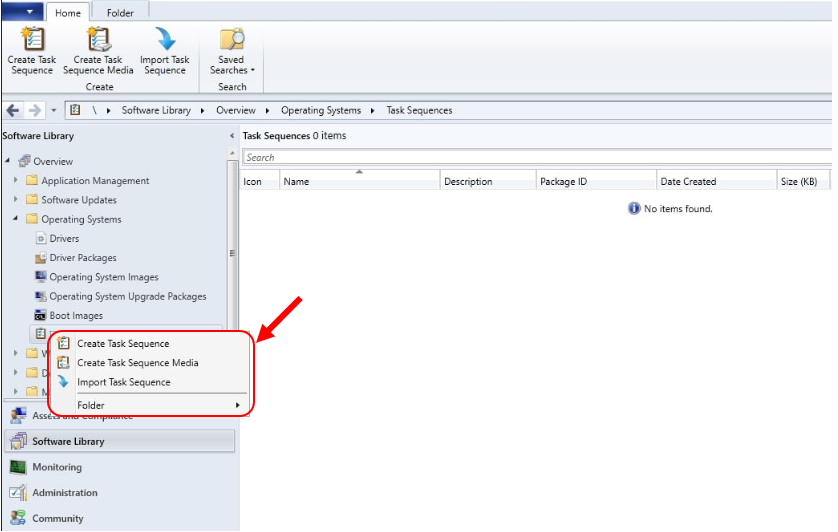
FIX – Create MDT Task Sequence Missing?
Let’s check the possible solution to Create MDT Task Sequence Missing in SCCM Console –
#Option 1 –
- In the Configuration Manager console, go to the Administration workspace, expand Site Configuration, and select Sites.
- Select Hierarchy Settings from the ribbon.
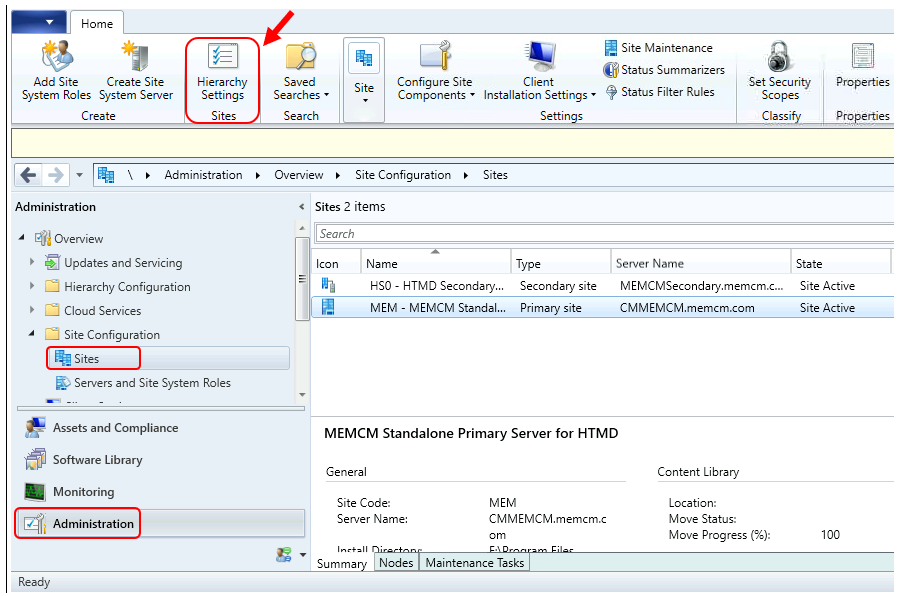
- On the General tab, disable (Uncheck) the Only allow console extensions that are approved for the hierarchy option.
The setting remains disabled by default, if you upgraded from a version prior to SCCM 2103. Disabling the setting allows the old-style extensions to be used again.
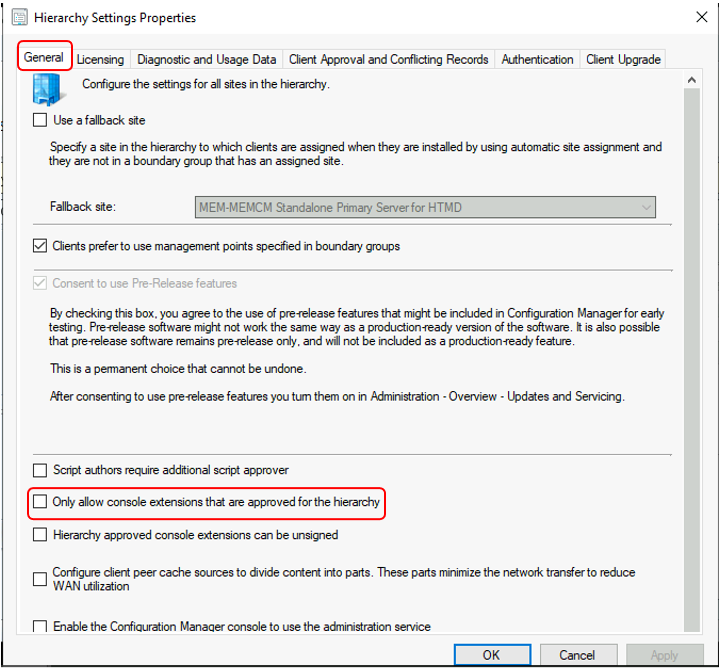
- Select Ok when done to close the Hierarchy Settings Properties.
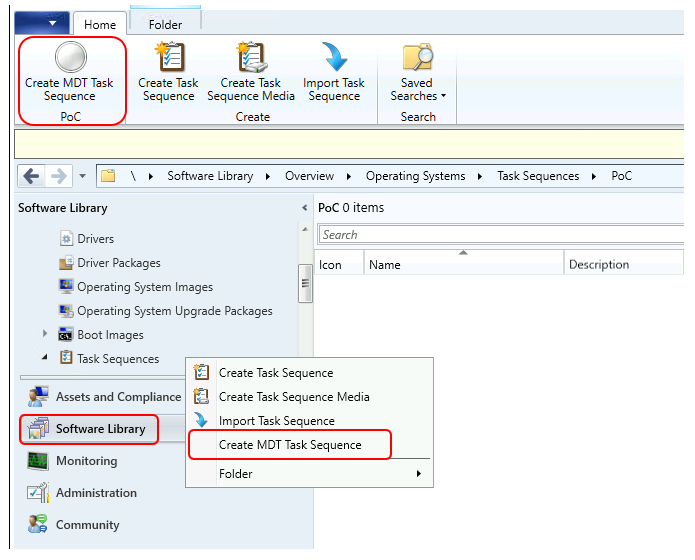
- Close the Configuration Manager console and re-open it. Here you can see the Create MDT Task Sequence appread under Task Sequences node.
#Option 2 –
You need to remove and reinstall the MDT console extensions for System Center Configuration Manager. For more details about the removal process, you can follow this post. The Impact of Removing the MDT Integration, This process will not impact the existing task sequence already in SCCM.
Resources
- Configure User Driven Installation UDI Using ConfigMgr | SCCM
- Customizing UDI Wizard with UDI Designer Using SCCM | ConfigMgr
Author
About Author -> Jitesh has over 5 years of working experience in the IT Industry. He writes and shares his experiences related to Microsoft device management technologies and IT Infrastructure management. His primary focus area is Windows 10 Deployment solution with Configuration Manager, Microsoft Deployment Toolkit (MDT), and Microsoft Intune.




Yes, Option 1 is working for me.
Thank you so much for your posting.
Its working. Thanks for the clarification
Yes sir it is working for me too..Option 1 did the trick,