






Create SCEP Certificate Profiles in Intune Deploy SCEP Profiles to Windows 10 Devices
Let’s discuss how to Create SCEP Certificate Profiles in Intune and Deploy them to Windows 10 Devices. In this post, we will create and deploy an SCEP Certificate to Windows 10 Devices (How to Deploy an SCEP Certificate to Windows Devices).
We must take care of some prerequisites before creating SCEP Certificates in Intune. On-prem infrastructure components must be available before creating SCEP cert profiles in Intune. Related post > Intune SCEP HTTP Errors Troubleshooting Made Easy With Joy – #5 (anoopcnair.com)
NDES setup for SCEP – The NDES connector should be installed on your data center, and the NDES connector should be able to talk to the CA server and use the Azure AD App proxy connector if you are using the Azure app proxy.
I won’t cover the setup of NDEs and the Azure AD App proxy connector. Those two configurations are very complex and well explained in other blogs.

- Part 1 – Learn The Basic Concepts of PKI
- Part 2 – Knowing SCEP – The General Workflow
- Part 3 – Intune SCEP PKI Implementation Deep Dive
- Part 4 – Intune SCEP Certificate Workflow Analysis
Table of Contents
Intune SCEP Certificate Deployment for Windows 10 Devices – SCEP Certificates to Users Devices
Before creating a Windows 10 SCEP Certificate in Intune, you need to create and deploy a certificate chain. The certificate chain includes the Root CA certificate and the Intermediate /Issuing CA certificate. Intune offers three certificate profiles: TRUSTED Certificate, SCEP Certificate, and PKCS Certificate. We are not going to use the PKCS certificate for SCEP profile deployment.
Create SCEP Certificate Profiles in Intune Deploy SCEP Profiles to Windows 10 Devices
Deploying SCEP Certificates to Windows 10 Devices will help connect corporate resources like Wi-Fi and VPN profiles. Before making a Windows 10 SCEP Certificate in Intune, you must create and deploy a certificate chain. The certificate chain includes the Root CA and Intermediate /Issuing CA certificates.
Intune offers 3 certificate profiles: TRUSTED Certificate, SCEP Certificate, and PKCS Certificate. We will not use the PKCS certificate for SCEP profile deployment.
Intune Create SCEP Certificate Profiles in Endpoint Manager Deploy SCEP profiles to Windows 10 Devices. Following are the high-level tasks for deploying the SCEP Certificate to Windows10 Devices via Intune:-
Create and Deploy iOS Root CA certificate using Intune Azure Portal Create and Deploy iOS Intermediate/Issuing CA Certificate using Intune Azure Portal Create and Deploy SCEP Certificate to iOS Devices using Intune Azure Portal.
Create and Deploy Windows 10 Root CA, Windows 10 Intermediate/Issuing CA Certificate Profiles
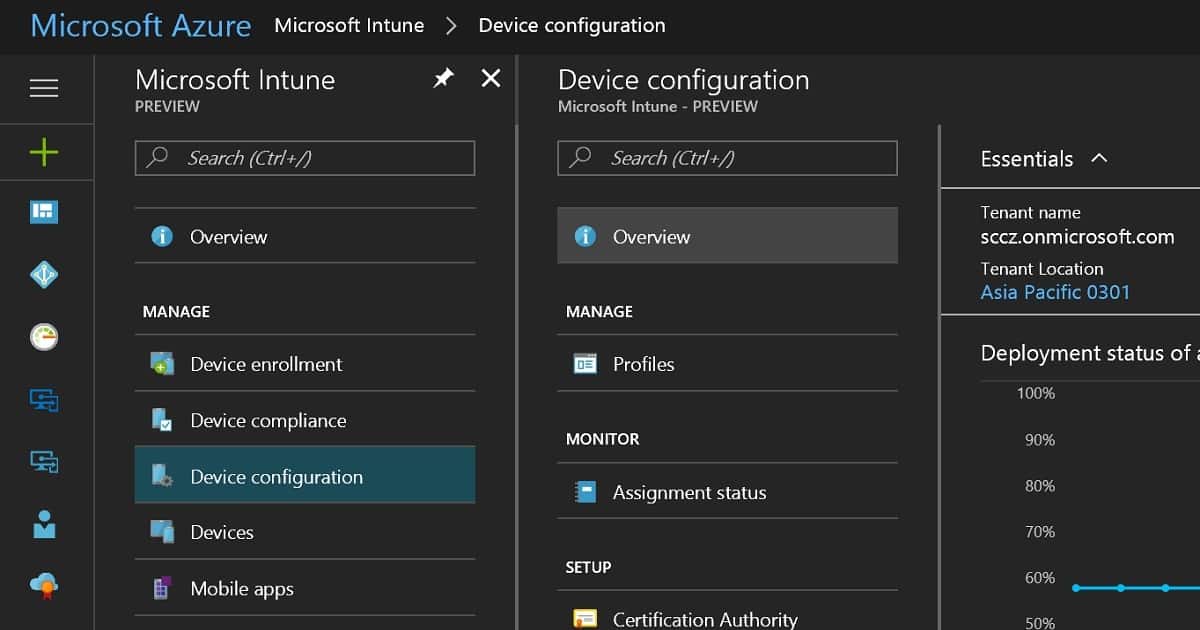
As the first step, we need to create a Root CA cert profile. To create a Root CA cert, navigate through Microsoft Intune—Device Configuration—Profiles—Create a profile. Select the platform as Windows 10 and the profile type as Trusted Certificate. You must then browse and upload your ROOT CA cert (the Name of the cert = ACN-Enterprise-Root-CA.CER)from your CA server.
We need to select a destination store in the Windows 10 Trusted certificate profile. For the root certificate profile, we must select Computer Certificate store—root. Once the settings are saved, you must deploy the root certificate profile to the required Windows 10 devices.
| Platform | Profile type |
|---|---|
| Windows 8.1 and later | Trusted Certificate |
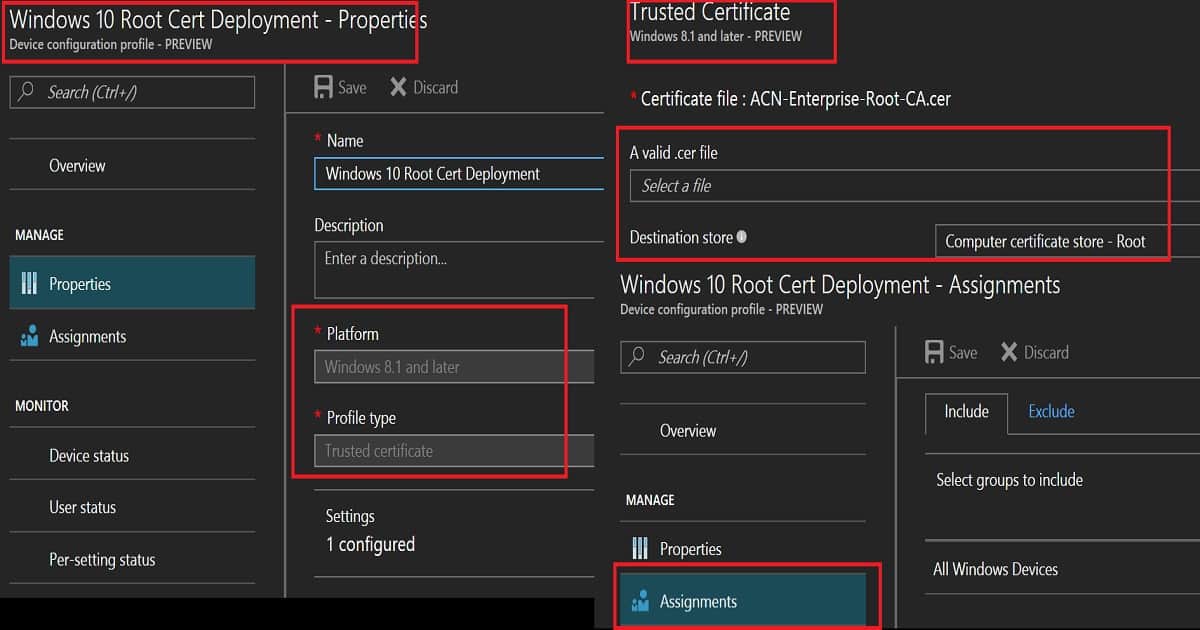
We must follow the same process for deploying the Intermediate/Issuing CA certificate profile via Intune. Make sure that you upload the issuing CA cert (Name of cert = ACN-Issuing-CA-PR1.CER) from your CA server.
Another point we need to take care of is the destination store. We need to select the destination store as Computer Certificate Store—Intermediate. Click OK—Create to finish creating the Issuing cert profile.
Deploy Windows 10 Root CA and Intermediate/Issuing CA Certificate Profiles to the same group of Windows 10 devices. We can deploy these profiles using either an AAD user or device group. However, I would prefer to use AAD dynamic device groups wherever possible.
Create and Deploy Windows 10 SCEP Profile via Intune – Intune Create SCEP Certificate Profiles
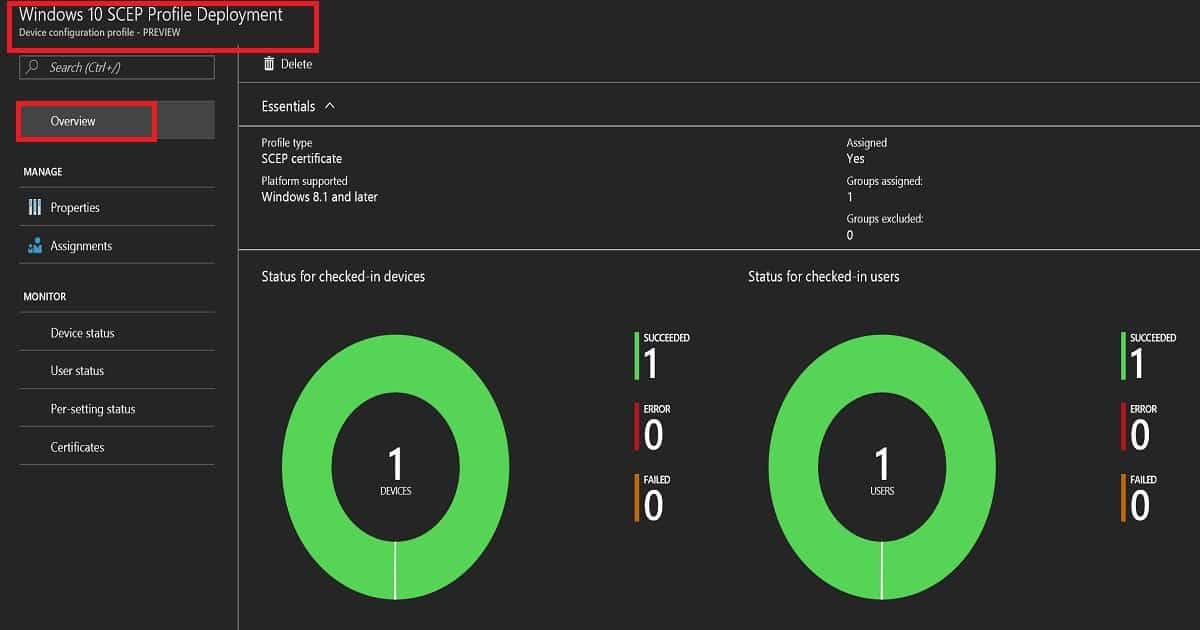
To create and deploy a SCEP profile on Windows 10 devices, navigate to Microsoft Intune—Device Configuration—Profiles—”Create a profile.” Select the platform as Windows 10 and the profile type as SCEP Certificate.
When you create a SCEP profile for a Windows 10 device, you need to make some specific settings. The load of these configurations can differ between the CA server setup and another on-prem component setup.
The certificate validity period is 1 year, which is the industry standard. There are four options for the Key storage provider (KSP): Enrol to trusted platform Module(TPM) KSP if present Software KSP, Enrol to Trusted platform module(TPM), otherwise fail, Enrol to passport, otherwise fail, and Enrol to Software KSP.
In this scenario, I have selected Enrol to Trusted Platform Module(TPM) KSP if the Software KSP is present. We must choose the subject name format value depending on your organizational requirement. In this scenario, I selected a familiar name as an email. The subject alternative name is UPN. Key usage is a digital signature and key encipherment. The key Size value is 2048. If your CA supports the same, the hash algorithm value (SHA-2) should be the latest one.
Another critical point is linking the SCEP profile with the ROOT cert profile you created. If you have not created any ROOT cert and intermediate/issuing CA cert profiles in Intune, it won’t allow you to create an SCEP profile. Extended key usage is another setting, and it should automatically get populated. One example here is “Client Authentication—1.3.6.1.5.5.7.4.3.”
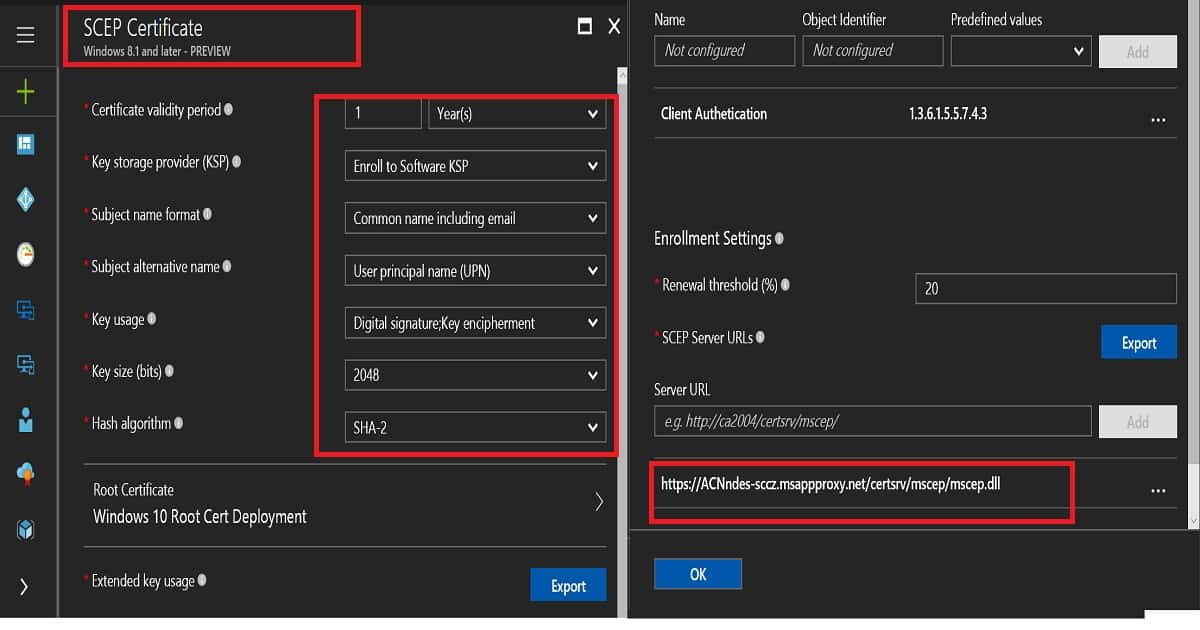
Enrollment Settings is the last set of settings for Windows 10 SCEP profiles in Intune. I recommend keeping the certificate renewal threshold at the default value of 20%. SCEP server URLs (e.g., https://acnndes-sccz.msappproxy.net/certsrv/mscep/mscep.dll) are very important. These are the URLs to which Windows 10 devices will go and request SCEP certs.
This should be reachable from the Internet. As I mentioned above, you can use Azure AD app proxy URLs. In this scenario, I will use Azure AD app proxy settings.
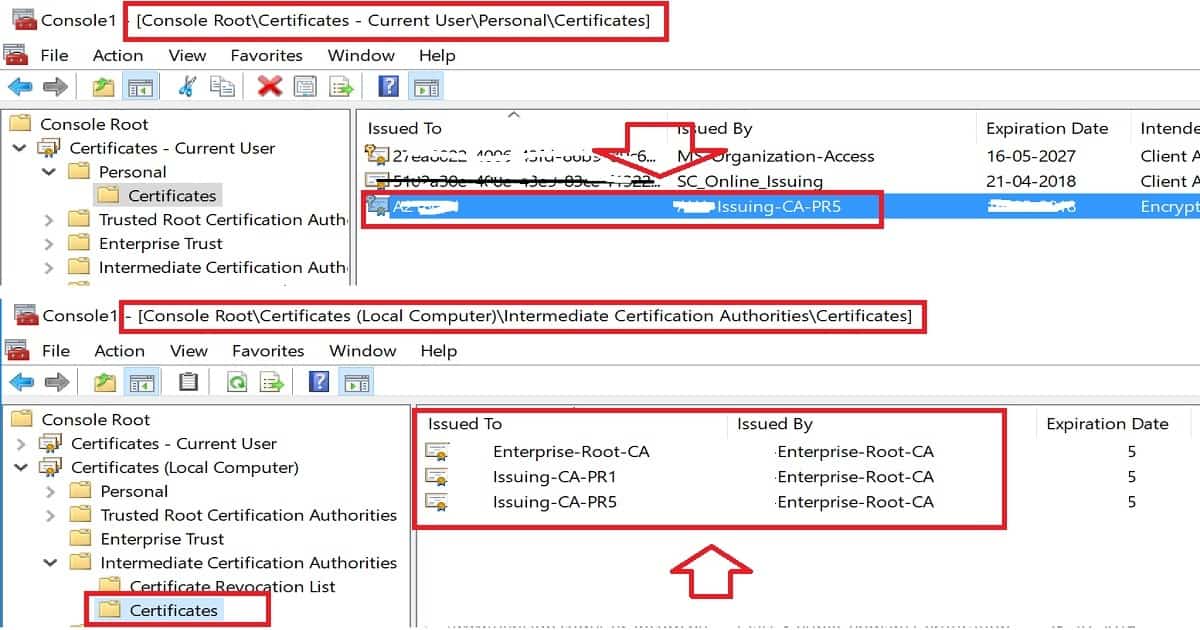
SCEP profile cert will be deployed to users’ stores in the format “ACN-Issuing-CA-PR5“.
End-User Windows 10 Certificate Store Experience – Intune Create SCEP Certificate Profiles
SCEP profile will be deployed to Current User\Personal\Certificates = “ACN-Issuing-CA-PR5“
Root and Intermediate CA cert will be deployed to Local Computer\Intermediate Certification Authorities\Certificates = ACN-Enterprise-Root-CA.CER and ACN-Issuing-CA-PR1.CER
Resources
- https://techcommunity.microsoft.com/t5/Intune-Customer-Success/Support-Tip-How-to-configure-NDES-for-SCEP-certificate/ba-p/455125
- Configure and manage SCEP certificates with Intune – New Azure Portal
- How to configure certificates in Microsoft Intune – New Azure Portal
- How to Protect NDES with Azure AD Application Proxy
We are on WhatsApp now. To get the latest step-by-step guides, news, and updates, Join our Channel. Click here. HTMD WhatsApp.
Author
Anoop C Nair is Microsoft MVP! He is a Device Management Admin with more than 20 years of experience (calculation done in 2021) in IT. He is a Blogger, Speaker, and Local User Group HTMD Community leader. His main focus is on Device Management technologies like SCCM 2012, Current Branch, and Intune. He writes about ConfigMgr, Windows 11, Windows 10, Azure AD, Microsoft Intune, Windows 365, AVD, etc.


We are trying to do this in our environment now, but are having some issues and I’ve searched the net finding this post.
We’ve done pretty much the same, but were making it a device type certificate, not user. The idea behind this is an assumption user certificates would be troublesome in an environment where several users share a single computer. I’m not sure if this assumption is accurate?
In any case, we’re having issues. I can see the certificate on the computer, under Certificates (local computer)\Personal\Certificates. However, when I try connecting to the WiFi I just get an message “unable to log on because you need a certificate, contact IT-support” (translated from Norwegian). And I can’t seem to find a useful error message anywhere.