






Delete Microsoft Store for Business App from Intune
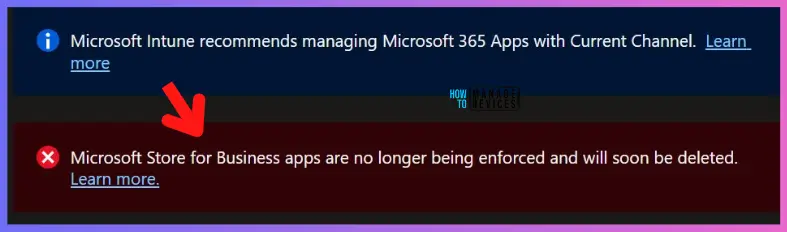
In this post, You will learn how to delete Microsoft Store for Business App from Intune. You can now have the ability to remove Microsoft Store for Business legacy app. Microsoft Store for Business and Microsoft Store for Education retirement are processed in several stages.
Microsoft was planning to retire Microsoft Store for Business and Microsoft Store for Education on March 31, 2023. But the good news is that they will not retire these stores very soon, In April 2023, they begin ending support for the Microsoft Store for Business experience in Intune. This will occur in several stages.
On June 15, 2023, Intune will stop enforcing online and offline Microsoft Store for Business and Education apps on devices. Existing Sync Microsoft Store for Business (MSfB) with Intune will remain to allow admins to view the apps that had been synced and their assignments.
On September 15, 2023, Microsoft Store for Business and Education apps will be removed from the Intune admin center. Apps on the device will remain until intentionally removed. The Microsoft Graph API microsoftStoreForBusinessApp will no longer be available about a month later.

The new Microsoft Store app type is implemented using the Windows Package Manager (Winget.exe). This app type features an expanded catalog of apps, which includes both UWP apps and Win32 apps.
The WPM integration with store apps helps enterprise admins to manage apps, and updates to Windows app management in Intune with Winget. With the recent release of Windows Autopilot provisioning support and upcoming support of system context for the Microsoft Store app in Intune.
- Deploy New Microsoft Store Apps Type From Intune With Winget
- Install Uninstall Apps From Windows Package Manager Using WinGet Tool And SCCM
How to Delete Microsoft Store for Business App from Intune
Here’s how you can delete Microsoft Store for Business app from Intune portal. You have two options to remove legacy store apps by navigating to the application node either you can navigate to the All Apps or Apps -> By Platform > Windows.
Note! On September 15, 2023, Store for Business legacy apps will be removed from Intune. Apps on the device will remain until intentionally removed.
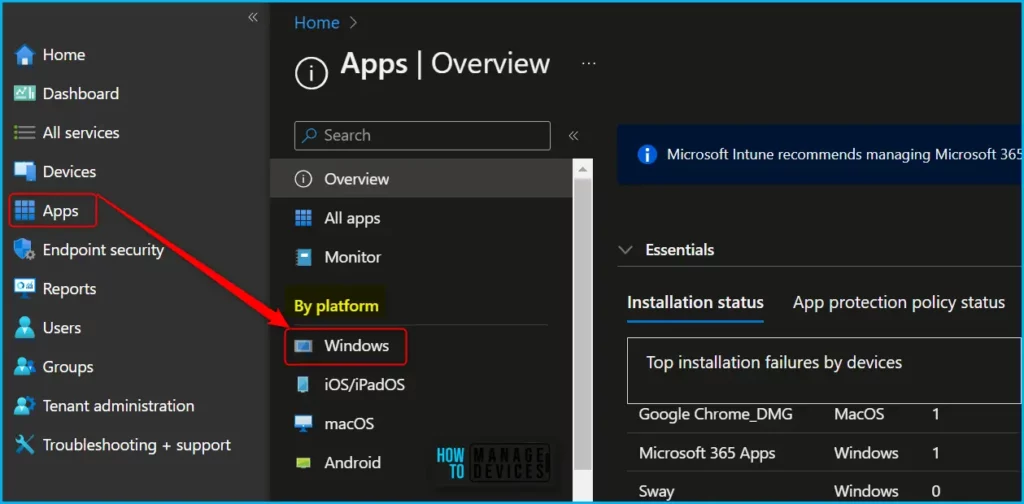
- Sign in to Microsoft Intune Admin Center https://intune.microsoft.com.
- Navigate to Apps > Windows. Here you can see the lists of available Microsoft Store apps in the Intune portal.
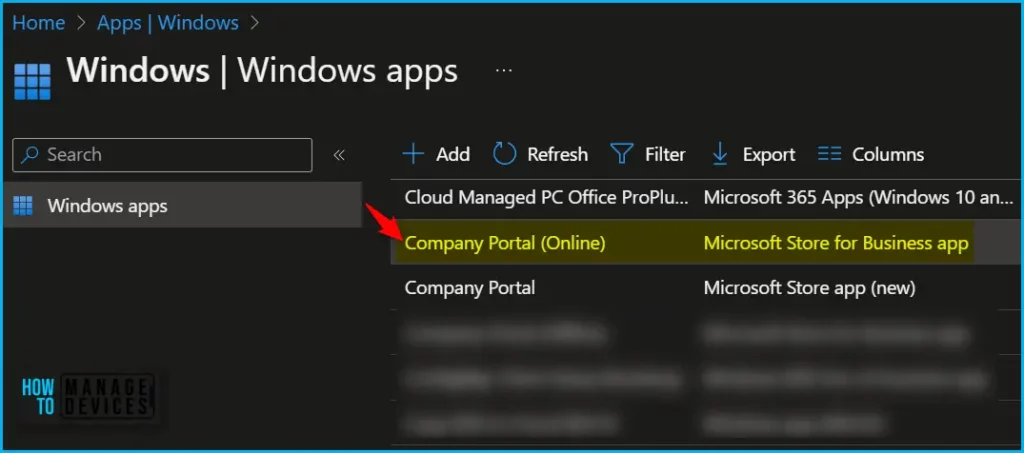
Choose the MSfB application from the list which you want to delete, Here I will be looking for App type, Microsoft Store for Business app. You can also use the search option to locate the application by Name or Publisher.
Note – It’s good to remove any active group assignments or references before the application can be successfully deleted. You can refer to the Assigned column indicating Yes for the active group assignment or No. Here You don’t need to worry about it.
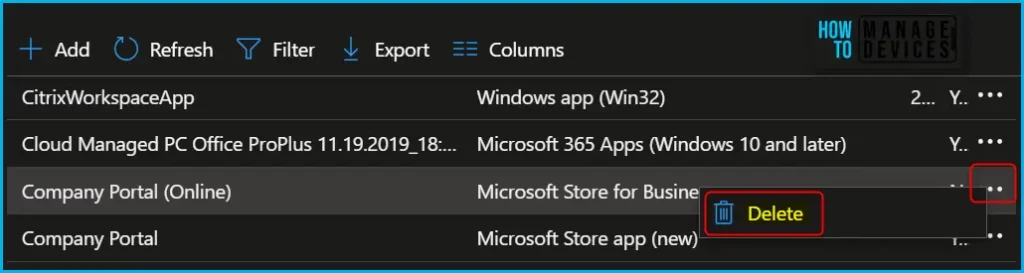
The easiest method is to delete the application by clicking on the three dots and selecting Delete. Only the applications you have highlighted will be deleted.
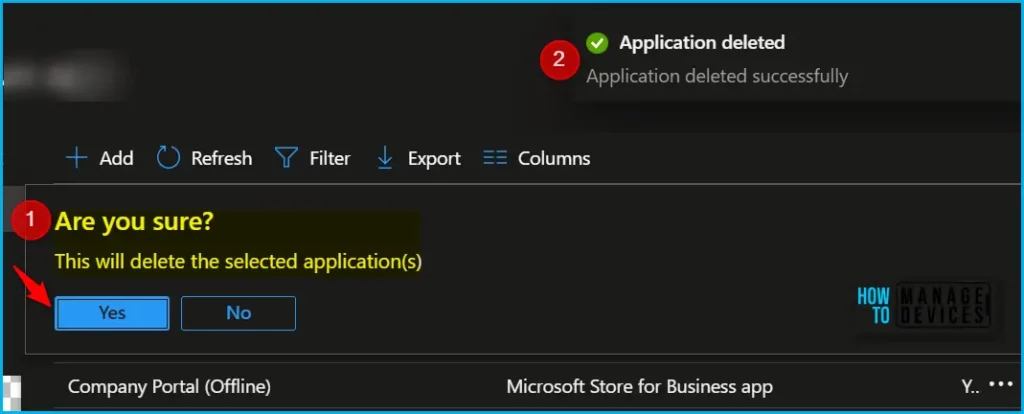
When you attempt to Delete an application, you see a message box. Are you sure? This will delete the selected applications. Click on Yes to confirm the deletion.
A notification will appear automatically in the top right-hand corner with a message. You can see “Application deleted successfully”. You can also monitor the deletion process by clicking on Notification Icon. The App will automatically be removed from the listed app.
Another method is to delete the Microsoft Store for business app from Intune. By Navigating In the Intune Admin Center, Navigate to Apps > All Apps. Select the Store app (legacy) from the list which is available for you and need to remove.
Once you select an application, you will directly jump to the Overview pane. Click on the Delete button and confirm the deletion of the application by clicking Yes on the message box.
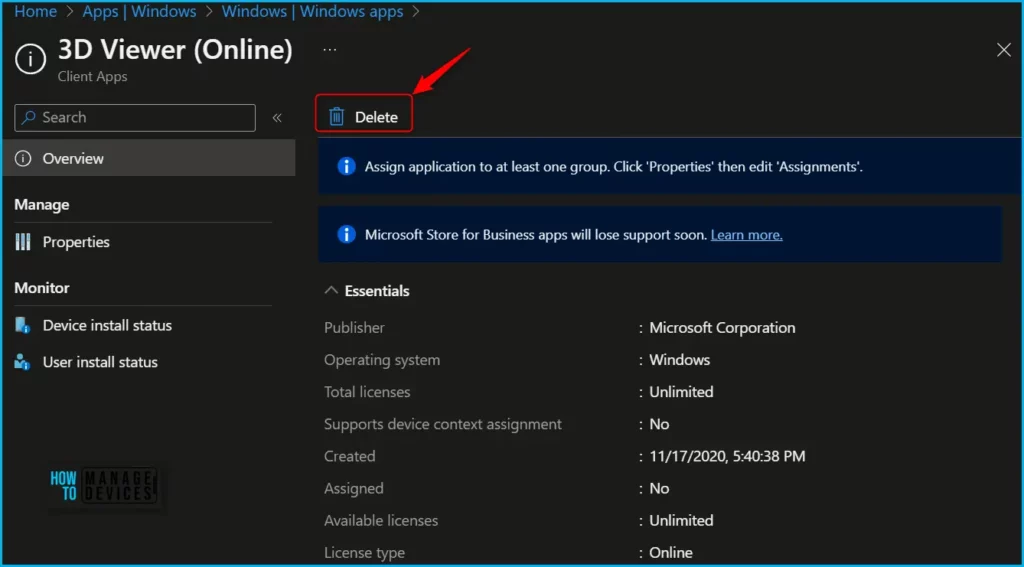
A notification will appear automatically in the top right-hand corner with a message. You can see “Application deleted successfully”. You will see, Microsoft Store for Business legacy app removed from the Apps node.
Author
About Author – Jitesh, Microsoft MVP, has over six years of working experience in the IT Industry. He writes and shares his experiences related to Microsoft device management technologies and IT Infrastructure management. His primary focus is Windows 10/11 Deployment solution with Configuration Manager, Microsoft Deployment Toolkit (MDT), and Microsoft Intune.


Did you already tried to sync the store connector? After a sync the apps are back. the connector will sync every 24 hours. I already opened a case for this a few days ago. Microsoft didn’t come back with a solutions
Thanks for the above, what I’m struggling with is how do I uninstall a WSfB application now that the uninstall is no longer inforced. I’m struggling with Company Portal uninstallation currently..