






How to Enable or Disable Region Settings Policy using Intune
Let’s discuss How to Enable or Disable Region Settings Policy using Intune. This Settings is a Configuration policy provided by Microsoft to IT enthusiasts. Settings Catalog can easily configure this policy in Intune admin center.
Intune policies are allows you to manage your devices by configuring different policies. By configuring the policy Admins can create restrictions for certain users or device. Today we are going to discuss about how to configure region Policy.
As you know that, Region settings in Windows, designed to control whether users can modify the settings on their devices. These settings affect aspects like date formats, currency symbols, and regional preferences, which are often tied to the user’s location or language settings.
In this blog post I would like to provide a step by step guidance to Enable or Disable Region policy using Intune. By configuring this policy, your organization can determine who can get the access of this Settings.

Table of Contents
What are the Advantages?
1. Consistency Across Devices
2. Streamlined Operations
3. Enhanced User Experience
How to Enable or Disable Region Settings Policy using Intune
An organization has many benefit by enabling and disabling this policy. This setting can be enabled or disable according to the preferences. Through the Intune admin center this policy can be quickly configured.
- Allow or Block Language Features Uninstall Policy in Text Input using Intune
- How to Configure Handwriting Panel Default Mode Docked Policy using Intune
- How to Configure Files, Folders and Registry Keys Access Auditing Application Policy in Intune
Windows CSP Details
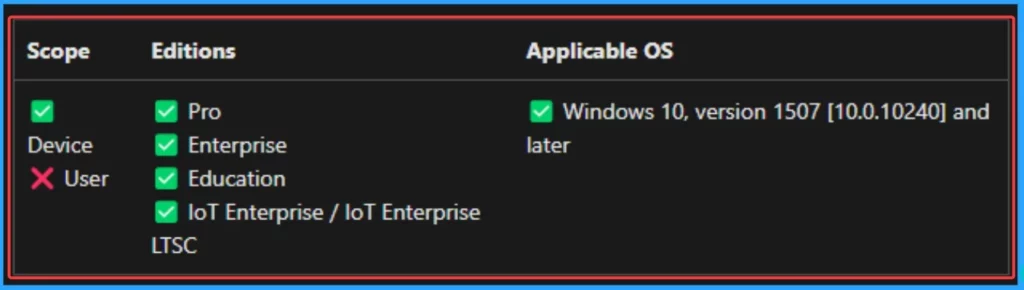
By default the Region policy is enabled. But you can simple disable this feature. The CSP details of this settings shows the applicable OS, scope and editions of the policy. You can configure this policy by checking the CSP details to avoid deployment errors.
./Device/Vendor/MSFT/Policy/Config/Settings/AllowRegion
Description Framework Properties
The Description framework properties define attributes and behaviours of specific policies or settings. The below table shows the Description framework properties of this settings policy.
| Property Name | Property Value |
|---|---|
| Format | int |
| Access Type | Add, Delete, Get, Replace |
| Default Value | 1 |
Allowed Values
The Allowed Values in CSP define the predefined set of acceptable inputs for a specific policy or setting. The below table shows the allowed values of this settings.
| Value | Description |
|---|---|
| 0 | Not allowed |
| 1(Default) | Allowed |
Steps to Configure Policy
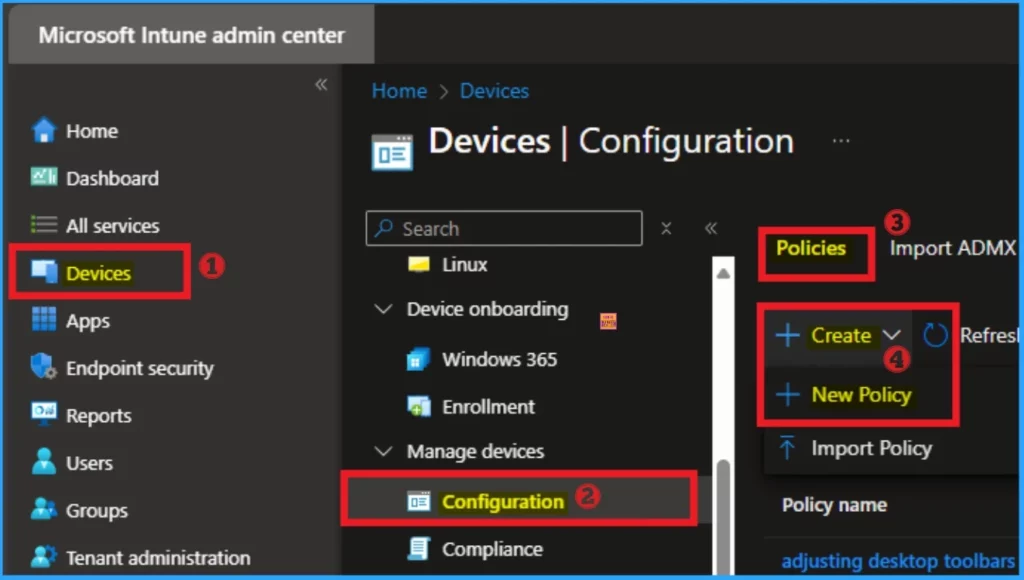
To start the configuration of Region Settings policy you have to open the Microsoft Intune admin center. Open the Intune admin center and go to Devices > Configuration > Create > + New Policies.
Create a Profile
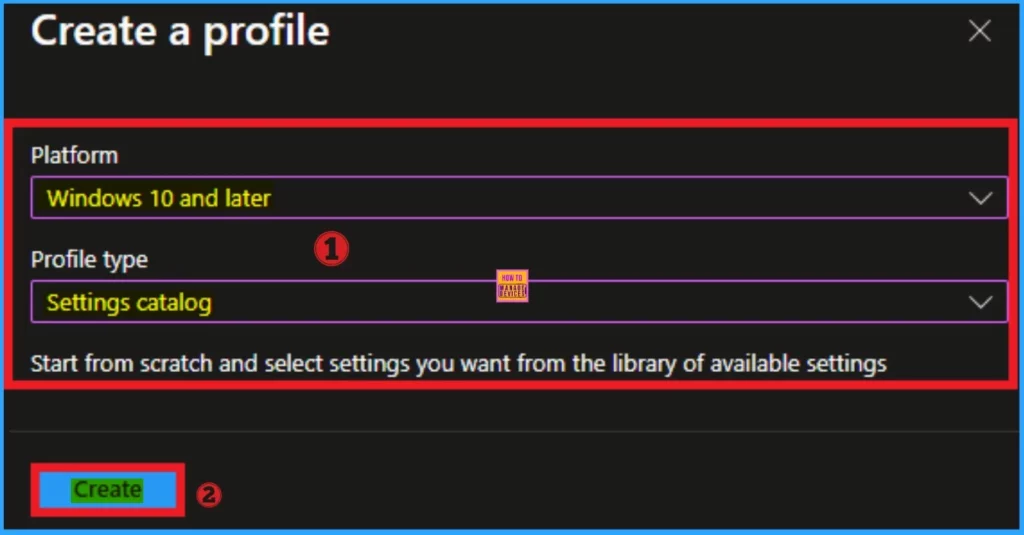
After clicking on the +New Policies you will get the profile creation page. Here you can choose the Platform and Profile type. Select Windows 10 and later and platform and Settings Catalog as Profile type. Click on the Create button.
Basic Tab
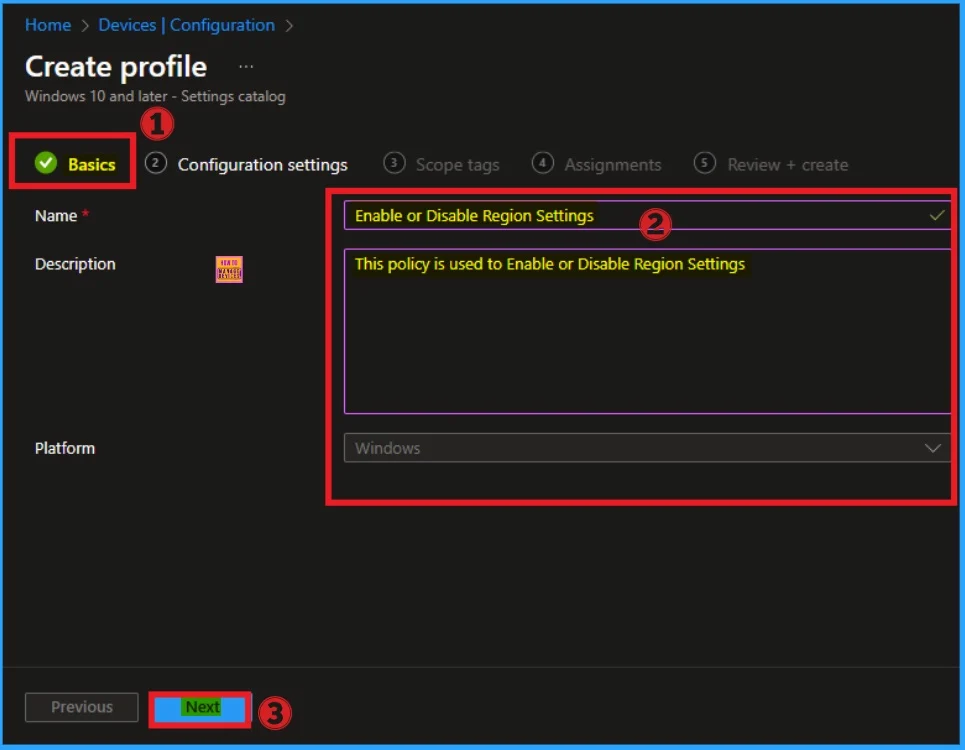
On the basic tab, you can give a name and description for the policy that you want to create. The Name is the mandatory field that helps you to recognise the policy. The description is not compulsory but it is good to add a description to identify the details of the policy.
- Name – Enable or Disable Region Settings
- Description – This policy used to Enable or Disable Region Settings
- Platform – Windows
- Click on the Create button
Configuration Settings
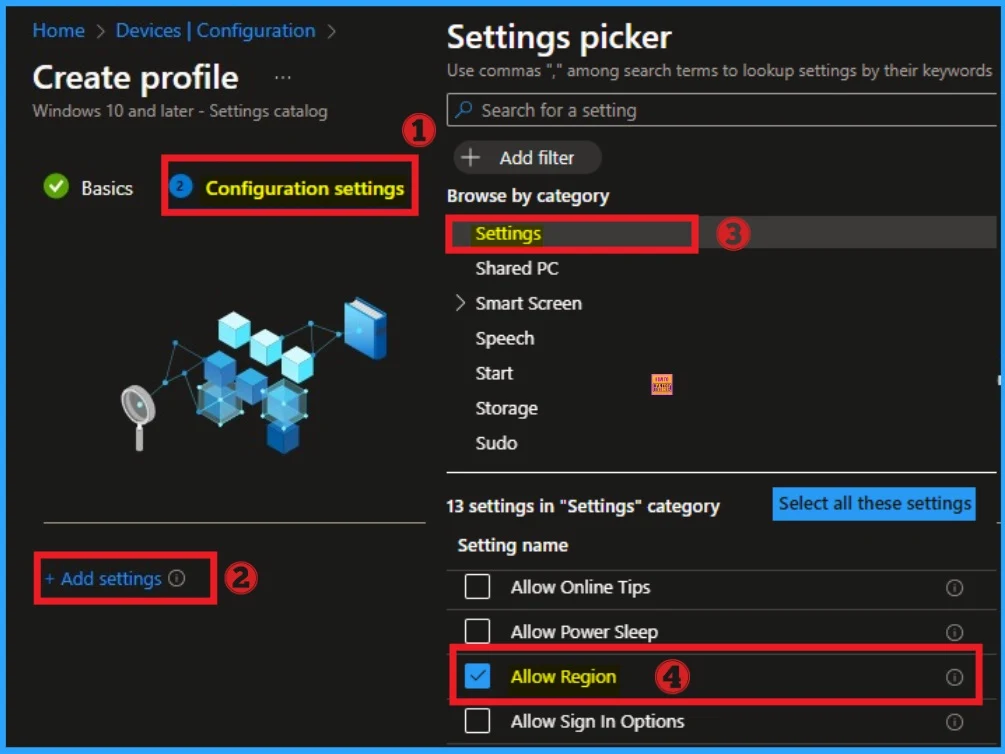
The Configuration Settings tab is very important section on Intune policy creation. From this tab, you can find specific settings. Click on the +Add settings hyperlink. Select Settings Category and select Allow Region settings. Then you can close the Settings Picker window.
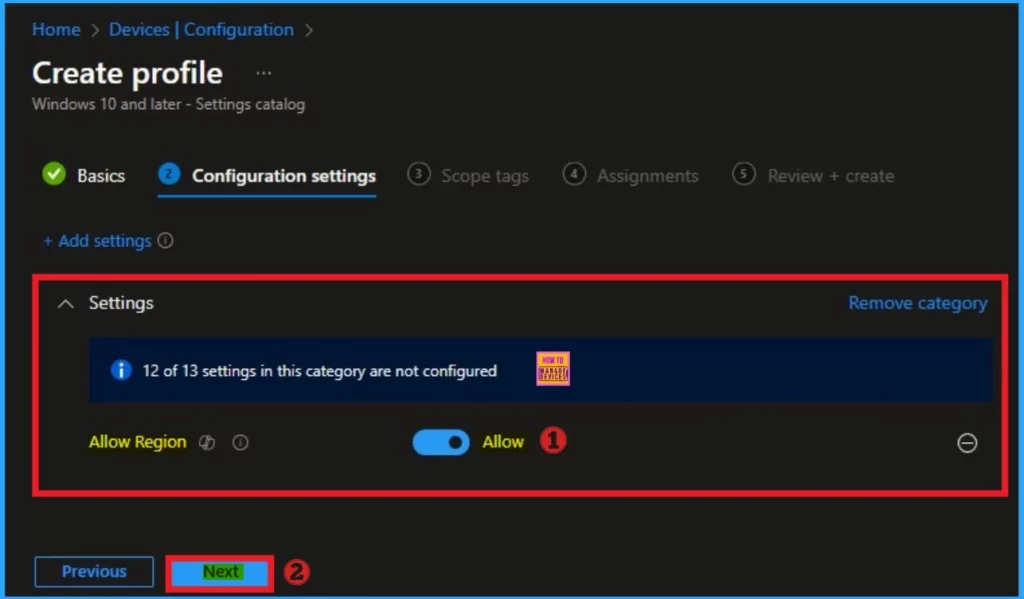
After selecting the policy, you can select the value for the policy creation. By default region settings policy is enabled(Allowed). If you want to enable this settings, go with this and click on the Next button.
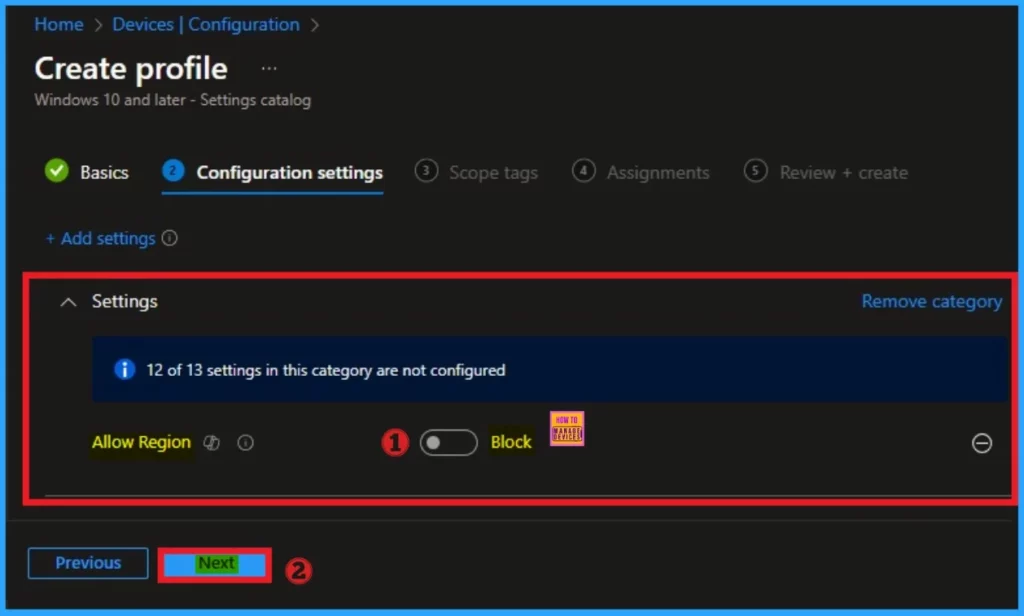
Here I like to block the region settings. By disabling this policy, date formats, currency symbols, and regional preferences can be restricted to maintain consistency across devices within an organisation. To disable this policy toggle the pane to the left side.
- Click on the Next button
Scope Tags
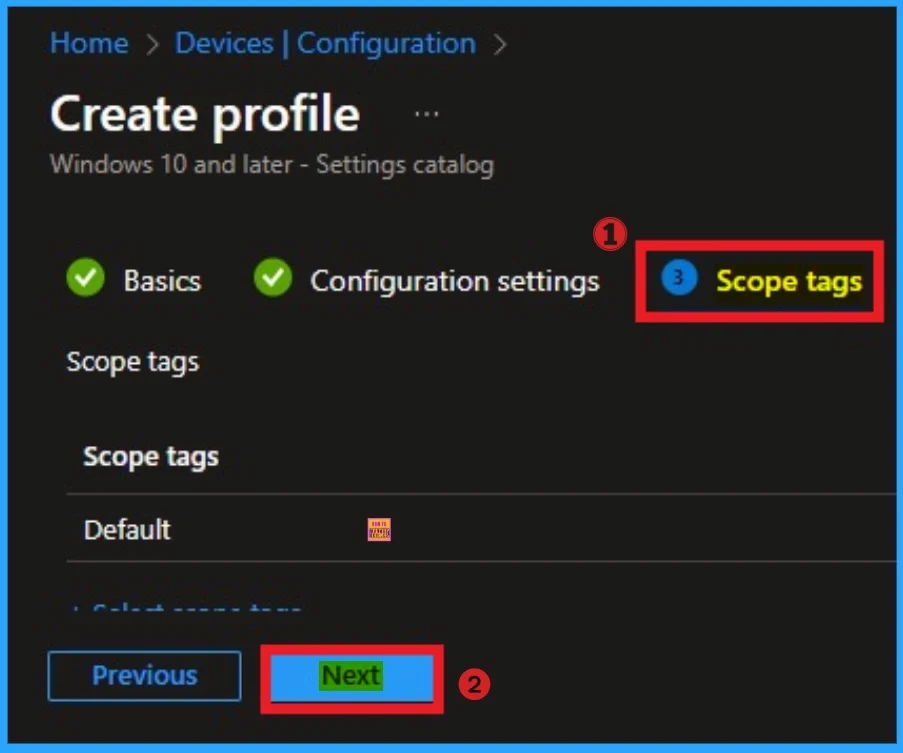
Scope tags help you to manage specific policies in Intune. Your admin can filter and control the visibility of this settings policy by adding Scope tags. Here I skip the Scope tags. Click on the Next button.
Assignments
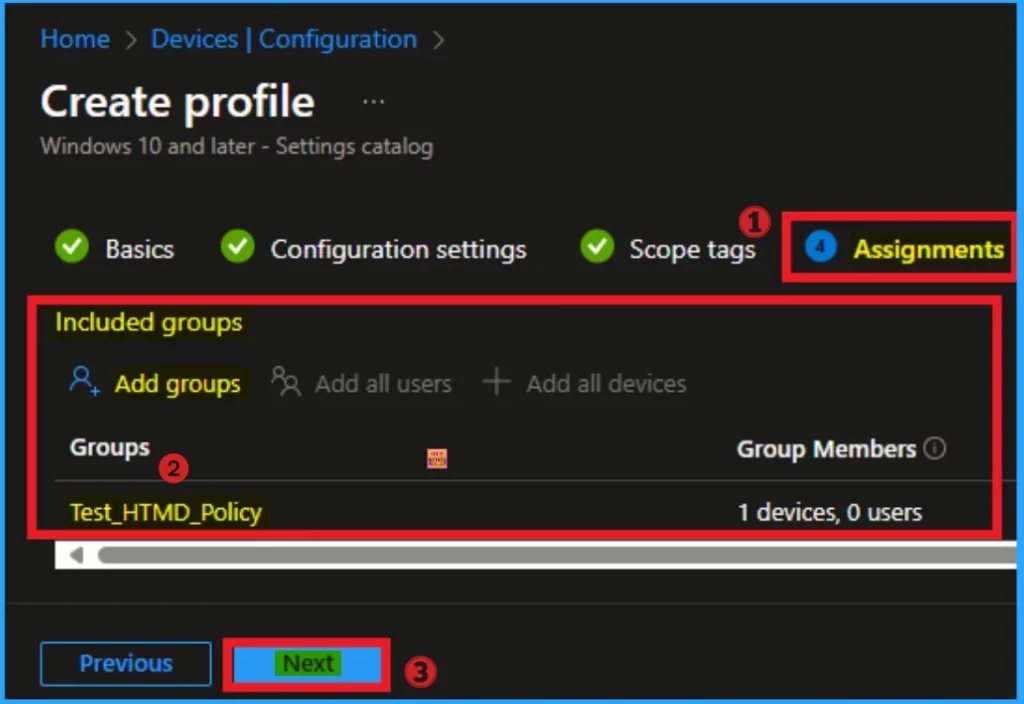
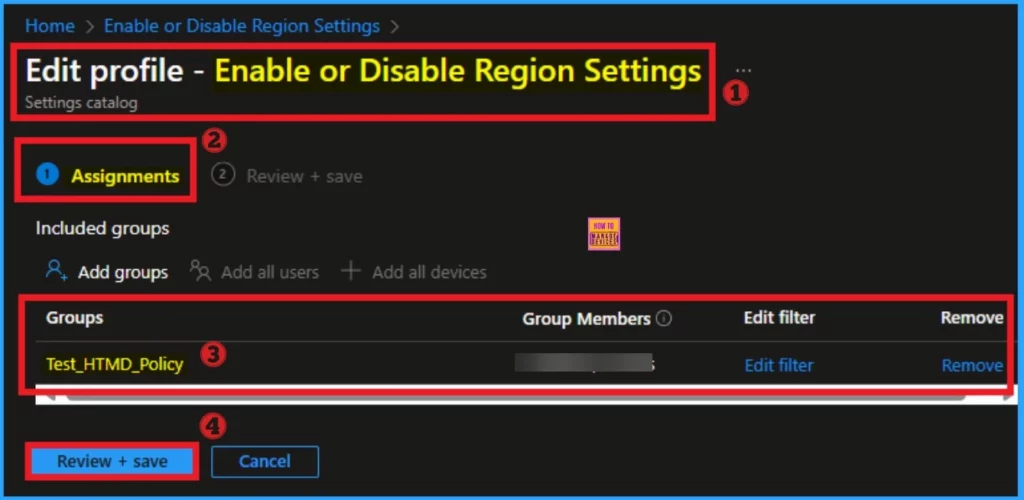
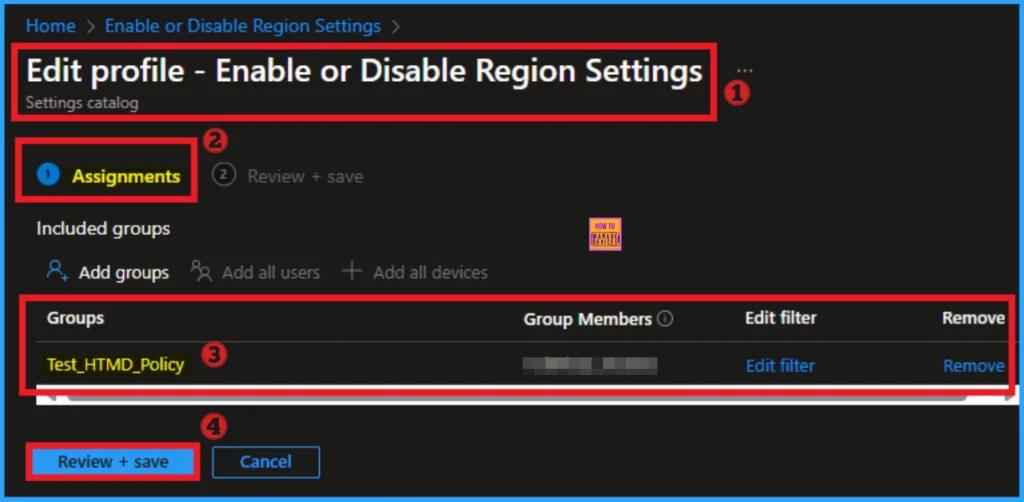
Assignments tab helps you to select specific groups to configure the region settings policy. Click on the +Add groups option under included groups. Select the group from the list of groups on your tenant.
Click on the Select button. And you can see the selected group on the Assignment tab. Click on the Next button from the below window.
Review + Create
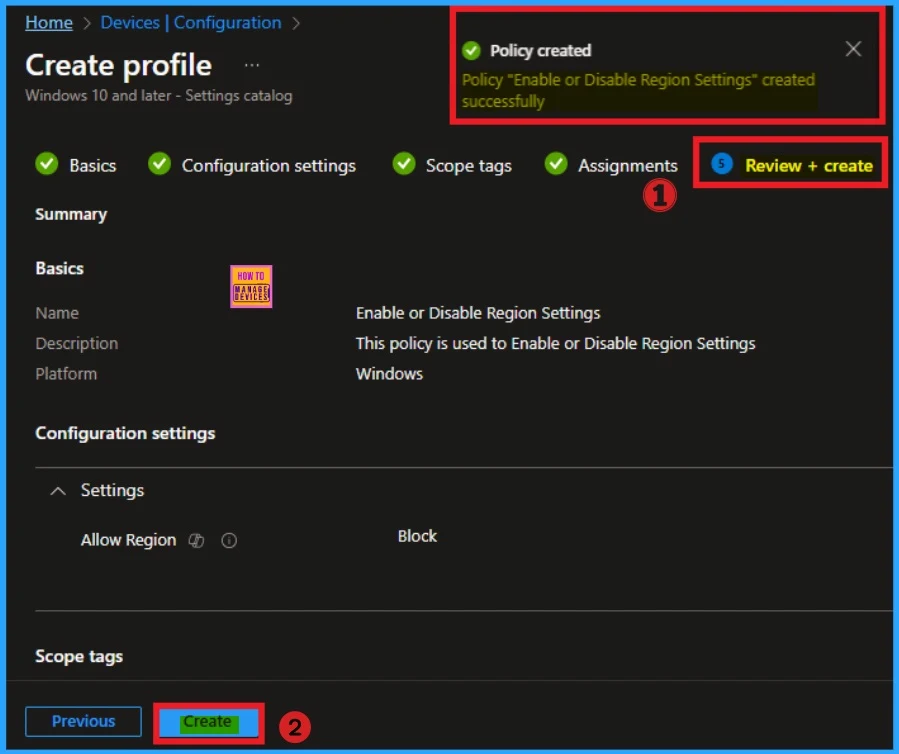
This section allows you to finalise the policy creation. You can verify the details on this page. If you can agree with the details click on the Create button. And you will get the success Message.
Monitoring Status
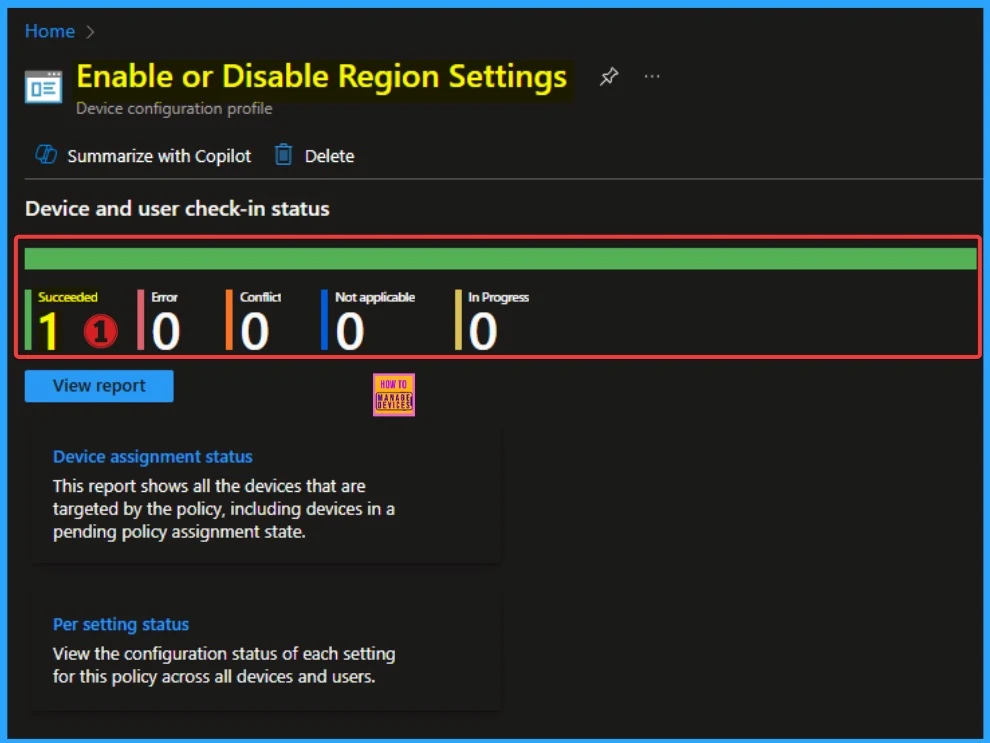
After the policy created, you can sync the device on the company portal for faster deployment. After that, you can check the monitoring status on the Company Portal. Here the Status shows succeeded as 1.
Client Side Verification
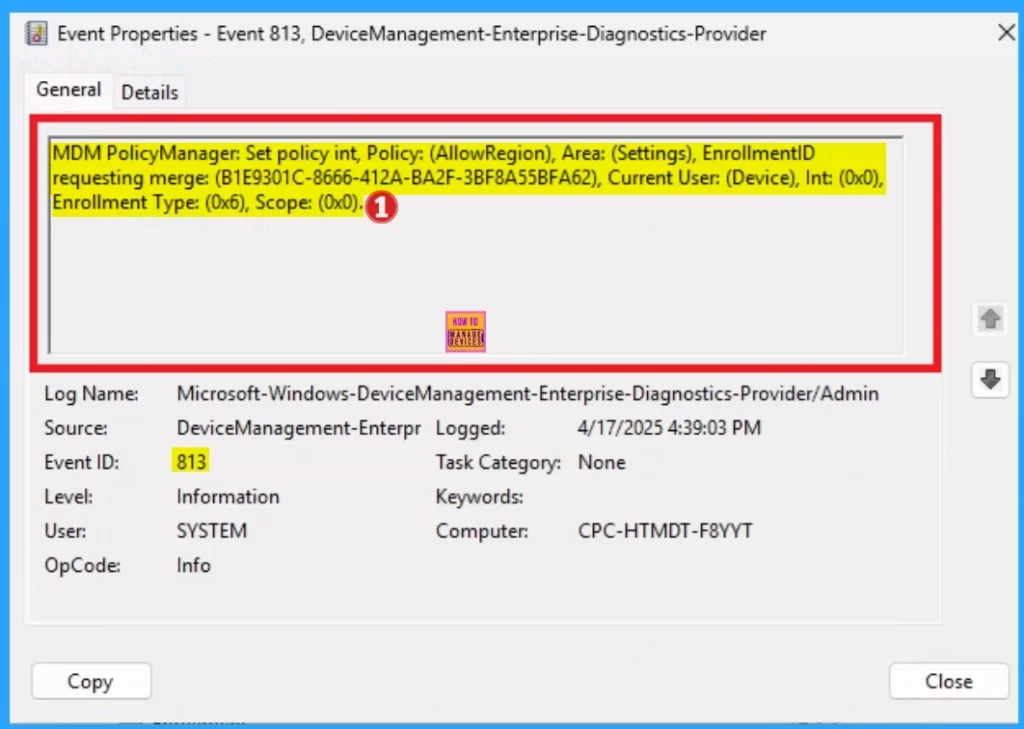
Open the Event Viwer and navigate to Application and Services Logs > Microsoft > Windows > DeviceManagement–Enterprise–Diagnostics–Provider > Admin. The below screenshot shows the Event details of Region settings.
MDM PolicyManager: Set policy int, Policy: (AllowRegion), Area: (Settings), EnrollmentID
requesting merge: (B1E9301C-8666-412A-BA2F-3BF8A55BFA62), Current User: (Device), Int: (0x0),
Enrollment Type: (0x6), Scope: (0x0).
How to Remove Assigned Group from Region Settings Policy
You can easily remove the assigned group from the Region Settings Policy. Open the Policy, go the Assignment tab and you can Edit the policy. The more deatils can be found from the below post.
For detailed information you can refer our previous post – Learn How to Delete or Remove App Assignment from Intune using Step by Step Guide
Delete Region Settings Policy
Policy Deletion is the simplest step in Intune Portal. You can easily delete the Region Settings Policy from Intune. The Policy deletion steps can be referred to from the the below post.
For detailed information you can refer our previous post – How to Delete Allow Clipboard History Policy in Intune Step by Step Guide
Need Further Assistance or Have Technical Questions?
Join the LinkedIn Page and Telegram group to get the latest step-by-step guides and news updates. Join our Meetup Page to participate in User group meetings. Also, Join the WhatsApp Community to get the latest news on Microsoft Technologies. We are there on Reddit as well.
Author
Anoop C Nair has been Microsoft MVP for 10 consecutive years from 2015 onwards. He is a Workplace Solution Architect with more than 22+ years of experience in Workplace technologies. He is a Blogger, Speaker, and Local User Group Community leader. His primary focus is on Device Management technologies like SCCM and Intune. He writes about technologies like Intune, SCCM, Windows, Cloud PC, Windows, Entra, Microsoft Security, Career, etc.


Discussion