






Download Free Backup Solution for VMware and HyperV based Virtual Machines
Download Free Backup Solution for VMware and HyperV-based Virtual Machines? Most IT Pros are running labs on our workstations or laptops. Have you ever tried a backup solution to backup Hyper-V and VMware virtual machines in the lab?
Altaro released the latest version of its backup solution, Altaro VM (Virtual Machine) Backup. This single backup solution supports both VMware and Hyper-V virtual machines!
Altaro VM Backup is an easy-to-use backup software solution for backing up and restoring Hyper-V and VMware-based virtual machines within the same application. It is FREE for two VMs forever.
It’s straightforward to install and configure, taking only 15-17 minutes. The most significant advantage is that it doesn’t require specific skills or trained resources to manage the Altaro VM backup solution.
| Index |
|---|
| Download Free Backup Solution for VMware and HyperV-based Virtual Machines |
- VMware Workstation Pro is Free now for Personal Use
- Free Backup Tool for VMware Hyper-V
- Tips about Windows 10 or 11 HyperV Virtual Machine Connectivity Issue
- Compare Teams Capabilities with AVD Windows 365 Citrix and VMware
- Fast Track your IT Career with VMware Certifications
Download Free Backup Solution for VMware and HyperV-based Virtual Machines
With Altaro VM Backup, you can install and run your first virtual machine (VM) backup in less than 15 minutes. Get up and running quickly without complex configurations or software dependencies.
Download the Free Altaro VM backup solution from here!
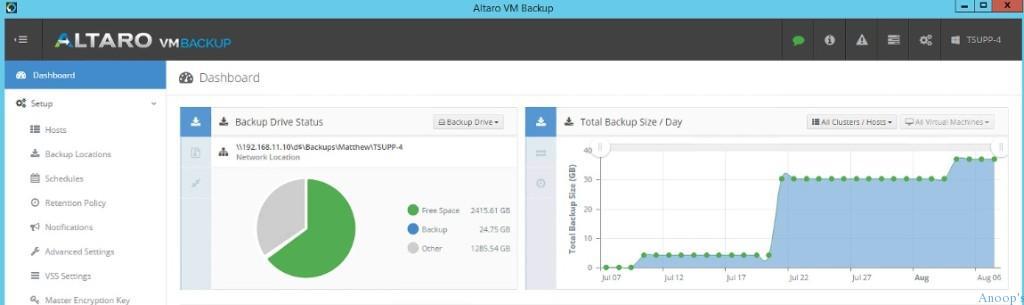
You’ll be backing up VMs in no time. Some of the most remarkable features of Altaro VM Backup are listed below! You can check out more details about features and get a quick demo here.
| Features of Altaro VM Backup |
|---|
| Back up live VMs |
| Support for Cluster Shared Volumes & VMware vCenter |
| Offsite Backup Replication |
| Compression and Encryption |
| Exchange Server Item-Level Restore |
| Instant File Level Restore |
| Granular Restore Options |
| Fast OnePass Restores |
| Intuitive user interface |
| Remote management |
| Central management console – full control |
| Queue backup/restore jobs |
Resources
SCCM Related Posts Real World Experiences Of SCCM Admins (anoopcnair.com)
We are on WhatsApp now. To get the latest step-by-step guides, news, and updates, Join our Channel. Click here. HTMD WhatsApp.
Author
Anoop C Nair is Microsoft MVP! He is a Device Management Admin with more than 20 years of experience (calculation done in 2021) in IT. He is a Blogger, Speaker, and Local User Group HTMD Community leader. His main focus is on Device Management technologies like SCCM 2012, Current Branch, and Intune. He writes about ConfigMgr, Windows 11, Windows 10, Azure AD, Microsoft Intune, Windows 365, AVD, etc.


Discussion