






Download Intune CIS Benchmark for Windows 10 or Windows 11
Let’s check the options to download Intune CIS Benchmark for Windows 10 or Windows 11. CIS benchmarks are produced and maintained by the Center for Internet Security (a.k.a CIS).
They have developed CIS Benchmarks for more than 100 configuration guidelines across 25+ vendor product families. I have seen most of the security teams are happy to implement CIS benchmarks. The security community widely accepts the CIS benchmark.
The CIS helps to safeguard systems against today’s evolving cyber threats. Windows 10 and Windows 11 group policy-related CIS benchmark configurations are available for many years.
I have seen many organizations moving to modern management using Intune. Until recently, there was NO CIS benchmark released for Intune-managed Windows devices. Recently, Mark Thomas kindly shared the details about Intune CIS Benchmark for Windows 10 or Windows 11.

Video – Intune Windows 11 CIS Benchmark Security Policy Settings
In this video, you will learn more about Intune Windows 11 CIS Benchmark and Security Policy Settings Design Decisions – Intune Design Decisions Part 10.
- New CIS Benchmark V4.0.0 Now Released For Intune And Windows 11 Explore Latest Security Enhancements
Who Develops the CIS Benchmark for Windows 10/11 Azure AD Joined Systems
As per CIS – ‘Benchmarks are developed through the generous volunteer efforts of subject matter experts, technology vendors, public and private CIS Benchmark community members, and the CIS Benchmark Development team.’
NOTE! – This CIS Benchmark guide was tested against Microsoft Windows 10 Release 2004 Enterprise edition. Please note that Intune is continually updating to support settings that are backed by group policy. This benchmark is based on settings that were available natively within Intune at the time of publication.
Frequency of CIS Benchmark Update for Windows 11
I don’t think there is any regular or fixed schedule to update the CIS benchmark. I have seen these benchmarks getting updated regularly. It’s worth checking monthly reports that announce new benchmarks and updates to existing benchmarks.
The release of revised CIS Benchmarks changes depending on the IT community who developed it and on the release schedule of the technology the benchmark supports.
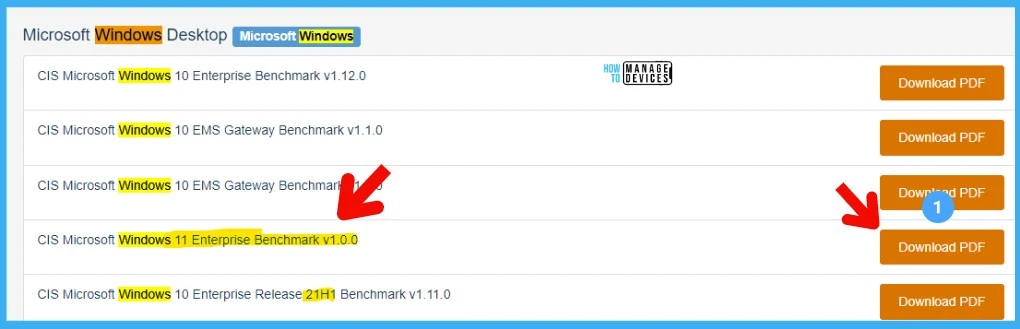
Download Intune CIS Benchmark for Windows 10 or Windows 11
Let’s download the Intune CIS Benchmark for Windows 10 or Windows 11 from the following URL -> CIS Microsoft Windows Desktop Benchmarks (cisecurity.org).
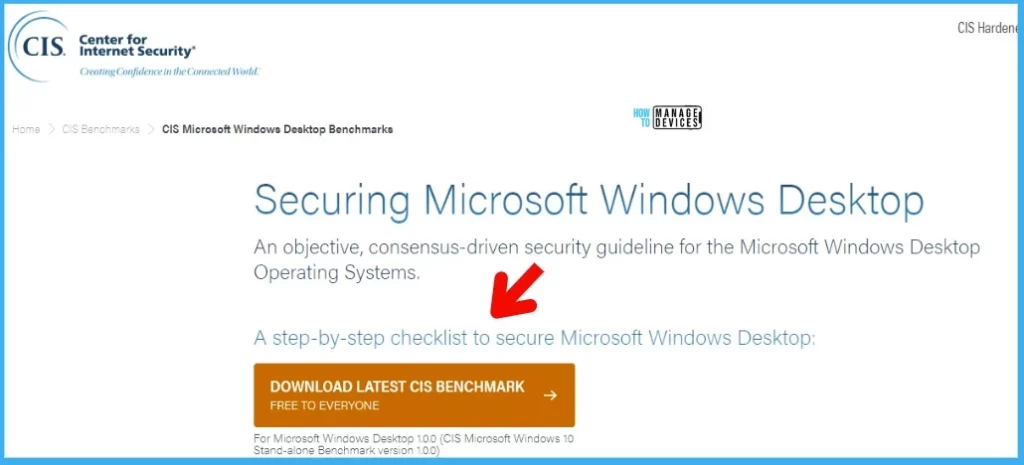
You need to signup with all the details to get the FREE PDF version of the CIS Benchmark. Securing Microsoft Windows Desktop. An objective, consensus-driven security guideline for the Microsoft Windows Desktop Operating Systems. A step-by-step checklist to secure Microsoft Windows Desktop.
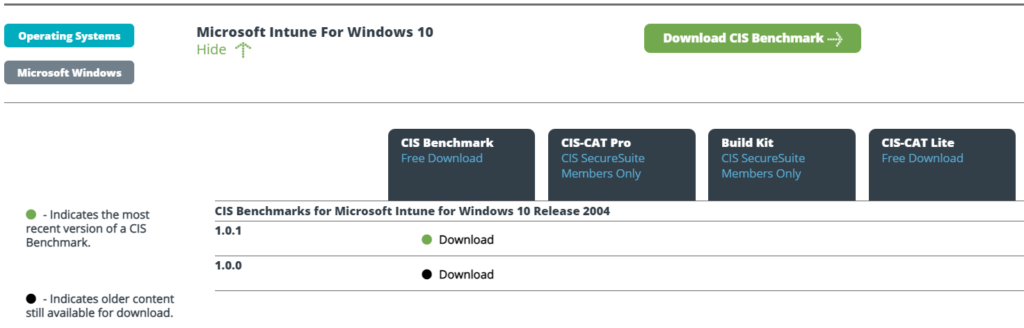
Intune CIS Benchmark for Windows 10 or Windows 11
Recently CIS released the latest version (1.0.1) of Intune CIS benchmark for Windows 10. This is the CIS benchmark for Azure AD, and Hybrid Azure AD joined Intune managed Windows 10 devices. You can download the Intune CIS benchmark for free now.
This latest CIS Benchmark for Microsoft Intune for Windows 10 is for version 2004. I do think there should be an update to this CIS benchmark version soon. Microsoft has released the latest version of Windows 10 21H2 and Windows 11 in insider preview.

I hope CIS will release Windows 11 security benchmark as well when it’s released in production. As per CIS, there are over 12,000 professionals in the CIS Benchmarks communities. This community does great work to create CIS Benchmark recommendations wide accepted by the security community.
CIS provides JSON another format to configure the policies on the fly so that IT or System Admins can implement these recommended policy settings without going through a lot of struggle for Windows 10 or Windows 11 devices.
NOTE! – You have an option to download the CIS benchmark for Windows 10 domain-joined PCs.
Create CIS Benchmark Security policies using Intune
The following are the best approach as per Microsoft’s recommendation. Also, Microsoft enabled over 1400 new mobile device management (MDM) policies with the latest version of Windows (coming soon version) announced by Mike Danoski.
- Settings Catalog – The best option to create security policies using Intune.
- Security Baseline – the Microsoft product group recommended security policies (easiest way to deploy security policies).
- Administrative Templates – Settings catalog has administrative templates as well. So better to use the Settings catalog wherever possible. Isn’t it?
- Device Restriction/Custom policies – Use this security setting if the security settings you are looking for are not available in any other types of options mentioned above.
Create Security policies using Intune
Let’s first understand what the options to create security policies using Intune are. You have many options to create Windows security policies using Intune. It’s important to understand the best option(s) to build security policies using Intune.
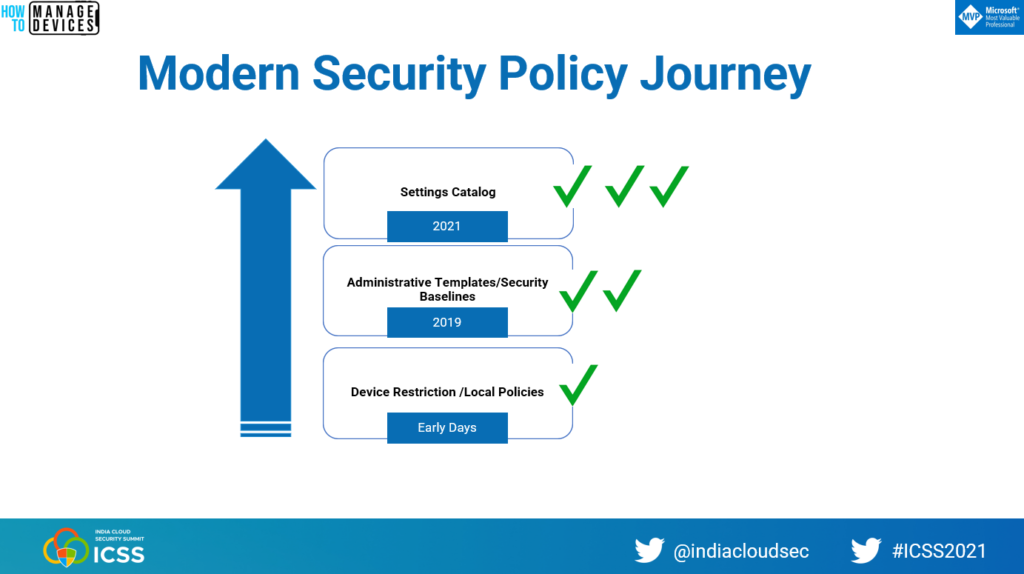
Intune modern management security policies
I have presented Intune modern management security policies session at India Cloud Security Summit 2021 (ICSS). You can watch the video below to get more details below.
Free Intune Training
HTMD Community provided 63 Episodes of free Intune Training for IT Administrators. You can get more details about free Intune training from 63 Episodes Of Free Intune Training For Device Management Admins HTMD Blog (anoopcnair.com).
Author
Anoop is Microsoft MVP! He is a Solution Architect in enterprise client management with over 17 years of experience (calculation done in 2018). He is Blogger, Speaker, and Local User Group HTMD Community leader. His main focus is on Device Management technologies like SCCM 2012, Current Branch, and Intune. He writes about ConfigMgr, Windows 11, Windows 10, Azure AD, Microsoft Intune, Windows 365, AVD, etc…..…


Hello,
the following was mentioned:
“CIS provides JSON another format to configure the policies on the fly so that IT or System Admins can implement these recommended policy settings without going through a lot of struggle for Windows 10 or Windows 11 devices.”
I wasn’t able to find a source for CIS benchmark JSON files. Are you able to provide a resource?
Thank you Kindly.
Were you able to find a resource for the JSON files?