






Download SCCM 2309 Early Ring Version using PowerShell Script
Let’s understand how to download the SCCM 2309 Early Ring Version using PowerShell Script. Microsoft released the latest production version of SCCM 2309 on 09/Oct/2023.
It’s the early ring version, which means it’s the opt-in version. You need to download the opt-in version of SCCM 2309 using the PowerShell script provided by Microsoft. We have released a detailed post on SCCM 2309 Upgrade Guide | New Key Features.
Normally, Microsoft will release the version of SCCM 2309 a month after the early ring version. So, we expect a slow-ring version of SCCM 2309 in November 2023. It’s important to go through the SCCM 2309 infra upgrade checklist before the upgrade process.
More details on the SCCM 2309 are available in the coming post, but the main intent of this post is to give you the details of the PowerShell Script to download the early ring version of SCCM 2309. This ConfigMgr 2309 version is also the baseline version of SCCM.

- Is SCCM Dying?
- Download Latest SCCM Installation Media | Baseline Version
- SCCM Slow Ring Vs Fast Ring Details | Opt-in Vs Generally Available | Early Update Ring
SCCM 2309 for Beginners: A Step-by-Step Tutorial for Upgrade Process
Video Tutorial – SCCM 2309 for Beginners: A Step-by-Step Tutorial for Upgrade Process. New features of SCCM 2309 are also discussed in this video. Deprecated feature announcement is also discussed.
Download SCCM 2309 PowerShell Script EnableEarlyUpdateRing2309.exe
You can download the EnableEarlyUpdateRing2309.exe version from Microsoft GitHub from the link mentioned below. You need to extract this link to get the SCCM 2309 PowerShell Script to enable the early-ring version in your console.
Download – EnableEarlyUpdateRing2309.exe and extract the script EnableEarlyUpdateRing2309.ps1 from the EXE file.
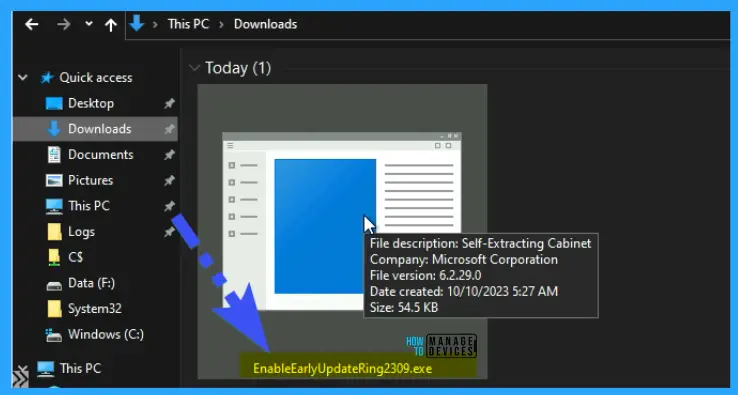
Download EnableEarlyUpdateRing2309.ps1 PS Script for SCCM 2309
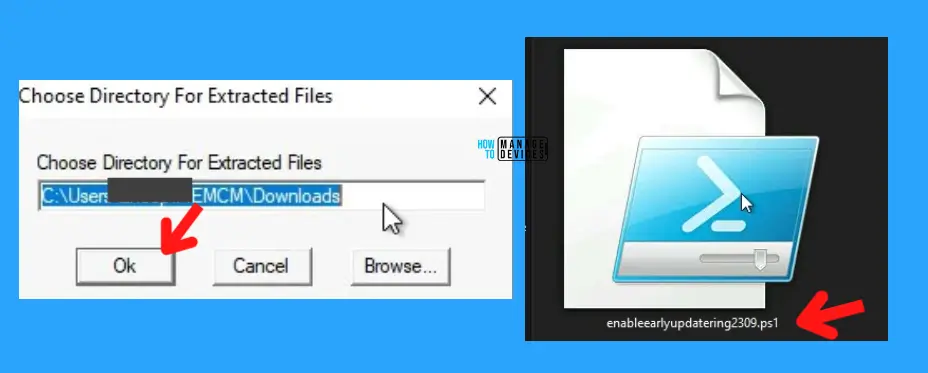
Now, let’s try to extract the EnableEarlyUpdateRing2309.exe to get EnableEarlyUpdateRing2309.ps1. Follow the steps as shown in the screenshot below.
- Double-click on EnableEarlyUpdateRing2309.exe
- Select the path to extract EnableEarlyUpdateRing2309.ps1 PowerShell script
- Click on OK to continue.
- Go to the path mentioned above to get the script
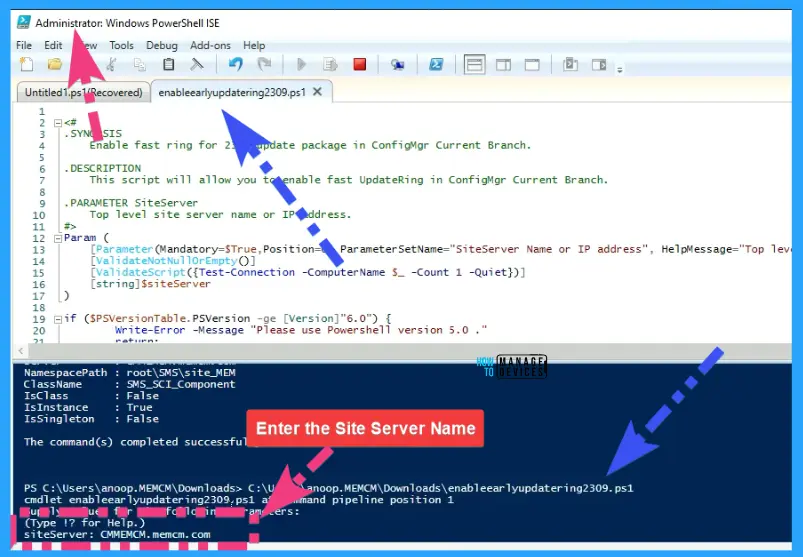
Run the PS Script to Enable SCCM 2309 Early Ring Version
Let’s run the PowerShell Script EnableEarlyUpdateRing2309.ps1 to Enable the SCCM 2309 Early Ring Version. You just need to open the downloaded script in the PowerShell ISE with administrative privileges to enable the 2309 version early-ring.
- Right-click on the extracted PS Script EnableEarlyUpdateRing2309.ps1
- Edit with PowerShell ISE with Administrator permissions (FULL SCCM Admin)
- Run the script and enter the SiteServer Name = SCCMServer1.FQDN.com (sample one)
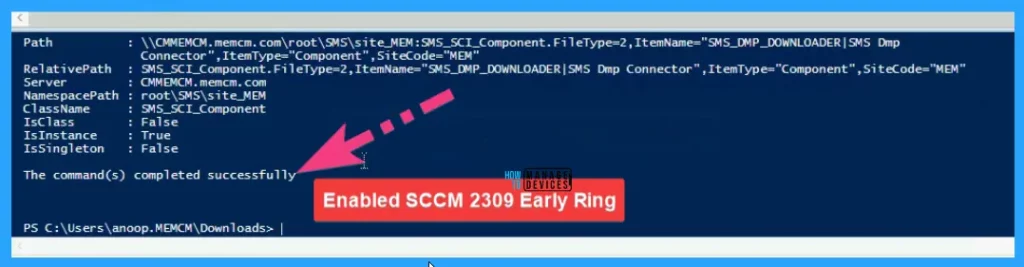
Now, you can see the message from PowerShell ISE that The Command(s) completed successfully to enable Early Ring Version using PowerShell Script.
Download SCCM 2309 Early Ring Version
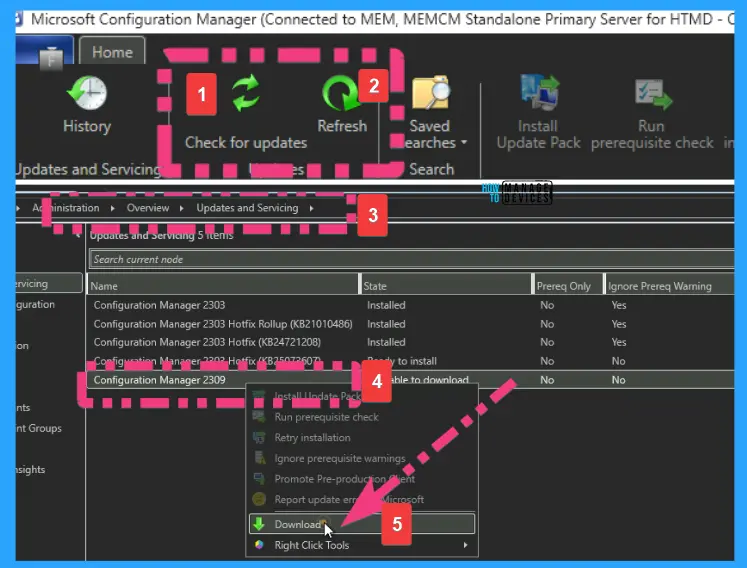
Now, let’s check how to Download the SCCM 2309 Early Ring Version from the console. Once completed, head to the SCCM console \Administration\Overview\Updates and Servicing node and click the Check for Updates button from the ribbon menu.
- Click on the Check for Updates button from the SCCM console \Administration\Overview\Updates and Servicing node.
- Click on the OK button from Pop-menu
- Click on the Refresh button
- Right-click on Configuration Manager 2309 and select Download
Install SCCM 2309 Updates
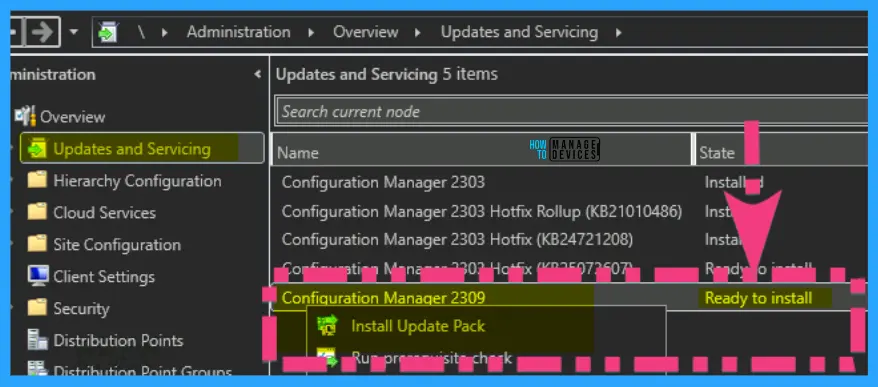
Now the SCCM 2309 (early ring) is ready to install. We will release a detailed post on how to install SCCM 2309 and what are the new features of the 2309 version of SCCM later today.
We have released a detailed post on SCCM 2309 Upgrade Guide | New Key Features.
Author
Anoop C Nair is Microsoft MVP! He is a Device Management Admin with more than 20 years of experience (calculation done in 2021) in IT. He is Blogger, Speaker, and Local User Group HTMD Community leader. His main focus is on Device Management technologies like SCCM 2012, Current Branch, and Intune. He writes about ConfigMgr, Windows 11, Windows 10, Azure AD, Microsoft Intune, Windows 365, AVD, etc.




Discussion