






New Features of SCCM ConfigMgr CB 1610 Technical Preview Version Configuration Manager SCCM
Let’s discuss the New Features of SCCM ConfigMgr CB 1610 Technical Preview Version Configuration Manager SCCM. The SCCM ConfigMgr 1610 Technical Preview version is ready and will appear in your SCCM 1608/1609 TP console. Do you have an SCCM CB technical preview in your lab?
If not, it’s recommended that you have one lab with SCCM CB TP so that you will have early access to all the new features before they are released with the production release of SCCM CB.
There is a post named Feature Comparison Video Between SCCM ConfigMgr CB 1610 and 1702 Configuration Manager. It compares the features of both versions, highlighting what has been improved or added in 1702.
We also made one video that helps you show the benefits of upgrading and what new capabilities they can expect. It is helpful for anyone deciding whether to move from version 1610 to 1702.

Table of Contents
- How to Perform SCCM ConfigMgr CB Production Upgrade to 1702 Video Tutorial Configuration Manager
- SCCM 2203 Upgrade Guide with Top 5 Best New Features
- SCCM 2111 Upgrade Step by Step Guide | New Features
- SCCM Server In-place OS Upgrade to Server 2022 Guide
Download Baseline Version of Preview SCCM ConfigMgr CB
Let’s discuss how to Download the Baseline Version of Preview SCCM ConfigMgr CB. Download the new baseline version of the SCCM CB 1610 technical preview from the hyperlink here.
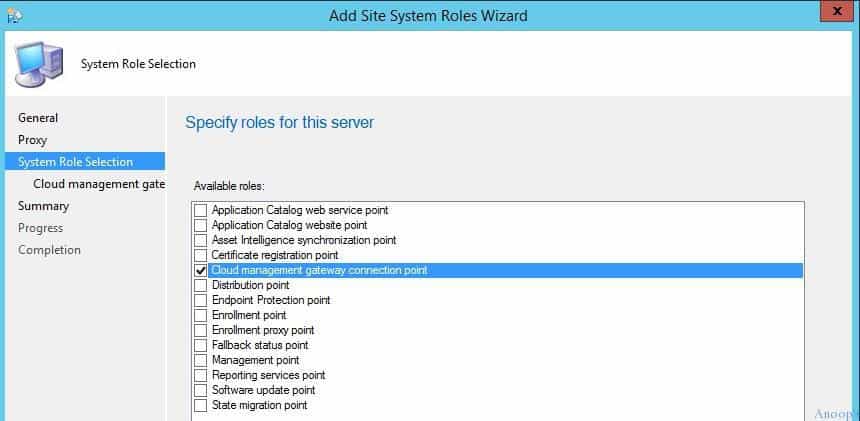
More documentation on SCCM ConfigMgr CB 1610 TP can be found here. Microsoft changed the Cloud Proxy Point site system name to “Cloud Management Gateway Connection Point.” The following are some of the handy features introduced with SCCM 1610 TP.
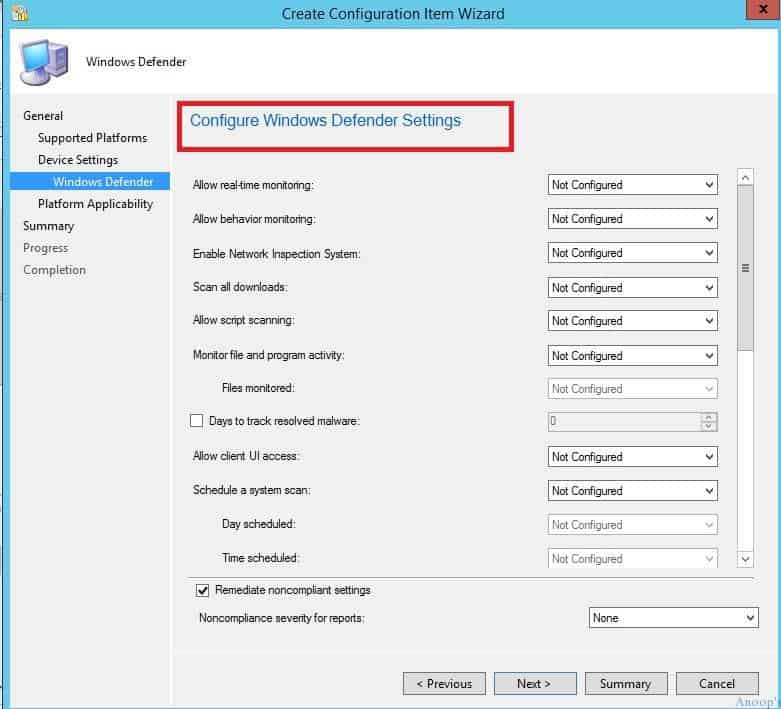
- Out Of Box Configuration Item Settings for Windows Defender
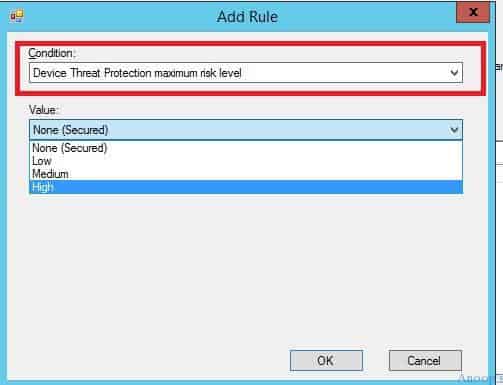
- Device Thread Protection Maximum Risk Level option in SCCM Compliance Policies
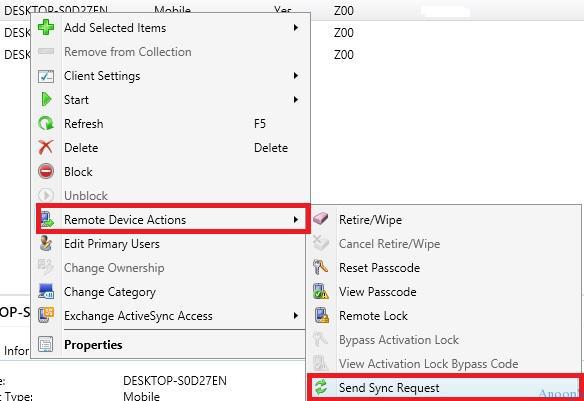
- Send Sync Request – remote client action from SCCM CB 1610 TP console for Mobile Devices.
- Filter by content size in automatic deployment rules.
- Improved functionality for required software dialogs
- In high-risk deployment, such as a task sequence that deploys an operating system, the end-user notification experience is now more intrusive.
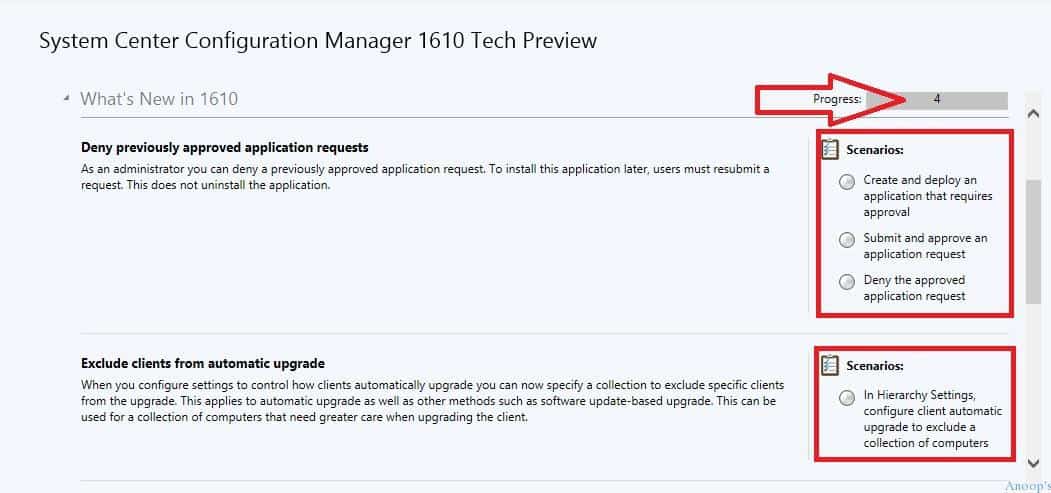
- Deny previously approved application requests.
- Exclude clients from the automatic upgrade
| System Center Configuration Manager 1610 Tech Preview |
|---|
| Create and deploy an application that requires approval |
| Submit and approve an application request |
| Deny the approved application request |
| In Hierarchy Settings, configure the client automatic upgrade to exclude a collection of computers |
Out-of-box configuration Item Settings for Windows Defender. I spent 1 hour finding out and configuring the CSP/OMA URI for Windows Defender settings in the SCCM CB 1606 production version.
SCCM Compliance policies are a bit behind. I can’t see many new things; however, I noticed one setting for iOS device compliance policy in SCCM CB 1610 TP: “Device Thread Protection Maximum Risk Level.”
Is this for the “Lookout for Work” feature, which is getting integrated with SCCM CB 1610 TP? I’m not sure, but I can see the Compliance policies for iOS and Android devices in the SCCM CB 1610 TP version. However, a missing part of the SCCM compliance policy is a more robust password requirement that should be more granular.
SCCM ConfigMgr CB 1610 added a Remote Device Action called “Send Sync Request.” This is great for sending requests to your managed mobile devices to sync the latest policies. However, if I’m not wrong, this remote action is missing from the Intune console.
We are on WhatsApp now. To get the latest step-by-step guides, news, and updates, Join our Channel. Click here. HTMD WhatsApp.
Author
Anoop C Nair is Microsoft MVP! He is a Device Management Admin with more than 20 years of experience (calculation done in 2021) in IT. He is a Blogger, Speaker, and Local User Group HTMD Community leader. His main focus is on Device Management technologies like SCCM 2012, Current Branch, and Intune. He writes about ConfigMgr, Windows 11, Windows 10, Azure AD, Microsoft Intune, Windows 365, AVD, etc.




I am trying to download the 1610, I am facing a problem while extracting the files, I have tried several different downloads, and sever different VM’s.