






Easily Download SCCM Driver Package for Lenovo
Let’s see how you can easily download SCCM Driver Package for Lenovo. This guide helps you download Lenovo SCCM Driver Package and create packages for drivers and BIOS updates in SCCM. Device driver packs that can be used with ConfigMgr or Microsoft Deployment Toolkit
HP, Dell, Microsoft Surface, and Lenovo have done a fantastic job of providing technicians with driver cabs for use during deployment. This is often much better than any recovery media the device might ship with and is faster than downloading device drivers individually from a model’s product page.
Lenovo comes with the Enterprise Deployment Solutions portal provides content and documentation for enterprise customers who are managing, patching, and performing their operating system deployments. The resources found here aim to make this process as fast and as easy as possible.
Drivers are required for all the operating systems. This is applicable for iOS, Windows, Android, and all other operating systems. Not all drivers communicate directly with a machine.

Do you know what is drivers, and why do you need to install drivers? Refer to the following post What are Drivers, and Why do we need Drivers?
- Learn How to Manage Windows 10 Drivers and Firmware for Microsoft Surface
- SCCM Driver Management Guide Best Practices ConfigMgr
- Add Apply Driver Package Step to SCCM Task Sequence
Download SCCM Driver Package for Lenovo
Browse to Lenovo Think Deployment Resource Center https://support.lenovo.com/us/en/solutions/ht104232 Here you will see the two important sections –
- Deployment Recipe Cards – Single page guides with all the model specific details you need
- Driver Packs – Complete collections of hardware drivers for each model
#Deployment Recipe Cards
Let’s first move to the Deployment Recipe Cards section https://support.lenovo.com/us/en/solutions/ht104042, and Here you will see the available Driver packs for the following Think business-class computers and Lenovo laptops:
- ThinkPad / Lenovo Laptops
- ThinkCentre / Lenovo Desktop
- ThinkStation
- Lenovo Laptop
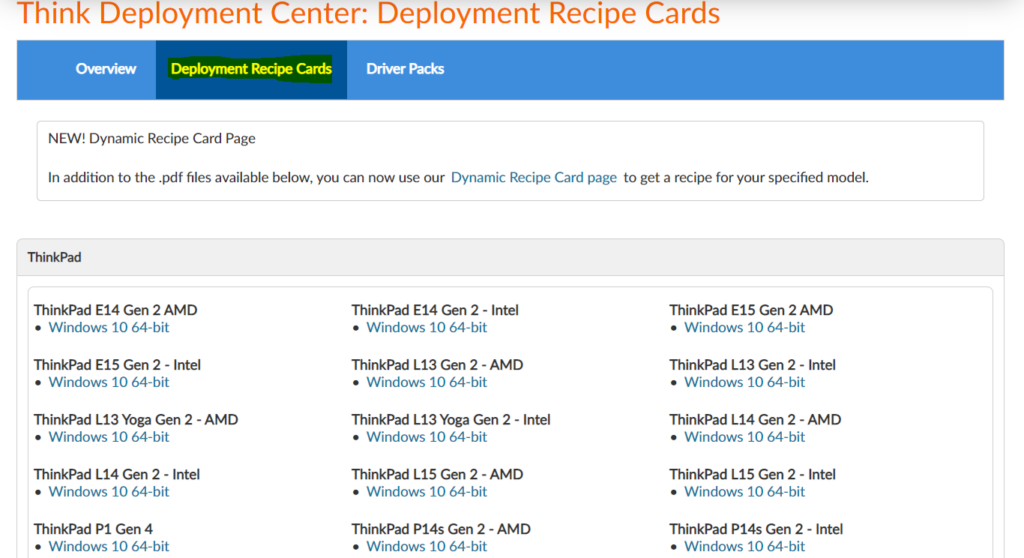
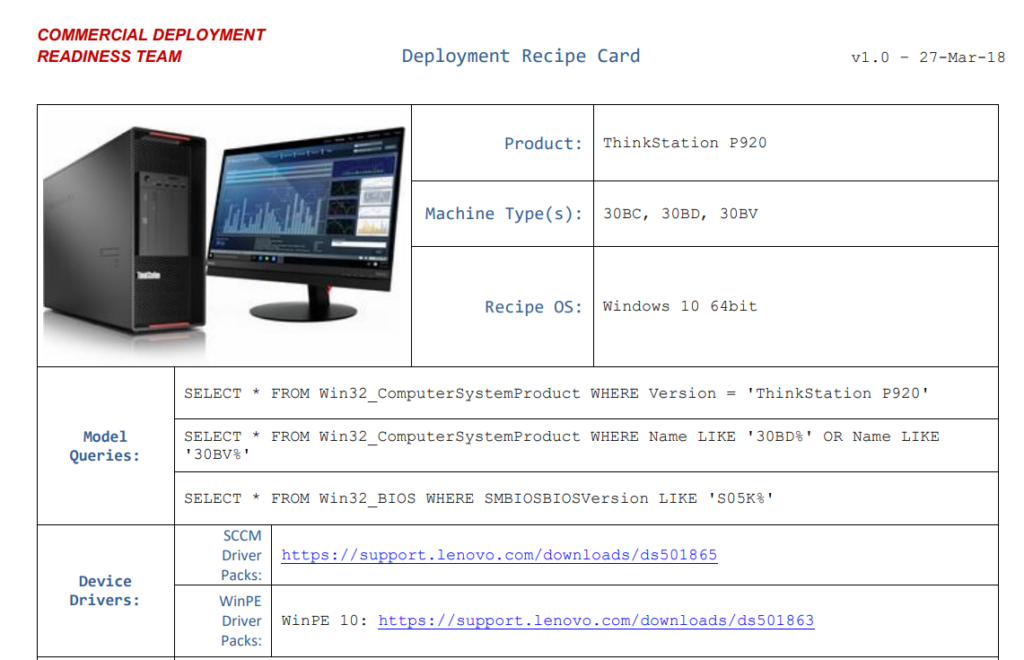
Select your model with Windows Version from the list, select the link. You’ll be redirected to the Deployment Recipe Card for your device. You can validate all the details and Click on the link SCCM Driver Packs under Device Drivers as shown below –
#Drivers Packs
When you move to the Driver Packs section https://support.lenovo.com/us/en/solutions/ht074984
You will see lists of the available hardware device driver packs that can be used with Microsoft System Center Configuration Manager or Microsoft Deployment Toolkit to simplify the operating system deployment process.
- WinPE Boot Image Driver Packs
- Driver Packs
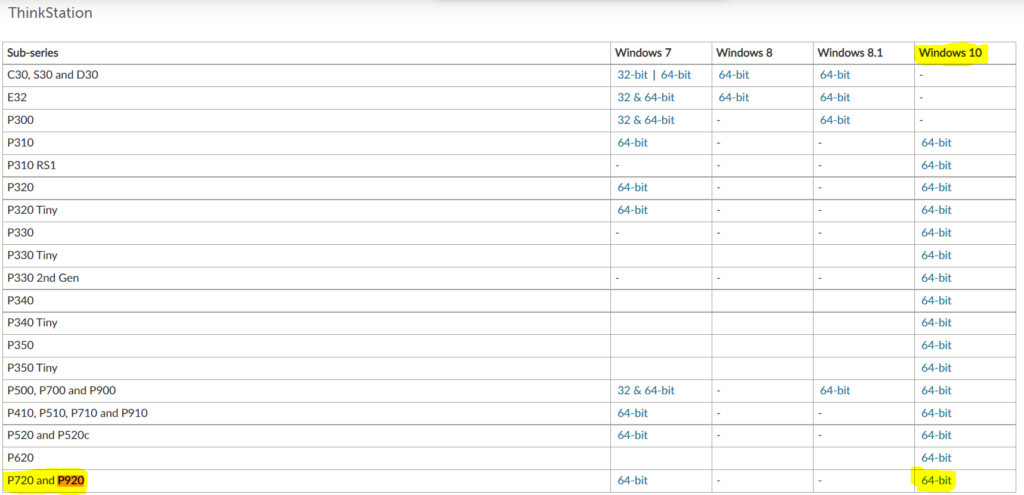
Once you click on the selected link to download drivers for the model, you will see the below screen. Here you can check the SCCM Package for Windows 10/11 all editions.
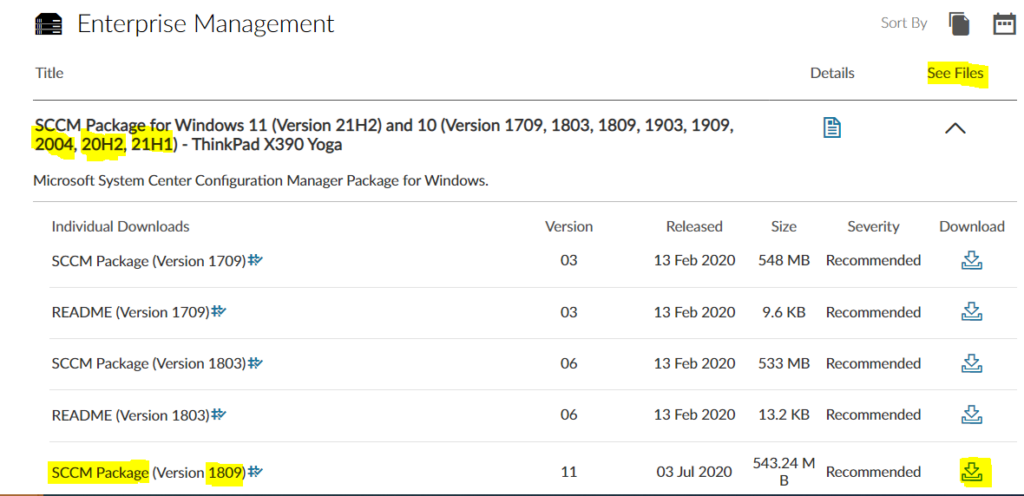
You can also sort the Released Date for finding the download quickly. Click the Download icon to go to the download page. Check the readme for instructions.
The download will automatically start (Filename.exe), and you can see the progress inside Browser > Download Tab.
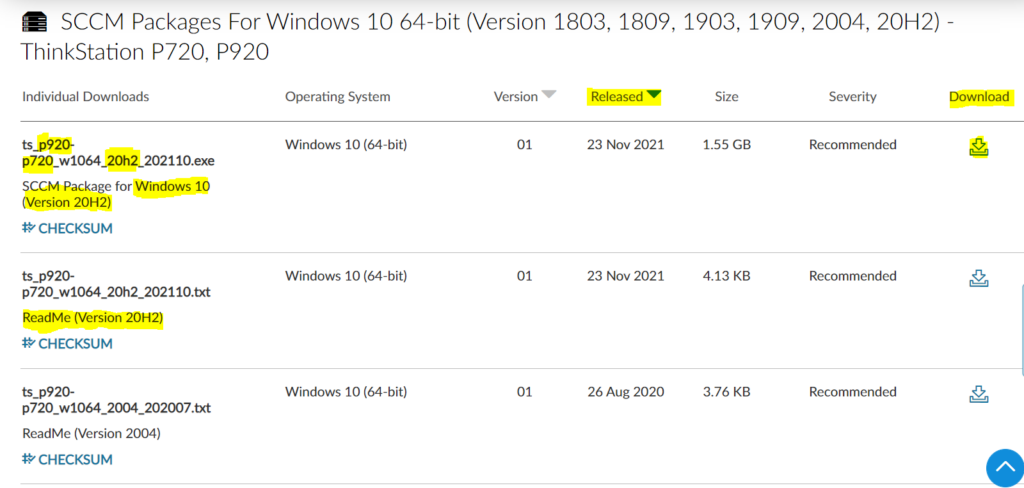
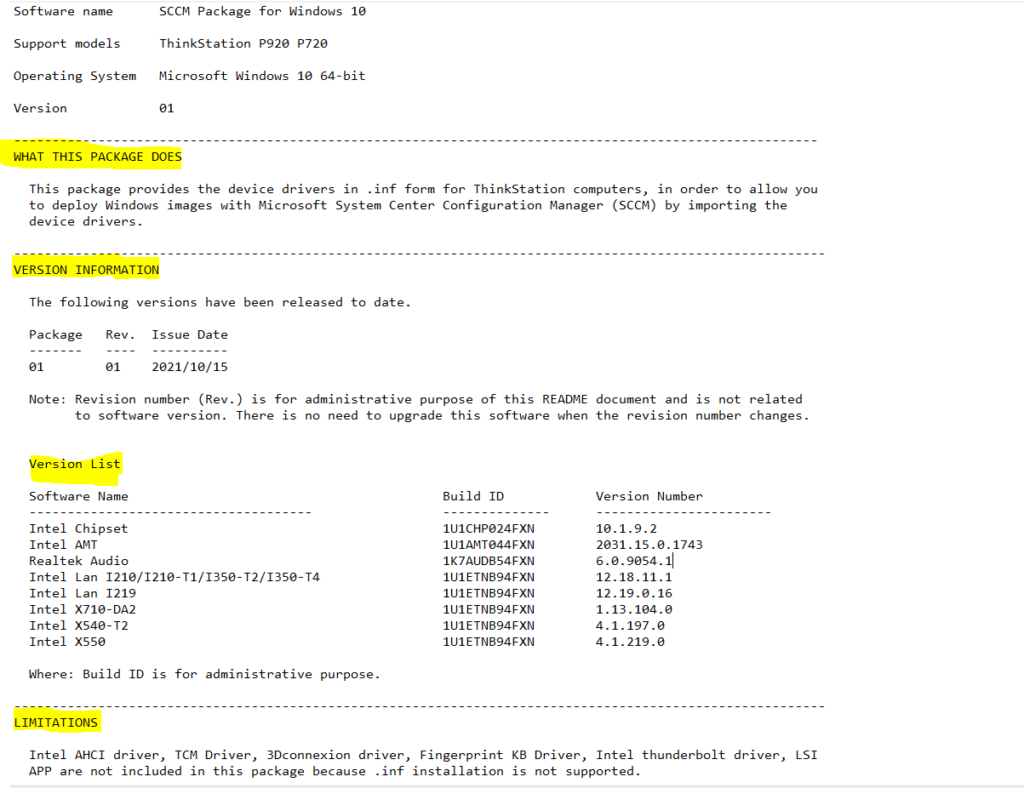
Before proceeding with the Installation of Driver Packages, Please refer to the README file for the following details:
- Software name
- Support models/systems
- Operating System
- Version Information/Release Date
- What This Package Does
- Version list of all drivers inside the package
- Known Limitations
- Complete list of summary of changes
Download Individual Drivers Packs
Let’s see how to navigate and download Lenovo drivers from the Lenovo support website.
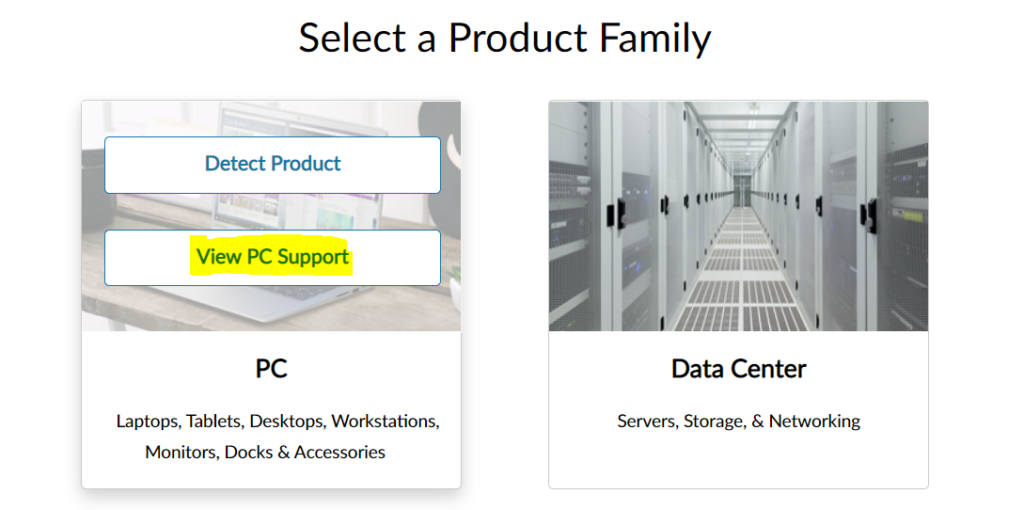
- To download the latest driver go to the web site: support.lenovo.com.
- Select View PC Support. Selecting View PC Support provides a Browse Product option. The Product Home page is displayed after detecting or finding the product.
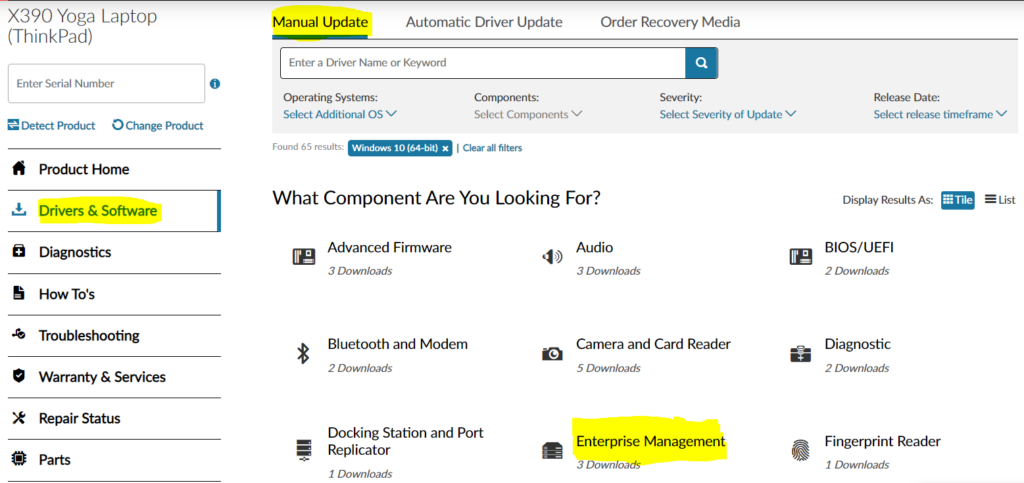
Select Drivers & Software on the Product Home page and select the Manual Update tab.
Several options are provided to sort the drivers: Operating Systems/Components/Release Date/Severity and a keyword search box. Click on Enterprise Management to get SCCM Driver Package for selected models. The following is an example of a driver list –
You can sort the Released Date for finding the download quickly. Click the Download icon to go to the download page. Check the readme for instructions.
Dynamic Recipe Card
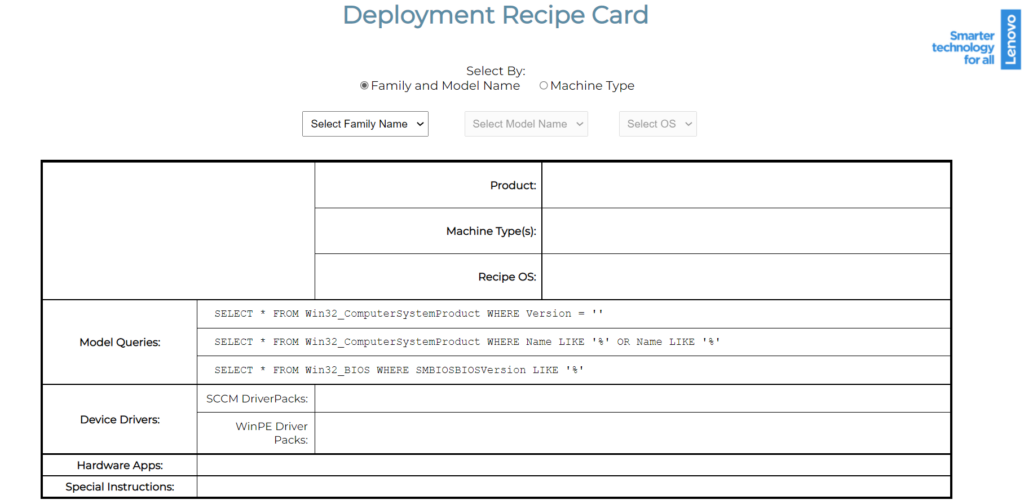
Additionally, you can use the Dynamic Recipe Card page https://download.lenovo.com/cdrt/ddrc/RecipeCardWeb.html to get a recipe for your specified model.
Select the model name or machine type and from the drop-down list, select the product and OS. The information will be automatically populated in all tabs.
Extract Downloaded Driver Package
Extracting the driver files from the executable file will help you create a driver package for SCCM. Let’s follow the steps below –
Right-Click on the downloaded file select Run as administrator to start the extraction process.
A UAC prompt may appear to allow this app to make changes to your devices? Click on Yes and Accept End-User License Agreement (EULA), Click Next.
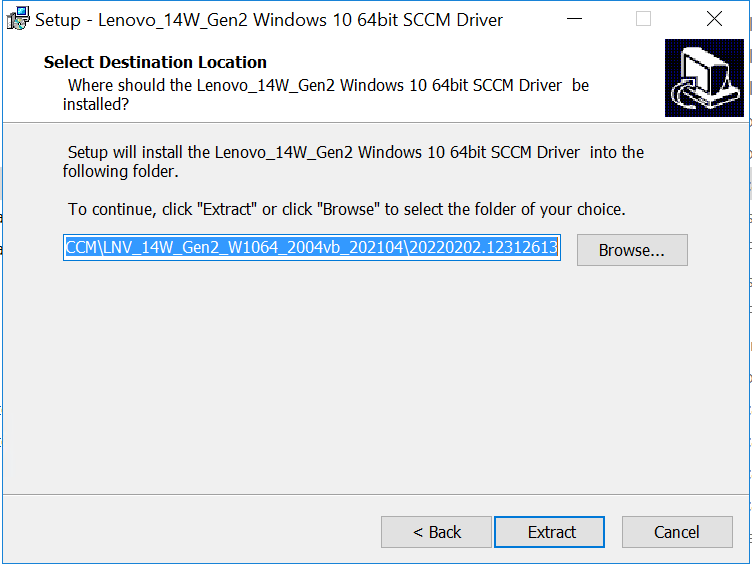
Here, you can select the destination location to extract the SCCM driver or leave it to default and click Next.
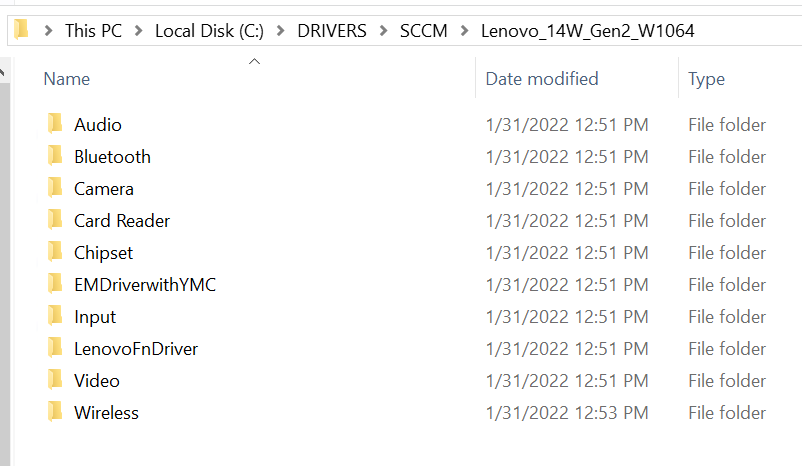
Once the files have been successfully extracted, you can find the driver in the destination folder.
Import SCCM Driver Package for Lenovo
Before importing the driver into SCCM, let’s keep the downloaded drivers from the vendor site into the shared package network location.
⚠️Make sure you’re not using the long folder structure. When you download any drivers, you might have seen some of the driver paths were very long, which will create a problem at the time of import.
The next step is to create a driver package in SCCM. If you want to start from scratch and explore more about the Driver Creation process using SCCM, Let’s explore SCCM Driver Import Driver Package Creation Process Guide.
Once you are done with the Driver Package creation process, The next step is to Integrate the Driver package into Task Sequence. Let’s check more about the Integration process and available useful options in Apply Drivers Package Step.




Thank you so much for this post! I was struggling to find the right driver package for my Lenovo laptop and this guide really helped me out. The simple steps and detailed instructions made it easy for me to download the package and get my laptop up and running smoothly again