






Duplicate Conditional Access Policy from Intune
In the post, you will learn how to duplicate Conditional Access policy from Intune. The addition of a duplicate conditional access policy feature will be helpful in creating a new policy with the same criteria as the original policy.
However, it is important to note that certain fields, must be manually updated to avoid confusion with the original policy. After updating the necessary fields, review the new policy’s settings and make any necessary changes.
Once the new policy is fully configured, it can be saved and applied to the appropriate groups or users. It is important to ensure that the duplicated policy does not conflict with any existing policies or create inconsistencies in the access control environment.
It is not recommended to duplicate a Conditional Access Policy in Intune as it can create confusion and inconsistencies in the access control environment. However, in certain scenarios, such as when an organization wants to apply a similar policy with minor changes, duplicating a policy can save time and effort.

In conclusion, while duplicating a Conditional Access Policy can be useful in certain scenarios, it is important to exercise caution and ensure that the policy is fully reviewed and updated to avoid confusion and maintain a secure access control environment.
- Configure MacOS Compliance Policy In Intune For Devices
- New Built-in LAPs Client For Windows 11 And 10 | Conflict With Old Version Of LAPs
Duplicate Conditional Access Policy from Intune
To create a duplicate of a Conditional Access Policy in Intune, the first step is to navigate to the Conditional Access Policies page within the Intune portal. Alternatively, the Azure Portal can also be used for duplicating Conditional Access Policies.
- Sign in to Microsoft Intune Admin Center https://intune.microsoft.com.
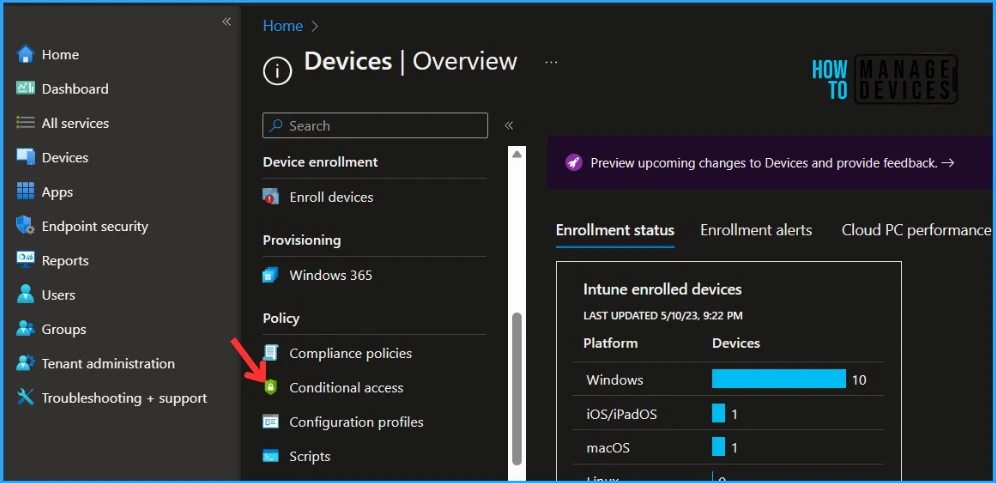
- Navigate to Devices -> Conditional Access to locate the profile that you want to copy.
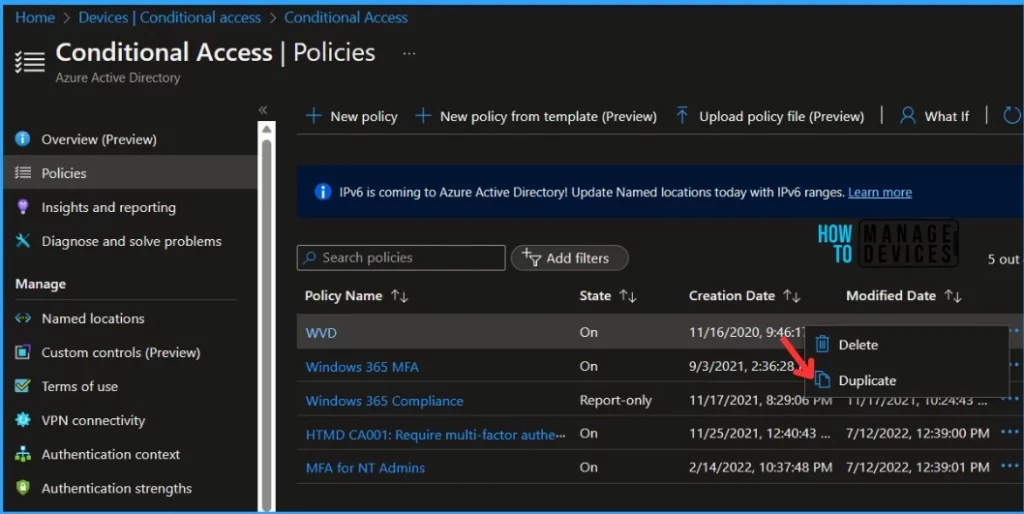
You can do a quick search for policies to find the specific policy, you want to duplicate. Right-click the profile or select the ellipses context menu (…). Select Duplicate.
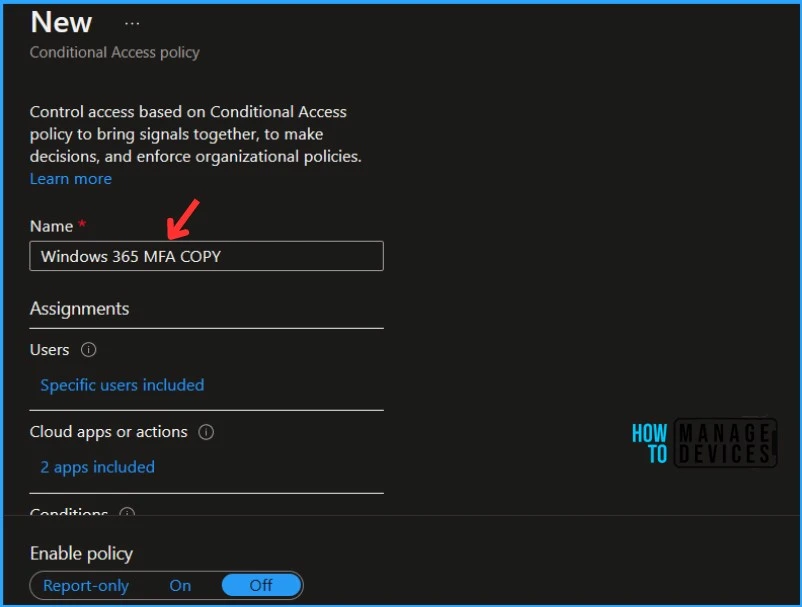
A NEW conditional access policy window will appear, Enter the new Name and adjust the policy you want to set up. The “Enable policy” is set to “Off”, if you want to enable you to need to set it to On.
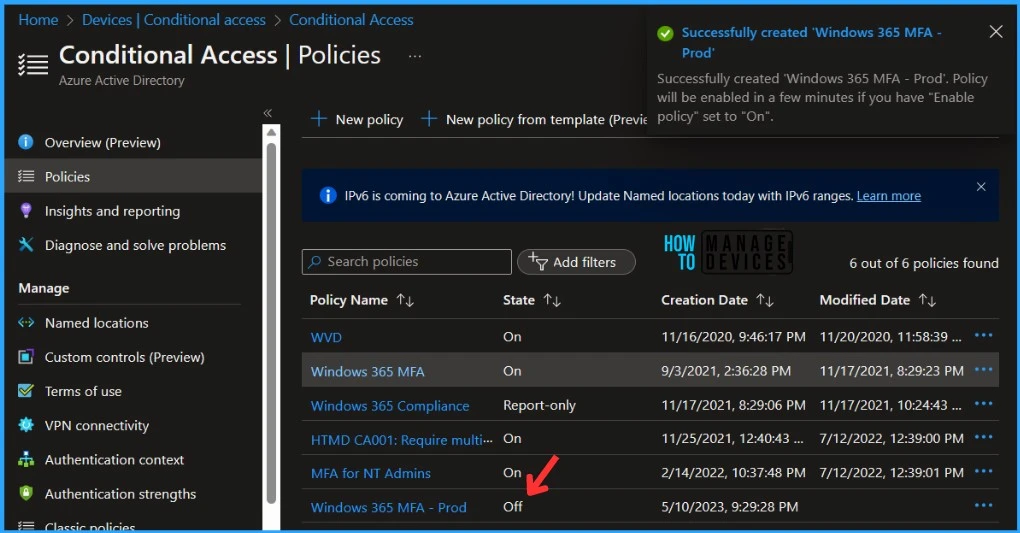
Upon successful creation of a conditional access policy, a notification containing a message Successfully created ‘Windows 365 MFA – Prod’. Policy will be enabled in a few minutes if you have “Enable policy” set to “On” which will appear automatically in the top-right corner of the screen.
In the Conditional Access Policies list, you can locate your Policy which you duplicated. The policy will not be enabled automatically if you have not enabled it while creating, however, you can modify it.
Author
About Author – Jitesh, Microsoft MVP, has over six years of working experience in the IT Industry. He writes and shares his experiences related to Microsoft device management technologies and IT Infrastructure management. His primary focus is Windows 10/11 Deployment solution with Configuration Manager, Microsoft Deployment Toolkit (MDT), and Microsoft Intune.


Discussion