






Easily Duplicate Settings Catalog Policy in Intune
In the post, You will see the details about the newly added ability to Intune Setting Catalog for duplicate settings catalog policy. Starting with Intune Service Release 2111, You will get an option Duplicate to create a copy of an existing setting catalog profile. The addition of a duplicate profile feature for the settings catalog will be helpful for MEM admin in terms of time savior and effort to create a profile from scratch.
Duplicating a policy creates a new and distinct policy containing the same settings and values as the original policy. It is useful when you need a profile that’s similar yet distinct from the original one. The copy contains the same setting configurations and scope tags as the original profile but assignments will not be copied.
After you give the new profile a name, you can edit it to adjust the settings and add assignments. The Intune Settings Catalog is the best place to go for all the policy settings in Intune (MEM). Microsoft recommends using setting catalog profiles to create and manage security policies for all Intune managed Windows devices.
- Step by Step Guide to Create Intune Settings Catalog Policy
- List of Intune Settings Catalog Policies
- Intune Logs Event IDs IME Logs Details for Windows Client Side Troubleshooting
Duplicate Settings Catalog Policy
- Login to Endpoint Manager Intune portal https://endpoint.microsoft.com/#home
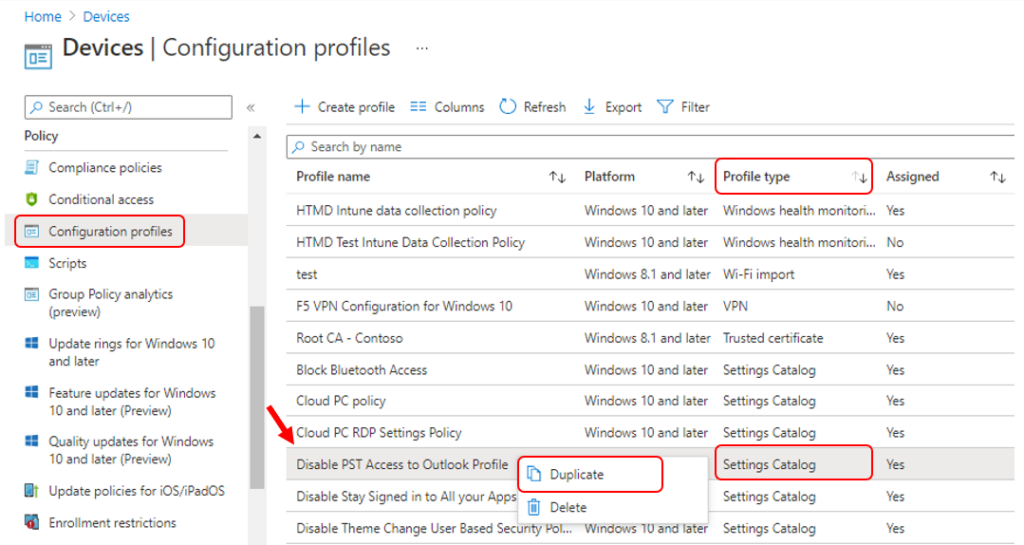
- Navigate to Devices -> Configuration profiles. Locate the profile that you want to copy. You can do quick search to find the specific settings quickly and see Profile type column should be Settings Catalog.
- Right-click the profile or select the ellipses context menu (…). Select Duplicate.
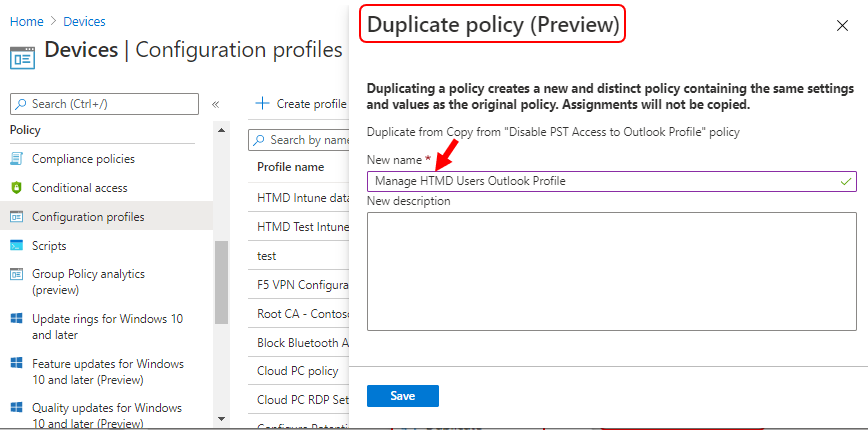
A Duplicate policy window and Enter the new Name and Description of the setting catalog policy.

It’s best practice to enter the policy description as well, else once the profile duplication is completed you will notice it will copy the existing profile description and add value at the start Cloned policy from <Existing Profile Description> However you can edit it later.
Note – Duplicating a policy creates a new and distinct policy containing the same settings and values as the original policy. Assignments will not be copied.
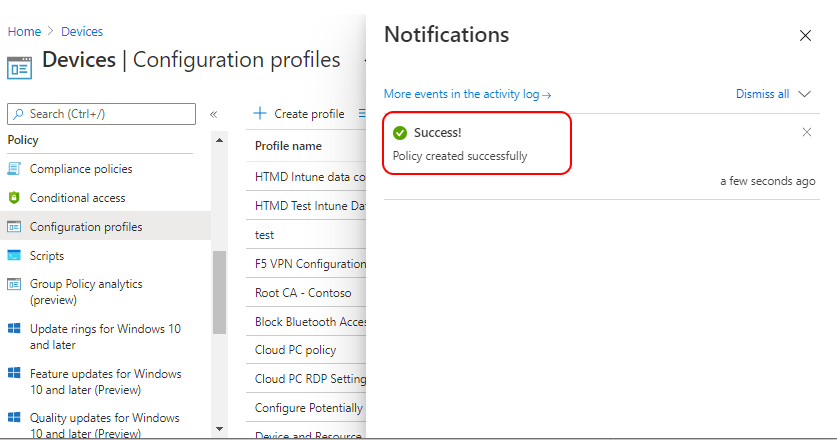
A notification will appear automatically in the top right-hand corner with a message. Here you can see, Policy created successfully.
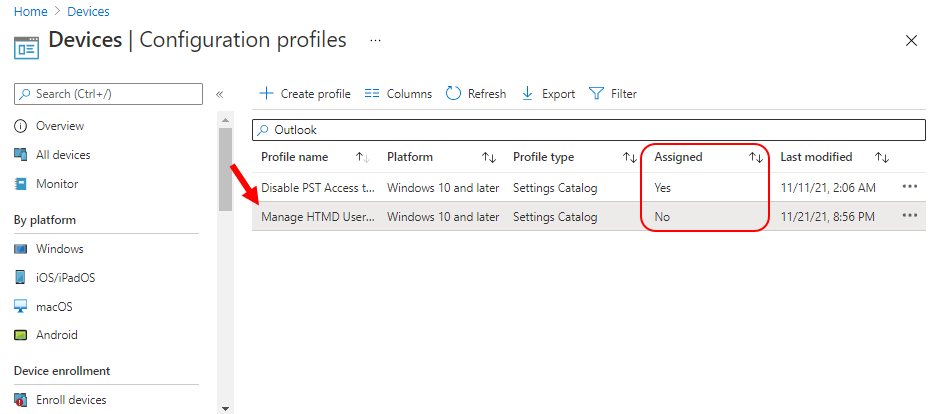
Click the Refresh button at the top to quickly see the policy. You will be able to see policy duplicated in the Configuration profiles list. To make it easier to find specific settings, You can search for a keyword, such as Outlook, and search for specific settings.
Now you see the column Assigned No for the duplicated policy which confirms assignments will not be copied.
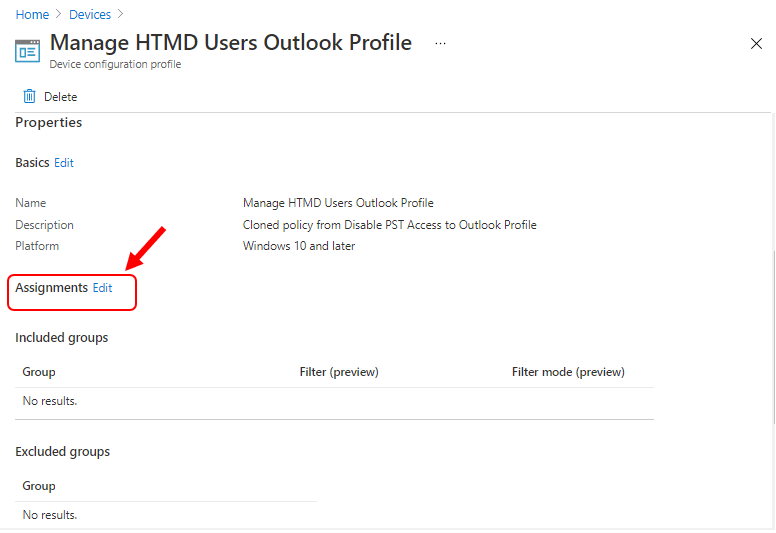
Click on the policy to view and edit its objects and assignments. You can review all settings, Since the policy assignment is not automatically copied, the Next step is to click Edit under Assignments. In groups, click Add groups and then choose Select groups to include one or more groups.
Click Next: Review + create to review the group you added for the profile. You will need to click on the Save to complete the assignment process.
Author
About Author -> Jitesh has over 5 years of working experience in the IT Industry. He writes and shares his experiences related to Microsoft device management technologies and IT Infrastructure management. His primary focus area is Windows 10, Windows 11 Deployment solution with Configuration Manager, Microsoft Deployment Toolkit (MDT), and Microsoft Intune.


I don’t have the Duplicate option when I right click on a profile. Service release 2202.
Same here. Version 2203.
OK. I know what is the reason. Duplicate option is available only for “Settings Catalog” which is in Preview mode.