






Turn ON or OFF Edge Browser Additional Flexible Search Box on Your Windows Desktop Device
Turn ON or OFF Edge Browser Additional Flexible Search Box on Your Windows Desktop. This Additional Search Box feature allows users to add an extra search box next to the address bar, providing quick access to the search tool for more efficient browsing.
Due to its well-known features, Microsoft Edge has become the most popular browser. Microsoft Edge offers robust security and easy-to-use features. Each update improves productivity, safety, and the overall user experience.
A search box is a text area near the address bar in a web browser. You can use the search bar to browse the web and go to the site directly from your desktop. The search box offers Bing and URL suggestions.
There are many methods for enabling/disabling the additional search box in Microsoft Edge. In this post, I will explain three straightforward methods for end users and how to access the Additional Search Box in Microsoft Edge.

Turn ON or OFF Edge Browser Additional Flexible Search Box on Your Windows Desktop Device
Enable (ON) the additional search box to access it easily in the toolbar next to the address bar. If you disable (OFF) it, it will not be visible on the interface. In this situation, users must use the address bar or a separate search method.
The following methods are turning ON or OFF Additional Search Boxes in Microsoft Edge.
| Methods to turn ON or OFF Additional Search Boxes |
|---|
| Turn On or Off Additional Search Box in Microsoft Edge using More Tools menu |
| Enable or Disable the Additional Search Box in Microsoft Edge for All Users using REG file |
- Enable Tab Lifecycles Policy For MS Edge Browser To Optimise Performance Using Intune
- Top 83 Windows 11 Desktop Admin Interview Questions HTMD Blog
- Add Remove Web Pages From Favorites Bar In Microsoft Edge Browser And Set Visibility Registry Method
- Microsoft Edge for Business Review New Business Browsing Experience
Using More Tool
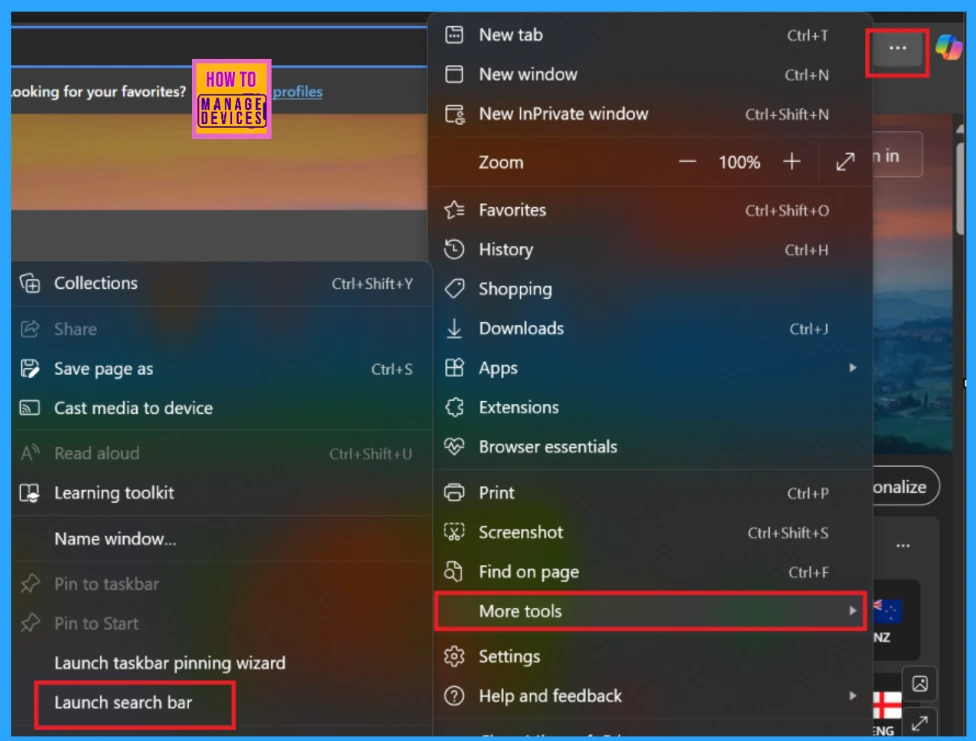
To turn on or off the Additional Search Box in Microsoft Edge using the More Tool, first open Microsoft Edge, then click on the Settings and More three-dot button (…) at the top right. There, you can see More Tools next to the Settings option.
- Click More Tools. There, you can see the Launch search bar on the pop-up window.
- Click on the Launch search bar.
Using REG File
You must be signed in as an administrator to enable or disable the Microsoft Edge Desktop Search Bar for all users. This option uses the AdditionalSearchBoxEnabled policy for Microsoft Edge.
Enable Additional Search Box in Microsoft Edge for All Users
We should follow the steps to access the additional Microsoft Edge Desktop Search Bar.
Windows Registry Settings
| Settings | Description |
|---|---|
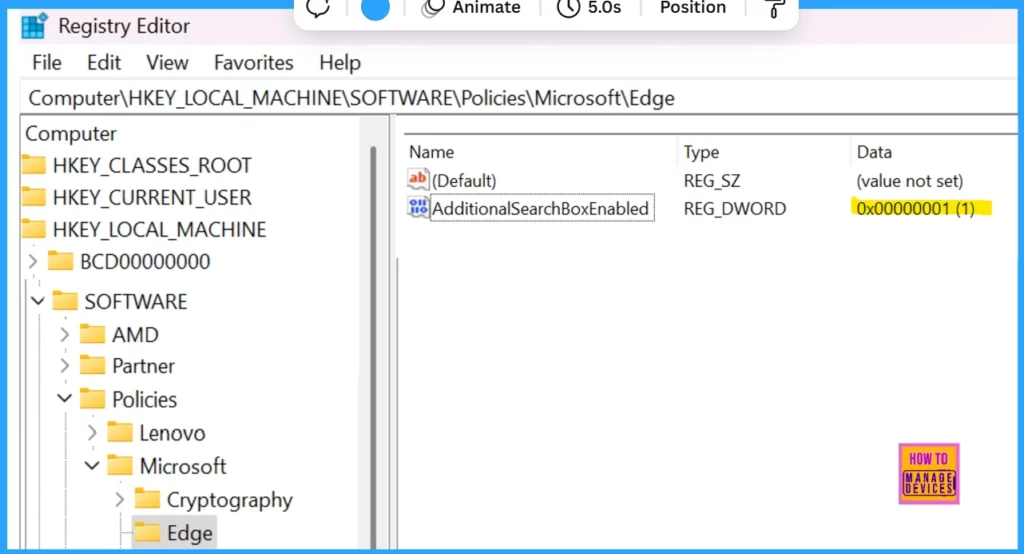
| Path (Mandatory) | Computer\HKEY_LOCAL_MACHINE\SOFTWARE\Policies\Microsoft\Edge |
| Value Name | AdditionalSearchBoxEnabled |
| Value Type | REG_DWORD |
- Example value: 0x00000001
Disable Additional Search Box in Microsoft Edge for All Users
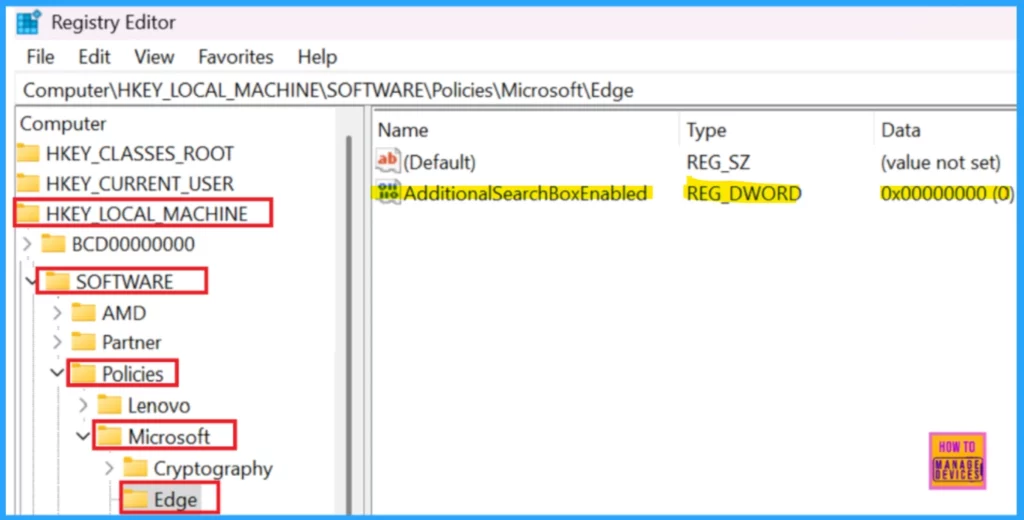
To disable the additional Search Box in Microsoft Edge for all users, follow the same steps as enabling it, but set the value to 0x00000001 instead of 0x00000000.
- Path (Mandatory): Computer\HKEY_LOCAL_MACHINE\SOFTWARE\Policies\Microsoft\Edge
- Value Name: AdditionalSearchBoxEnabled
- Value Type: REG_DWORD
- Example value: 0x00000000
Default User-Choice Show Additional Search Box in Microsoft Edge
This is the default setting that allows the use of the Additional Search Box in Microsoft Edge.
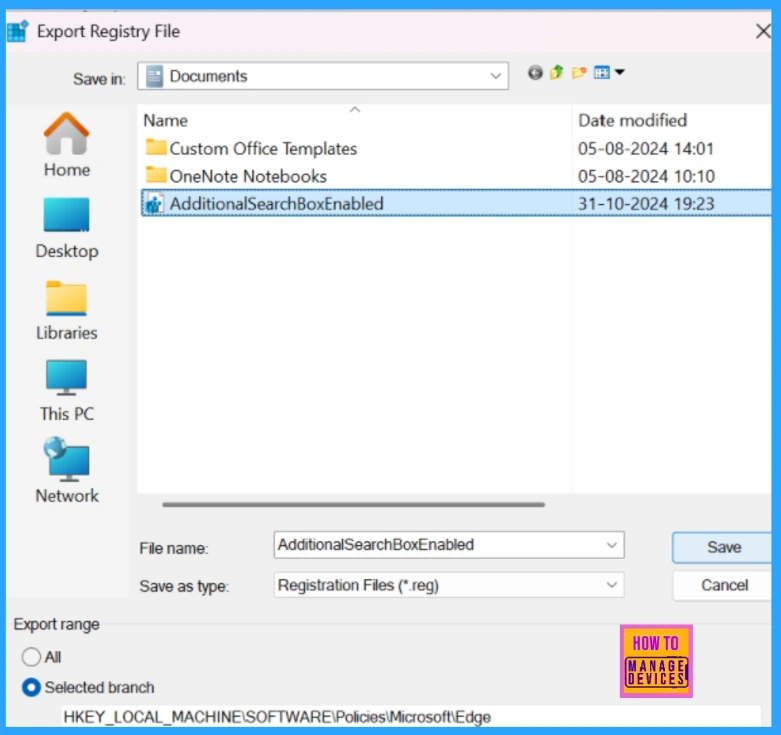
- Save the .reg file to your desktop.
- Double-click/tap on the downloaded .reg file to merge it.
- When prompted, click/tap on Run, Yes (UAC), Yes, and OK to approve the merge.
- If Microsoft Edge is currently open, close and reopen it to apply.
End Result of Edge Browser Additional and Flexible Search Box on Windows Desktop
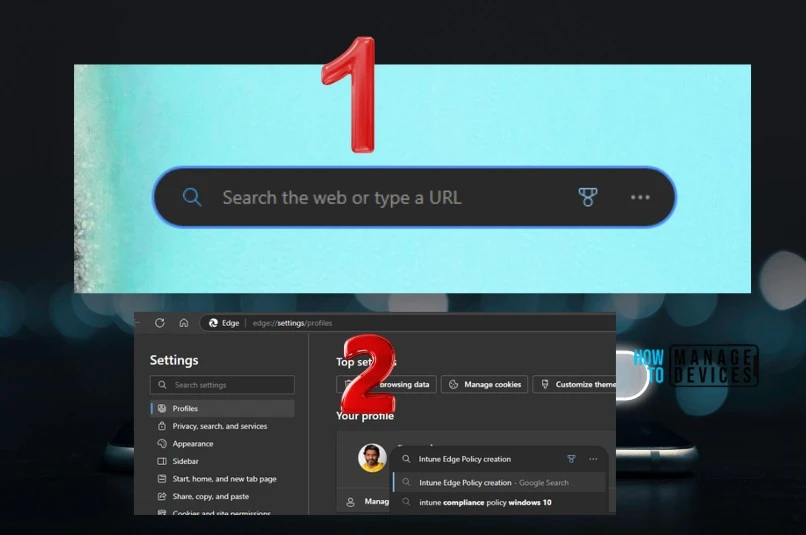
Now, you can search the web or type the URL to access the web quickly. Quick access to search the web Welcome to the search bar powered by Microsoft Edge!
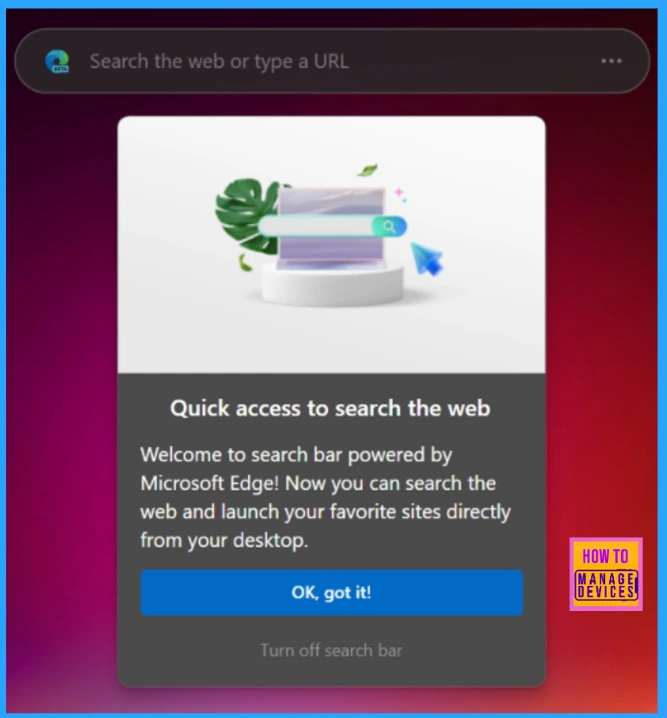
Now, you can search the web and launch your favourite sites directly from your desktop.
Need Further Assistance or Have Technical Questions?
Join the LinkedIn Page and Telegram group to get the latest step-by-step guides and news updates. Join our Meetup Page to participate in User group meetings. Also, Join the WhatsApp Community to get the latest news on Microsoft Technologies. We are there on Reddit as well.
Author
Anoop C Nair has been Microsoft MVP for 10 consecutive years from 2015 onwards. He is a Workplace Solution Architect with more than 22+ years of experience in Workplace technologies. He is a Blogger, Speaker, and Local User Group Community leader. His primary focus is on Device Management technologies like SCCM and Intune. He writes about technologies like Intune, SCCM, Windows, Cloud PC, Windows, Entra, Microsoft Security, Career, etc.




Discussion