






Effective Vulnerability Remediation Agent Strategies and Best Practices with Microsoft Intune
Today we are discussing on a new topic Effective Vulnerability Remediation Agent Strategies and Best Practices with Microsoft Intune. Recently Microsoft announced a new feature called Vulnerability Remediation. This is going to be one of the crucial parts to identifying, assessing, and security vulnerabilities in an organization’s IT infrastructure.
As you all know that now a days cybersecurity is more important for an organization to secure data. Vulnerability Remediation improves system performance through updates and optimizations, making the IT environment more efficient. Microsoft Intune is transforming the field of endpoint management through the adoption of cutting-edge AI technologies, including Security Copilot Agents.
By automating tasks and providing intelligent insights, Security Copilot agents reduce the workload on IT and security teams. So that Microsoft Introducing new agent to be released in Intune is the Vulnerability Remediation Agent, set to launch in public preview in May 2025.
Vulnerability remediation is the process of detecting, evaluating, and addressing security weaknesses. By implementing effective remediation strategies, organizations can significantly reduce the cybersecurity Weakness. In this post, we have to look an overview of Vulnerability Remediation.

Table of Contents
Effective Vulnerability Remediation Agent Strategies and Best Practices with Microsoft Intune
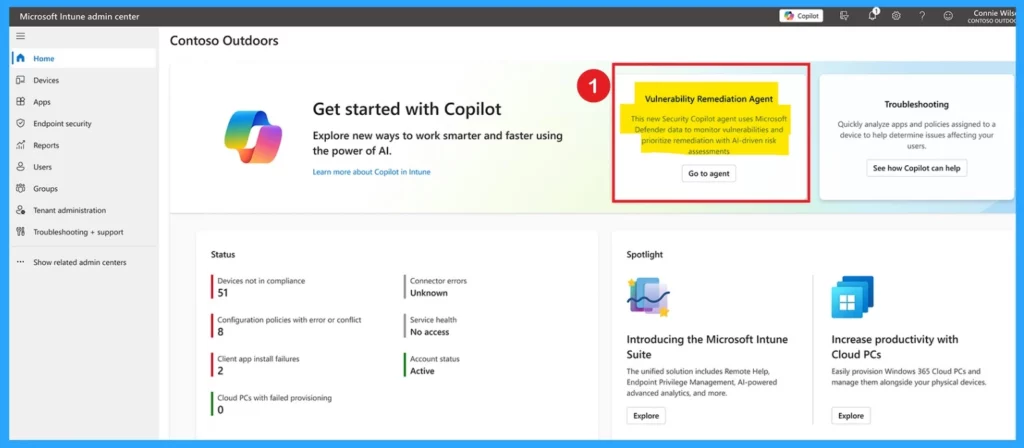
Above, we discussed an overall view on new feature for Cybersecurity Vulnerability Remediation Agent. This new Security Copilot agent uses Microsoft Defender data to monitor vulnerabilities and prioritize remediation with Al-driven risk assessments.
- This new feature will be displayed on the Intune Admin center Home page.
- Click on the Vulnerability Remediation Agent
| Importance |
|---|
| The upcoming Vulnerability Remediation Agent will monitor endpoints for vulnerabilities, assess their risks and impacts, and generate a prioritized list of remediation actions. |
| It helps admins address the most critical vulnerabilities and minimize the attack surface. |
| The AI-driven automation this feature extends Copilot’s capabilities, offering full integration with the Intune admin center for better control. |
- 5 Top Intune AI-Driven Troubleshooting and Remediation
- New Intune Troubleshooting options using Security Copilot
- Data Flow Architecture for Intune and Security Copilot
How to Vulnerability Remediation Agent Works
The AI-powered risk assessment in Intune helps identify how serious and impactful device issues are. IT teams can see vulnerabilities and get a list of actions ranked by importance to fix the most urgent problems. Admins can choose between automated fixes or step-by-step guidance to solve issues quickly, making decisions easier.
| About the Agent |
|---|
| Leverage Microsoft Defender Vulnerability Management data to monitor vulnerabilities. |
| Use Al-driven risk assessment to prioritize remediation. |
| Assess impacted devices, provide impact evaluations, and suggest actions |
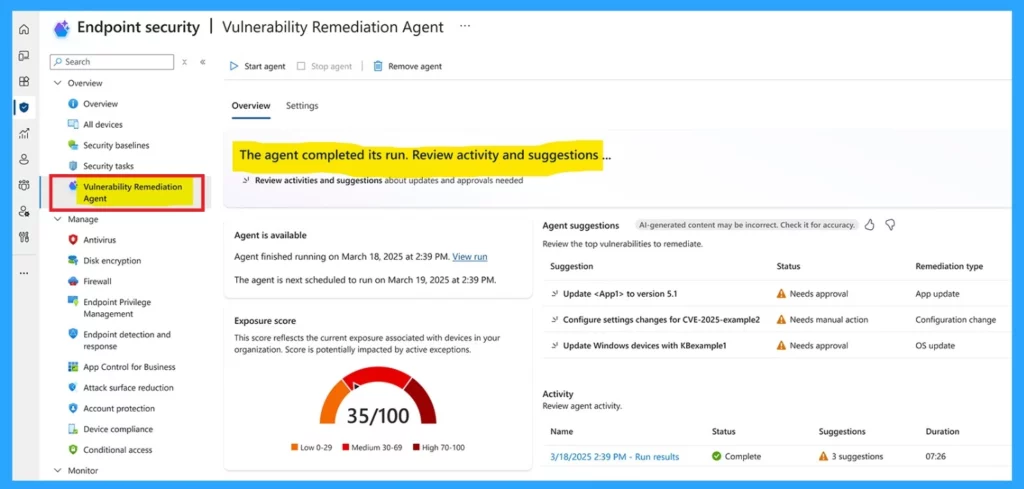
In the Run Details you can check the activity details separately. Once installed, it operates on your chosen schedule. The agent uses data from Defender Vulnerability Management to constantly track and evaluate vulnerabilities, presenting them directly to the Intune admin for resolution.
- The agent reports the total CVEs checked, the CVEs needing action, and their CVSS scores.
- By ensuring IT and security teams have Smooth access to risk and vulnerability information, overall efficiency improves.
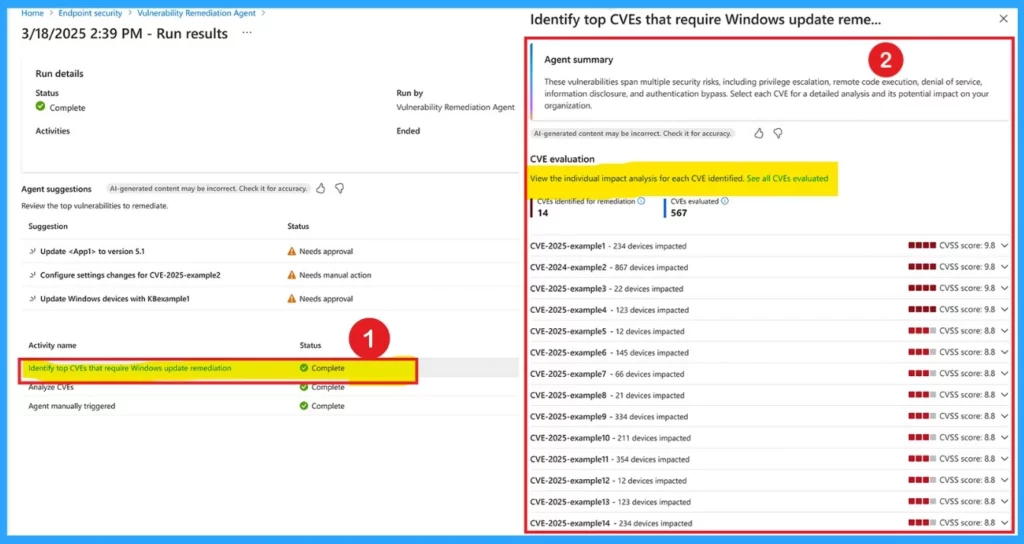
Vulnerability Remediation Agent provides results that help admins easily view AI-driven impact analysis for specific security issues (CVEs) that need fixing. Each issue includes important details like how it affects the organization. CVEs are unique identifiers assigned to specific security vulnerabilities or weaknesses in software, hardware, or systems.
- These details help the IT admins to solve the issue by prioritize by how much of the organization is at risk.
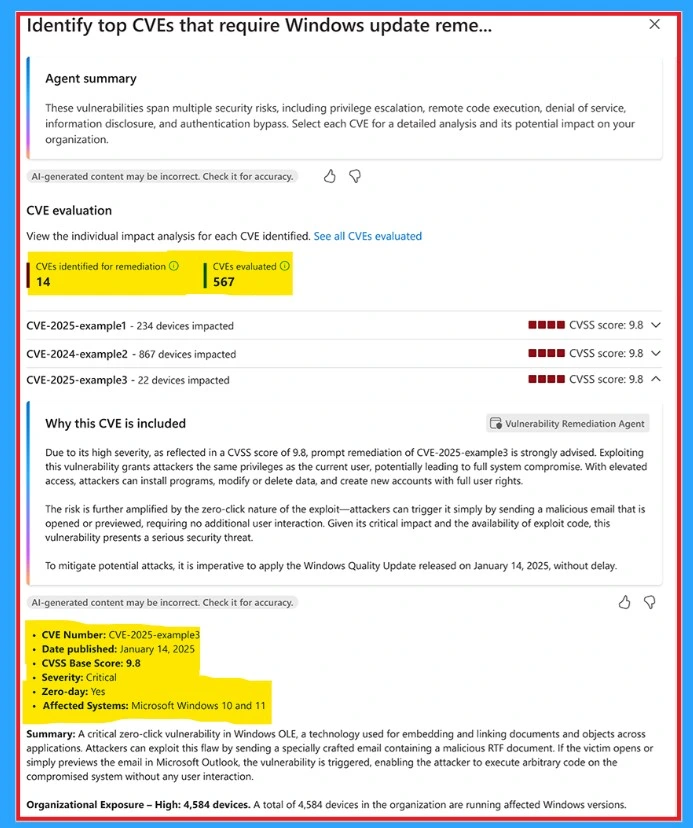
IT admins can find the Vulnerability Remediation Agent in the Intune admin center under the Endpoint Security section. So they can view the device vulnerability exposure score, get actionable recommendations for next steps, and review a history of recent activities.
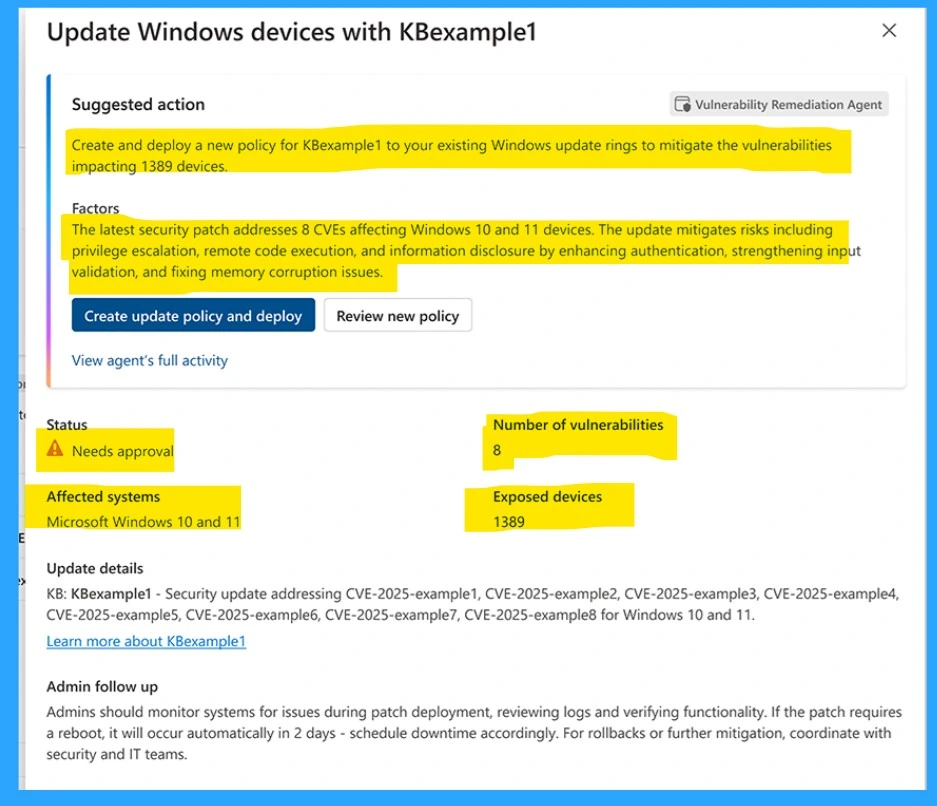
- Suggested Action – Create and deploy a new policy for KBexample1 to your existing Windows update rings to mitigate the vulnerabilities impacting 1389 device.
- Factors– The latest security patch addresses 8 CVEs affecting Windows 10 and 11 devices. The update mitigates risks, including privilege escalation, remote code execution, and information disclosure by enhancing authentication, strengthening input validation, and fixing memory corruption issues.
Need Further Assistance or Have Technical Questions?
Join the LinkedIn Page and Telegram group to get the latest step-by-step guides and news updates. Join our Meetup Page to participate in User group meetings. Also, Join the WhatsApp Community to get the latest news on Microsoft Technologies. We are there on Reddit as well.
Source – Stay ahead of evolving threats with the latest AI in Intune
Author
Vaishnav K has over 11 years of experience in SCCM, Device Management, and Automation Solutions. Writes and imparts knowledge about Microsoft Intune, Azure, PowerShell scripting, and automation. Check out my profile on LinkedIn.


Discussion