






FIX to Edge Browser Policy Issue Rollout Started for Official Build
Microsoft started rolling out a fix for the Microsoft Edge Browser Policy issue. I have covered the Edge browser bug breaks in Group Policy Management, which impacted many of the organizations and was treated as a critical issue.
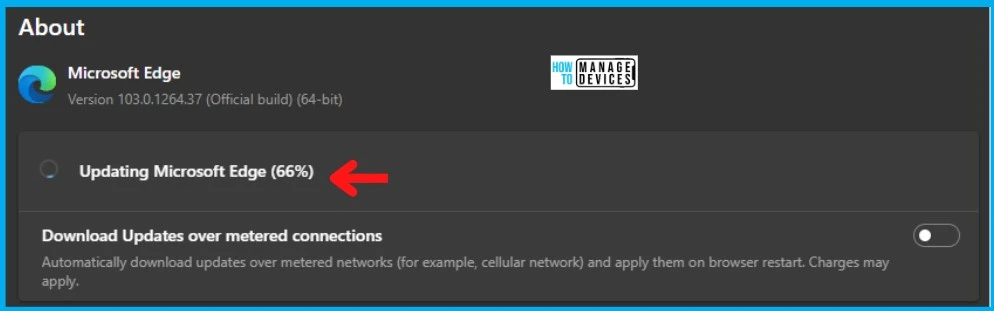
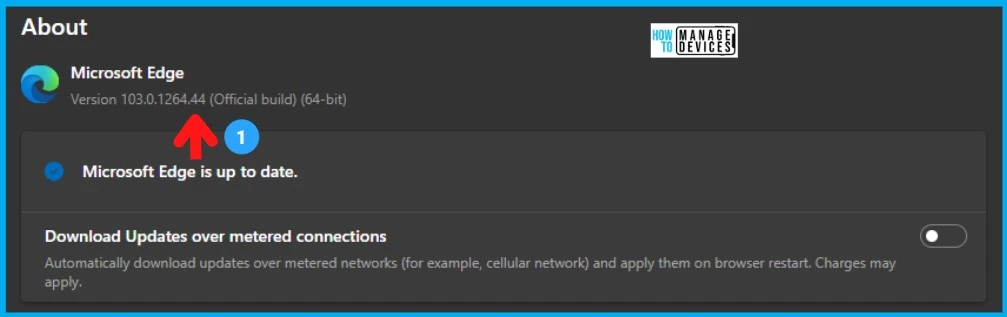
As per Eric Lawrence from the Microsoft Edge team, the fix is available with the latest version of the Microsoft Edge Browser Official Build version 103.0.1264.44. I can confirm that the Microsoft Edge browser fix rollout has already started, and my MS Edge version is updated to 103.0.1264.44.
This bug is caused by new registry check changes that are Chromium code. This issue impacted other browsers such as Safari, Firefox, etc. As I have reported in the previous post, the Chromium team fixed this issue a few days before.
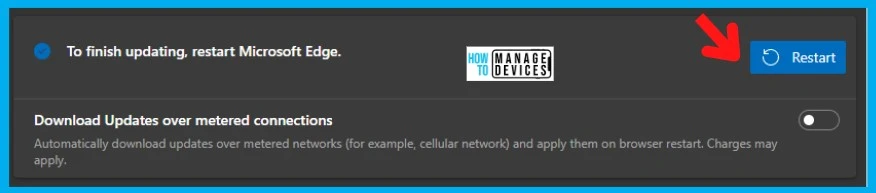
I have to seek for updates from the MS Edge -> edge://settings/help to get the latest version. I would recommend the same to fix the MS Edge Browser policy issue quickly.

- FIX IE Mode tabs not Responding Issue after installing June CU.
- Enable Internet Explorer IE Mode in Microsoft Edge
How the Group Policy update works for MS Edge
Let’s check How the Group Policy update works for MS Edge. Eric explains this in the Tech Community thread. Understing this method is important to get the details of the root cause of the group policy bug in Chromium.
Group Policy update works by:
- Deleting the old policies from the registry
- Writing the current policies to the registry
- Chromium reloading new policy data out of the registry
A new registry-monitoring code introduced a regression in v103 of Microsoft Edge. This code would detect that the keys had changed at [point 1], and the browser’s in-process policy would be refreshed before the current policy data had been fully written to the registry by the GP Update. Consequently, the browser process could end up with a “partial” (or empty) set of policies applied.
Root Cause of MS Edge Browser Policy Issue
As explained above, the Registry Monitoring code introduction caused the Edge Browser Policy Issue. The problem’s reproducibility would also vary depending upon how short the time gap is between old policies being deleted from the registry and new policies being written.
The visibility of the problem also varies as per Eric; the only MS Edge browser policies that support Dynamic Refresh are impacted. Microsoft also confirmed that many policies do not have side effects that are immediately visible to users.
The fix is to stop monitoring the registry keys directly.
- Configure Enterprise Mode Site List to use IE Mode
- Disable Internet Explorer Using Intune Group Policy Browser App
Other Options to avoid Race Conditions
In the Chromium support forum, there are also mentions of other methods to avoid race conditions in the Edge Browser Policy Issue. For example, avoid looking into RegistryWatcher for timer/timestamp and look for event IDs to trigger the changes, etc.
- Instead of the timer, would it be possible to watch for and/or trigger off event log source “GroupPolicy (Microsoft-Windows-GroupPolicy)” and ID 1500 (Computer policy)/1501 (User policy)? Those events fire when the system is done processing the respective policies.
- “The Group Policy settings for the computer were processed successfully. No changes were detected since the last successful processing of Group Policy.”
Author
Anoop is Microsoft MVP! He is a Device Management Admin with more than 21 years of experience (calculation done in 2022) in IT. He is Blogger, Speaker, and Local User Group HTMD Community leader. His main focus is on Device Management technologies like SCCM 2012, Current Branch, and Intune. He writes about ConfigMgr, Windows 11, Windows 10, Azure AD, Microsoft Intune, Windows 365, AVD, etc.




Discussion