






FIX SCCM MP Connection Issue to Site Server Database | How Microsoft Fixed this Issue
Let’s see how to fix SCCM MP Connection Issue to Site Server Database. SCCM Hotfix KB29166583 is here to fix the known issue of MP Connection to the Site server. This hotfix was temporarily revoked due to known issues, and now it’s back!
Microsoft has released SCCM Hotfix KB29166583 to address CVE-2024-43468, a security vulnerability affecting the Management Point’s connection to the site server database in SCCM. This post covers all the details about SCCM Hotfix KB29166583 and How to Install it!
SCCM Hotfix KB29166583 was released to fix a security vulnerability in Microsoft System Center Configuration Manager (SCCM). The goal was to improve the system’s security by addressing this issue.
After the release of SCCM Hotfix KB29166583, a problem was discovered that affects how Configuration Manager (ConfigMgr or SCCM) operates. This hotfix applies to Microsoft Configuration Manager Current Branch, Version 2403 and 2309.

Table of Contents
What Security Issue Does this Hotfix Address?
The hotfix addresses the security vulnerability identified as CVE-2024-43468. This vulnerability involves a risk related to the connection between the Management Point and the site server database.
Has the Hotfix been Withdrawn?
Microsoft has withdrawn the hotfix and removed the related KB article from the CM console. This action was taken because the hotfix caused other issues within the SCCM environment.
When was the Hotfix Initially Released and Re-released?
The hotfix was first released on September 4, 2024. It was revoked on September 5th, and it was re-released on September 18th, 2024.
Is there any SCCM Client side update for KB29166583?
Site Reset Required SCCM KB29166583?
FIX SCCM MP Connection Issue to Site Server Database
Install the revised KB article KB29166583 to fix the SCCM MP Connection issue with Site Server DB, as discussed in the section below.
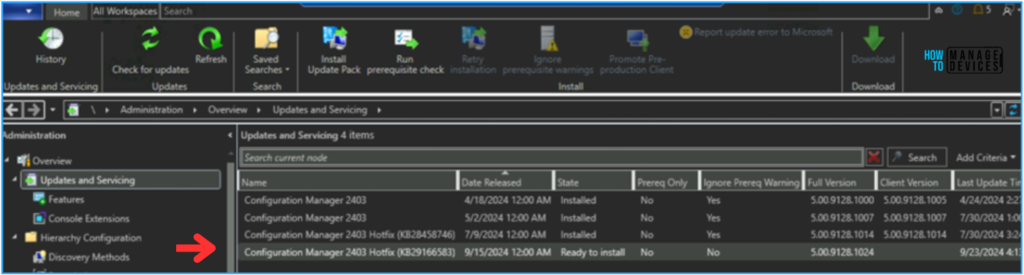
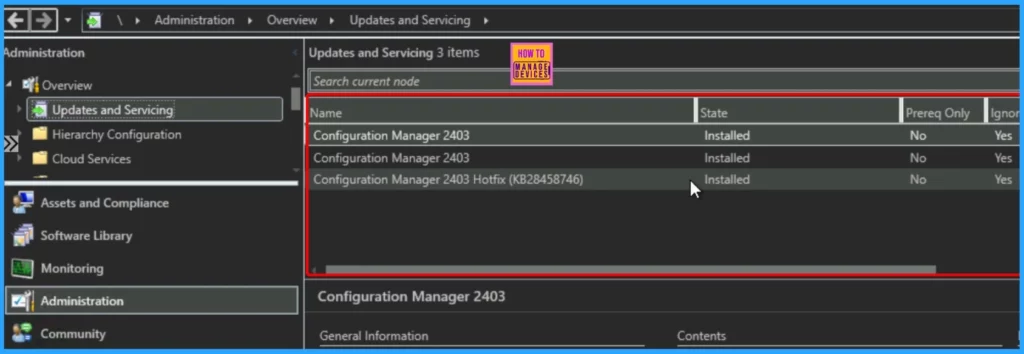
For customers using Configuration Manager version 2403, the revision appears in the console as KB29166583. Customers who have already installed the original release KB29166583 see two instances of the same KB29166583, one installed and another ready to install.
Install the SCCM Hotfix KB29166583
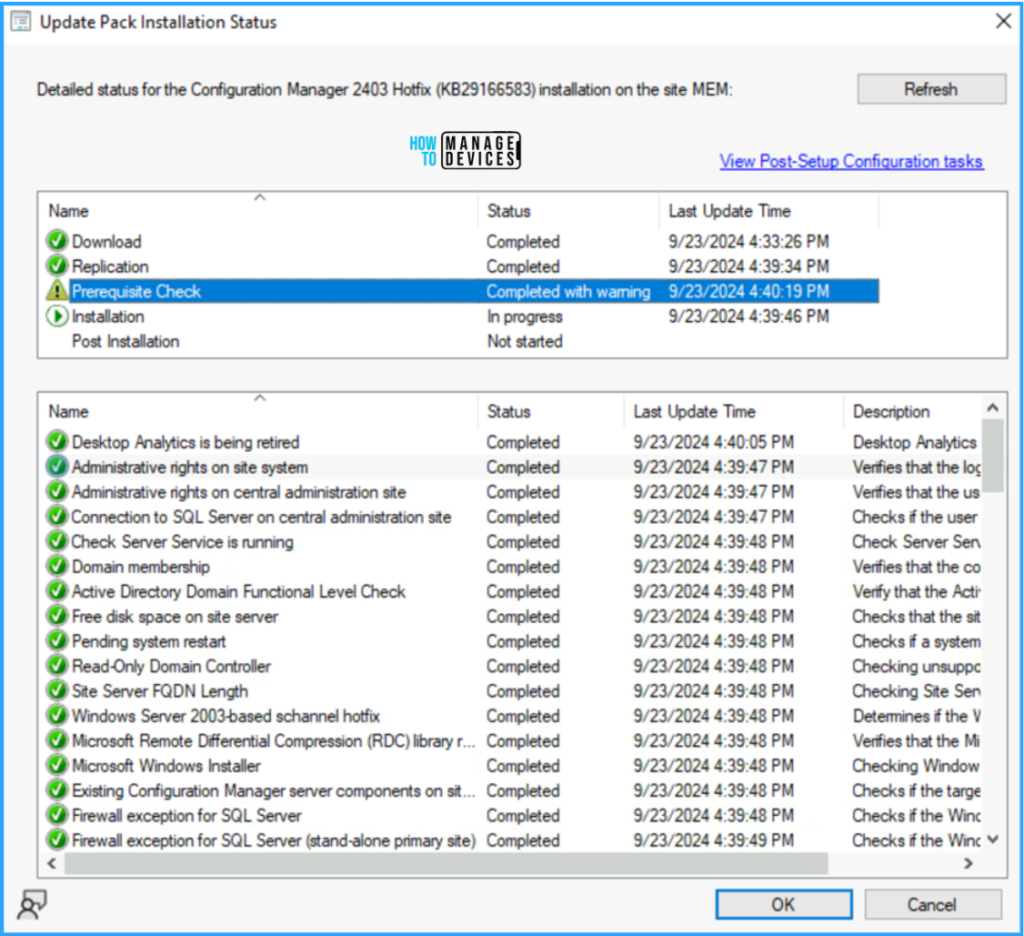
To install the revised SCCM 2403 Hotfix KB29166583 on the Primary Site. Navigate to Administration > Updates and Servicing. The Configuration Manager 2403 Hotfix (KB29166583) is Ready to install.
The following details pertain to the files included in hotfix KB29166583. This table provides an overview of the critical files associated with the hotfix, including their versions and sizes.
| File name | File version | File size | Date | Time | Platform |
|---|---|---|---|---|---|
| locationmgr.dll | 5.00.9122.1033 | 1206328 | 03-Dec-2023 | 00:00 | x64 |
| mp.msi | Not Applicable | 28807168 | 03-Dec-2023 | 00:00 | Not Applicable |
SCCM Hotfix KB29166583 Temporarily Withdrawn Due to Known Issues
A critical security vulnerability identified as CVE-2024-43468 affects the Management Point’s connection to the site server database. This vulnerability involves how the Management Point connects to the site server database, potentially exposing the system to unauthorized access or attacks.
Update Information for Microsoft Configuration Manager Current Branch, Version 2403, available through the Updates and Servicing node of the Configuration Manager console. You can access and install this update directly from the console using SCCM version 2403.
- New Features in SCCM Technical Preview 2401
- List of Issues Fixed with SCCM 2403 KB26186448
- SCCM CB Release has Changed 2 Versions per Year | March and September
Microsoft Withdraws Hotfix and Removes KB29166583
Microsoft has withdrawn the hotfix and removed the related KB article from the CM console. This action was taken because the hotfix caused other issues within the SCCM environment. If you have already installed the hotfix and are experiencing problems, you may need to roll back the update or contact Microsoft support for assistance. Avoid installing the hotfix if you haven’t done so yet.
- SCCM Versions Build Numbers Client Console Site
- End of Support Dates for SCCM CB Current Branch | ConfigMgr | SCCM End of Life
- SCCM Unsupported Deprecated or Removed Features
- New Key Features of SCCM 2309 | Top Improvements
- Download SCCM 2309 Early Ring Version using PowerShell Script
Microsoft Recommendations
Installing the hotfix may disrupt normal SCCM operations. The changes introduced by the hotfix, which were initially meant to address CVE-2024-43468, might result in unintended side effects. As a result, Microsoft has temporarily withdrawn this hotfix and advises against its installation.
- Microsoft advises against installing KB29166583 to avoid potential issues.
- If the hotfix is already installed and is causing problems, administrators may need to roll back the patch or seek further guidance from Microsoft’s support team.
- Microsoft is actively working to identify the root cause of the issue.
- Once a proper fix is found, the hotfix will be republished with the necessary corrections. Until then, it will remain unavailable for installation.
Next Steps for End Users
If you have not installed the hotfix yet, it is advisable to postpone the installation until Microsoft provides further updates. It would be best to stay updated with Microsoft’s announcements, as they will release a revised version of the hotfix once the issues are resolved.
- If you have already installed the hotfix and are encountering problems, you may need to roll back the update or contact Microsoft support for assistance.
Join the LinkedIn Page and Telegram group to get the latest step-by-step guides and news updates. Join our Meetup Page to participate in User group meetings. Also, Join the WhatsApp Community to get the latest news on Microsoft Technologies. We are there on Reddit as well.
Author
Anoop C Nair has been Microsoft MVP from 2015 onwards for 10 consecutive years! He is a Workplace Solution Architect with more than 22+ years of experience in Workplace technologies. He is also a Blogger, Speaker, and Local User Group Community leader. His primary focus is on Device Management technologies like SCCM and Intune. He writes about technologies like Intune, SCCM, Windows, Cloud PC, Windows, Entra, Microsoft Security, Career, etc.




How can I role back the update?
StaffThe best option is to contact Microsoft support. Mostly these types of support cases are not charged
Hi Anoop, Could you suggest if this hotfix was meant for 2309? I am using 2309 and the hotfix is not appearing after ‘Checking for Updates’ multiple times. Any suggestions !! Thanks