






Fix Windows 11 Upgrade Error 0xc11900130
I have seen a Windows 11 upgrade Error 0xc11900130 a few days back. The latest update failed to upgrade to the latest Windows 11 in the Dev channel.
I have seen many issues related to Windows updates before for Windows 10. This was the first error I saw for Windows 11. Windows 11 upgrade is possible only when your PC meets minimum hardware requirements.
I’m running Windows 11 insider version 10.0.22471.1000. The system was getting upgraded from Windows 11 version 22468.1000 to 22471.1000.
The Windows 11 update got downloaded and installed. I have restarted the Windows 11 laptop to complete the Windows update process. After restart, it came back with the Windows 11 update error 0xc11900130.

- Windows Upgrade Troubleshooting with Logs
- Fix: Windows Update Issues For Windows 11 Errors Troubleshooting Tips
Windows 11 Update Issues Basic Troubleshooting Steps
The basics troubleshooting checks for Windows updates are important interms of troubleshooting Windows 11 upgrade Install errors. If you are deploying updates from SCCM/WSUS, the process is slightly different and explained in the Windows 11 update process.
The basic steps are checking the Restart; Windows 11 activation is completed or not, Windows 11 has free disk space, internet connection, etc.
- Make sure you have enough free space in your C drive to install the latest Windows 11 updates.
- Restart the Windows 11 PC to make sure the previous updates are installed.
- Re-run the Windows updates again from Settings -> Windows Updates -> click on Check for updates.
- Remove the external hard disks.
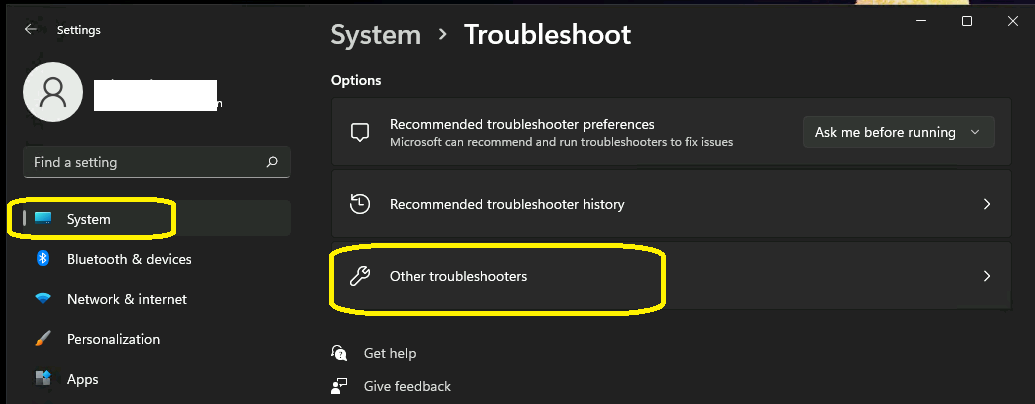
Let’s run the Windows update troubleshooter from the Settings app to automatically fix the Windows update errors.
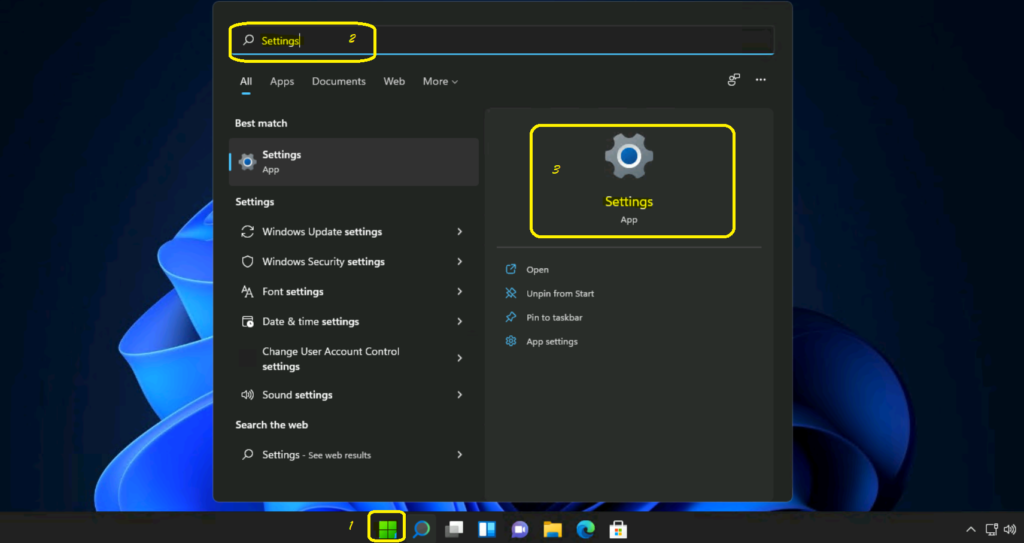
- Navigate to Start -> Settings App.
- Click on System Tab.
- Scroll down and click on Troubleshoot (this is the recommended method).
Click on Other Troubleshooting options and Click on Window update -> Run option to launch the Software update troubleshooter. More details are available -> Fix Windows Update Issues For Windows 11 Errors Troubleshooting Tips.
Issue – Windows 11 update Error 0xc11900130
Windows 11 update to the next version happen automatically in the background. After downloading and installing the Windows 11 latest insider version, the error showed up.
I didn’t specifically notice any rollback happening after the restart. But But Windows 11 -> Settings page -> Windows update -> Install error – 0xc11900130.
I also got many other errors in setuperr.log C:\$Windows.~WS\Sources\Panther\setuperr.log – – CSetupPlatform::ResurrectNewSystem: Cannot resurrect new system.: Win32Exception: SPDeserializeOperations failed: [0x80131501] void __thiscall CDeploymentBase::StreamRead(class UnBCL::SerializationStream &)
The following error was a bit interesting from C:\$Windows.~WS\Sources\Panther\setupact.log CInstallUI::Quit: Posted MSG_INSTALLUI_FORCE_QUIT. It’s the laptop that got restarted or stopped in the middle of the Windows 11 upgrade process.
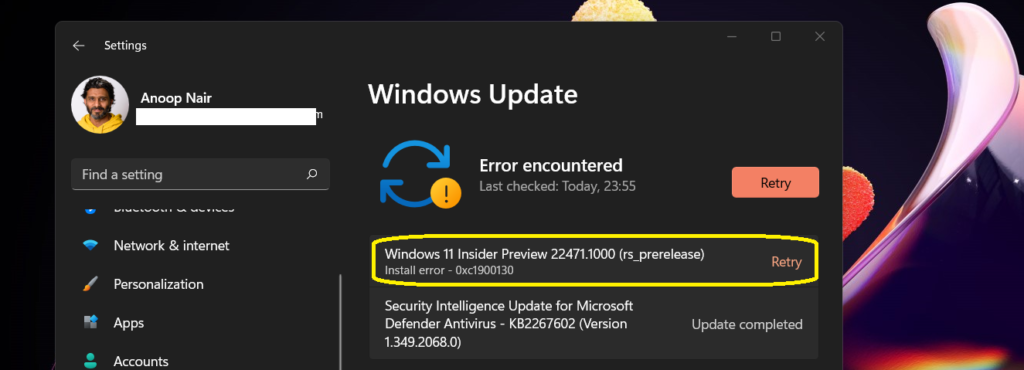
Fix Windows 11 Upgrade Issue – Install error – 0xc11900130
It’s time to check the quick fix for the Windows 11 upgrade install error 0xc11900130. I followed the steep mentioned below to resolve the Windows 11 upgrade error.
- Open Settings Apps from Windows 11 Start menu – Search options.
You can navigate to Windows Updates tab from the Settings page. Click on the RETRY button from the Windows Update page to resolve the issue.
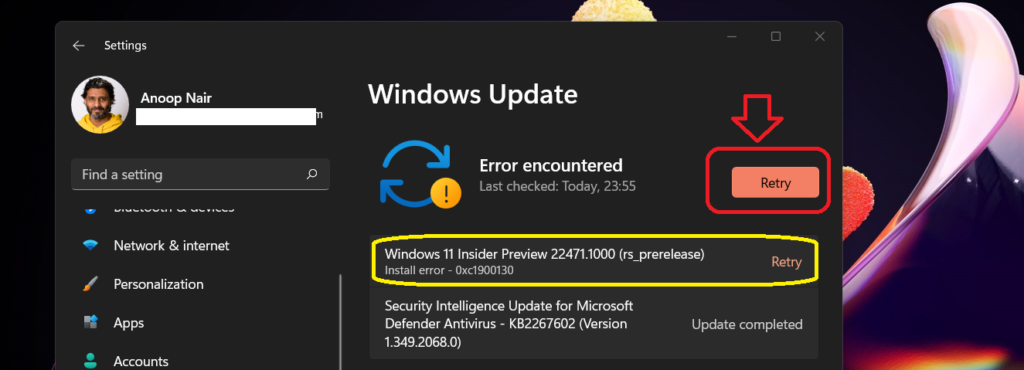
Windows 11 will still use the same source files already downloaded, and it won’t download the source again from the internet. The Windows 11 will go through the installation process again to upgrade to the latest Windows 11 version.
After the restart of Windows 11 latest version got installed successfully, you can check the version number ( 10.0.22471.1000) of Windows 11 by running the WinVer command from the Run menu.

Windows 11 Upgrade Issues and Troubleshooting Logs
You can check the following logs and the blog post mentioned below to get more details of the Windows 11 upgrade error using the log files. More information – Windows 10 Deployment Upgrade Process Logs.
C:\Windows\Panther\Setupact.log
C:\Windows\panther\setuperr.log
C:\Windows\inf\setupapi.app.log
C:\Windows\inf\setupapi.dev.log
C:\Windows\panther\PreGatherPnPList.log
C:\Windows\panther\miglog.xml
C:\$Windows.~WS\Sources\Panther\setupact.log
C:\$Windows.~WS\Sources\Panther\setuperr.log




Discussion