






Fix Windows Update Error 0x8007005 Failed to Restart
Let’s fix Windows Update error 0x8007005 failed to restart issue. I’m managing monthly patching policies using intune for some Windows PCs. Recently, I came across the error 0x8007005 was unable to restart for the WUfB Software Update deployment.
You can manage quality and feature updates using Intune and WUfB, as mentioned in the previous posts. You will need to make sure that Windows PC meets the prerequisites to have patches deployed from WUfB. These types of errors are common in the software update world and easy to resolve most of the time.
It’s also worth going through all the basics of Windows Update troubleshooting explained in Fix Windows Update Issues For Windows Errors Troubleshooting Tips. Fixing Windows Update errors is important from an organizational perspective to secure Windows devices from vulnerabilities.
- Windows 11 Monthly Patch Deployment using Intune
- Upgrade to Windows 11 using Intune Feature Update Deployment Policy
Issue – Windows Update Error 0x8007005
Windows PC received the latest cumulative update from Microsoft after the patch Tuesday. The LCU made available for this PC was 2021-10 Cumulative Update for Windows 10 version 21H1 for x64-based Systems (KB5006670).

The update got downloaded and installed without any issue. However, when I tried to restart the Windows PC, I received the following error 0x80070005. The error 0x80070005 is a very generic error, and the meaning of this Windows error is Access denied. You can check the Translate Windows Error Codes To Error Messages post to get more details about error codes and messages related to Windows.
The Error Message – We’re having trouble restarting to finish the install. Try again in a little while. If you keep seeing this, try searching the web or contacting support for help. This error code might help: (0x80070005)
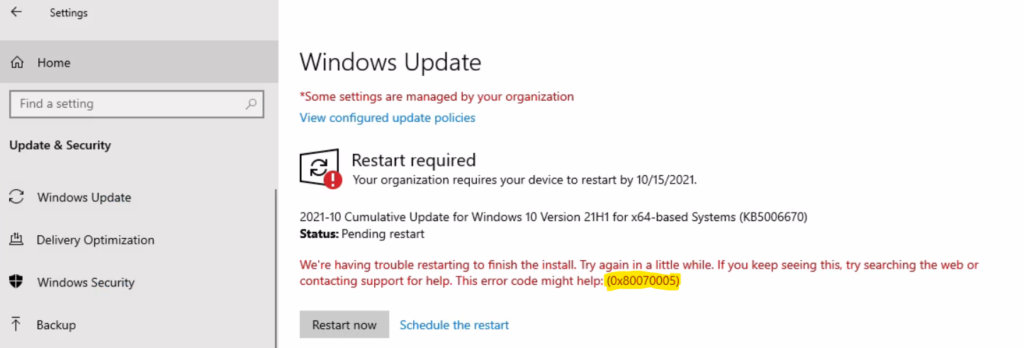
Troubleshooting to Fix Windows Update Error 0x80070005
First of all, 0x80070005 is not a Windows update error. Instead, it’s a more generic Windows error for Access denies issue. It seems some process is preventing Windows Updates from restarting the PC. We will need to find out the process and kill it to be able to restart the PC to complete the monthly patch installation.
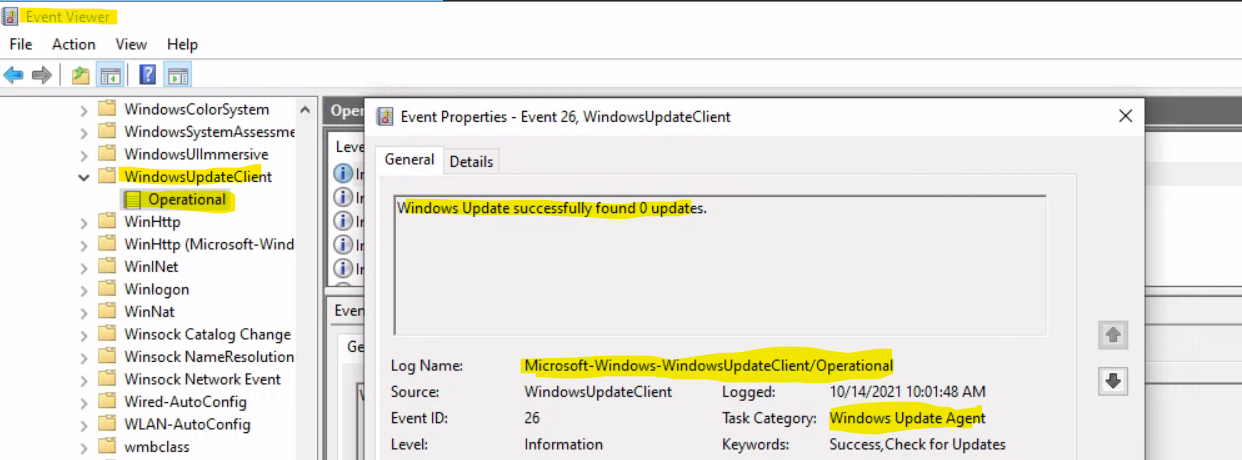
I have checked the event viewer logs related to Windows Update Agent. But there are no errors related to WUA. Event Viewer -> Applications and Services Logs/Microsoft/Windows/WindowsUpdateClient/Operational. I have also checked the System and Application event logs but couldn’t find any errors related to this software update issue.
A Solution to Windows Update Failed to Restart Error
Now, let’s find out how did I resolve the issue related to the Windows update failure error. The solution was straightforward. As I mentioned above, the root cause of the issue (I think?) is that some process prevents Windows Updates from initiating the restart process.
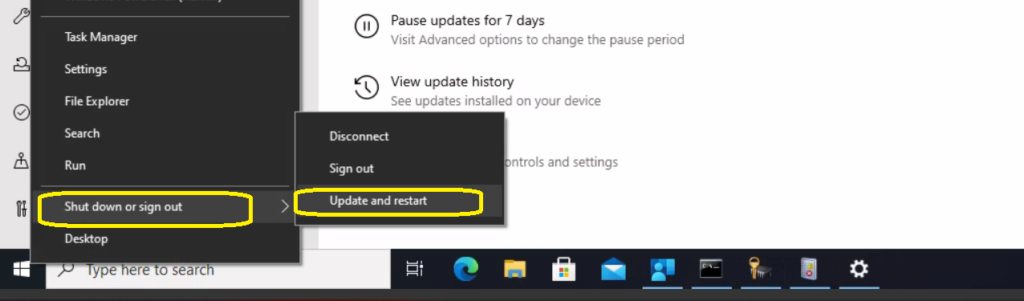
I tried to perform a manual restart using the Update and Restart option. Right-click on the start button and select Shutdown or Sign out -> Update and Restart so that I can forcefully restart the Windows PC.
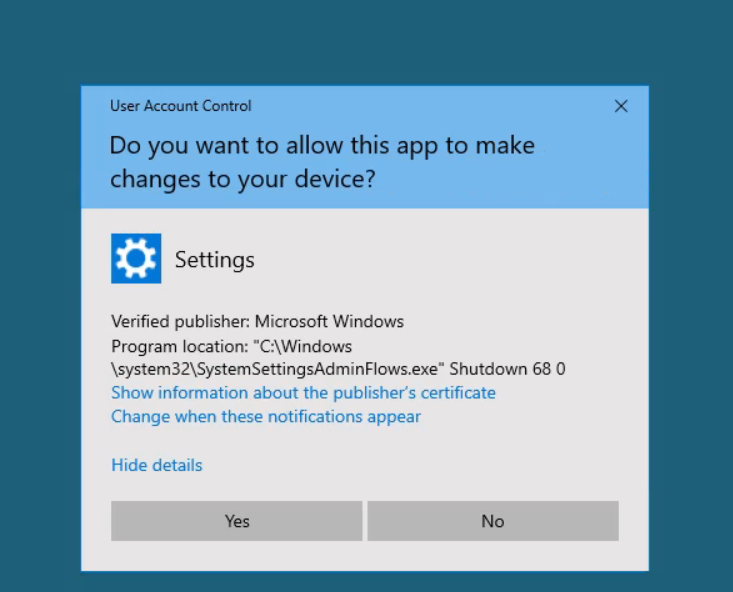
Before the restart of Windows PC, there was a User Account Control (UAC) prompt. I got the following message, and it seems the Settings app “C:\Windows\System32\SystemSettingsAdminFlows.exe” Shutdown 68 0 trying to run the Shutdown command.
I have got some details about the SystemSettingsAdminFlows.exe. This application is responsible for the administrator privileges required for opening, editing, or removing files from Windows PCs. I don’t know why did I get this popup message.
Do you want to allow this app to make changes to your device -> Settings? I clicked on the YES button from the below popup screen to initiate the force restart of the PC.
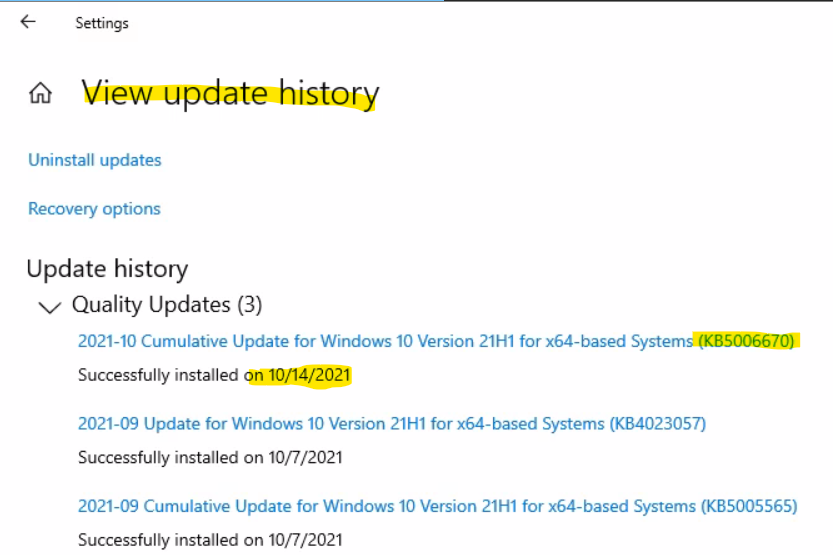
After the restart, I can confirm from the Settings app -> Windows Update page -> View Update History section that the quality update 2021-10 Cumulative Update for Windows 10 version 21H1 for x64-based Systems (KB5006670) is successfully installed.




Discussion