






List of Fixed Issues with SCCM 2107 Rollup Update KB11121541
Let’s check the List of Fixed Issues with SCCM 2107 Rollup Update KB11121541. The hotfix rollup update for the 2107 version of ConfigMgr comes with many fixes and some improvements. I’m surprised to see improvements (details in the below section) with a rollup update of SCCM.
The ConfigMgr production version of 2107 is generally available. Let’s understand the fixes already issued with the rollup hotfix for the 2107 version. You can check out our 2107 upgrade guide to get more details about the step-by-step guide to upgrade the primary server.
The list of Fixes for Configuration Manager 2107 is available below in the table format. I hope this helps to understand the fixed issue with ease. I have a post where I tried to list all the known issues (official and unofficial) of the 2107 version of MEM (Microsoft Endpoint Manager).
You can get more details about the new Top 5 New Features available in SCCM 2107 | ConfigMgr. The SCCM 2103 hotfix rollup KB10036164 is available for both opt-in and globally available versions of 2103. There are 14 documented fixes available with this rollup hotfix.

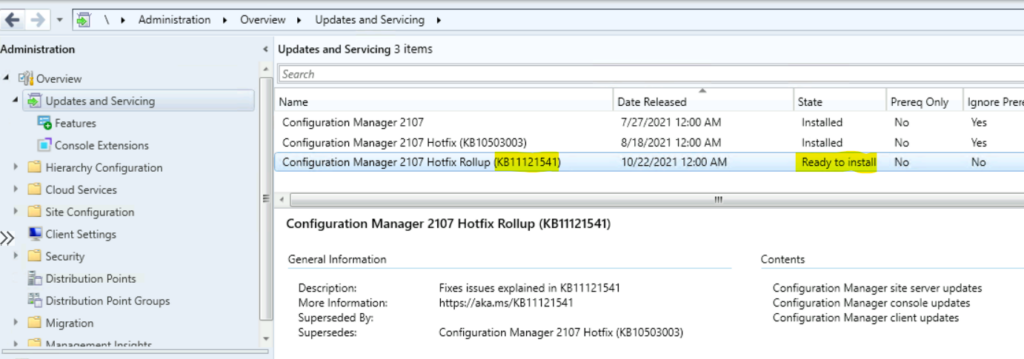
Install 2107 Hotfix KB11121541
Let’s understand how to update ConfigMgr 2107 update rollup KB11121541 on a standalone primary server or CAS server. The child primary servers shall get automatically updated.
- Launch the Configuration Manager Console.
- Select the Administration tab.
- Expand Overview -> Select Updates and Services.
- The update Configuration Manager 2107 Hotfix Rollup KB11121541 is Ready to install stage.
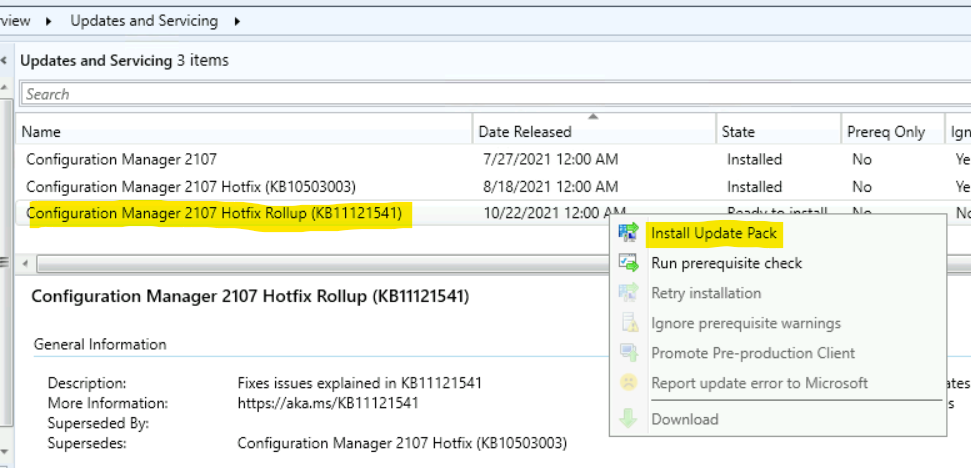
- Click on Install Update Pack.
NOTE! – If there is any download issue with KB10036164, refer to the following article that might help to fix the issue with download ➡ CM Update Reset Tool Fixes SCCM CB Update Download Issue.
- Click Next.
- Select Client Update Settings. More details about the pre-prod client testing option are given in the following post – SCCM Client Upgrade – Promote Pre-Production Client To Production
- I selected this option for LAB Upgrade without validating
- Validate in pre-production collection
- Click on Next.
- Accept the license and click on Next to continue.
- Check the Summary of updated package installation
- Click on Close to complete Configuration Manager Updates Wizard.
Summary of update package installation
 Install Update Package Configuration Manager 2107 Hotfix Rollup (KB11121541)
 Prerequisite warnings will be ignored
 Test new version of the client in production
NOTE! – You might get prerequisite errors or warning about .net versions. You will need to review Microsoft .NET versions (recommended version is 4.8). This is applicable for all the site servers (Secondary, MP, Client, Console, and Primary servers). You can ignore this for the 2107 version of SCCM, but you will need to have this fixed for the 2111 version of ConfigMgr onwards. Details Fix SCCM Dot NET Version Warning Error During Prerequisite Checks.
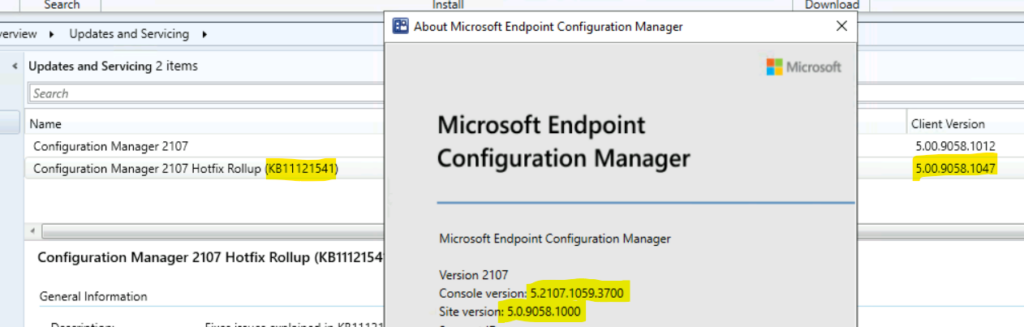
SCCM 2107 Versions Details after Rollup Update
You will get a different version of Console, Site Sistem, and Client after successfully installing the hotfix rollup update KB11121541 for SCCM 2107. More details of the magic of SCCM version numbering are available SCCM Versions Build Numbers Client Console Site.
- Full Site – 5.00.9058.1047
- Site Version – 5.00.9058.1000
- Console – 5.2107.1059.3700
- Client – 5.00.9058.1047
List of Fixed Issues with SCCM 2107 Rollup Update KB11121541
From this section of the post, you will get the details of the SCCM 2107 fixed issues rollup update KB11121541. I have highlighted one of the issues with View Collection from the Collections tab in the 2107 known issue list.
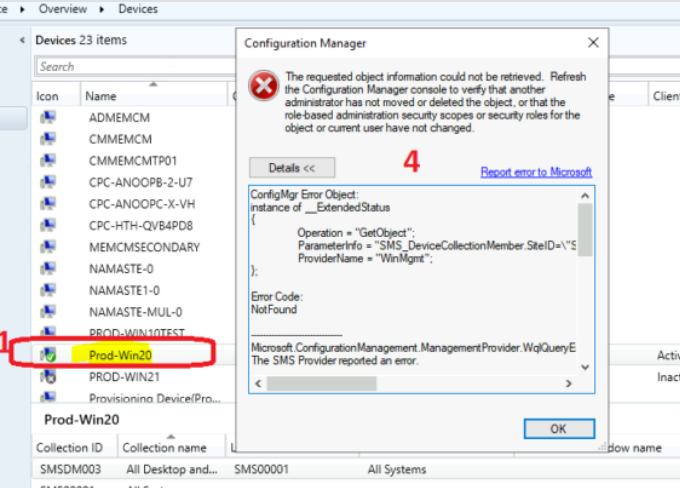
The following table helps you to understand the fixes released with rollup update KB11121541 for each of the components. My recommendation is to install this hotfix rollup update as soon as possible.
| Issues | Components | Error Code/Details | Log File |
|---|---|---|---|
| One or more applications in a task sequence fail | Task Sequence | 0x87d00267 | smsts.log |
| Site Server may stop processing state messages – Error: Message processing encountered a SQL error 2627 | Site server | Offline Servicing Error | statesys.log |
| The Installation Status tab in Software Center hangs without loading completely | Task Sequence | Getting all instances of CCM_Application | scclient.log |
| Console extension may fail to import | Console | Exception of type ‘System.OutOfMemoryException‘ was thrown. | AdminUI.ExtensionInstaller.log |
| The issue with View Collection from the Collections tab | Collection | The requested object information could not be retrieved | Popup Window |
| SCCM client is blocked from sending endpoint analytics sensor events to the MP | Management Point | 0x80041032 | SensorEndpoint.log |
| ConfigMgr console terminates unexpectedly if a Reporting Services Point is installed | Console | Version string portion was too short or too long | AdminUI.log |
| Cloud service configuration file (.csfg) is not updated after deploying a CMG | CMG | Task [UpdateServiceConfigurationTask: Service {ID}] has failed | CloudMgr.log |
| The maximum client policy size is incorrectly limited to 16MB instead of 32MB | Task Sequence | 80004005 | smsts.log |
The following are another set of fixed issues with SCCM 2107 hotfix rollup update KB11121541. These are the fixes where Microsoft didn’t share the log file details or errors in their documentation.
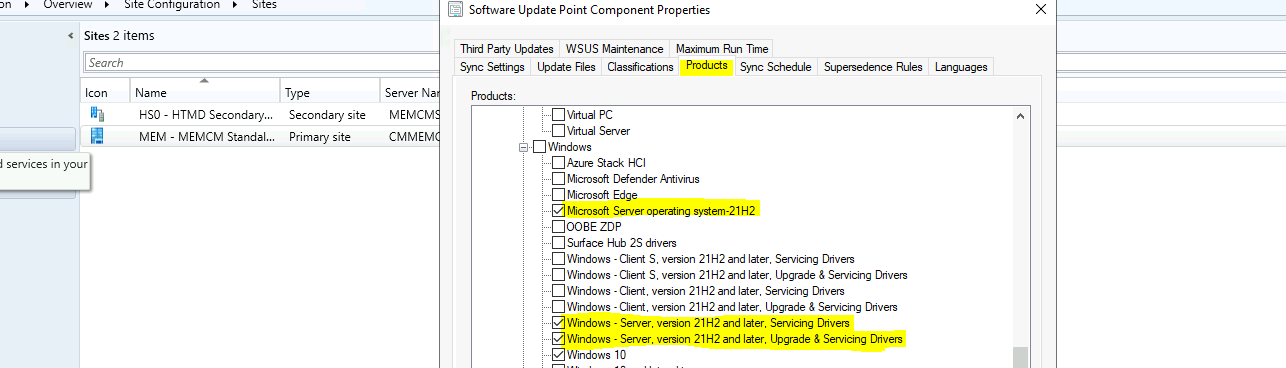
You might have noticed the issue with Offline Servicing for Windows Server 2022 operating system image fails to detect updates as applicable. I have explained how to enable patching for Server 2022.
The CMTrace log file viewer does not display all characters at the beginning of a line. You can have a look at the different options to read SCCM logs from top SCCM Log File Viewer Options for Admins.
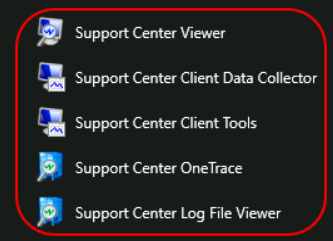
The Configuration Manager Support Center Client Tools application terminates unexpectedly on a Windows 11 Devices selecting different deployments. You can also check how to install the SCCM client on Windows 11.
There is also a known issue with SCCM (ConfigMgr) 2107 version – Syntax highlighting for PowerShell ignores the backquote escape character (`) when escaping double quotation marks. Another known issue that SCCM 2107 is related to Incremental collection update that es don’t work when the WQL statements contain custom properties. I have shared many posts on how to create WQL queries with a lot of ease.
SCCM 2107 KB11121541 Rollup Update Improvements
You will have some feature improvements with ConfigMgr 2107 KB11121541 Rollup Update. I have listed these improvements in the below section of the post.
- The Cloud Management Gateway (CMG) Azure Storage Account can now be configured to use TLS 1.2 through the Configuration Manager console.
- Improvements to the Data Warehouse synchronization process are included to prevent the SQL Server TempDB from filling up.
- Endpoint analytics sensor data now includes the system SKU and processor name, and Microsoft Surface Model information, for Windows 11 hardware readiness.
- The BitLocker recovery key is only escrowed for the first user on a computer instead of all users that log on.
Known Issue with SCCM 2107 Rollup Update KB11121541
I have maintained a fair list of know issues of all the latest versions of SCCM. You can get more details about known issues which are documented by Microsoft and the community.
The known issue with SCCM 2107 Rollup Update KB11121541. The Log Analytics connector for the Azure Monitor feature was removed from ConfigMgr version 2107. However, the pages that allow an administrator to view and delete the OMS Connector are still present but don’t function.
You can read all the details of the SCCM 2107 known issues, and I think most of these known issues will be fixed with the 2107 rollup update.
Author
Anoop is Microsoft MVP! He is a Solution Architect in enterprise client management with more than 20 years of experience (calculation done in 2021) in IT. He is Blogger, Speaker, and Local User Group HTMD Community leader. His main focus is on Device Management technologies like SCCM 2012, Current Branch, and Intune. He writes about ConfigMgr, Windows 11, Windows 10, Azure AD, Microsoft Intune, Windows 365, AVD, etc……………




Discussion