






Get Email Alerts for Windows Known Issue Status Change
Let’s see how to get Email Alerts for Windows known issues and status changes of Windows incidents. You can now Sign up for Windows known issue email alerts on Microsoft 365 admin center.
The Windows Known Issue Email Alerts is a new feature recently introduced. The Email Alerts for Windows known issue was the highly-requested feature for IT administrators who are responsible for planning and implementing Windows features and quality updates: email alerts.
The email alerts for known issues in Windows, are now accessible through the Microsoft 365 admin center. The purpose of these alerts is to provide prompt notifications about the identification of known issues, as well as significant updates like new workarounds or resolutions, to assist you in staying up-to-date.
To enroll in this feature, simply navigate to the Microsoft 365 admin center and complete the registration process. Please note that this feature is only accessible to IT administrators with a Windows or Microsoft 365 tenant, a volume licensing subscription that includes access to Windows release health within the Microsoft 365 admin center, and an eligible admin role.

Upon registration, you will start receiving email notifications concerning new issues related to the Windows operating system versions you are supporting. Additionally, you will be informed about any changes or updates on previously identified issues, including Changes in issue status, New workarounds, and Issue resolution.
- Get Email Alerts For Intune Outages Microsoft 365 Services Advisory Status Change
- Windows Admin Center Download Learn And Share Experience
How to Get Email Alerts for Windows Known Issue
To sign up for email notifications about Windows known issues, first, you will need to sign in to the Microsoft 365 admin center, admin.microsoft.com.
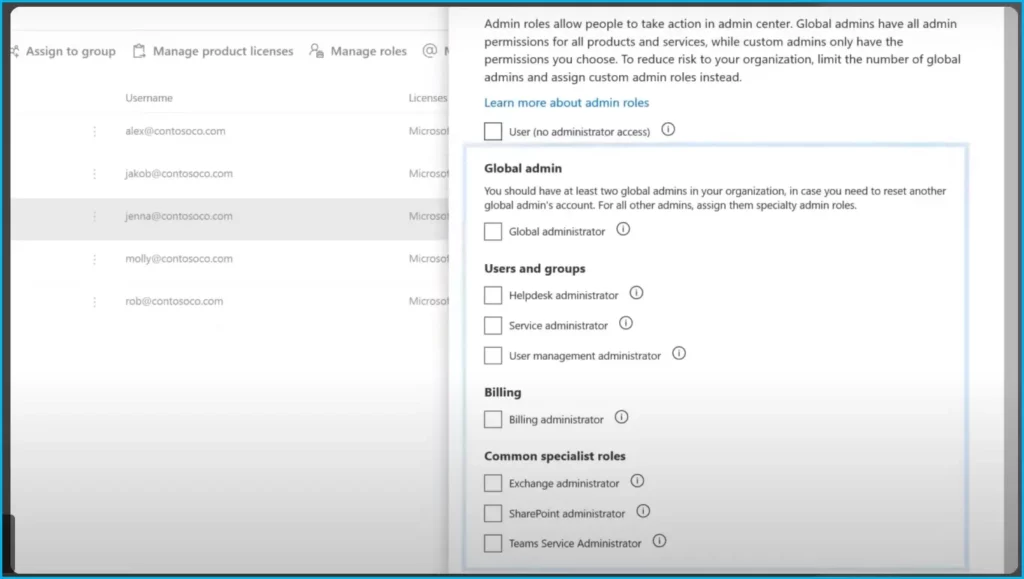
NOTE! Your Microsoft 365 account must be assigned an admin role to view Windows release health in the Microsoft 365 admin center.
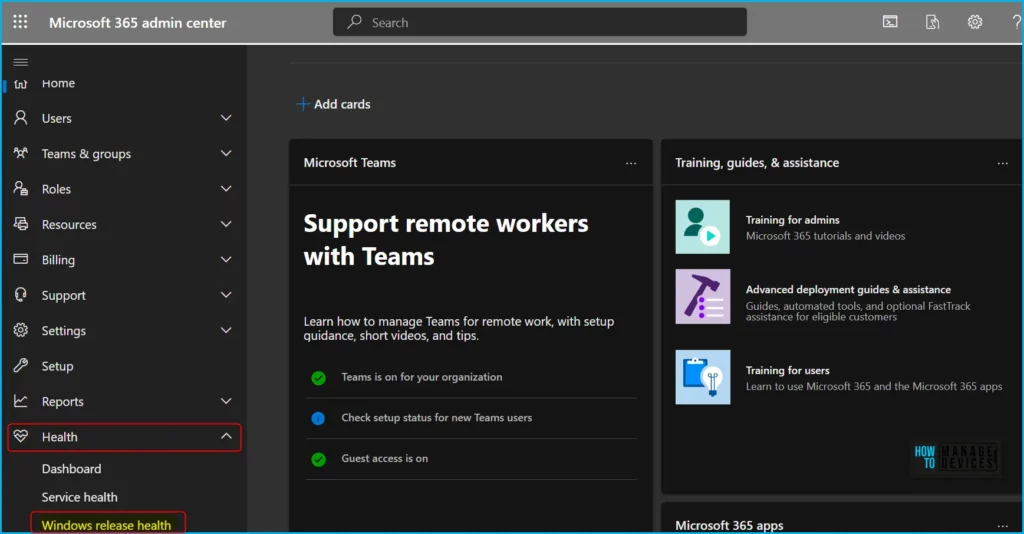
Once you are logged in to Microsoft 365 Admin Center, it is easy to subscribe. Navigate to “Health” > “Windows release health”.
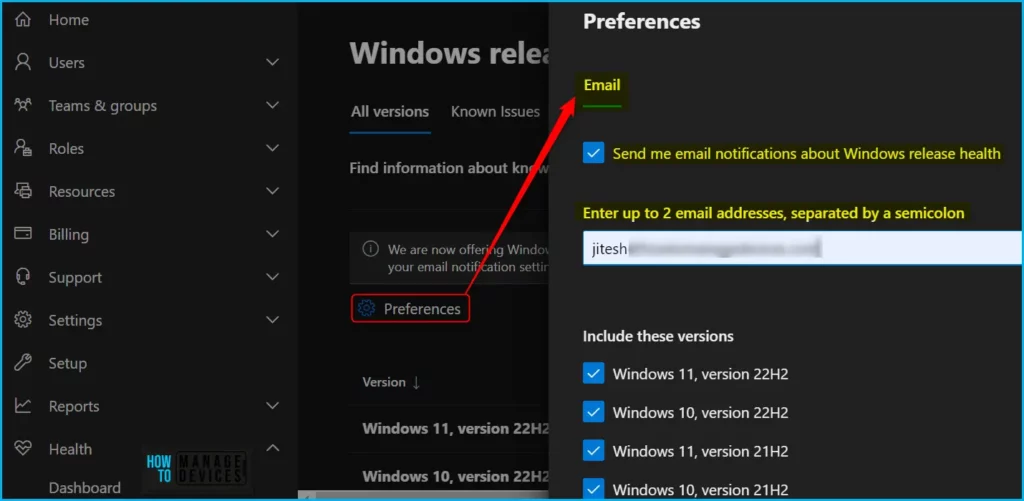
To get Windows release health known issue email notifications. Select the Preferences icon to customize your email notification settings. Under Email and select Send me email notifications about Windows release health. From there, do the following:
Enter up to two email addresses to receive the notifications. Each admin can set their own preferences. The limit of two email addresses is per admin account. Addresses can include distribution lists, so you can keep colleagues in your organization informed of issues even if they don’t have access to the admin center.
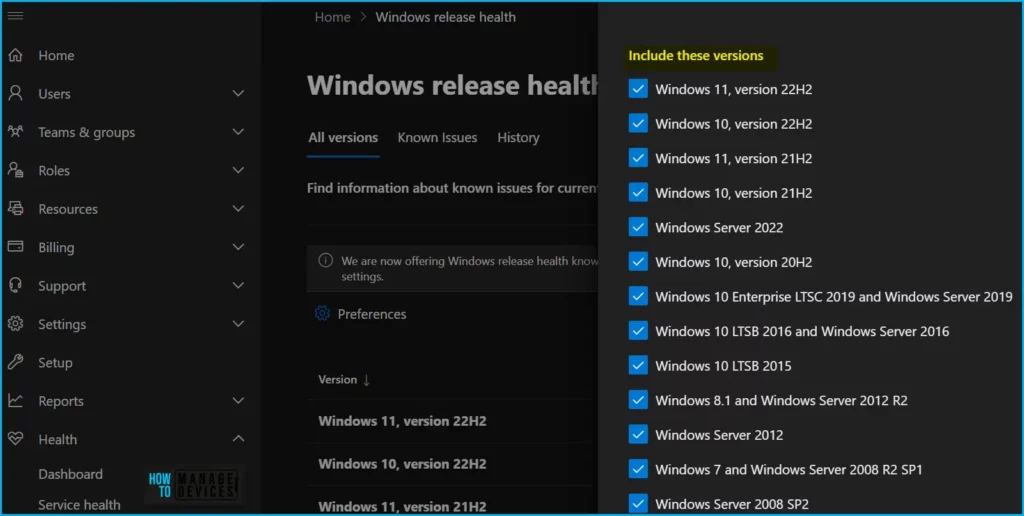
You also have the option to select which Windows versions you want to be notified about. If your organization supports multiple versions of Windows, The following Windows version are included in the list. It is recommended to select all that apply.
- Windows 11, version 22H2
- Windows 11, version 21H2
- Windows 10, version 22H2
- Windows 11, version 21H2
- Windows 10, version 20H2
- Windows Server 2022
- Windows 10 Enterprise LTSC 2019 and Windows Server 2019
- Windows 10 LTSB 2016 and Windows Server 2016
- Windows 10 LTSB 2015
- Windows 8.1 and Windows Server 2012 R2
- Windows Server 2012
- Windows 7 and Windows Server 2008 R2 SP1
Important: After setting your preferences, remember to click on the “Save” button located at the bottom of the window to confirm and save your selections.
Note that if a single known issue affects more than one version of Windows, you will only receive one email,
so there’s no need to worry about duplicate emails, even if you sign up for multiple versions.
Now, let’s take a quick look at the email notifications you’ll receive. The notification body will include the full issue content as published to Windows release health. you’ll be informed of the status of the issue as well as the versions affected.
When available, the texts will include links to resources with additional information as well as associated KB articles that can help address or resolve an issue.
A notification is sent when we initially publish a new known issue, and additional notifications will be sent if and when there are notable updates.
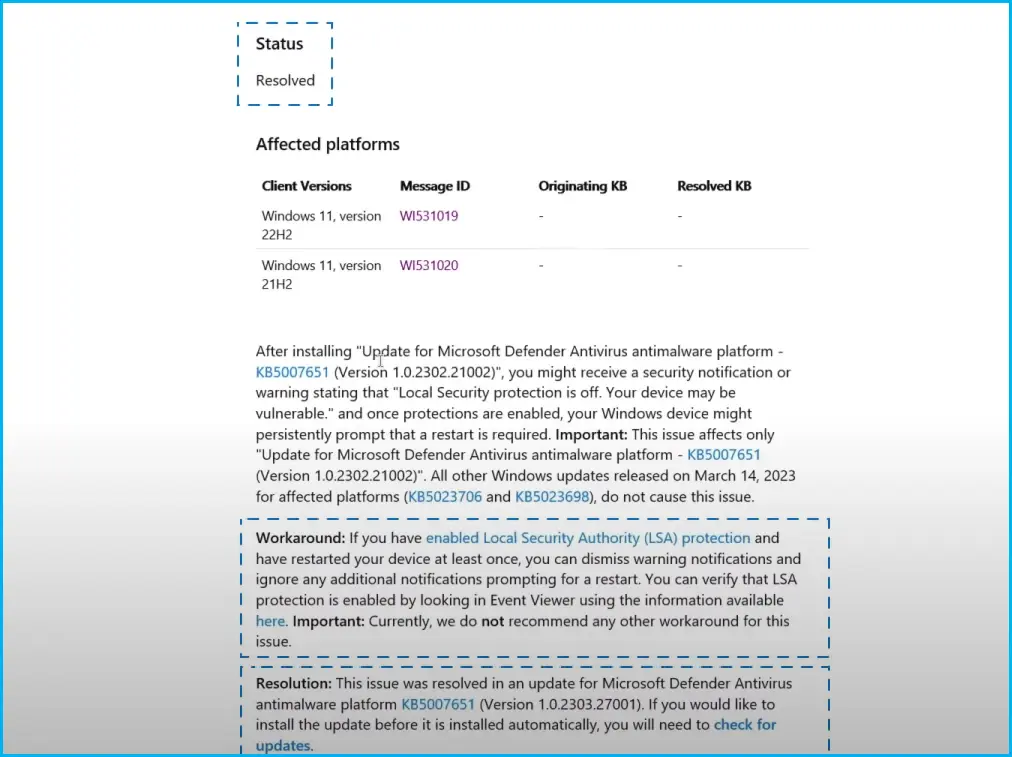
You can choose to stop receiving emails about known issues at any time or update email address recipients and versions. Simply revisit this “Preferences” page and modify your settings.
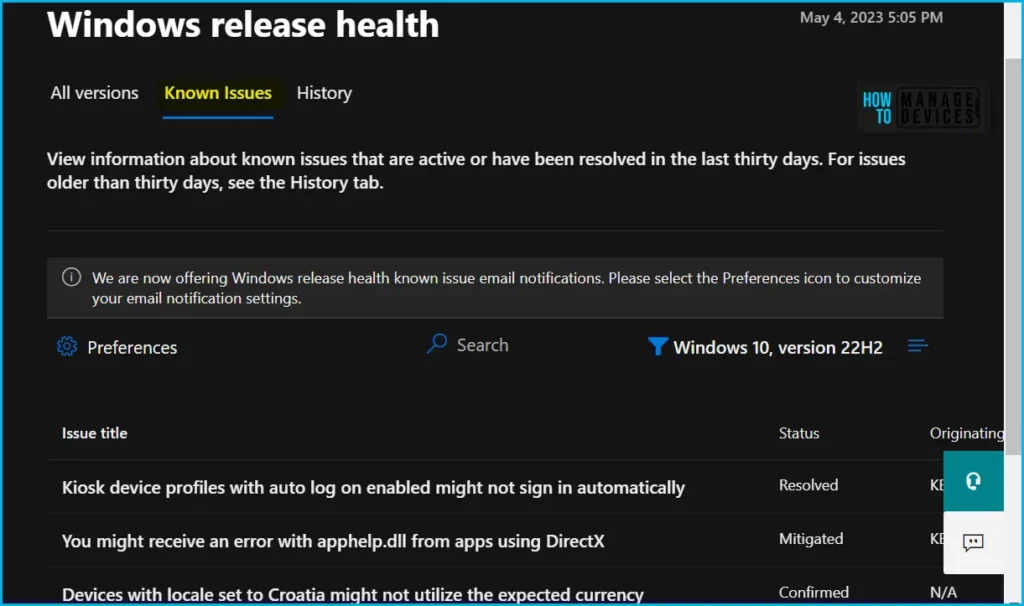
In Windows release health, you can also view information about known issues that are active or have been resolved in the last thirty days. For issues older than thirty days, see the History tab.
Author
About Author – Jitesh, Microsoft MVP, has over six years of working experience in the IT Industry. He writes and shares his experiences related to Microsoft device management technologies and IT Infrastructure management. His primary focus is Windows 10/11 Deployment solution with Configuration Manager, Microsoft Deployment Toolkit (MDT), and Microsoft Intune.




Discussion