






Get Installed Applications list using SCCM CMPivot Query
Let’s find out a list of Installed Applications in the device using SCCM CMPivot Query. You may find it helpful to assess and understand the details of the application name and application version.
When we run a query against a device collection, the CMPivot shall run a query in real time on all currently connected (online) devices in the selected collection. The following post includes CMPivot architecture and communication details as well SCCM CMPivot Architecture Fast Channel Making | ConfigMgr.
There are various types of apps that are available in your environment. By exporting lists of application names and versions, you can determine app requirements needed by the users, such as the platforms and capabilities that your workforce needs.
The CMPivot query will attempt to run on all devices based on your target but in case the device is offline or not contactable, you would see the desired results in the query output.

You can also create a custom report to find installed software on Windows devices. You don’t need to enable software inventory to get the inventory of software installation, ConfigMgr Custom Report For Chrome Browser | SCCM | SQL Query HTMD Blog.
- CMPivot Query for SCCM BitLocker Management Event Logs
- SCCM CMPivot Standalone App Installation Guide | ConfigMgr
Get Installed Applications list using SCCM CMPivot
Let’s use CMPivot to get installed software inventory on the client, CMPivot in Configuration Manager is useful to query clients in real-time.
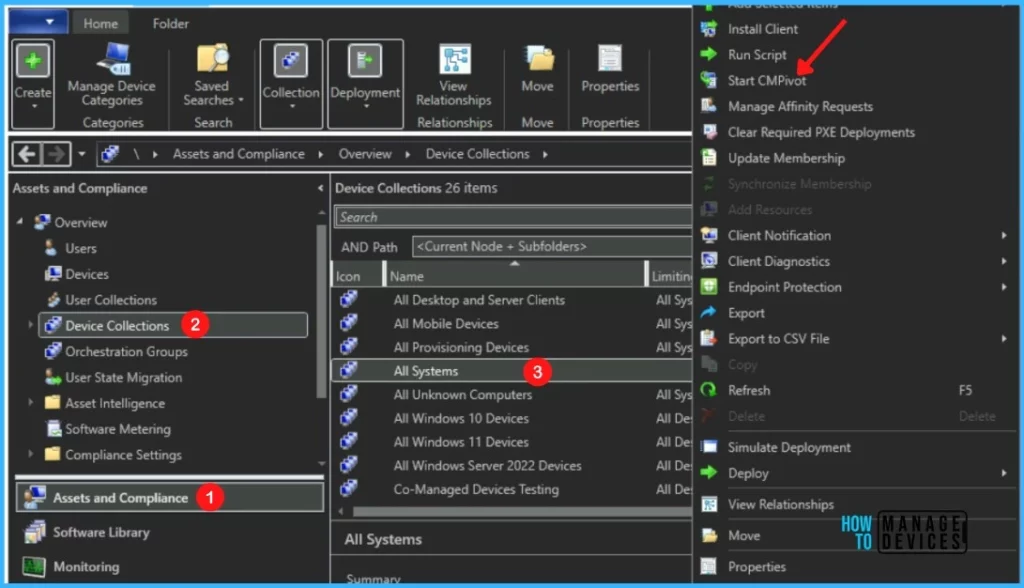
In the Configuration Manager console, Navigate to the Assets and Compliance, and select the Device Collections node. Select a target collection, and select Start CMPivot to launch the tool.
NOTE! – In a production environment with more than many devices, we don’t recommend using the All System collection. Instead, use the collection with a smaller number of devices to try out the query.
To get the application installed on the device or in the collection, You just need to type InstalledSoftware in the Query window of CMPivot and select Run Query. Here I’m executing the query in the device collection.
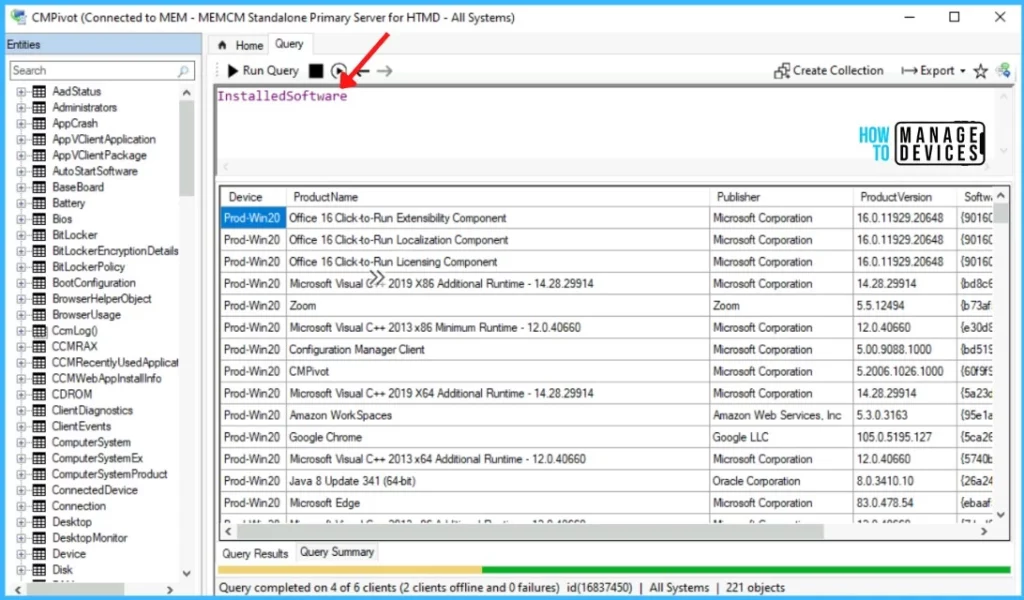
Always use the smallest device collection as the first step for initial testing. This will help to understand whether the CMPivot query is working as expected or not.
Count of Applications Installed on the Device using CMPivot
The query InstalledSoftware | count gives the count of total applications installed on the device collections, The following query results in the number of records per summarization group.
InstalledSoftware | summarize count( ) by Device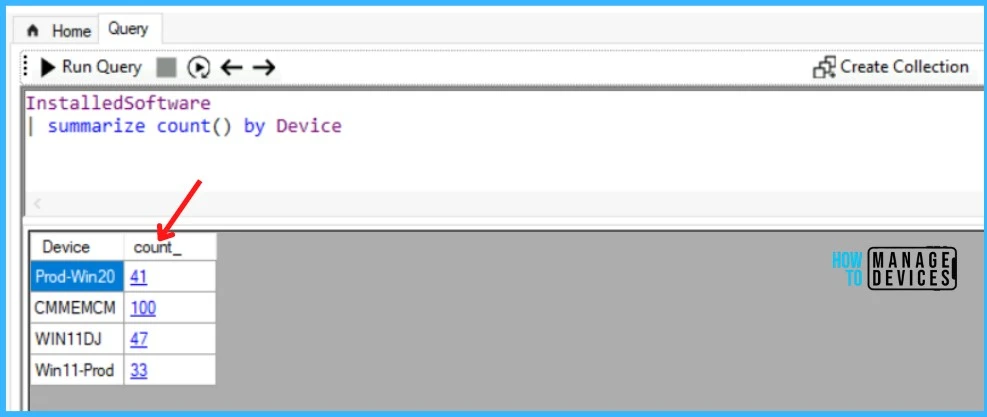
Get Installed Application with Product Name using CMPivot
If you want to filter the applications list based on Product Name, you can use the below query to get the installed application in the specific device.
InstalledSoftware
 | where (Device == 'Win11-Prod') and ProductName contains 'Microsoft'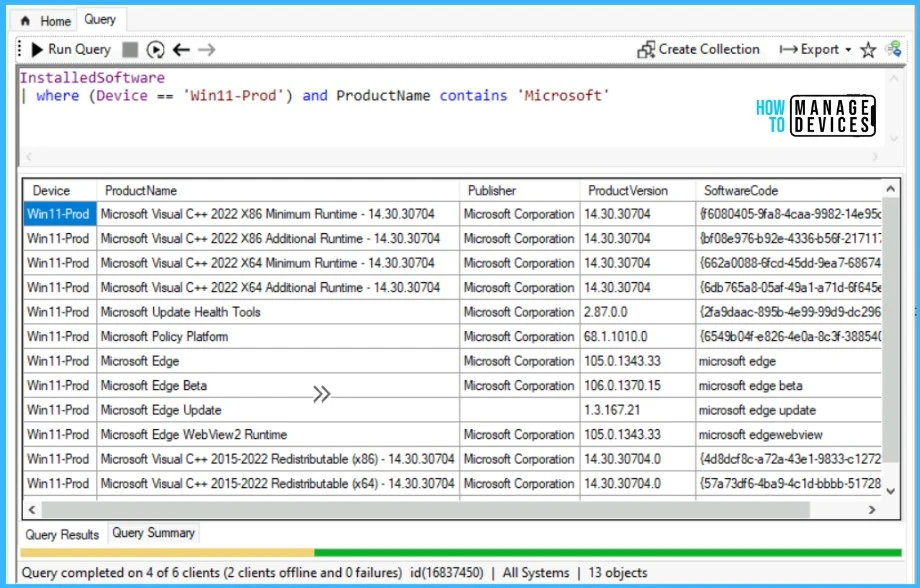
The InstalledSoftware supported parameters Device, Product Name, Publisher, ProductVersion, and SoftwareCode. You can easily reference the parameters to get the desired results based on your requirements and filter the results using the available operator.




Why not have a count of the number of installs per application, across all the devices in the collection? Shouldn’t that really be the most obvious count to have when inventorying a group of devices? It’s not even here.