






Get Intune Managed Apps Details for Device
Let’s learn how you get managed apps details from Intune MEM Portal. Intune provides several ways to monitor the properties of apps that you manage and to manage app assignment status.
Application deployment has rules, such as detection methods and requirements. These rules specify when and how the client installs the software. Intune verifies these requirements on devices before installing the deployed applications.
You can get the details of discovered apps, and managed apps from the default Intune reports. However, if you want more detailed inventory, you can use Endpoint analytics and Proactive remediation scripts to collect additional inventory.
Intune discovered apps is a list of detected apps on the Intune enrolled devices in your tenant. It acts as a software inventory for your tenant. Discovered apps are separate reports from the app installation reports.

The App Install status report lists, the application deployment status for each app, including the install failure percentage, the counts of install success, and failures for deployments targeting on devices and user.
- Get Device Hardware Details from Intune MEM Portal
- Intune Logs Event IDs IME Logs Details for Windows Client Side Troubleshooting
Get Intune Managed Apps Details for Device
Intune provides the application details for the individual device in your tenant. The following steps will help you to collect the application status report for a device.
- Sign in to the Microsoft Endpoint Manager admin center https://endpoint.microsoft.com/.
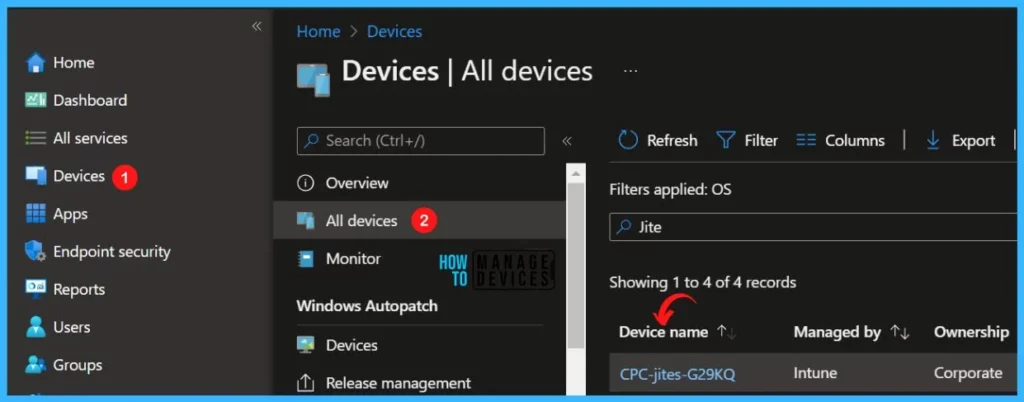
- Choose Devices > All devices and select the device from the list. For Example, I selected the device CPC-jites-G29KQ.
Note: You can also select the Devices by choosing the By platform.
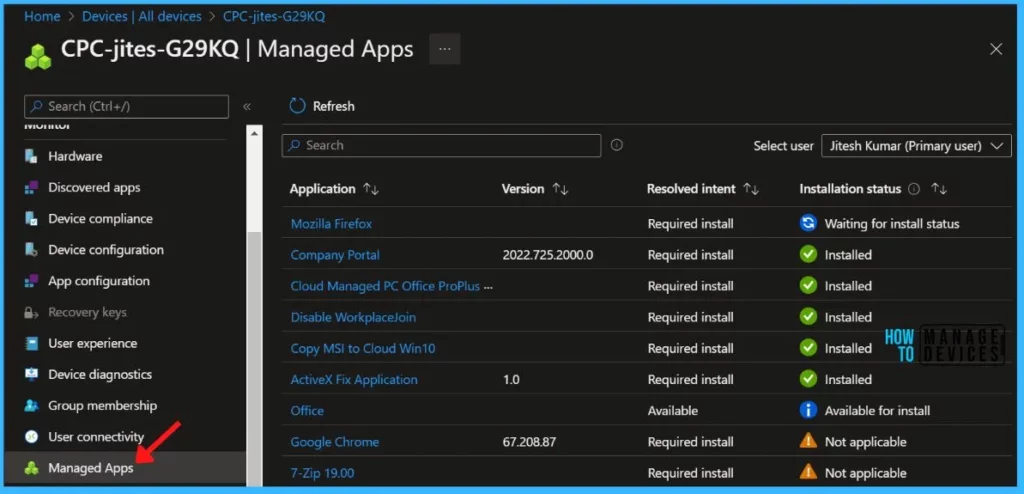
To view apps targeted for this device, select Managed Apps in the Monitor section. Select a user from the dropdown box on the top right side to check the managed apps for a specific user.
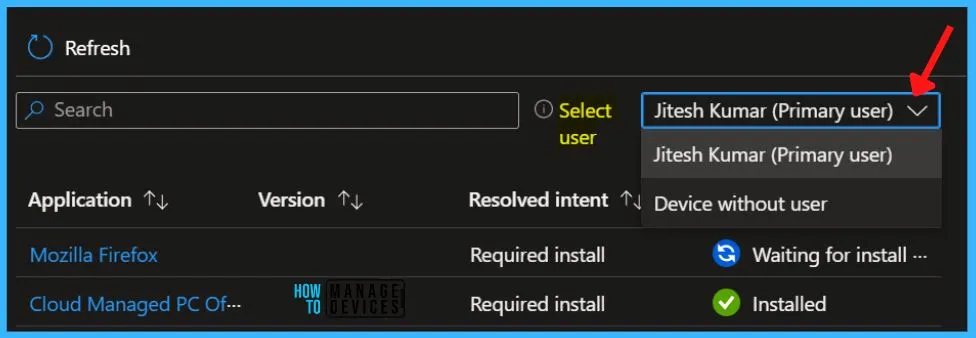
You can switch between displaying managed app details for the primary user and other users on a device, or displaying app details for the device without any user.
The generated app details will be displayed using the primary user of the device when the report is initially loaded, or displayed with no primary user if none exists.
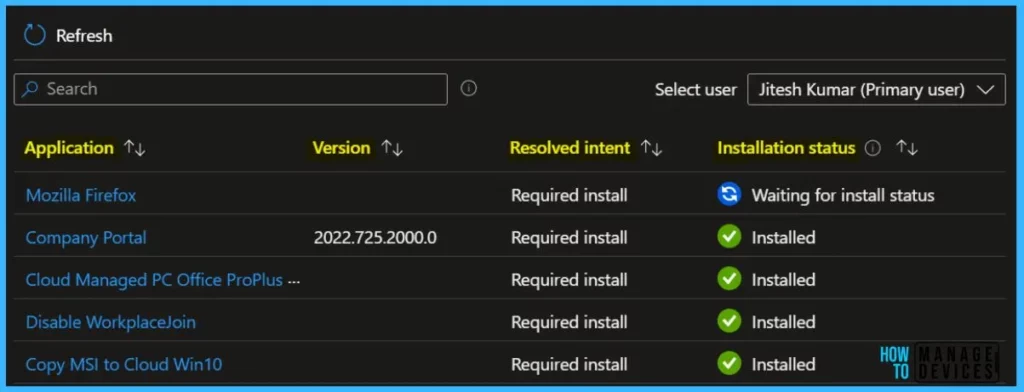
The Managed Apps report provides a report of apps on a specific device that is currently installed, not installed, or available for installation. For the device, the report provides the following columns.
- Application – List of Applications targeted to the devices.
- Version – Application version details.
- Resolved intent – The Resolved intent column lists the needed installation result or availability of the app, such as Required install, Required uninstall, or Available.
- Installation status – The Installation status column provides the last known state of the app on the device, such as Installed, Not installed, and Available for install.
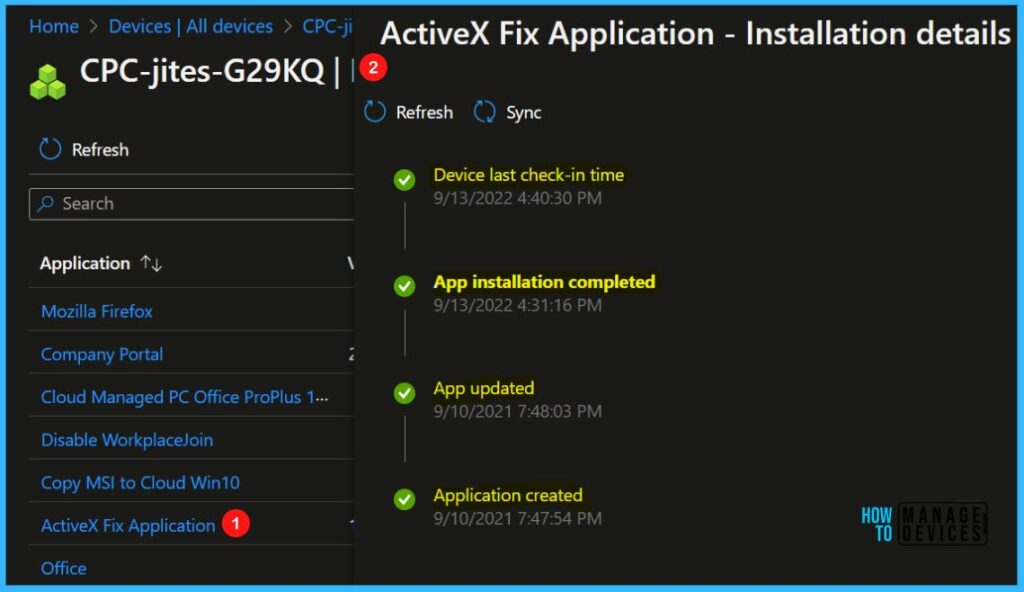
When you select an app in the report, you can view the Installation details pane, along with the ability to collect diagnostics when applicable (such as for Win32 apps). Installation details include the history of installation related actions for the app.
For instance, details may include whether the app was successfully assigned, whether the Intune Management Extension was successfully installed (if required by the app), when the device check-in was last completed, when the app was created, or whether the app installation was successful.
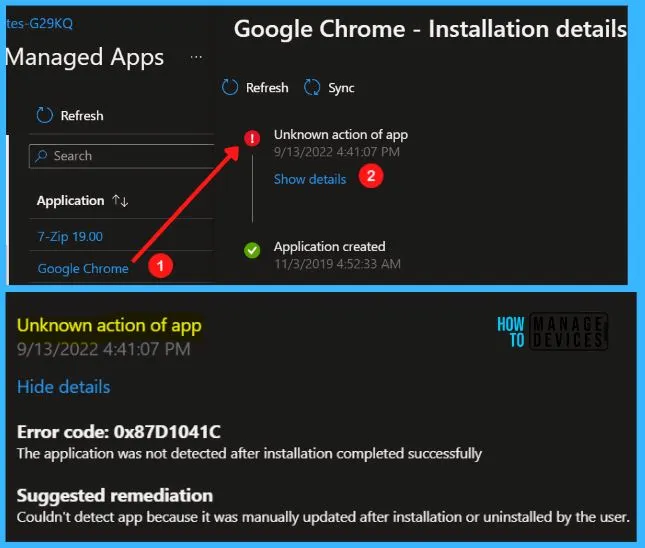
When an app fails to install, you can see more details by selecting Show details in the Installation details pane. Let’s learn Intune Win32 App Issues Troubleshooting Client-Side Process.


Discussion