






Advantages of Having Altaro Hyper-V Backup FREE for 2 VMs. Altaro Hyper-V Backup is FREE for 2 VMs forever. It’s straightforward to install and configure.
It took only 15-17 minutes to install and configure. The greatest advantage is that managing the Altaro Hyper-V backup solution doesn’t require any specific skills or trained resources.
There are two options regarding the usage/license of this backup solution. The download of the trial version and registration is elementary. You need to fill in your Name and email ID. You’re done. It will start the download 😉
1) Altaro Hyper-V backup software is FREE forever when you want to use it only for 2 Virtual Machines. Getting a free license key is a straightforward process.
- How to Install Configure Backup Hyper-V VMs with Altaro VM Backup
- Hyper-V Backup Step by Step Installation Configuration Video Guide Altaro Backup Guide
| Index |
|---|
| Advantages of Having Altaro Hyper-V Backup FREE for 2 VMs |
| Another Main Feature of Altaro Hyper-v Backup Software |
Advantages of Having Altaro Hyper-V Backup FREE for 2 VMs
2) Altaro Hyper-V backup software can back up unlimited VMs for a month without paying anything. Your trial version of the software will automatically switch to an accessible version when you don’t want to buy this product at the end of the trial period.
Download the Altaro Hyper-V backup solution from here.
The very extensive user manual or configuration guide is available at http://www.altaro.com/manuals/Altaro-Hyper-V-Backup/V4-0/HTM/Altaro-Hyper-VBackup-UserGuide.html.
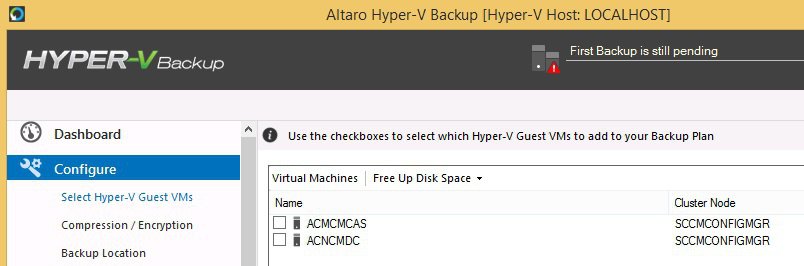
Another Main Feature of Altaro Hyper-v Backup Software
Let’s discuss another prominent feature of Altaro hyper-v backup software. The below list provides more details.
- Hot Backups – MS VSS Integration
- Restore Clones
- Restore to a different Hyper-V host
- ReverseDelta Incremental Backup
- File Level Restore
- Backs up Hyper-V clusters
- Backup schedules
- Restore different versions
- Supports Microsoft Hyper-V Server (Core)
- Sandbox Restore Tests
- Backs up Hyper-V Snapshots
- Offsite Backup with WAN Acceleration
- Remote Management
- Backup Compression
- Backup Encryption
- Microsoft Exchange backup and Item Level Restore
Resources
SCCM Related Posts Real World Experiences Of SCCM Admins
We are on WhatsApp now. To get the latest step-by-step guides, news, and updates, Join our Channel. Click here. HTMD WhatsApp.
Author
Anoop C Nair is Microsoft MVP from 2015 onwards for consecutive 10 years! He is a Workplace Solution Architect with more than 22+ years of experience in Workplace technologies. He is a Blogger, Speaker, and Local User Group Community leader. His main focus is on Device Management technologies like SCCM and Intune. He writes about technologies like Intune, SCCM, Windows, Cloud PC, Windows, Entra, Microsoft Security, Career etc…


Discussion