






Manage iCloud App Backup Settings for iOS macOS Devices using Intune
Let’s learn how you can manage iCloud App Backup Settings. Intune provides you the ability to manage iCloud app backup settings for iOS/iPadOS and macOS devices. With the option to prevent iCloud app backup, Admins will be able to enable a new setting to prevent the iCloud backup of managed apps.
Microsoft Intune 2304 April Update offers, In the app settings, an option available to prevent iCloud app backup for iOS/iPadOS and macOS devices. This option allows you to choose not to back up managed App Store apps and LOB apps on iOS/iPadOS, as well as managed App Store apps on macOS devices.
However, it’s important to note that this feature is not supported for macOS LOB apps. This option is available for both user and device licensed VPP/non-VPP apps, including both new and existing App Store/LOB apps that are being added to Intune and targeted to users and devices.
Preventing the backup of the specified managed apps ensures that these apps can be appropriately deployed through Intune when the device is enrolled and restored from backup. However, if the admin enables this new setting for new or existing apps in their tenant, managed apps will be re-installed for devices.

Intune will no longer permit them to be backed up. This ensures that the apps are properly managed through Intune and that any changes made to the apps are maintained.
- Manage MacOS Updates Using Intune Policy
- How To Setup Microsoft Enterprise SSO Plug-in For Apple MacOS Devices Using Intune
Manage iCloud App Backup Settings for iOS macOS Devices using Intune
Let’s check the steps to manage iCloud App Backup Settings for iOS macOS Devices using Intune. This article also helps you configure existing apps, and you can also use the same method while assigning new apps.
- Sign in to the Microsoft Intune admin center https://intune.microsoft.com/.
- Select Apps > iOS/iPadOS or macOS.
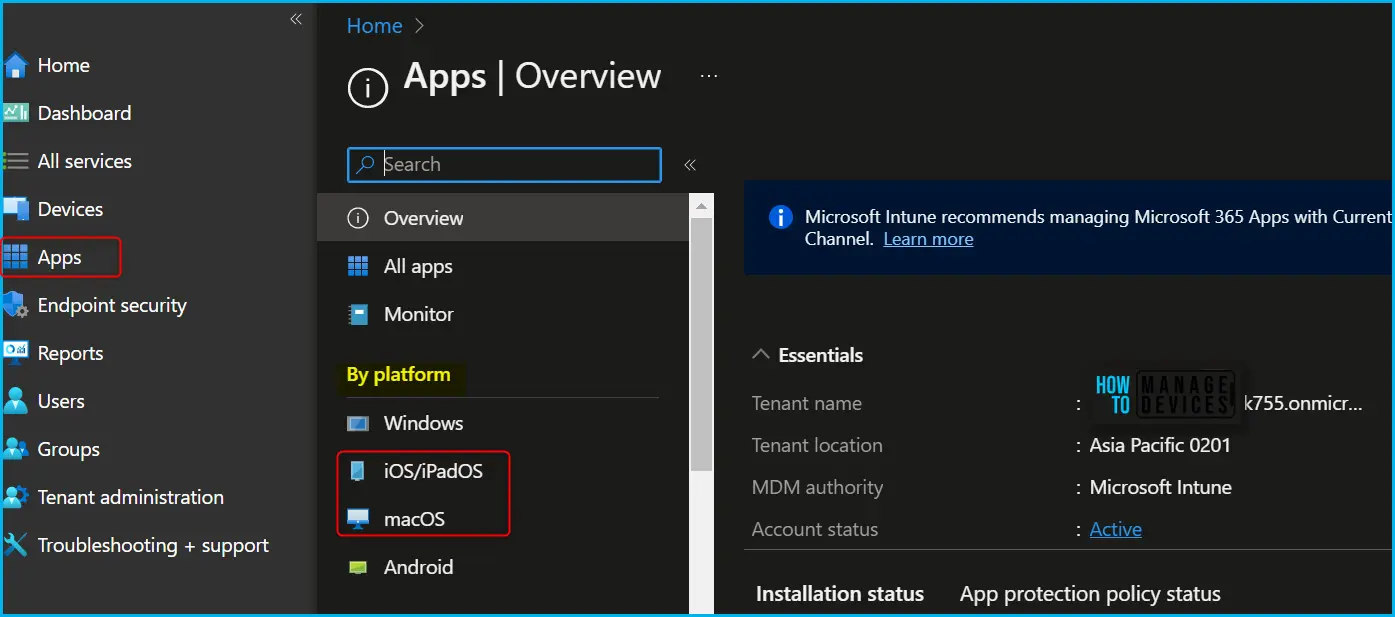
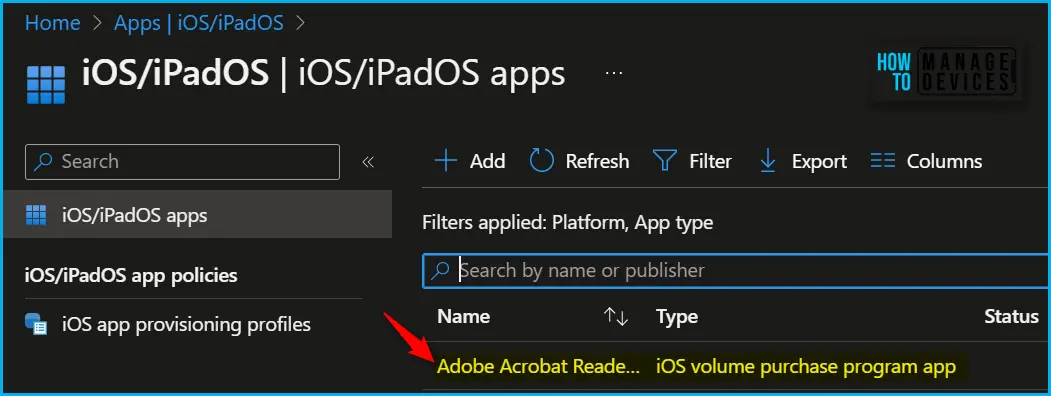
Here, I have selected the existing volume purchase program app (VPP app), Adobe Acrobat Reader, from the list to check iCloud Backup settings.
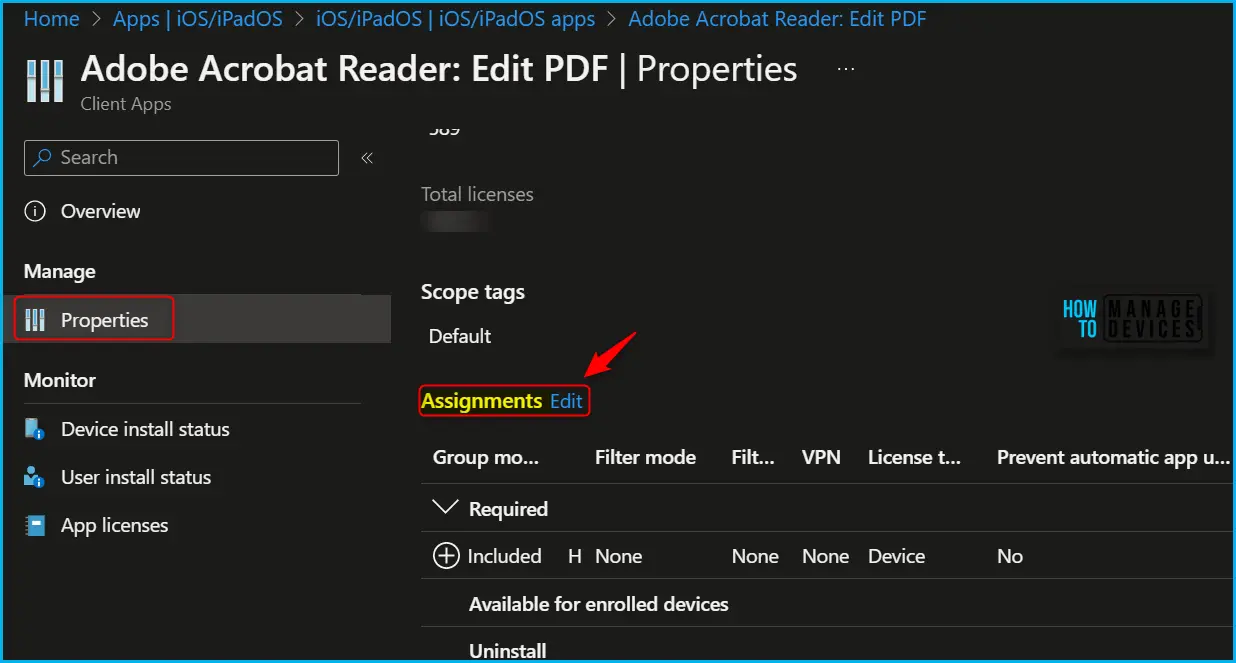
Once you select the application and select Properties, scroll down and click on Edit in the Assignments to modify the settings.
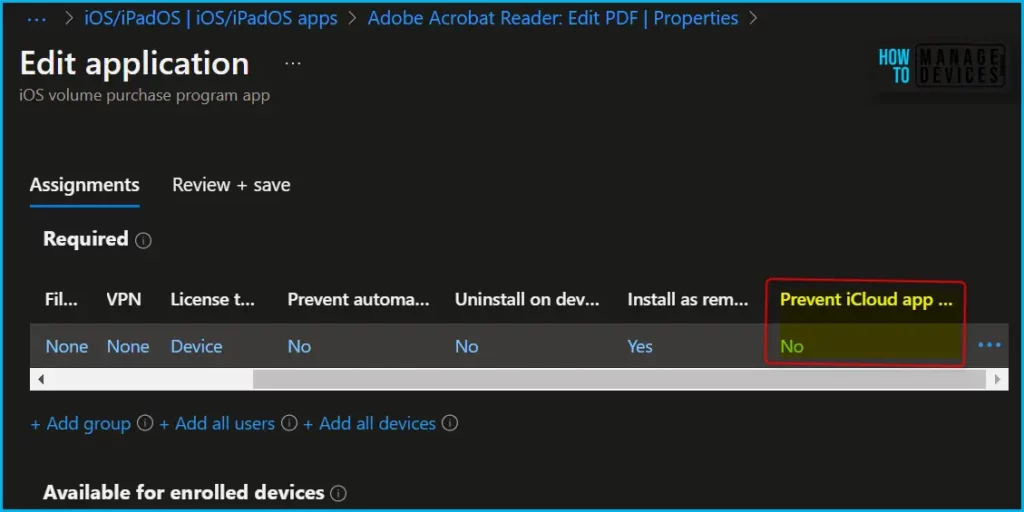
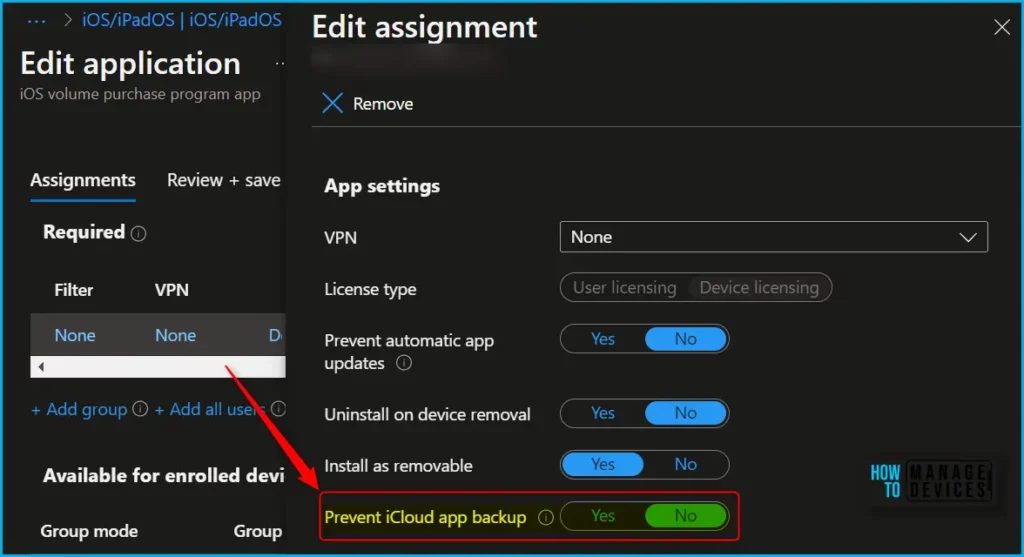
In application assignments properties, Here you can see the application is targeted as required. Select Prevent iCloud app backup. The Prevent iCloud app backup setting is used to prevent backup of app data for the application. Set to No to allow the app to be backed up by iCloud.
The following table explains the different apps behavior on devices after it’s been restored from backup when Prevent iCloud app backup is set to Yes:
| App Type | Required app | Available app |
|---|---|---|
| Store app without VPP | Automatic app download after restoring, no sync required (“Waiting…”) | Automatic app download after restoring, no sync required (“Waiting…”) |
| Store app with user license VPP | Automatic app download after restoring, no sync required (“Waiting…”) | Automatic app download after restoring, no sync required (“Waiting…”) |
| Store app with device license VPP | Manual sync needed to download app, or automatic sync will occur within ~8 hours (Cloud icon) | User needs to install the app from the Intune Company Portal app or the Company Portal website (Cloud icon) |
| LOB app (iOS/iPadOS only) | Manual sync needed, or automatic sync will occur within ~8 hours (Cloud icon) | User needs to install the app from the Intune Company Portal app or the Company Portal website (Cloud icon) |
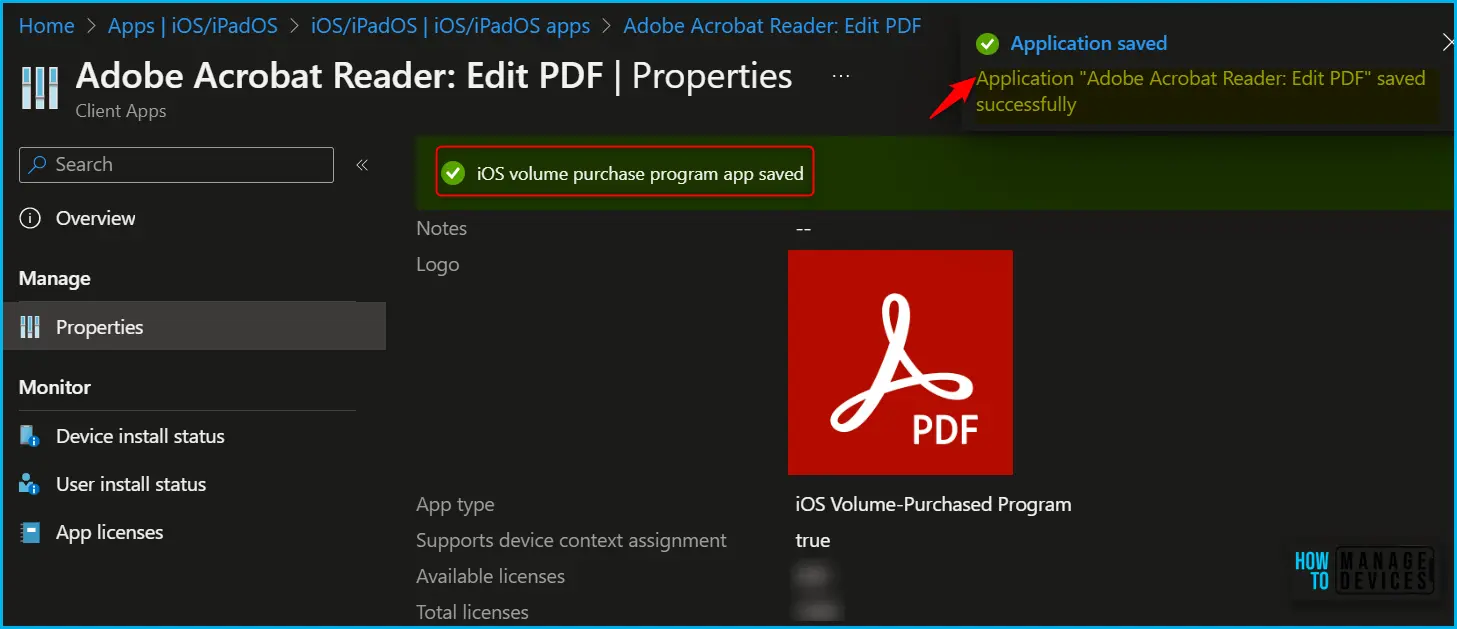
The next screen will appear with the Summary, Review the selection, and click Save. A notification will appear automatically in the top right-hand corner with the message “Application saved successfully.”
Author
About Author – Jitesh, Microsoft MVP, has over six years of working experience in the IT Industry. He writes and shares his experiences related to Microsoft device management technologies and IT Infrastructure management. His primary focus is Windows 10/11 Deployment solution with Configuration Manager, Microsoft Deployment Toolkit (MDT), and Microsoft Intune.


I tested this setting with one app, but I didn’t notice the app being reinstalled after setting the option.
Documentation says: “If you configure the new setting for new/existing apps in your tenant, managed apps can and will be re-installed for devices, but Intune will no longer allow them to be backed up.”
Does this only apply to certain apps?
Tuisq-
Was your app deployed as Required app or Available app?
Azmat: It was required.