






Major Impact on Functionality for Windows Media Player Silverlight Deprecation of Legacy DRM Services
Major Impact on Functionality for Windows Media Player Silverlight Deprecation of Legacy DRM Services! In September 2024, Microsoft announced the deprecation of legacy DRM (Digital Rights Management) services.
It is primarily used by older Windows platforms and applications, such as Windows Media Player, Silverlight clients, and Windows 7 and Windows 8 clients. These DRM services were essential for managing the playback of protected digital content, ensuring that media files were accessed and used according to their licenses.
Paint 3D stands out for its user-friendly interface and simplicity. However, in August, Microsoft officially announced that Paint 3D would be deprecated, with plans to remove it in 2024. Despite this, the app will remain accessible on desktops, and users can install and use it as usual.
In this post, you will find all the essential information about how the deprecation of legacy DRM services will affect features in Windows Media Player, Silverlight, and older Windows systems like Windows 7 and 8. As these services are being phased out, certain functions, like playing protected content in these apps and systems, will stop working.

Table of Contents
What are Legacy DRM Services?
Legacy DRM services refer to older digital rights management technologies that control and protect digital content from unauthorized use or distribution. Examples – Windows Media DRM (WMDRM) and Silverlight DRM.
Why is there a Major Impact on Functionality for Windows Media Player?
Major Impact on Functionality for Windows Media Player Silverlight Deprecation of Legacy DRM Services
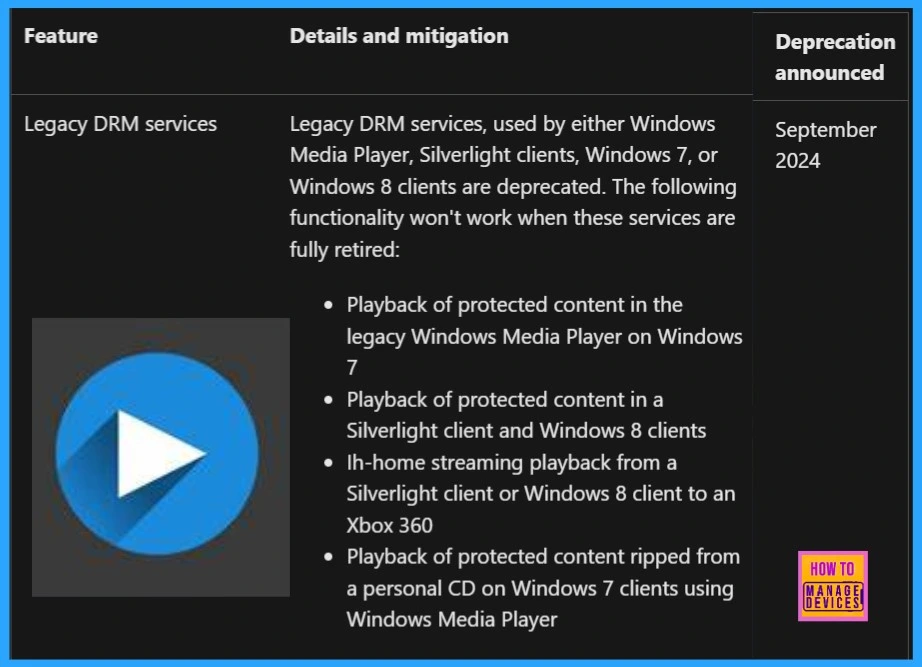
The deprecation of these services means they will no longer receive updates or active development and will be removed entirely in future updates. The following functionalities will not work when these services are fully retired.
- Playback of protected content in legacy Windows Media Player on Windows 7 – Users will not be able to play DRM-protected media in Windows Media Player on Windows 7.
- Playback of protected content in Silverlight and Windows 8 clients—Users should not play DRM-protected content in and on Windows 8 systems.
- DRM-protected content can no longer be streamed from a Silverlight client or Windows 8 system to an Xbox 360.
- Users will no longer be able to play DRM-protected content ripped from personal CDs in Windows Media Player on Windows 7.
| Deprecated Feature |
|---|
| Legacy DRM Services |
- Deprecation of MSDT and MSDT Troubleshooters
- Deprecation of WSUS Driver Synchronization
- Deprecation of NTLM Authentication Protocols
We are on WhatsApp now. To get the latest step-by-step guides, news, and updates, Join our Channel. Click here. HTMD WhatsApp.
Author
Anoop C Nair has been Microsoft MVP from 2015 onwards for 10 consecutive years! He is a Workplace Solution Architect with more than 22+ years of experience in Workplace technologies. He is also a Blogger, Speaker, and Local User Group Community leader. His primary focus is on Device Management technologies like SCCM and Intune. He writes about technologies like Intune, SCCM, Windows, Cloud PC, Windows, Entra, Microsoft Security, Career, etc.




Discussion