






Import Export Settings Catalog Policy from Intune
In this post, you will learn how to import export settings catalog policy in Intune. This feature is useful if you want to create a policy that’s similar to an existing policy.
Starting with the Intune 2310 October Update, You can now able to Import and Export Settings Catalog Policy from the Intune Admin Center. Importing a policy creates a new and distinct policy containing the same settings and values as the original policy, however, the assignments will not be copied.
The Intune settings catalog lists all the settings you can configure, and all in one place (Devices > Configuration profiles > Create profile > Select your platform > For Profile, select Settings catalog).
When you create a settings catalog policy, you can export the policy to a .json file. You can then import this file to create a new policy. This would allow you to export a policy, import it to create a new policy, and then make changes to the new policy.

You will get an option Duplicate to create a copy of an existing setting catalog profile. The addition of a duplicate profile feature for the settings catalog will be helpful for Intune admin in terms of time saviour and effort to create a profile from scratch.
- New Features In Microsoft Intune 2310 October Update
- Best Guide For Multi-App Kiosk Mode For Corporate-Owned Devices In Intune
Export Settings Catalog Policy from Intune
Here’s how you can export Settings Catalog Policy from Intune. The first step is to identify the profile that you want to export from existing Configuration profiles.
- Sign in to the Microsoft Intune admin center https://intune.microsoft.com
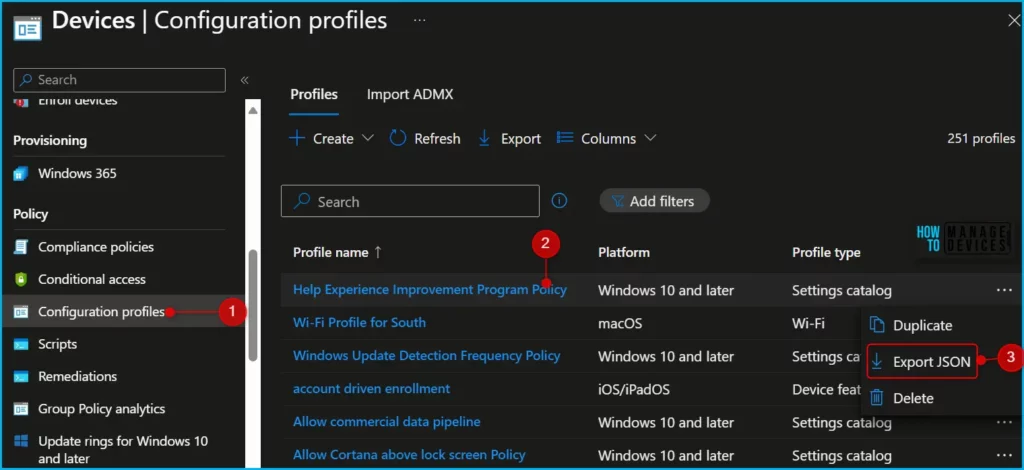
- Navigate to Devices -> Configuration profiles. Locate the configuration profile from the list that you want to export.
- Right-click the profile or select the ellipses context menu (…). Select Export JSON to export an existing policy.
Note! You can do a quick search to find the specific settings quickly and see that the Profile type column should be Settings Catalog.
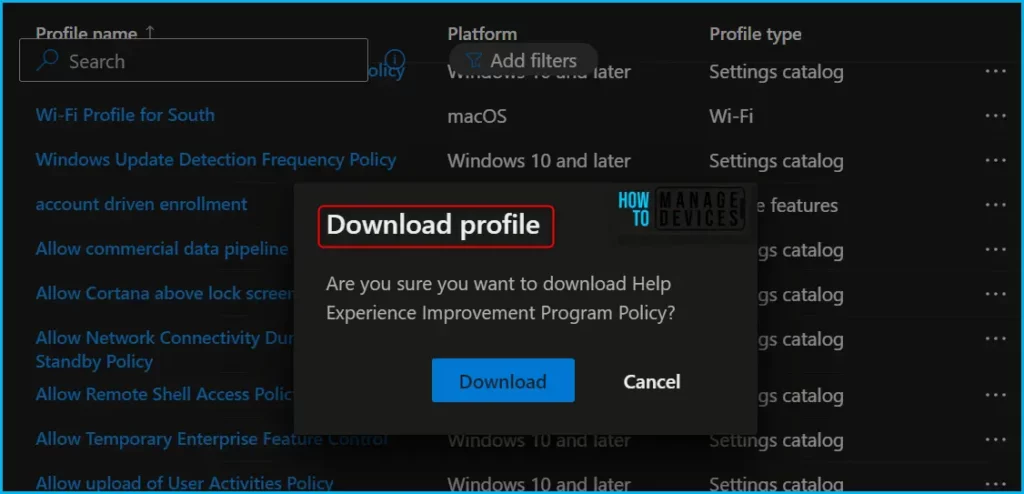
You can see a Download Profile dialogue box with the message “Are you sure you want to download Help Experience Improvement Program Policy? To confirm the settings catalog profile download, click on Download.
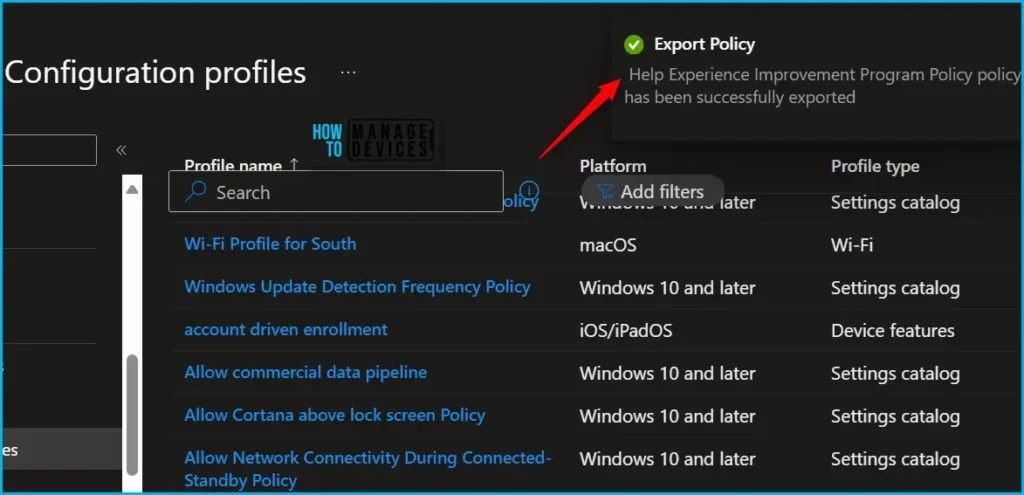
A notification will appear automatically in the top right-hand corner with a message. Here you can see, Policy has been successfully exported.
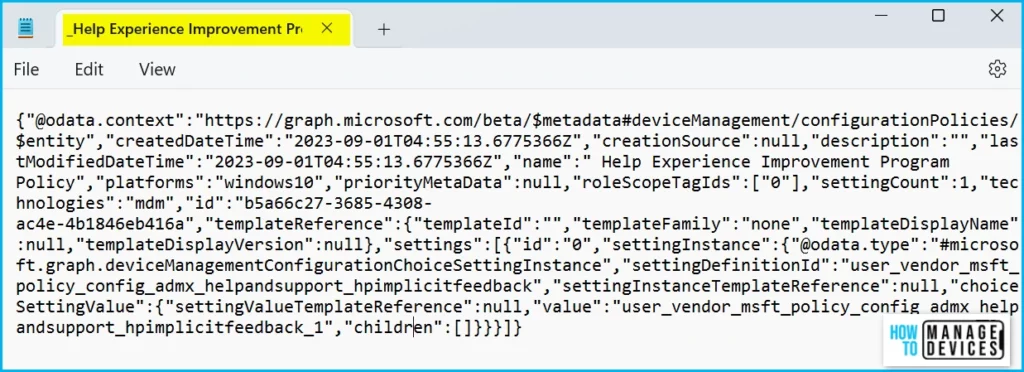
Suppose you want to know more about the settings or information captured inside a JSON file. You can open the .json file with a text editor such as Notepad.
Here in the screenshots below, you can see the details specific to the exported policies. The details it has for Microsoft Graph API and configuration policies entity from where usually fetched the details of the settings.
Import Settings Catalog Policy from Intune
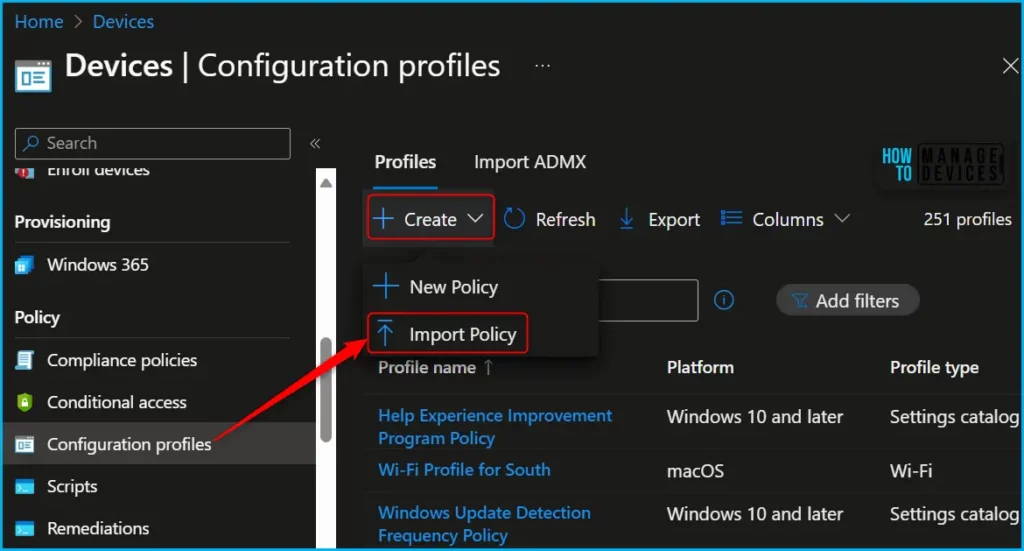
To import a previously exported settings catalog policy, In Intune Admin Center, Navigate to the Devices > Configuration profiles. Select Create > Import policy > select the previously exported JSON file.
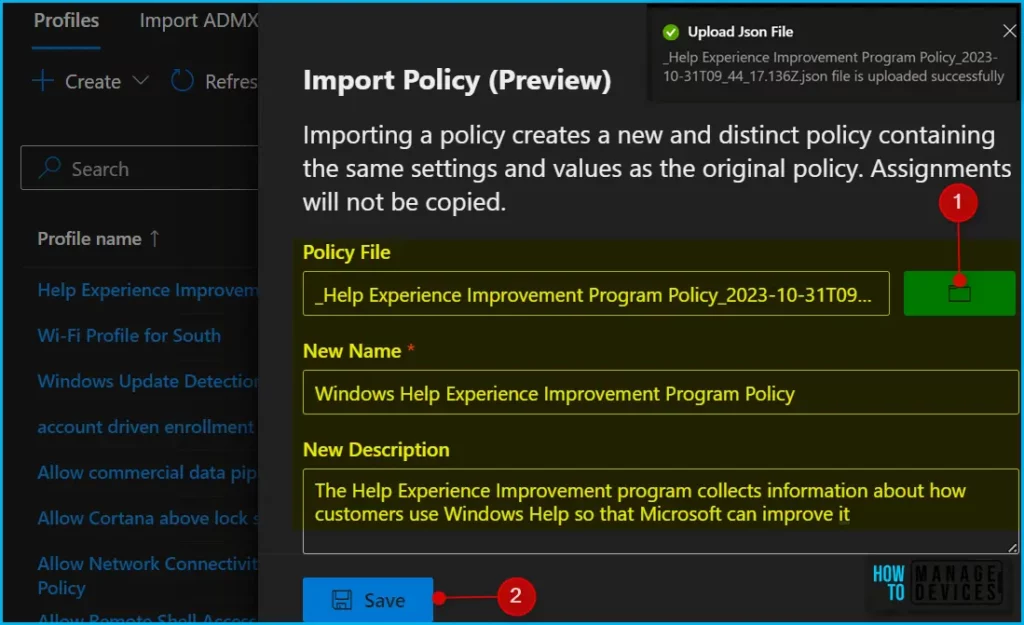
An Import policy window will appear, Select the exported policy file to upload. Once the JSON file is uploaded, A successful notification message will appear “File is uploaded successfully” Provide the new Name and Description of the setting catalog policy, and click on Save.
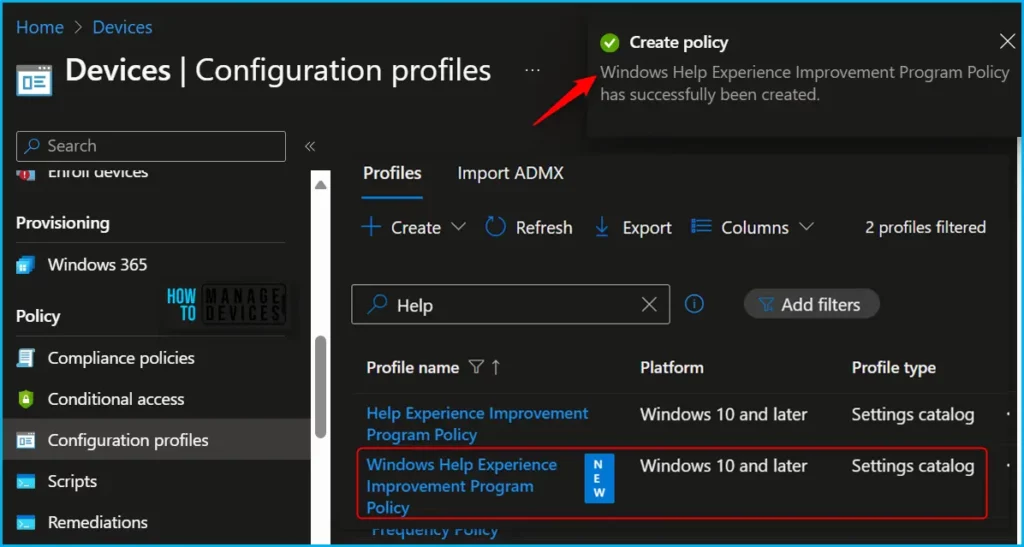
A notification will appear automatically in the top right-hand corner with a message. Here you can see the policy has successfully been created.
Click the Refresh button at the top to quickly see the policy. You will be able to see policies imported in the Configuration profiles list with the tag NEW. To make it easier to find specific settings, You can search for a keyword for specific settings and proceed to assign to users or devices based on the policy.
We are on WhatsApp. To get the latest step-by-step guides and news updates, Join our Channel. Click here –HTMD WhatsApp.
Author
About Author – Jitesh, Microsoft MVP, has over six years of working experience in the IT Industry. He writes and shares his experiences related to Microsoft device management technologies and IT Infrastructure management. His primary focus is Windows 10/11 Deployment solution with Configuration Manager, Microsoft Deployment Toolkit (MDT), and Microsoft Intune.


Hello ,
we have the latest update october on our tenant intune , unfortunately I cannot see this feature availbale for import or export the configguration profile , coudl you please help us ?
Thanks
It is only available for profile type settings catalog.
Hi!
Why when I export and then import policy between two different tenants I may have a message “There was an issue in the creation of policy_name” ?