






In-place OS upgrade of SCCM CAS Primary Sites a Real-world Experience
Let’s discuss the In-place OS upgrade of SCCM CAS Primary Sites as a Real-world Experience. SCCM upgrade of a huge hierarchy is a real-world experience for me.
Why is this upgrade different from other SCCM CB upgrades? The SCCM CB version upgrade is special mainly because of its prerequisites. The minimum supported OS version for SCCM CB is Server 2012.
With the latest version of the server OS release and the 2022 version, you can upgrade the server OS from the 2012, 2016, and 2019 versions to the server operating system version 2022 using the in-place upgrade method.
The minimum supported SQL version is SQL 2012 R2. This video will give a step-by-step walkthrough of the SCCM/ConfigMgr CB 1610 and 1702 upgrade process. This post will explain my real-world experience of “SCCM Upgrade of CAS and Primary sites.”

Table of Contents
- SCCM Server In-place OS Upgrade to Server 2022 Guide
- SCCM CB Upgrade of CAS and Primary Sites: A Real-world Experience
- Enable Patching for Server 2022 using SCCM
- SCCM Server In-place OS Upgrade To Server 2022 Guide HTMD Blog (anoopcnair.com)
SCCM Server OS In-place Upgrade Real-World Experience
I have explained my experience with in-place OS and SQL upgrades of SCCM CB CAS and primary sites in different posts. Server 2008 to 2012 upgrade “SCCM Server OS Upgrade WSUS SUP Notes from Real World.” Microsoft SCCM team has documented the steps you need to perform before the SCCM server in-place OS upgrade.
The issues after the “in-place OS upgrade” are documented in the following post. SCCM Server OS Upgrade WSUS Error Failed to Decrypt Password. Most of the other issues are related to IIS and WSUS configurations.
The following is another important post if you are upgrading from SCCM 2012 to CB: “SCCM ConfigMgr 2012 to CB Current Branch Upgrade Unofficial Checklist.”

Prerequisite checks before actual CAS and Primary Upgrade
Prerequisite checks are the most crucial step in planning the SCCM CB upgrade of CAS and Primary. Per my experience, we have to run the prerequisite checks one week before the upgrade schedule.
SCCM CB prerequisite checks will ensure that 1702 content is replicated to all the primary servers in the hierarchy. Content replication is the most essential part of the SCCM CB hierarchy.
Apart from content replication, the prerequisite check from CAS will check the entire SCCM CB hierarchy. It will contain all the primary servers and remote site systems servers, such as MPs, SUPs, DPs, etc., to confirm whether all requirements are met.
Running the prerequisite check one week before the upgrade will help you understand the remote site system requirements and rectify them when required. Prerequisite checks are crucial before the SCCM CB Upgrade of CAS and Primaries.
We may need to remove the remote site systems running on unsupported operating systems like Server 2008 R2. This applies to all remote site systems except DPs.

SCCM Upgrade of CAS and Primary Servers
Once the prerequisite checks are completed successfully, the actual upgrade process of CAS and primary servers is very straightforward. I recommend performing the upgrade during the same weekend. We must ensure that all the primary servers have set the proper service window to upgrade SCCM CB 1702.
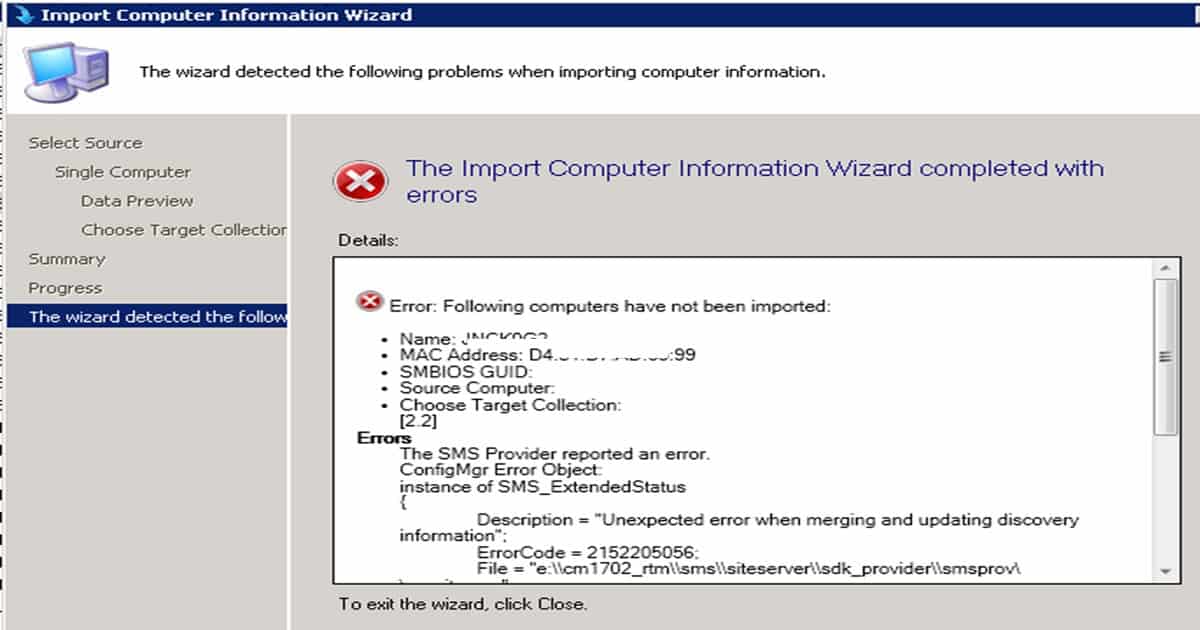
Another lesson I learned from this upgrade is to apply the available hotfixes after the 1702 upgrade. I received issues from primary server admins about the following: “Unexpected error when merging and updating discovery information.”
This error appears when they try to import the computer to SCCM CB 1702 using the machine’s MAC ID. This is a known issue of SCCM CB, which is fixed with KB4019926. Once your hierarchy is upgraded to SCCM CB, this KB article will be available in the SCCM CB CAS server.
Unexpected error when merging and updating discovery information. Following is the Error Code = 2152205056.
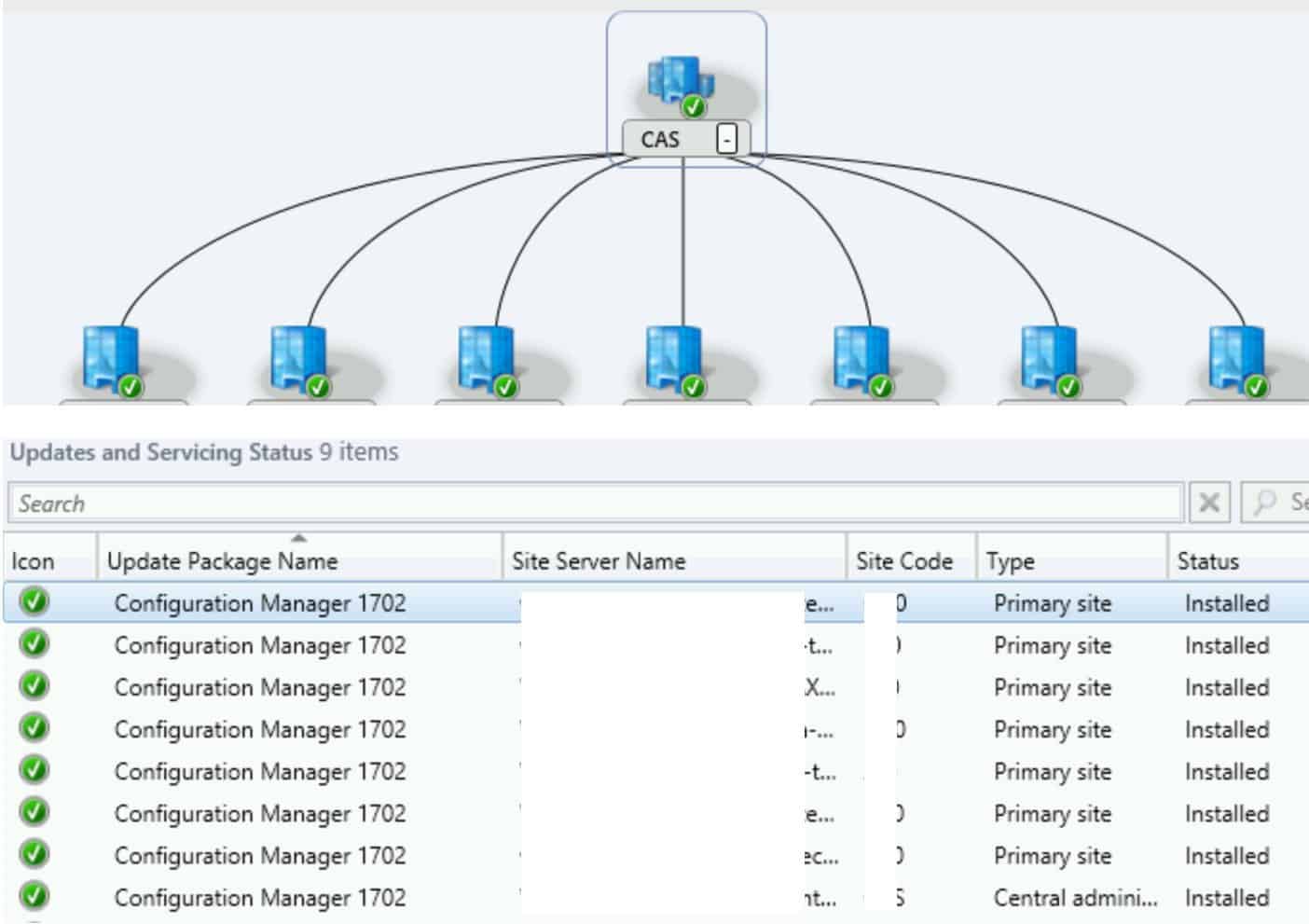
End Result of SCCM CB Upgrade of CAS and Primary Sites
The upgrade process is straightforward with the SCCM CB Updates and Servicing model. I can’t even think of doing all the SCCM CB hierarchy tasks in one weekend. Kudos to the Microsoft SCCM team, which provided an excellent solution like this.
This entire SCCM CB 1702 upgrade of CAS and Primary sites is fully automated. We need to right-click on the console and go through the upgrade wizard. Everything else is handled automatically without any SCCM admin interaction.
SCCM CB console upgrades are the only step in which an SCCM admin needs to interact in the SCCM CB updates and servicing upgrade process.
We are on WhatsApp now. To get the latest step-by-step guides, news, and updates, Join our Channel. Click here. HTMD WhatsApp.
Author
Anoop C Nair is Microsoft MVP! He is a Device Management Admin with more than 20 years of experience (calculation done in 2021) in IT. He is a Blogger, Speaker, and Local User Group HTMD Community leader. His main focus is on Device Management technologies like SCCM 2012, Current Branch, and Intune. He writes about ConfigMgr, Windows 11, Windows 10, Azure AD, Microsoft Intune, Windows 365, AVD, etc.




From my experience in large hierarchies it is still very important to perform a dbupgrade check on each site DB, as the prerequisite check does not check for all possible errors, such as duplicate entries. These sorts of errors are only found when performing the dbupgrade check as they are partially created during the actual upgrade process. I recently had a large hierarchy in which we encountered exactly this kind of problem.
In this case, if you encounter a DB problem during the upgrade, the upgrade for the specific site will roll back to a state in which the site can still work (i.e. replicate data) and the setup will continue with any other sites according to their set maintenance windows. You can then fix any errors and re-trigger the upgrade for the failed site. Premier Support solution was to live monitor the affected tables for duplicates and delete them on the fly during upgrade. Not a very nice method, but worked.
StaffUpdates and Servicing …really requires TEST DB Upgrade?
Anoop, many Thanks for detailed doc.
We’re also planning for it.
If at all this is failing in between , is there a way to revert.