






Let’s learn about the Intune Device Staging option for Android Devices. Device staging is a new solution designed to simplify the enrollment process for Frontline Workers on Android Enterprise, specifically for corporate-owned work profiles and fully managed device types.
This innovative approach allows administrators to enrol devices on users’ behalf, significantly simplifying users’ onboarding experience when they unbox a new device. Traditionally, the device enrollment process can be complex and time-consuming for end-users, especially those in frontline roles where efficiency is crucial.
Device staging addresses this challenge by empowering administrators to take charge of enrollment. It ensures a smooth and consistent user experience right from the start. The advantage of Device staging is that it prevents problems that might pop up when users set up their devices.
This post will give you detailed information about the Intune Device Staging option for Android Devices. It helps you to reduce the chances of mistakes or differences between devices.

- Intune Device Assistance Features with Copilot
- Android Devices and Intune Remote Help Walkthrough Guide
- Intune Best Guide to Enrol Corporate Android Devices with Work Profile
What is Device Staging?
Device staging helps you simplify enrollment for corporate-owned work profiles and fully managed devices. It involves preconfiguring devices with the necessary settings, applications, and security measures before they reach the end-users.
Intune Device Staging option for Android Devices
Device staging involves administrators controlling the initial setup steps, such as configuring device settings, installing necessary applications, and implementing security measures.
This approach ensures that devices are ready for use right out of the box. It enhances the productivity of frontline workers who depend on these devices for daily tasks.
| Advantages of Device Staging |
|---|
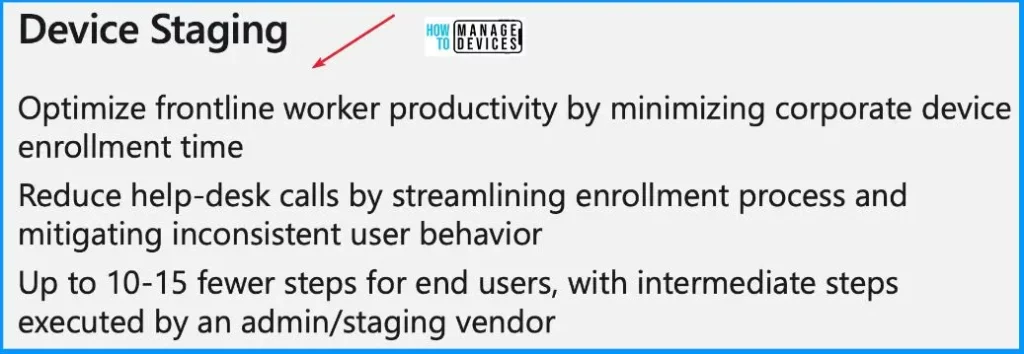
| Optimize frontline worker productivity by minimizing corporate device enrollment time. |
| Reduce help desk calls by streamlining the enrollment process and mitigating inconsistent user behaviour. |
| End users require up to 10-15 fewer steps, with intermediate steps executed by an admin/staging vendor. |
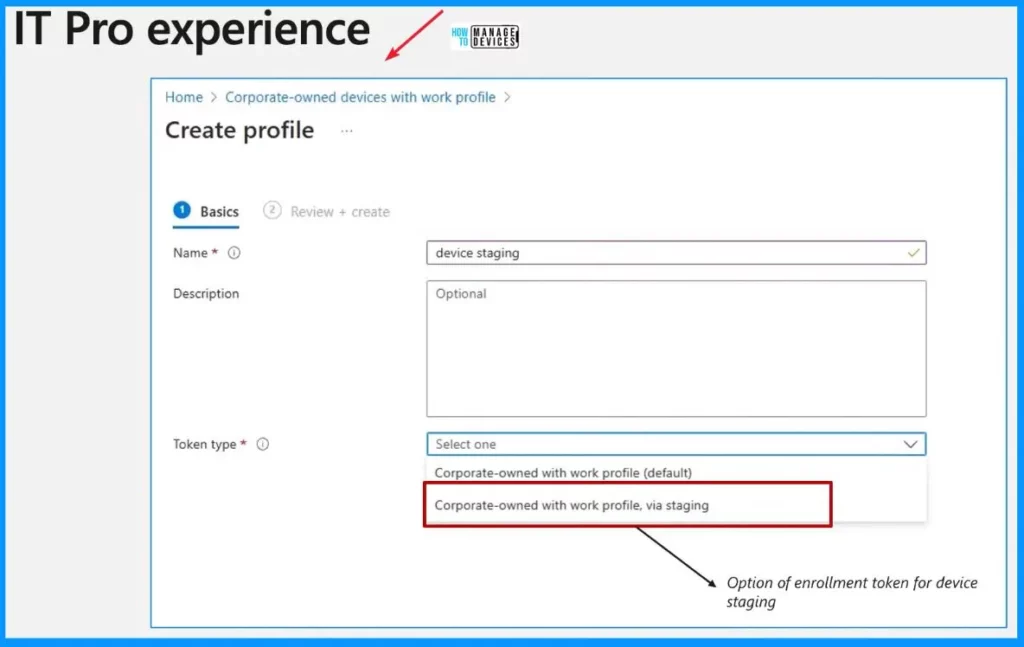
Staged Enrollment for Android Enterprise
Let’s discuss how the Device staging is working. For those familiar with setting up enrollment profiles for Android Enterprise, the configuration of staged enrollment follows a familiar and user-friendly path. Within the Create profile flow, a new dropdown selection has been introduced. It is dedicated explicitly to staged enrollment.
- This addition simplifies the process for administrators, allowing them to choose staged enrollment during profile creation.
- After selecting the Device stage, the subsequent steps involve generating a token or QR code.
- It can then be shared with others, such as another admin or a kitting vendor, to allow them to prepare devices before sending them to your end users.
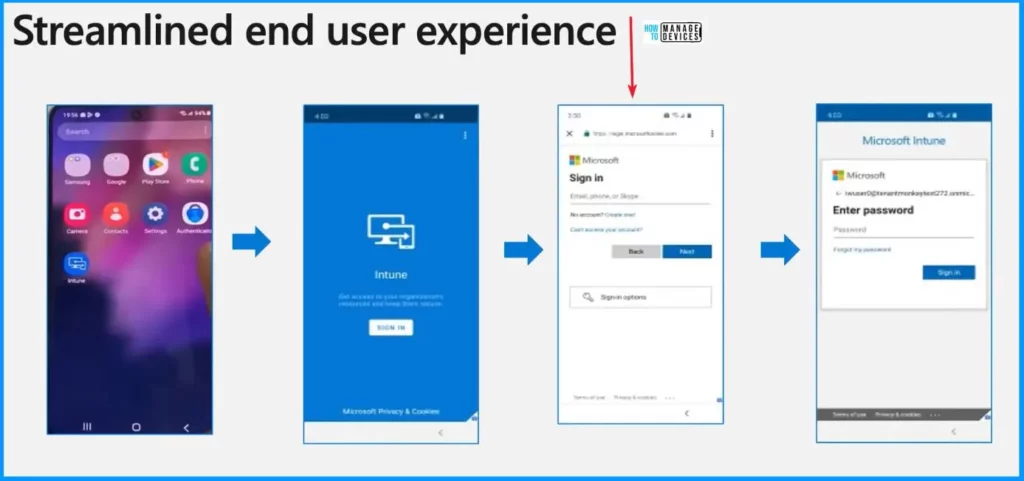
Streamlined End User Experience
When the end user gets a new device, making it ready is easy. All they need to do is open the Intune app, which is already there on the device. Then, they enter their username and password when asked and follow a few simple steps on the screen. Then, the device is good to go. This makes things quick for your users, saving them much time.
We are on WhatsApp now. To get the latest step-by-step guides, news, and updates, Join our Channel. Click here. HTMD WhatsApp.
Frontline worker device management in Microsoft Intune (youtube.com)
Author
About the Author: Vidya is a computer enthusiast. She is here to share quick tips and tricks with Windows 11 or Windows 10 users. She loves writing about Windows 11 and related technologies. She is also keen to find solutions and write about day-to-day tech problems.


Hi, Great article do you know when this will be publicly available in intune?
Hi Vidya, that’s a great news. The question is: do you know when will it be available? Thanks, Stefano
Is it same as Just in time registration.