






Intune is Unable to Deploy apps to user-enrolled iOS devices
Another issue and Intune is Unable to Deploy apps to user-enrolled iOS devices. Microsoft already informed this issue impacts user-licensed Volume Purchase Program (VPP) app Admins. The service is degraded now. There are two different errors for this issue.
Microsoft also shared that the Impact is limited to a subset of user-enrolled iOS devices with VPP that have yet to accept terms and conditions. There is another change coming soon to the iOS iPadOS ADE enrollment Profile. The Company Portal authentication method will be removed from Intune.
The admin side of the error is given below. The Impact is specific to user licensed Volume Purchase Program (VPP) apps Admins may see the following error: Error -> “Licensing – waiting on invite sent to user.”
This is the error that end users receive in case they have not accepted the terms and conditions on the device. Users expecting to receive deployed apps will see the following error -> “Apple ID association failed. An Apple ID has already been associated with the VPP account of the invite code.”

Update 8th August 2022 -> This service is restored as per the latest update from Microsoft.
Testing and Quality of Releases
Microsoft shared a few details about the ERROR in the source code with the last service update release. The good old days of manual testing are gone. Everything is CI/CD pipeline and automated; all these are expected, no? What do you think?
You can check the latest status of the ticket from the Service health and Message Center. More Details -> Intune Service Health Status Message In MEM Admin Center.
The following are some of the recent service issues from the Microsoft side. HTMD tracked 4 confirmed issues in the last few days with different services in Intune/Azure AD/Windows.
- Unable to configure or update Settings Catalog Device Policies in Intune
- Intune Requests to Server are being Throttled Error | GET Request Issues
- Windows Autopilot with ESP Timeout Error 0x800705b4 Issue Intune Incident IT408981
- Windows Autopilot username or password is incorrect Error
Intune is Unable to Deploy apps to user-enrolled iOS devices
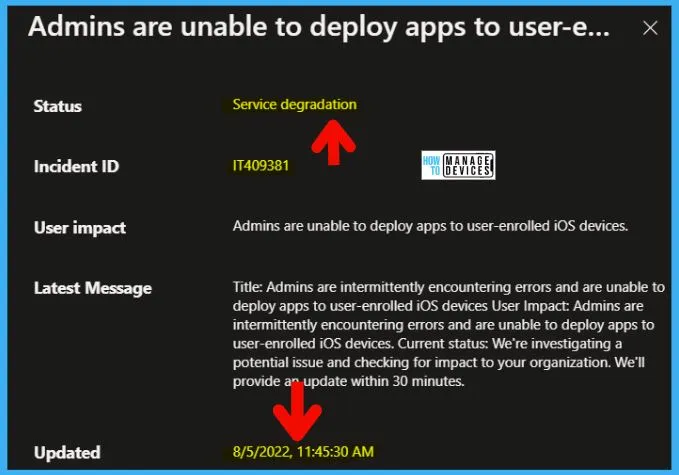
Let’s check the impact with Intune Admins are Unable to Deploy apps to user-enrolled iOS devices. It seems that Admins are intermittently encountering errors. But the Microsoft update is a bit confusing.
- Scope of impact: Impact is limited to a subset of user-enrolled iOS devices with VPP that have yet to accept terms and conditions.”
Microsoft initiated an Incident ID – IT409381 for the issue with deploying the apps to user enrolled iOS devices. The following message is clearer, Impact is specific to admins with:
- Users on user-licensed Volume Purchase Programs (VPP) and
- It affects any user who has been assigned a VPP app with VPP user licensing
- But hasn’t yet accepted the terms and conditions on the device.
Errors
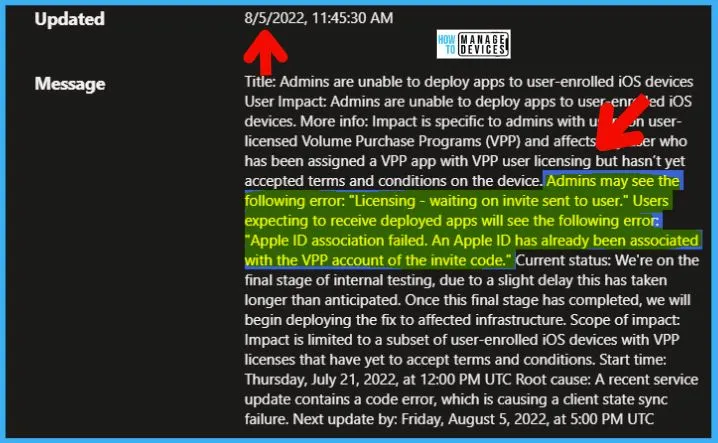
The following are the two errors that Microsoft documented in the ticket related iOS app deployment issue with Intune. There are two types of errors because of this issue. One is specifically for Intune Admins. The other one is for end users.
- Admins may see the following error: “Licensing – waiting on invite sent to user.”
- Users expecting to receive deployed apps will see the following error: “Apple ID association failed. An Apple ID has already been associated with the VPP account of the invite code.”
Root Cause – Intune is Unable to Deploy apps to user-enrolled iOS devices
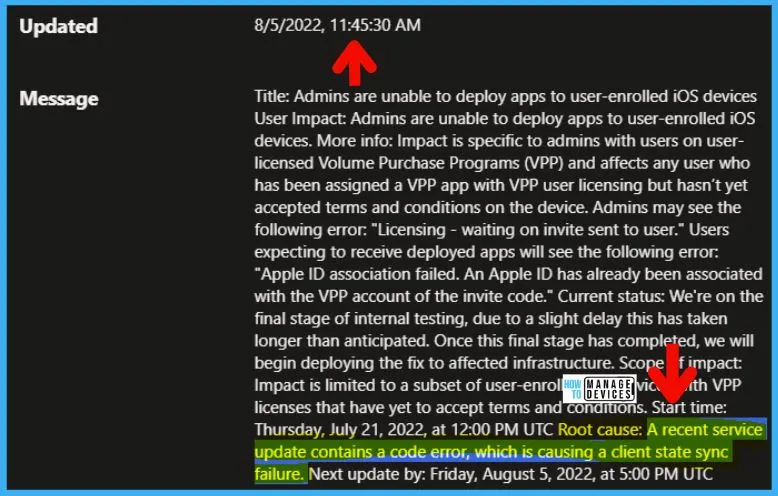
Microsoft also provided a statement about the root cause for the issue “Unable to Deploy apps to user-enrolled iOS devices.” As mentioned above, the users and admins see different error messages because of this issue.
This means the issue is not from Apple’s side, but it’s from the Service update issue that happened on Intune side. More details are below. Root Cause of the issue from the MS side:
- “Our review of the provided logs has confirmed that a recent service update contained a code error that causes a client state sync failure, resulting in impact.
Microsoft is in the process of developing a fix to remediate the impact. They expect to have a development and validation timeline by the next scheduled update.
Resources ->Another Support Tip – Support Tip: Update to the latest Intune App SDK for iOS to ensure APP is applied correctly.
Author
Anoop C Nair is Microsoft MVP! He is a Device Management Admin with more than 20 years of experience (calculation done in 2021) in IT. He is Blogger, Speaker, and Local User Group HTMD Community leader. His main focus is on Device Management technologies like SCCM 2012, Current Branch, and Intune. He writes about ConfigMgr, Windows 11, Windows 10, Azure AD, Microsoft Intune, Windows 365, AVD, etc.


Discussion