






Hi All, Today, we will explore how to Fix Intune MAM Applications Hangs on Samsung Devices Issues. Resolving unresponsive Intune MAM applications on Samsung devices involves steps to ensure smooth functionality.
It’s common to get into MAM applications stuck (aka not responding) issue. The first thing is that you need to confirm device compatibility with Intune. Also, ensure that the necessary updates are in place. This approach effectively tackles the unresponsive Intune MAM applications on Samsung devices.
Additionally, clearing the cache, reinstalling affected applications, and checking for system updates are going to help in many scenarios. Another thing to remember is staying updated with the latest releases and seeking support from Microsoft or Samsung can further aid in resolving the problem.
With the Intune 2309 release, you can now enable protected MAM (Intune App Protection Policies) access to org data via Microsoft Edge on personal Windows devices. Intune MAM for Personal Windows Devices has officially reached the Generally Available status.

- Update iOS Apps with MAM Policies for iOS/iPadOS 17 Upgrade
- MAM for Microsoft Edge on Windows
- Multiple Identity Support for Intune MAM Policies
What is the Issue with Apps on Samsung SM-G990E Devices?
There is an issue with apps protected by App Protection Policies (MAM) on devices running specific OS versions (G990EXXU7EWH7 and G990EXXS7EWI3). Users experienced unresponsiveness when trying to open these apps.
Has Microsoft Addressed the Issue?
Fix Intune MAM Applications Unresponsive on Samsung Issue
Microsoft has resolved the problem of unresponsive apps and released a fix in the 2310 update (version 5.0.6017.0) for the Intune Company Portal app, which you can download from the Google Play Store. If you are experiencing this issue, update to the latest version to get it resolved.
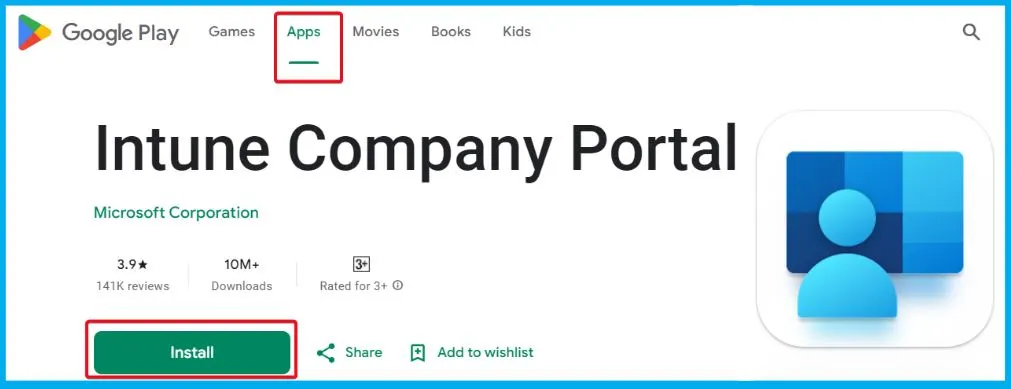
The Issue with Apps on Samsung SM-G990E Devices
Microsoft recently found a specific issue affecting apps protected by App Protection Policies, commonly known as MAM (Mobile Application Management), on Samsung SM-G990E devices. This issue arises when the devices run the latest Operating System (OS), specifically versions G990EXXU7EWH7 and G990EXXS7EWI3.
- Users may face issues when attempting to open apps on these devices, but the application does not respond.
| Build Number | Android version | Release Date | Security patch level |
|---|---|---|---|
| G990EXXS7EWI3 | T(Android 13) | 2023-09-22 | 2023-09-01 |
| G990EXXU7EWH7 | T(Android 13) | 2023-08-31 | 2023-08-01 |
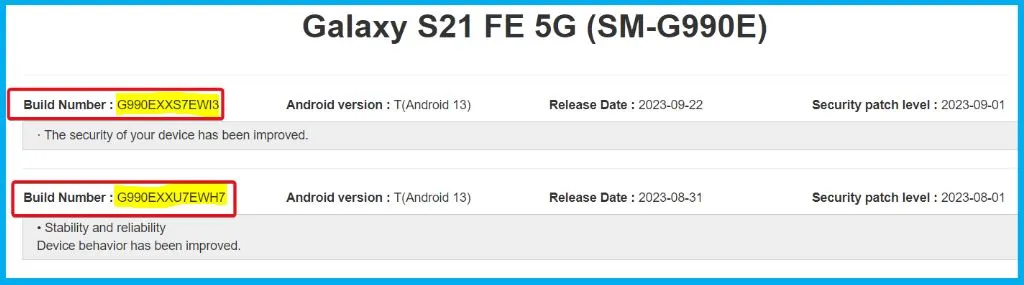
Instructions for Users and Administrators for Resolving the Issue
Let’s discuss the Instructions for Users and Administrators for Resolving the Issue. The following are the instructions for End users and administrators to resolve the issue.
Instructions For End Users
Suppose you use a Samsung SM-G990E device and have experienced an app unresponsiveness issue. It is essential to update the latest version of Company Portal as soon as it becomes available. This update will address the problem and ensure smooth app functionality.
Instructions For Administrators
You can quickly check the affected devices by going to the Microsoft Intune admin center and navigating to Apps > Monitor > App protection status. You can filter the results by the device model to identify those that may be impacted.
- If you think the update is necessary, use the Intune app protection policy known as MAM.
- In the settings, look for ‘Min Company Portal version.’ Please set it to 2310 for the Intune Company Portal on Android.
- This will ensure all devices under this policy get the needed update.
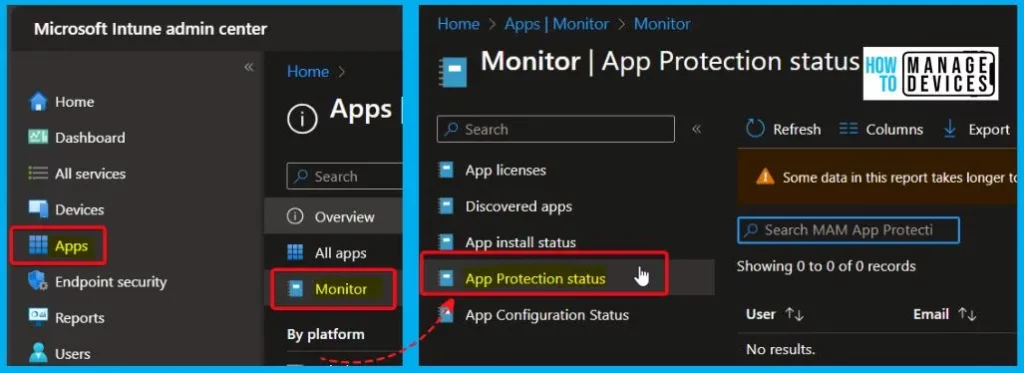
Conclusion
As of October 13, 2023, Microsoft has successfully addressed the problem of unresponsive apps on Android devices. A fix has been released through the 2310 update (version 5.0.6017.0) available on the Google Play Store for the Intune Company Portal app. Users experiencing this issue are advised to update to the latest version to resolve the problem.
Resolved: Intune MAM applications unresponsive on Samsung SM-G990E devices – Microsoft Community Hub
We are on WhatsApp. To get the latest step-by-step guides and news updates, Join our Channel. Click here – HTMD WhatsApp.
Author
About the Author – Vidya is a computer enthusiast. She is here to share quick tips and tricks with Windows 11 or Windows 10 users. She loves writing on Windows 11 and related technologies. She is also keen to find solutions and write about day-to-day tech problems.


Discussion