






New Intune RBAC Permission for Android Device Enrollment Profiles
Let’s check the details about the Intune RBAC Permission for Android Device Enrollment Profiles. The introduction of RBAC permissions update enrollment profiles allows you to control who can perform actions related to Android Device Enrollment Profiles.
New RBAC Permission for creating a custom role in Intune, located under the category Android for work. The permission Update Enrollment Profile allows the admin to manage or change both AOSP and Android Enterprise Device Owner enrollment profiles that are used to enroll devices.
Device enrollment profiles are important to define the settings and configurations applied to devices during the enrollment process. These profiles streamline device setup and ensure that devices adhere to organizational policies from the moment they are enrolled.
RBAC permissions for Android Device Enrollment Profiles bring adminis a higher level of control. You can assign specific permissions to roles or users, limiting access to only the necessary actions related to enrollment profiles.

By providing granular control over who can perform specific actions related to enrollment profiles, RBAC enhances security, compliance, and the overall device management experience. Admins can now delegate tasks more effectively, customize access to match workflows and track the performed actions in detailed audit logs.
Intune RBAC Permission for Android Device Enrollment Profiles
The following steps help you to configure the RBAC permission for Android Device Enrollment profiles, You can allocate precise permissions based on roles and responsibilities for access only to the actions necessary for both AOSP and Android Enterprise Device Owner enrollment profiles.
- Sign in to the Microsoft Intune admin center https://intune.microsoft.com/.
- Navigate to Tenant administration > Roles.
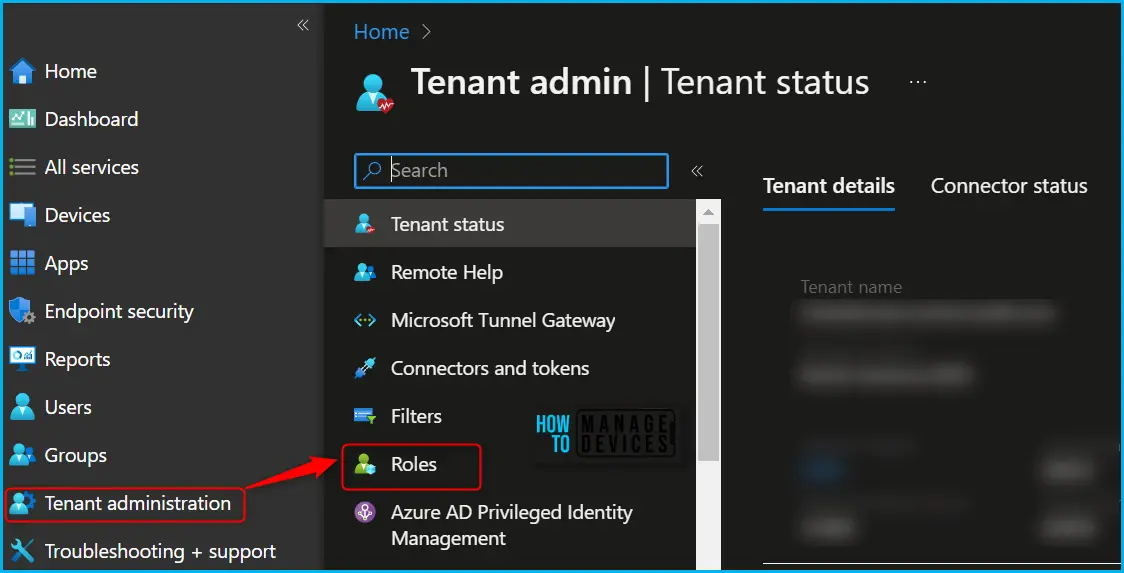
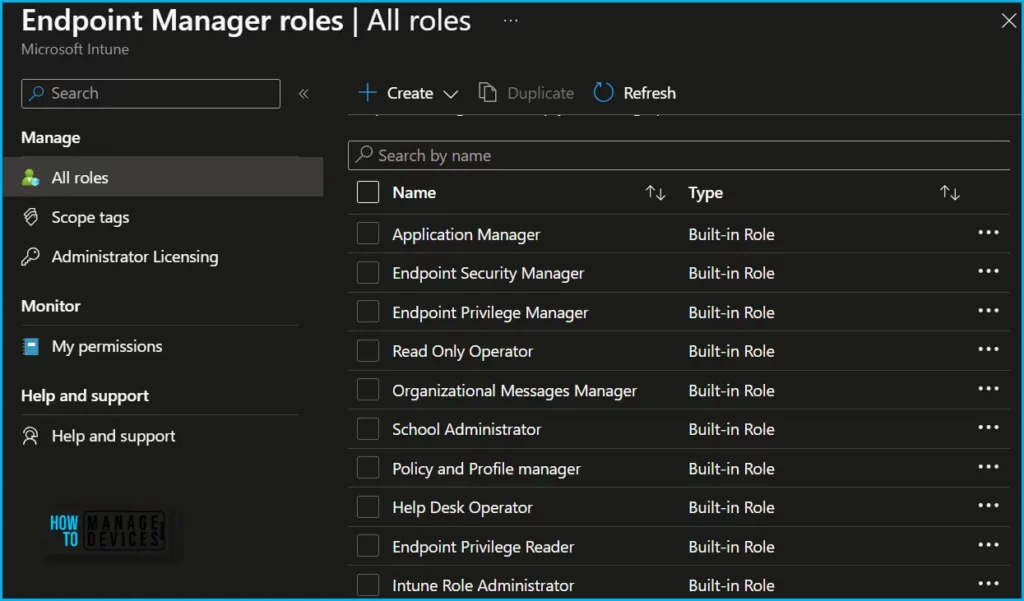
In the All roles, you will find all the built-in roles and created custom roles available in the tenant. Most of the built-in role performs required remote tasks on users and devices and can assign applications or policies to users or devices. There is a set of twelve (12) predefined Intune roles available, known as RBAC roles.
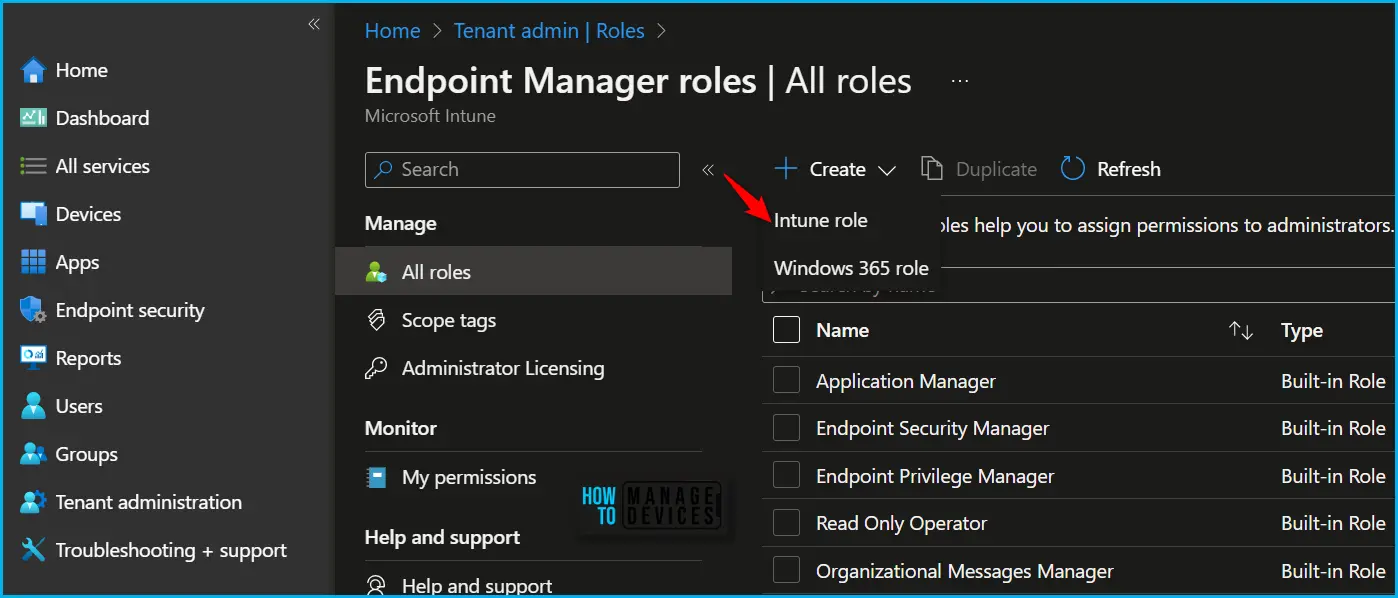
In Endpoint Manager All roles, Click on Create. You will get two options, Intune role and Windows 365 role. Select Intune role from the appeared options.
On the Basics page, provide a name and description for the custom role, then choose Next. To modify the roles associated with a particular category, navigate to the “Permissions” page.
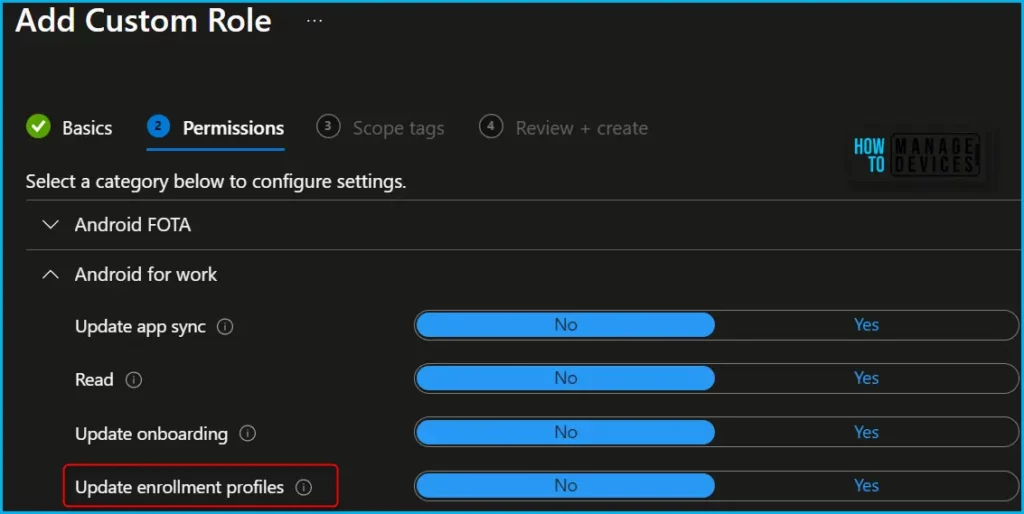
When creating custom roles, you can enable the relevant permissions by selecting the category “Android for Work” and toggling the switch to “Yes” to select the appropriate roles.
The following Intune RBAC permissions manage the activities. The newly added Update Enrollment Profile allows the admin to manage or change both AOSP and Android Enterprise Device Owner enrollment.
| Role (Android for Work) | Descriptions | Configure |
|---|---|---|
| Update app sync | Manage or change the Android for Work configuration used to sync applications with the Play for Work store, or sync the apps you’ve approved from the store with Intune. | Yes/No |
| Read | View the Android for Work configuration used to sync applications with the Play for Work store or view the Android for Work enrollment prerequisites and enrollment profiles. | Yes/No |
| Update onboarding | Manage or change the Android for work configuration used to enroll Android for Work devices or manage the Android for Work enrollment profiles. | Yes/No |
| Update enrollment profiles | Manage or change Android Enterprise Device Owner enrollment profiles used to enroll devices. | Yes/No |
Once you complete the role setting up process, You can assign to the set of users you want to perform the task. The addition of Duplicate Intune RBAC Roles will also be helpful for Intune admin in terms of time saviour and effort to create a role from scratch.
Author
About Author – Jitesh, Microsoft MVP, has over six years of working experience in the IT Industry. He writes and shares his experiences related to Microsoft device management technologies and IT Infrastructure management. His primary focus is Windows 10/11 Deployment solution with Configuration Manager, Microsoft Deployment Toolkit (MDT), and Microsoft Intune.

Discussion