





MS Intune Remotely Access Windows Devices without User Interaction using Unattended Remote Help
Key Takeaways
- Unattended Remote Help will allow admins to access Windows devices without any end-user involvement
- IT admins can remotely sign in using credentials to troubleshoot or manage devices
- The feature is part of the Intune Suite
- Enables true helpdesk-style remote support for Windows devices
MS Intune Remotely Access Windows Devices without User Interaction using Unattended Remote Help! Unattended Remote Help in Microsoft Intune will allow administrators to access Windows devices without any end-user involvement. IT admins can remotely sign in using credentials to troubleshoot or manage devices, enabling true helpdesk-style remote support. This capability is part of the Intune Suite and works securely over the cloud, removing the dependency on user availability or approval.
Table of Content
MS Intune Remotely Access Windows Devices without User Interaction using Unattended Remote Help
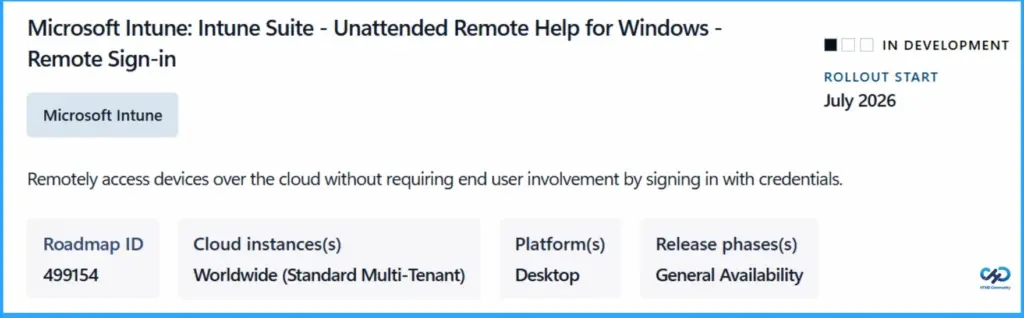
This feature will help IT support and device management teams work more efficiently by reducing delays and resolving issues faster. It is currently in development, with rollout expected from July 2026, and will be available for worldwide standard multi-tenant environments.
| Feature | Details |
|---|---|
| Roadmap ID | 499154 |
| Cloud instances(s) | Worldwide (Standard Multi-Tenant) |
| Platform(s) | Desktop |
| Release phases(s) | General Availability |
| Remote Access Type | Unattended Remote Help |
| Admin Capability | Remotely sign in using credentials |
| Rollout Timeline | Expected from July 2026 |
| Current Status | In development |
- How to Use Intune Remote Assistance for Windows Devices
- Deploy Remote Help App with Auto Upgrade Feature in Intune
- Best Way to Set Windows 11 24H2 as Optional Update with Intune
How Unattended Remote Help Improves IT Admin Efficiency in Microsoft Intune
This feature helps IT admins access Windows devices anytime without waiting for user approval or availability, enabling faster troubleshooting and reducing downtime. With remote sign-in capability, admins can securely log in using credentials to fix issues even when no user is present.
- It improves productivity by allowing IT teams to handle more support requests efficiently and is especially useful for unattended or shared devices, all while ensuring secure cloud-based access.
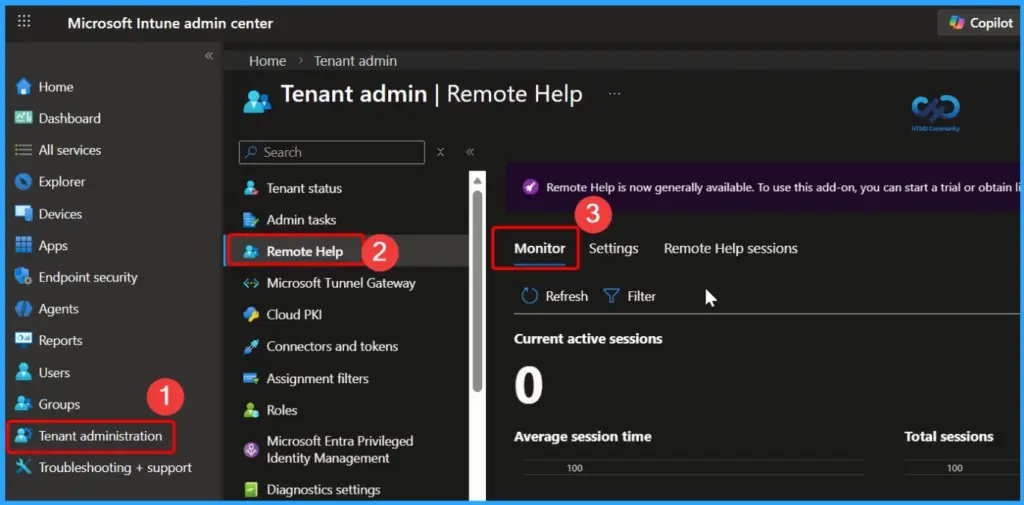
How This Helps Organisations
This feature helps organizations improve overall IT operations by enabling faster and more efficient remote support without depending on end users. IT teams can resolve issues quickly, reducing downtime and ensuring business continuity.

It also lowers operational delays, especially for remote, shared, or unattended devices, while improving employee productivity. With secure cloud-based access, organizations can simplify support processes, reduce costs, and strengthen device management across their environment.
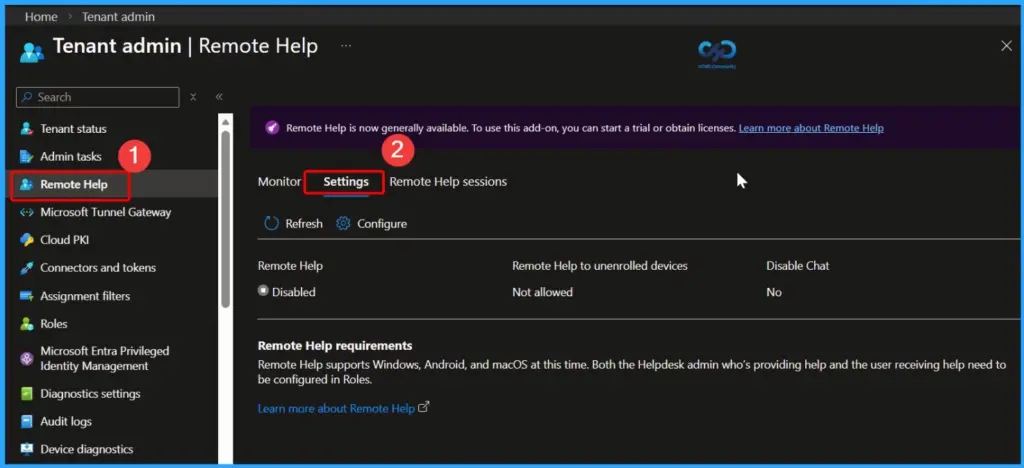
Need Further Assistance or Have Technical Questions?
Join the LinkedIn Page and Telegram group to get the latest step-by-step guides and news updates. Join our Meetup Page to participate in User group meetings. Also, join the WhatsApp Community and the Whatsapp channel to get the latest news on Microsoft Technologies. We are there on Reddit as well.
Author
Anoop C Nair is a Workplace Technology solution architect with 25+ years of experience. Microsoft Certified Trainer. Microsoft MVP from 2015 onwards for consecutive 11+ years! He is a blogger, Speaker, and Founder of HTMD Community and HTMD Conference. His main focus is on Device Management technologies like Intune, Windows, and Cloud PC. He writes about technologies like Intune, SCCM, Windows, Cloud PC, Entra, and Microsoft Security.


Discussion