






New Intune Setting Disable Location on Android Enterprise Devices
Let’s check how you can use the Intune setting to Disable Location on Android Enterprise Devices. You can create an Android device restrictions configuration profile for enrolled and managed Android Enterprise devices to disable location on corporate-owned devices.
Starting with the Intune 2401 January update, the new Intune setting disables location on Android Enterprise Devices. You can disable the Location setting on the device and prevent users from turning it on. When this setting is disabled, then any other setting that depends on the device location is affected, including the Locate device remote action.
Android for work enrolment is for users using their devices to access corporate data. Intune has limited device management capabilities in managing the devices. In contrast, corporate-owned devices with Work Profile will provide admins with full MDM capabilities and meanwhile, segregate personal and corporate data securely.
Microsoft Intune has a locate device remote action to get the geographical location of Android Enterprise devices. The Locate device action is also supported for iOS/iPadOS or Windows devices and is more useful for locating lost or stolen managed devices with Intune.

- Update 3rd Party Apps Using Intune Windows Catalog App
- Configure Android System Update Setting Using Intune
New Intune Setting Disable Location on Android Enterprise Devices
Before you begin, Create an Android device restrictions configuration profile. When you create device restriction policies for Android Enterprise corporate-owned work profile security settings, there are many settings available.
The setting inside Device Restrictions configures a setting that disable location on Android Enterprise devices by navigating to the (Android Enterprise > Fully Managed, Dedicated, and Corporate-Owned Work Profile > Device Restrictions).
- Sign in to Microsoft Intune Admin Center https://intune.microsoft.com/.
- Navigate to the Devices > Android > Configuration Policies. I selected the existing device restriction configuration profile for modification.
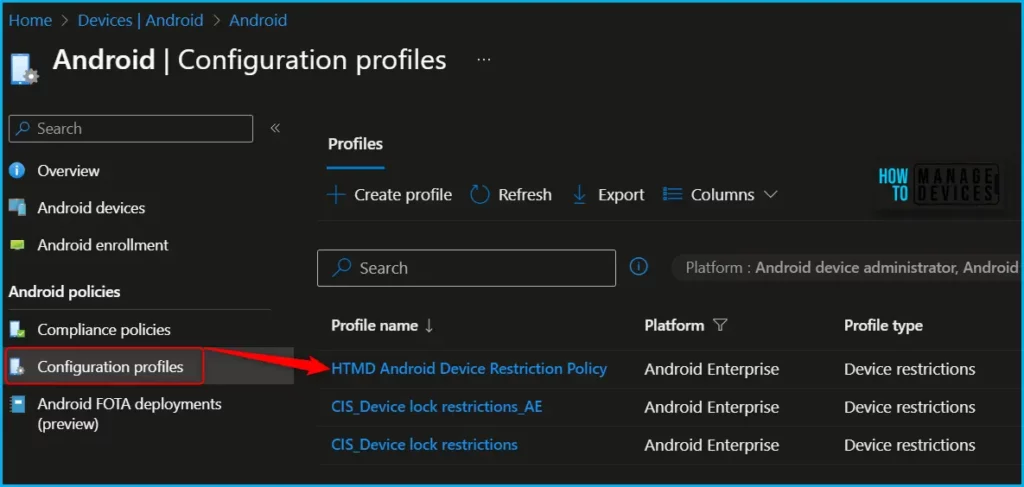
If you’re configuring corporate-owned work profile devices, some of these settings will only take effect at the work profile-level. This is marked in the setting name. For all other devices, these settings will take effect at the device-level. Click on Configuration settings; in the General settings, locate location settings.
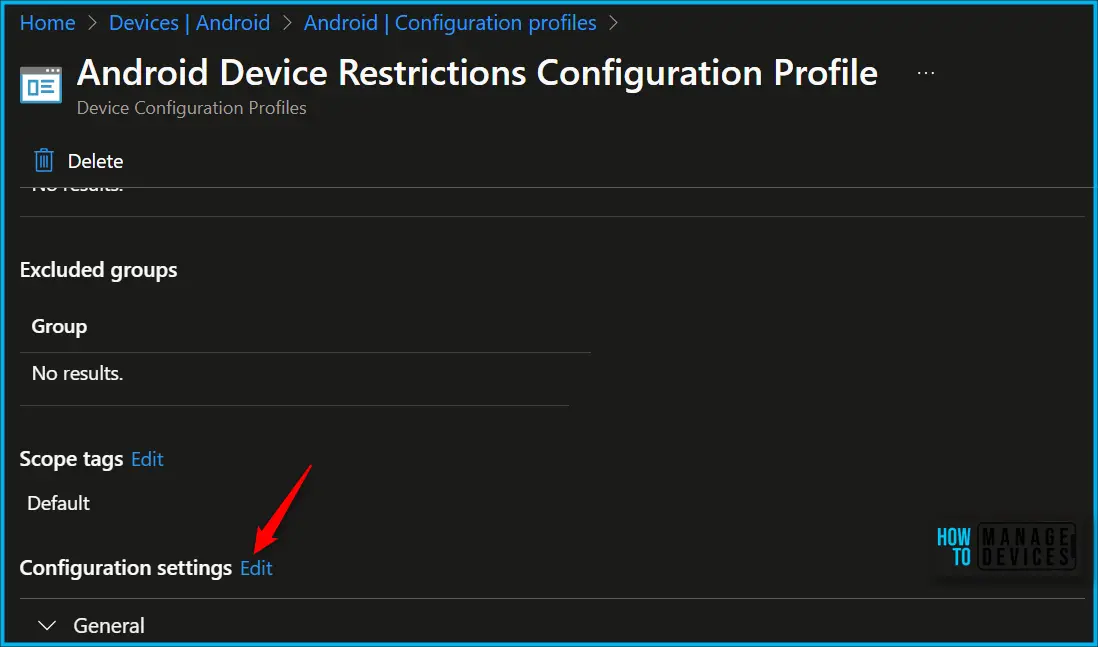
You can see the different categories of applied configuration in the configuration settings for Android Enterprise corporate-owned devices with a work profile. The Work profile settings allow you to configure settings that specifically apply to the Android work profile on this device.
- Location: Block disables the Location setting on the device and prevents users from turning it on. When this setting is disabled, then any other setting that depends on the device location is affected, including the Locate device remote action.
When set to Not configured (default), Intune doesn’t change or update this setting. By default, the OS might allow using location on the device.
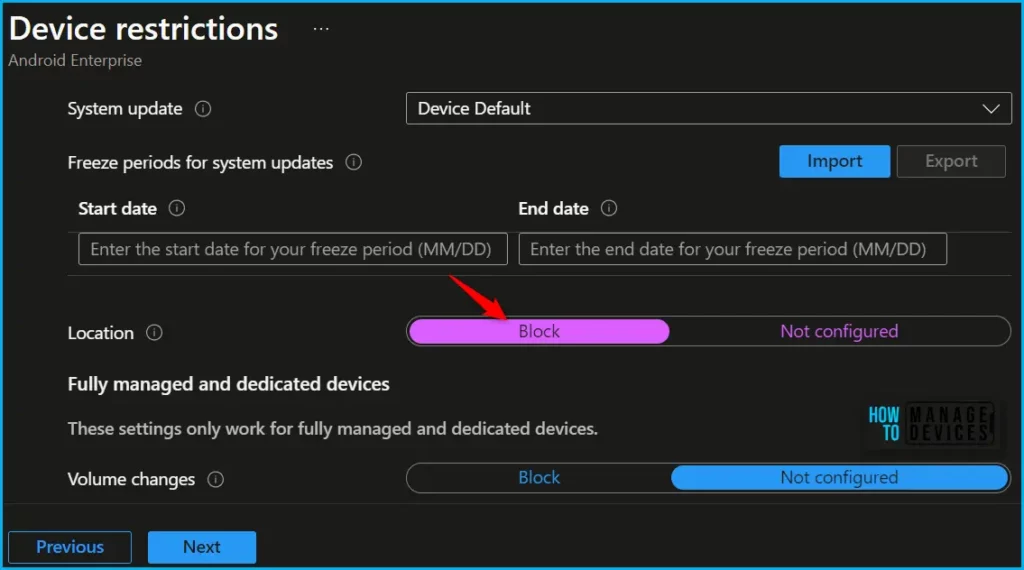
Here, you can review the available restriction settings under Work profile settings. You can select and customize them according to your requirements and click Review + Save.
The next step is to review the setup policy and Save. A notification prompt will appear when you save the profile, Policy “HTMD Android Device Restriction Policy” saved successfully.
You can monitor the Android device policy to ensure that users won’t be able to turn on location on mobile devices. To confirm the behaviour, It is recommended to Check for the enrolled device to ensure that the applied profile is working as expected.
We are on WhatsApp. To get the latest step-by-step guides and news updates, Join our Channel. Click here –HTMD WhatsApp.
Author
About Author – Jitesh, Microsoft MVP, has over six years of working experience in the IT Industry. He writes and shares his experiences related to Microsoft device management technologies and IT Infrastructure management. His primary focus is Windows 10/11 Deployment solution with Configuration Manager, Microsoft Deployment Toolkit (MDT), and Microsoft Intune.

Hello Good morning,,, And how can you configure the to permanently enable location.