






Let’s learn more details on the New Intune Troubleshooting options using Security Copilot. If you have a helpful assistant (like a copilot), Its main job is to find out why things are not working as they should, like when your computer or phone is acting up.
Security Copilot is an intelligent assistant in Microsoft’s digital security world to help admins. Microsoft Intune troubleshooting is not always easy, Copilot is going to help admins streamline the process of problem-solving.
Microsoft built skills for Copilot using Data, Generative AI and LLM. This digital assistant can look at how one device is set up and compare it to others. It can also check different apps and policies on various devices. Investigating the confusing Intune error codes is also something this tool can help.
Intune Copilot feature can compare device configurations, analyze apps across different devices, and pinpoint the reasons behind error codes. This means troubleshooting becomes more efficient and insightful. It allows you to get to the root causes faster than ever before.

- Intune Device Assistance Features with Copilot
- Overview of Security Copilot with Microsoft Intune
- Turn Off Copilot in Windows using Intune and Group Policy
NOTE! – Microsoft shared detailed information on New Copilot Intune Troubleshooting Features with the latest Technical Takeoff session by Scott Duffey.
What is the Main Goal of the Copilot Intune Troubleshooting Assistant?
The Copilot Intune troubleshooting assistant aims to swiftly identify and resolve issues by efficiently retrieving relevant information. It goes beyond traditional methods by collecting data and using it creatively to identify root causes.
New Intune Troubleshooting options using Security Copilot
One of the innovative features of Copilot Intune is the ability to compare the configuration of one device with others. This helps quickly identify differences and similarities that might contribute to the issue.
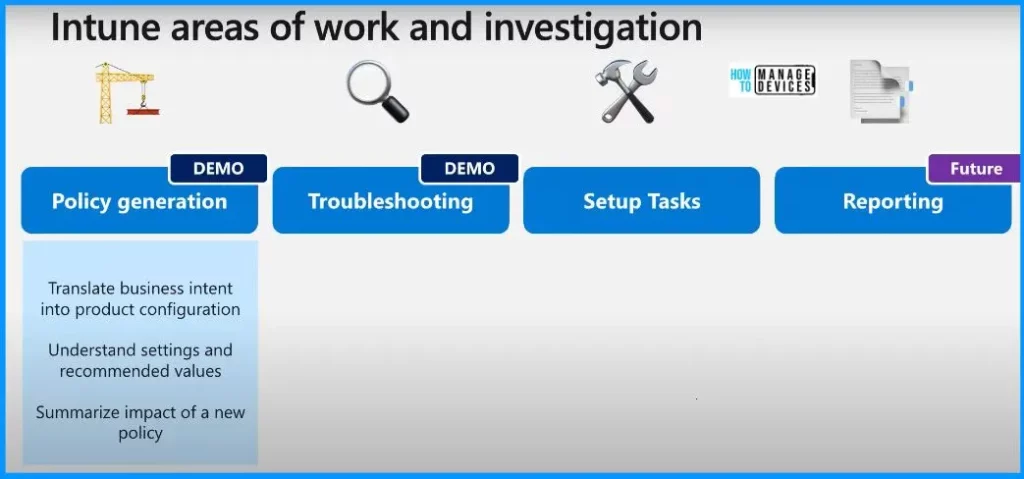
| Intune Areas of Work and Investigation |
|---|
| Policy Generation |
| Troubleshooting |
| Setup Tasks |
| Reporting |
Troubleshooting and Support in Intune Admin Center
The troubleshooting and support features within the Microsoft Endpoint Manager Admin Center (formerly known as Intune Admin Center) provide tools and resources to help administrators identify and resolve issues related to Intune and device management.
Intune has a wealth of device data that can help find the root cause of device issues, including hardware configuration apps and health data.
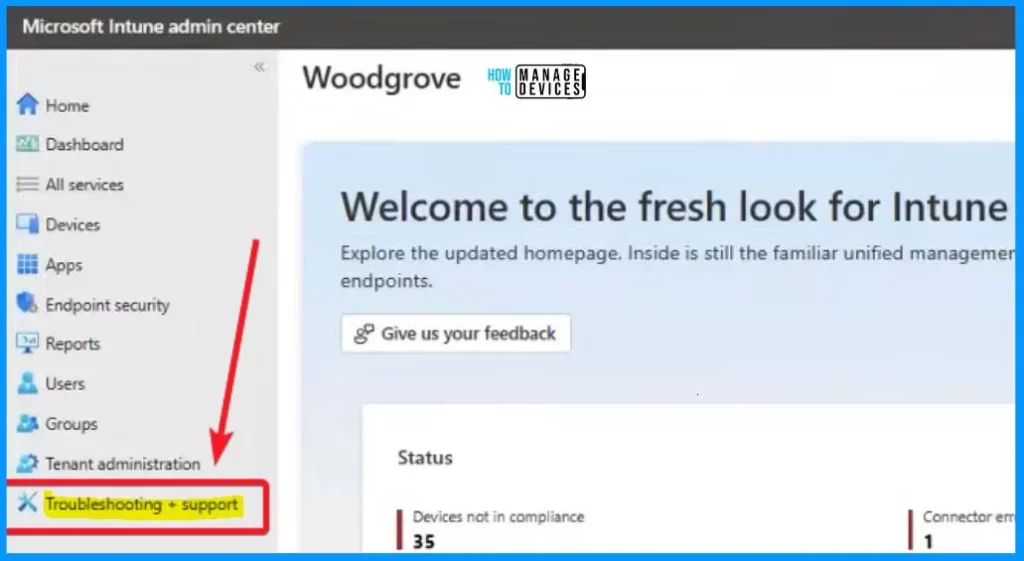
- Sign in to the Intune Admin Center portal https://intune.microsoft.com/.
- Select Troubleshooting + Support.
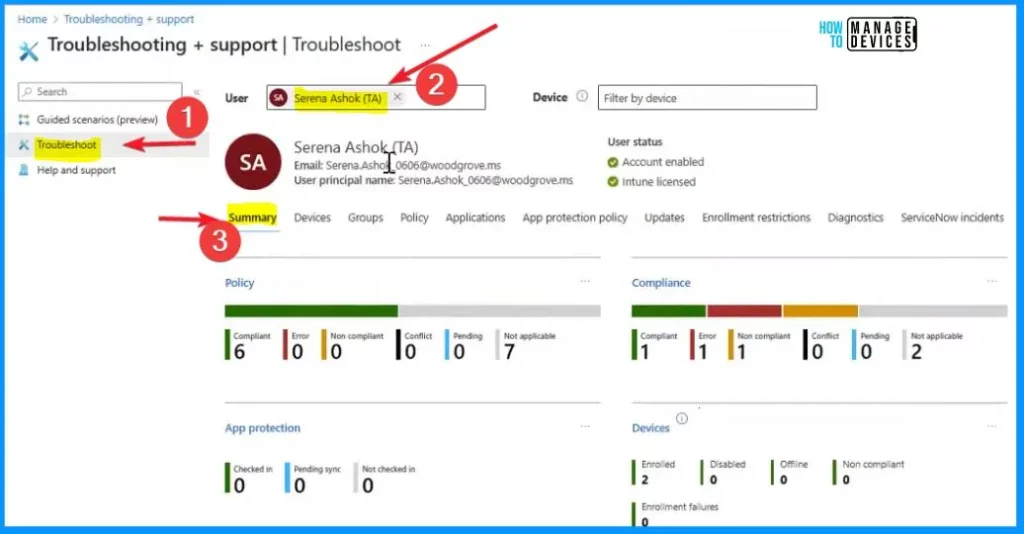
You can see a quick overview of policies – like the rules for how their device should be set up. It also gives you insights into compliance, checking if the device follows all the regulations you set. Additionally, you can check on applications – the software on their device – and see if any issues or updates are needed.
- In the Intune Admin Center, when you go to “Troubleshoot + Support”
- Choose “Troubleshoot” from the left-side menu.
- Here, you can select a user by their name
- It shows you a summary of different policies, applications, and license details for that user
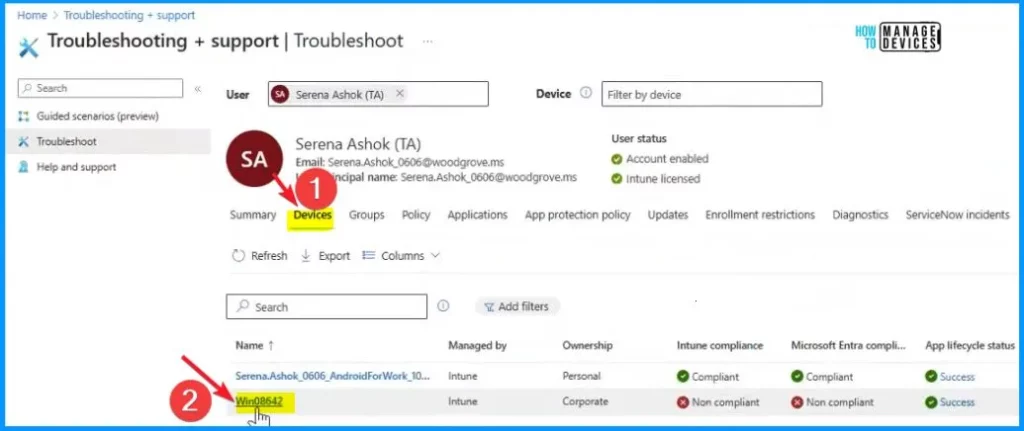
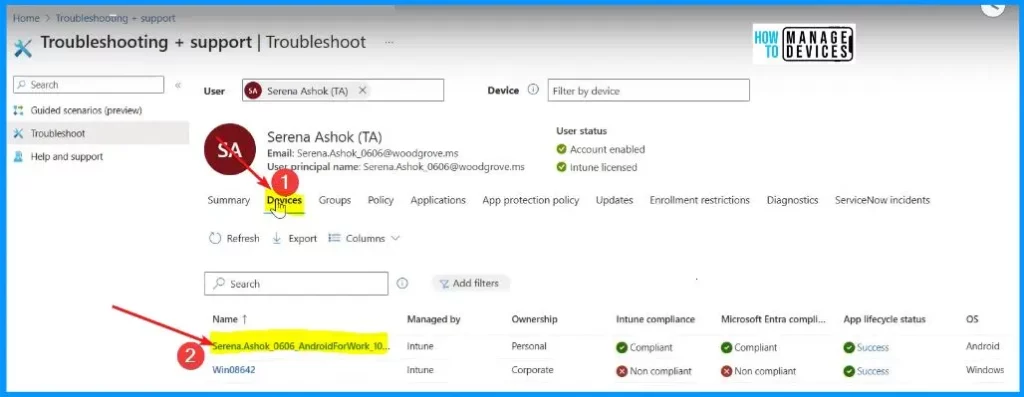
On the page, find and click on the “Devices” menu. Pick a specific device that you want to check or manage. This section gives detailed information about that device managed by Ownership, Intune compliance, etc.
There is a new Copilot button in the actions menu. To get started, click on it. Once you do, you will see a few options pop up. You can explore the device, compare it to others, or ask about a specific error. We have explained all these topics – Intune Device Assistance Features with Copilot.
- Explore Device
- Compare Device
- Ask about errors
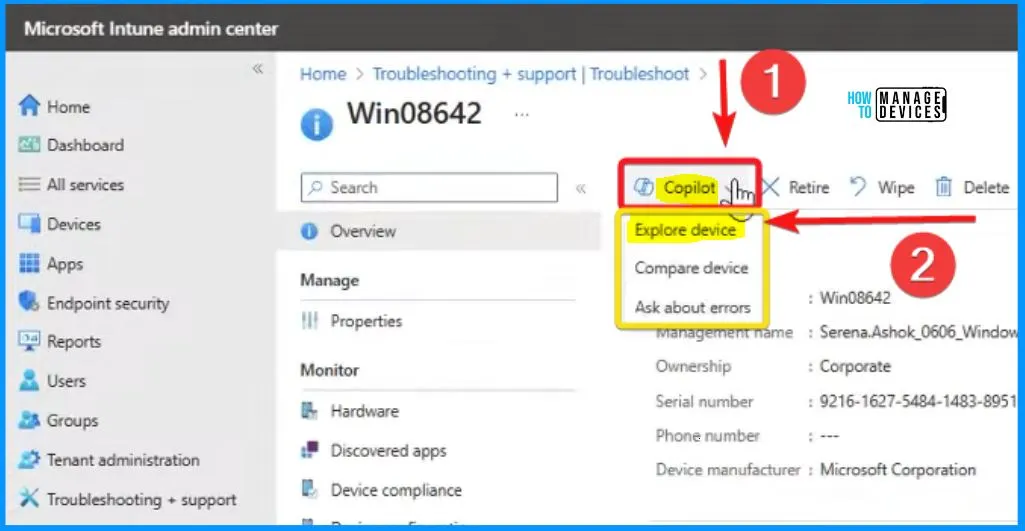
Explore Device option with Copilot
In Intune Copilot, the “Explore Device” option is a convenient feature that lets you delve into the details of a specific device. Once you click the Copilot button and choose “Explore Device,” it’s like opening a page to peek inside that particular device.
- Explore device lets you gather information about the device’s settings, configurations, and applications.
- This exploration can be beneficial when troubleshooting issues or simply getting a comprehensive overview of a device’s current state.
- It is a straightforward way to gather insights and make informed decisions about managing or resolving any issues related to that specific device.
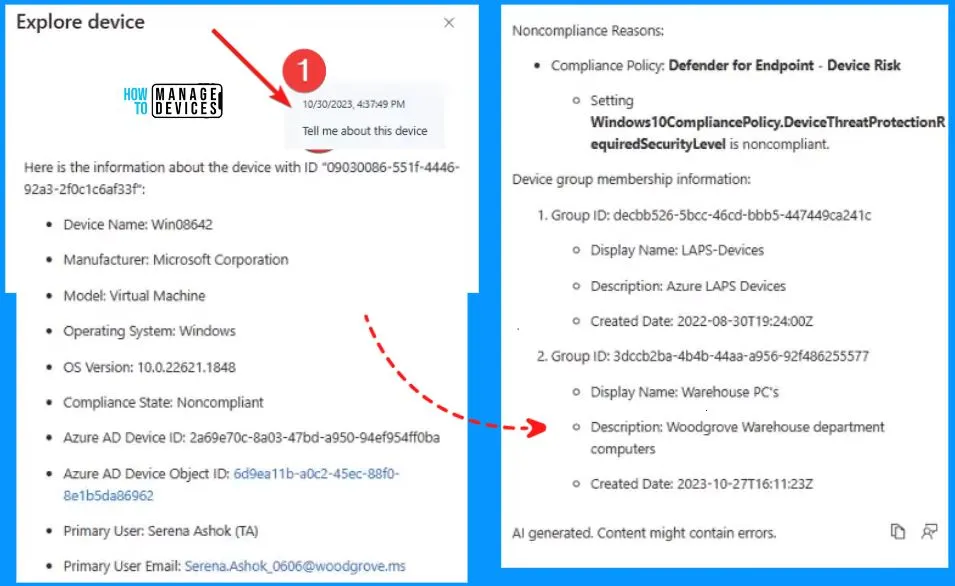
Tell me about this Device?
Explore device
Here is the information about the device with 11 “09080086-551F-44486-92a3-2f0clC6af33
> Device Name: Win08642
> Manufacturer: Microsoft Corporation
> Model: Virtal Machine
> Operating System: Windows
> OG Version: 10/0.22621.1848
> Compliance State Noncompliant
> Azure AD Davice ID: 2269e7Dc-Ba08-47bd -: 950-94ef95410ba
> Azure AD Device Object ID: Gd9ea11b-a0c2-45ec-8810-
Belb5daB6962
> Primary User: Serena Ashok (TA)
> Primary User Email: SerenaAshek_onon@woodgrove.ms
Noncompliance Reasong
> Compliance Policy Defender for Endpoint – Device Risk
> Setting
Windows10CompliancePolicy DeviceThreatProtectionR
equiredSecurityLevel is noncompliant.
Device group membership information
Group ID: decbb525-5bcc-46cd-bbb5-447449ca241c
>Display Nama: LAPS-Dovicos
>Description: Azure LAPS Devices
>Created Dote: 2022-08-30T19:24:00Z
Group ID: 3dodb2ba-404b-4420-2956-921486255577
>Display Name: Wrchouse PC’s
>Description: Woodgrove Warehouse department
computers
>Creited Cata 2023-10-27116:11232
Android Troubleshooting using Intune Copilot
The second issue concerns a missing mobile app called the “warehouse app” on Android devices. Resolving this issue involves figuring out why the app is missing and ensuring it gets installed correctly on Android devices so you can get back to work smoothly.
- Select the Android device from the Device menu.
Copilot is a digital assistant for Intune admins that makes sure you can quickly and precisely handle troubleshooting or find specific configuration details. In the Intune window, you will see the Copilot button, and once you click it, a bunch of helpful sub-category options pop up.
- Select Explore device from the Copilot button
With the help of Intune Copilot, you can quickly fix problems on Android devices effortlessly. It is the best tool for troubleshooting. Check out the FAQ below for questions and straightforward answers about solving Android phone issues with the help of Intune Copilot.
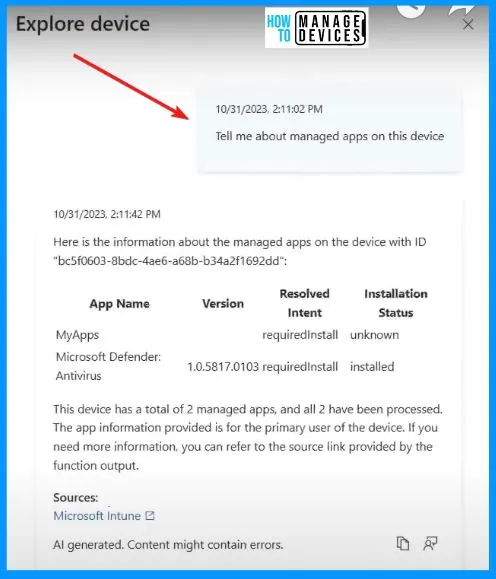
Tell me about Managed Apps on this Device?
Here is the information about the managed apps on the device with ID “bc5f0603-0bdc-ae6-a68b-b34a2f1692dd”:
App Name – MyApps Microsoft Defender Antivirus
Version – 1.0.5817.0103
Resolved Intent – requiredinstall
Installation Status – unknown
This device has two managed apps, and all two have been processed. The app information provided is for the primary user of the device. If you need more information, refer to the source link provided by the function output.
(328) Generative AI and the next generation of Intune features – YouTube
We are on WhatsApp. To get the latest step-by-step guides and news updates, Join our Channel. Click here – HTMD WhatsApp.
Author
About the Author – Vidya is a computer enthusiast. She is here to share quick tips and tricks with Windows 11 or Windows 10 users. She loves writing on Windows 11 and related technologies. She is also keen to find solutions and write about day-to-day tech problems.


Discussion