






How to Simplify First Stage of Intune Troubleshooting with an Intuitive Eido Dashboard
Let’s discuss how to simplify the First Stage of Intune Troubleshooting with an Intuitive Eido Dashboard. Managing an Intune environment gives you powerful tools to secure and control your devices. But when something goes wrong, troubleshooting can quickly become a challenge.
Intune has many connected parts, so even a small issue can take a long time to fix. Admins often have to go through multiple settings, policies, and log files just to figure out what went wrong. What seems like a simple error can turn into hours of troubleshooting.
The EIDO also simplifies Intune policy backup, restore, standardization, and redeployment. Managing a large set of policies across multiple tenants or with several admins can quickly become complex. If a policy is accidentally modified or deleted, it can lead to serious issues like security gaps or compliance failures.
In this post, you will learn how to simplify the first stage of Intune troubleshooting using the intuitive EIDO Dashboard. The EIDO Dashboard brings all this information together in one place, giving admins a clear and organized view of their environment.

Table of Contents
How to Simplify First Stage of Intune Troubleshooting with an Intuitive Eido Dashboard
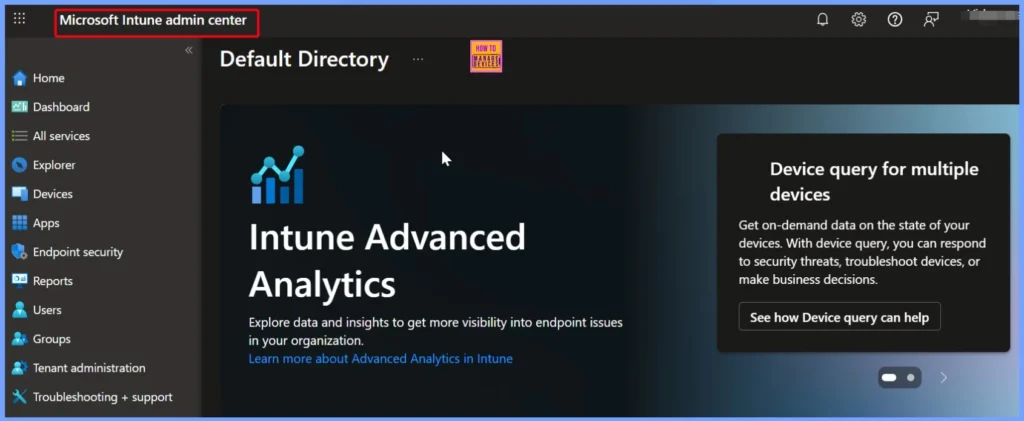
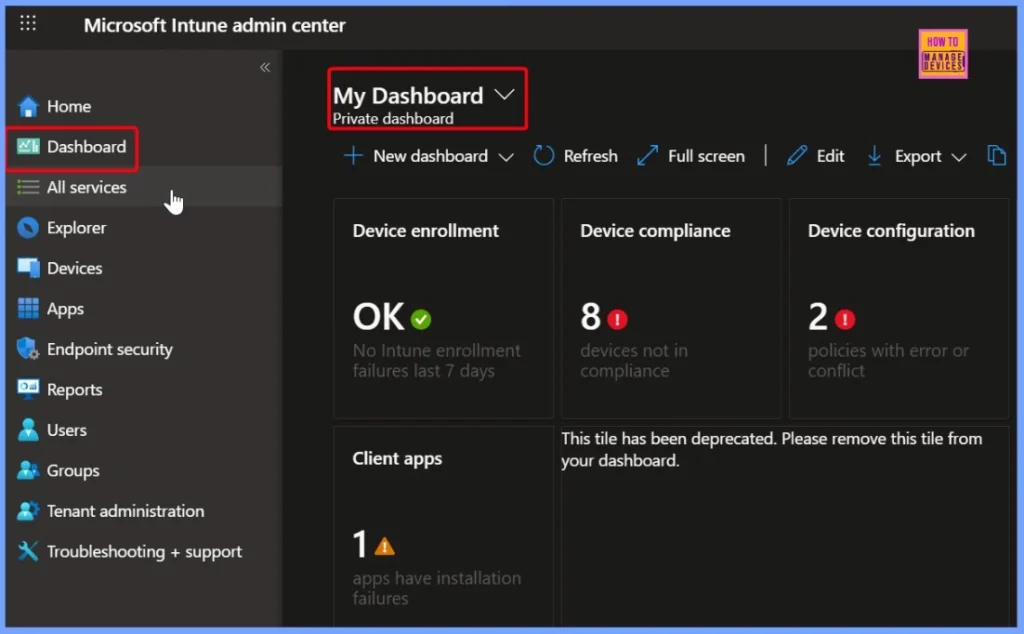
The Intune dashboard has many features and can be customised to manage devices and policies. It is a powerful tool, but it is not designed for quick and easy troubleshooting. When something goes wrong, like an app not installing or a policy not applying, it can be hard to find the problem.
- You may have to go through many screens just to get the basic information you need to start fixing the issue.
- This can be a time-consuming and confusing process.
- How to Make Intune Patch Reports more Useful and Efficient
- New Intune Troubleshooting options using Security Copilot
- Explore New Intune Troubleshooting Dashboard for Intune Issues
Why a Smarter Troubleshooting Approach Matters
A smarter troubleshooting tool makes it quicker and easier to find and fix issues. Instead of spending time clicking through different parts of the Intune portal, you get a clear view of the problem, saving time and reducing effort.
- How To Start Troubleshooting Intune Issues | Fix Intune Issues With Easy Steps
- MDM Diagnostics Tool – Tips & Tricks – Windows Autopilot Troubleshooting
EIDO Dashboard for Intune Troubleshooting
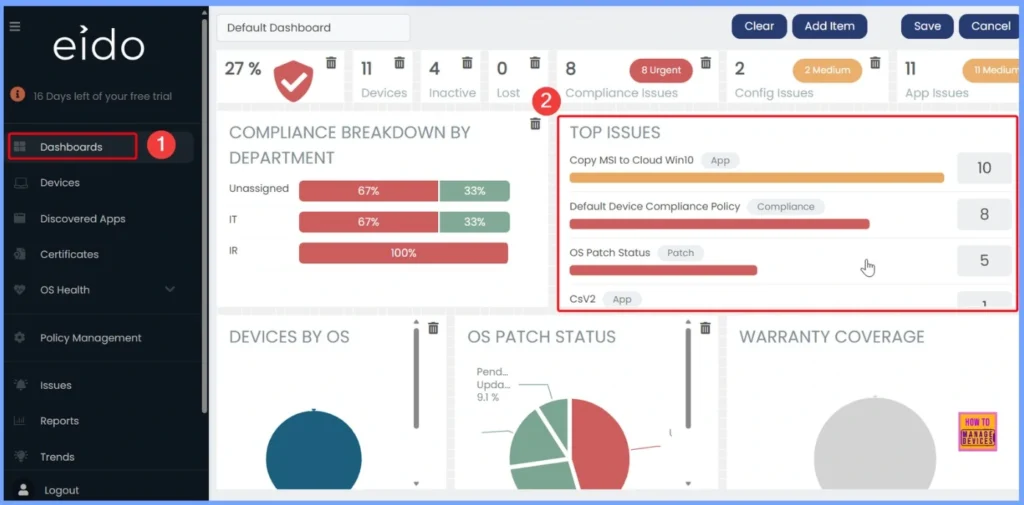
Recently, we had the opportunity to explore the EIDO Dashboard. It has truly transformed the way we troubleshoot Intune issues. This user-friendly tool is specifically designed to detect and resolve problems quickly. Whether it is a failed app deployment, a policy conflict, or a missing assignment.
- EIDO highlights the issue clearly and points you to the right place to start.
- It simplifies the entire troubleshooting process, allowing IT teams to respond faster, with more confidence and less stress.
- Go to Eido portal using the link https://app.eido.cloud/
| EIDO Dashboard | Details |
|---|---|
| Purpose | Specifically built for troubleshooting Intune issues |
| Ease of Use | Simple, intuitive interface |
| Troubleshooting Speed | Faster – issues are proactively identified |
| Error Identification | Automatically highlights failed apps, conflicts, and missing assignments |
| User Effort | Low |
| Stress Level for Admins | Lower due to clarity and simplicity |
Simplify First Stage of Intune Troubleshooting with an Intuitive Dashboard
In this video, you will learn everything you need if you are finding it hard to manage your Intune setup. The Intune dashboard has many features, but it can be confusing when trying to fix problems. If you want an easier way to troubleshoot Intune issues, this video will show you that the Eido Dashboard is a helpful tool that makes it simple to find and solve problems.
Need Further Assistance or Have Technical Questions?
Join the LinkedIn Page and Telegram group to get the latest step-by-step guides and news updates. Join our Meetup Page to participate in User group meetings. Also, Join the WhatsApp Community to get the latest news on Microsoft Technologies. We are there on Reddit as well.
Author
Anoop C Nair has been Microsoft MVP for 10 consecutive years from 2015 onwards. He is a Workplace Solution Architect with more than 22+ years of experience in Workplace technologies. He is a Blogger, Speaker, and Local User Group Community leader. His primary focus is on Device Management technologies like SCCM and Intune. He writes about technologies like Intune, SCCM, Windows, Cloud PC, Windows, Entra, Microsoft Security, Career, etc.


Discussion