






Intune Windows 11 CIS Benchmarks is Available for Download Now
CIS has released Intune Windows 11 CIS Benchmarks for the first time. This CIS Microsoft Intune for Windows 11 Benchmark v1.0.0 benchmarks PDF is available for download now. This was released on 26th Jan 2023.
The CIS (Center for Internet Security) is a nonprofit entity whose mission is to “identify, develop, validate, promote, and sustain best practice solutions for cyber defense.” Many organizations use the CIS benchmark as their security baseline.
You can download CIS benchmark for different Microsoft products, and it’s free! Download the document for guidance in establishing a secure configuration poster for Microsoft Intune with Windows devices. CIS updated the Windows 10 version of the CIS benchmark PDF in November 2022.
You can also download the CIS benchmarks for other device platforms, such as iOS/iPadOS and Android. CIS Microsoft Intune for Windows 11 Benchmark v1.0.0 is the initial release version of Intune CIS Benchmark for Windows 11.

CIS Benchmark Profiles
Let’s learn how to Implement CIS Benchmarks based on the persona mapping with either Level 1 or Level 2 profiles as documented in CIS Benchmarks. Persona mapping with security team discussions to get an agreement on profiles, as I discussed in the video below.
CIS benchmark profiles are a collection of recommendations for securing a technology or a supporting platform. Intune benchmark for Windows 11 includes Level 1(general/std use) and Level 2 Profiles.
| Level 1 Profile Varients | Level 2 Profile Varients |
|---|---|
| Corporate/Enterprise Environment (general use) | High Security/Sensitive Data Environment (limited functionality) |
| Level 1 (L1) + BitLocker (BL) | Level 2 (L2) + BitLocker (BL) |
| Level 1 (L1) + Next Generation Windows Security (NG) | Level 2 (L2) + Next Generation Windows Security (NG) |
| Level 1 (L1) + BitLocker (BL) + Next Generation Windows Security (NG) | Level 2 (L2) + BitLocker (BL) + Next Generation Windows Security (NG) |
Who Developed the CIS Benchmarks for Windows 11 Intune Managed Devices?
As per CIS – ‘Benchmarks are developed through the generous volunteer efforts of subject matter experts, technology vendors, public and private CIS Benchmark community members, and the CIS Benchmark Development team.’
The CIS Microsoft Intune for Windows 11 Benchmark v1.0.0.pdf document provides prescriptive guidance for establishing a secure configuration posture for Microsoft Intune for Windows 11 Benchmark. This guide was tested against Microsoft Windows 11 Release 21H2 Enterprise edition.
Download Intune Windows 11 CIS Benchmarks
As per CIS, the Windows CIS Benchmarks are written for MDM-joined systems using Microsoft Intune Configuration Profile, not standalone/workgroup systems. Adjustments/tailoring to some recommendations will be needed to maintain functionality if implementing CIS hardening on standalone systems.
- CIS Released new benchmark documents for Microsoft Intune for Windows Microsoft Windows!
- First CIS benchmark for Windows 11 – CIS Microsoft Intune for Windows 11 Benchmark v1.0.0
- Updated Version for Windows 10 – CIS Microsoft Intune for Windows 10 Benchmark v1.1.0
Follow the steps below to download the latest CIS Benchmarks for all the supported technologies, including Microsoft Intune.
- Launch the following website CIS Benchmarks (cisecurity.org)
- Fill out the form (make sure to use a valid email because a downloadable PDF link will be sent to this email ID)
- Click on the Get Free Benchmarks Now button.
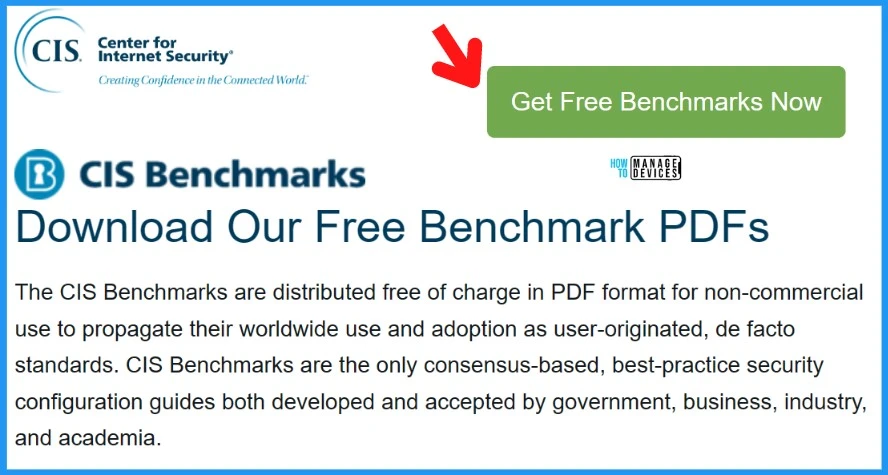
You need to wait for some time (~20 minutes) to get the email from CIS. You normally get an email with the following content, but make sure that it’s coming from a valid cisecurity.org domain email ID.
Thank you for completing the CIS Benchmarks PDF download form. We have received and approved your request, and you will find the link to the download page below. You now have access to all of our CIS Benchmarks PDFs and can download as many as you like.
- Click on the Access PDFs button (link) as shown below.
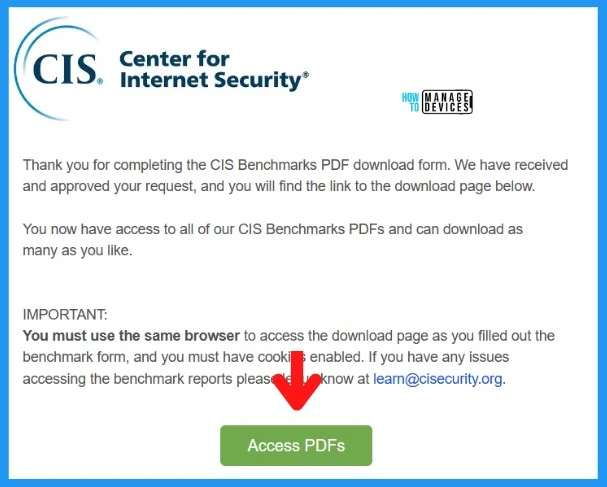
This will redirect you to the following web page, where you can find all the supported CIS benchmarks available for download, and it’s free of cost.
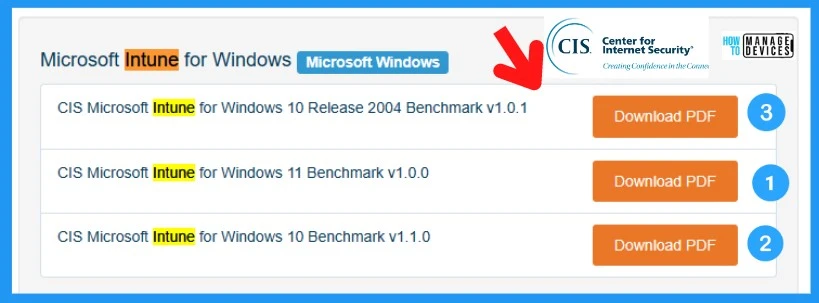
You now have access to all of our CIS Benchmark PDFs. Feel free to download as many as you like! And following are the three downloads available for the Microsoft Intune parameter.
- Microsoft Intune for Windows Microsoft Windows
- CIS Microsoft Intune for Windows 10 Release 2004 Benchmark v1.0.1
- CIS Microsoft Intune for Windows 11 Benchmark v1.0.0
- CIS Microsoft Intune for Windows 10 Benchmark v1.1.0
How to Use Intune CIS Benchmarks
Let’s see how to use the CIS benchmarks for Intune Windows 11. Let’s see how to implement one of the Level 1 profile security policies recommended in the benchmark document.
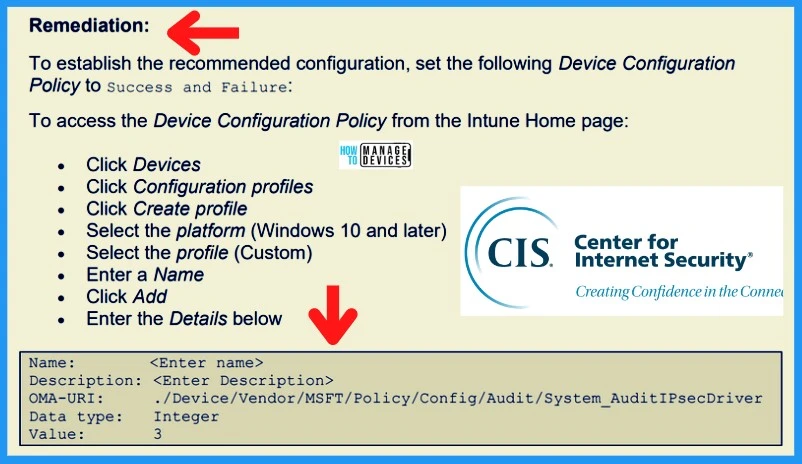
You can search for the remediation section of the policy named (L1) Ensure ‘Audit IPsec Driver’ is set to ‘Success and Failure.’
- Check the Remediation section to get Intune policy configuration options in Intune.
- Wait! It’s not always necessary to create a custom policy as recommended in the CIS document.
- Refer to the following video to understand what are the best options to create Intune security policies!
Video – Best practices shared in Intune Security policy methods
Let’s follow the best practices shared in Intune Security policy methods video. My recommendation would be not to follow the steps mentioned in the CIS document to create a remediation plan for security policies.
Author
Anoop C Nair is Microsoft MVP! He is a Device Management Admin with more than 20 years of IT experience (calculation done in 2021). He is Blogger, Speaker, and Local User Group HTMD Community leader. His main focus is on Device Management technologies like SCCM 2012, Current Branch, and Intune. He writes about ConfigMgr, Windows 11, Windows 10, Azure AD, Microsoft Intune, Windows 365, AVD, etc.


Discussion