






Let’s discuss the Intune Working Time Limit Access Feature for Android Devices. The new working time feature is a helpful tool for businesses, especially those with employees working different shifts.
It’s all about ensuring these workers can better balance their jobs and personal lives. Sometimes, people think about work even when they are not working. This feature prevents that from happening.
It reminds us to take a break and not worry about work when it’s time to relax. So, it is a friendly assistant ensuring everyone gets the right balance between their job and free time.
This post provides all the details of the Intune Working Time Limit Access Feature for Android Devices. This feature lets you decide when your work stuff appears on your Android device.

Exciting news! The latest Intune service update brought some cool features. Now, you can make your iPhone, iPad, or Android take a break with a quiet time policy in the Intune Admin Center.
- Intune Device Staging option for Android Devices
- Android Devices and Intune Remote Help Walkthrough Guide
- Intune End of Support for Android Device Administrator
- Intune Shared Device Mode for Android and iOS Devices
What is the Intune Working Time Limit Access Feature for Android Devices?
The working time capability is a feature designed to help organizations manage the work-life balance of their shift workers more effectively. It includes blocking access to work apps and muting notifications during non-working hours.
Which Apps and Platforms Currently Support this Feature?
This feature is available only on Microsoft Teams on Android devices under private preview.
Intune Working Time Limit Access Feature for Android Devices
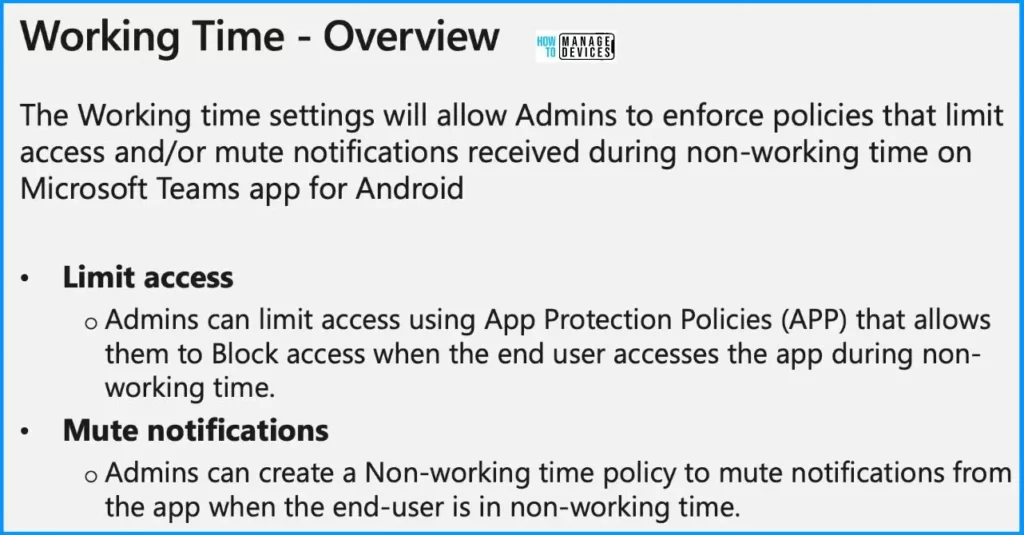
Let’s look at the feature overview. The working time settings enable organization admins to enforce policies that limit and mute notifications received during non-working time. This feature is only available on Microsoft Teams on Android under private preview.
| Limit Access | Mute Notifications |
|---|---|
| Admins can limit access using App Protection Policies (APP), which allow them to Block access when the end user accesses the app during non-working hours. | Admins can create a Non-working time policy to mute notifications from the app when the end user is in non-working time. |
Working Time Block Admin Experience
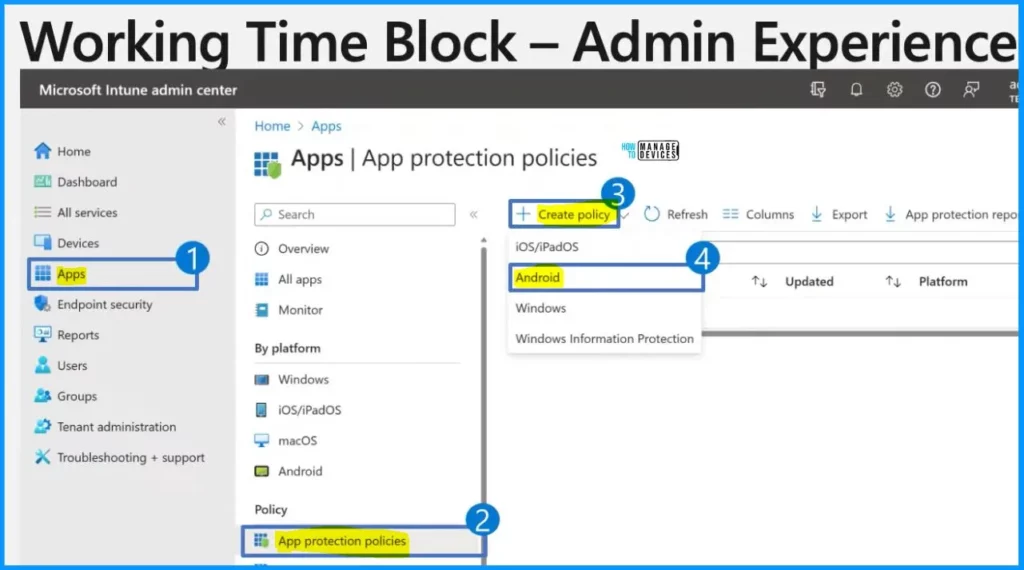
Let’s discuss the admin experience of working time block. Let’s walk through the steps to set up these cool policies, starting with the one that limits access. First, you log into the Microsoft Intune admin center. Check out step 1: head to the “Apps” section. Then, in step 2, click on “App Protection policies“. Next, click “Create policy” and choose “Android” from the options.
- Configure Idle Session Time Limits for Windows 365 Cloud PC Frontline
- New Intune Managed Apps Filter Rules | Create Filter Rules Based On App Version
- Windows LAPS Role-Based Access Controls Using Intune
Conditional Launch Settings
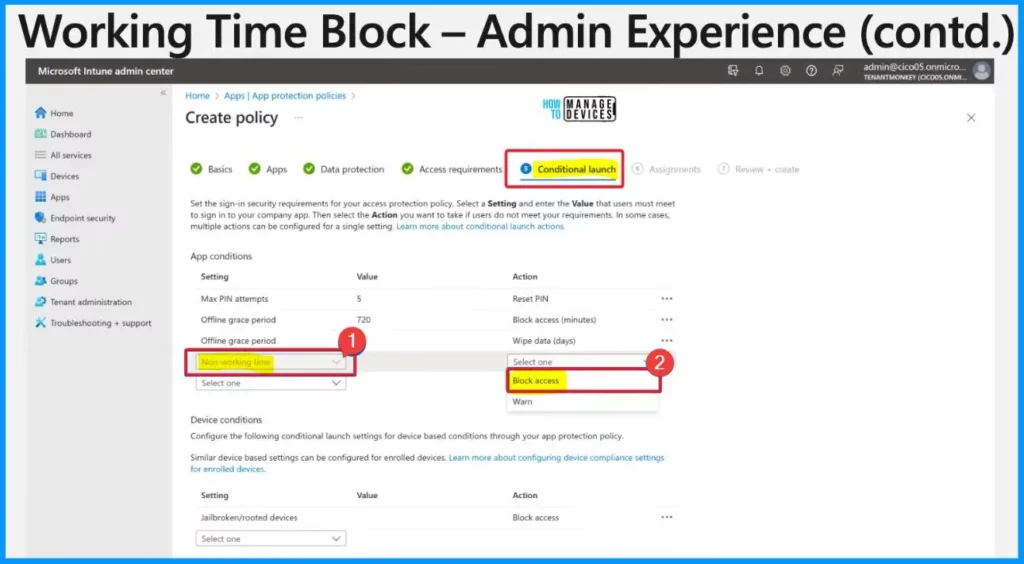
Now that the admin has reached the conditional launch section of creating the app protection policy.
It is the time to make some choices. Step 1: Select “Non-working time” under app conditions. Then comes step 2: Decide between “Block access” or “Warn” action.
Choosing “Block access” means users can’t access the app when off shift. On the other hand, picking “Warn” means users get a message saying they shouldn’t be using the app during their off-shift.
Working Time Block End User Experience
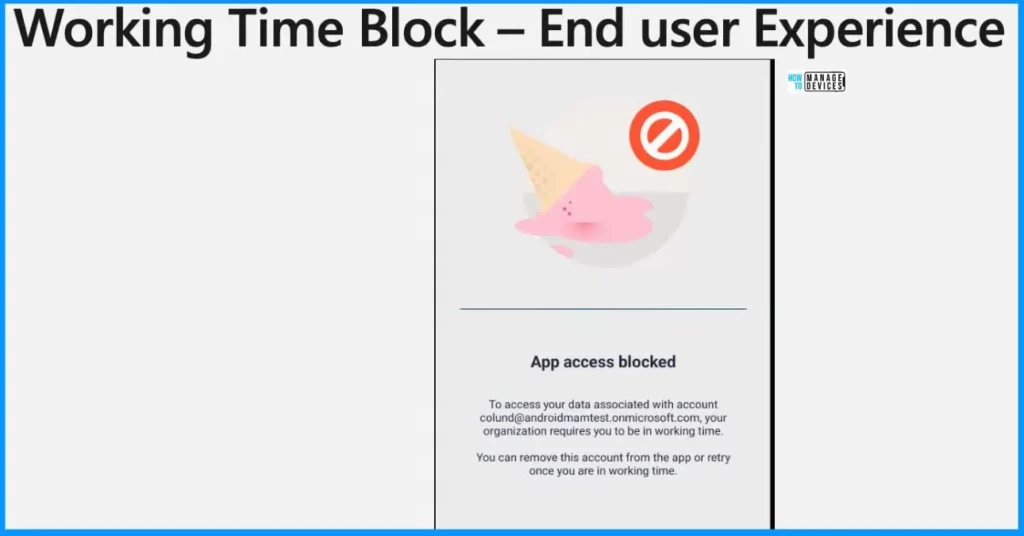
Let’s discuss the end-user experience of the working time block. You’re a worker finishing your shift, reaching for your phone to check a work app. Instead of getting in smoothly, you see a message saying, The App access is blocked.
Your organization requires you to be on work time to access your associated account name. You can remove this account from the app or retry once you are on work time.
NOTE! – Microsoft shared detailed information on the Intune Working Time Limit Access Feature for Android Devices with the latest Technical Takeoff session by Chevelyn de Mello.
We are on WhatsApp now. To get the latest step-by-step guides, news, and updates, Join our Channel. Click here. HTMD WhatsApp.
Author
About the Author: Vidya is a computer enthusiast. She is here to share quick tips and tricks with Windows 11 or Windows 10 users. She loves writing about Windows 11 and related technologies. She is also keen to find solutions and write about day-to-day tech problems.


Discussion