






KB13953025 First Hotfix for SCCM 2203 Released
Let’s check the details of SCCM 2203 hotfix KB13953025. This is the First Hotfix for SCCM 2203. This hotfix is applicable only for the fast ring release (using PowerShell Script) of Configuration Manager.
Microsoft has fixed 5 known issues with the early version of the SCCM (aka ConfigMgr) 2203 with this hotfix. I strongly recommend installing the hotfix to get the parity between the early ring and the production version of SCCM 2203.
Microsoft announced the Global availability of SCCM 2203 in the last week of April. This means the update will be available for all the Configuration Manager environments with online Service Connection Point.
One of the main issues fixed with KB13953025 is the number of SCCM clients reporting an unhealthy state increased unexpectedly after the installation of the early released version of SCCM 2203.

NOTE! – There is no client-side update required for the SCCM 2203 early ring hotfix KB13953025. More Details – https://aka.ms/13953025
I have released a post on SCCM 2203 Known issues and fixes. More details – ConfigMgr 2203 Known Issues And Fixes.
Prerequisites
Let’s check the condition of getting this hotfix KB13953025 available on the SCCM 2203 admin console. This update applies to first wave installations of version 2203 from packages that have the following Package GUIDs:
- 08AA4546-8F69-4F42-9C24-5A022ECEEB87
- 56DB32EE-4377-460E-BB19-5095FBCFBE1D

Install Hotfix KB13953025
Let’s check how to Install Hotfix KB13953025 for SCCM 2203. This process is going to take much lesser time than the 2203 upgrade. This update hotfix rollup includes SCCM Console, server-side & client-side updates.
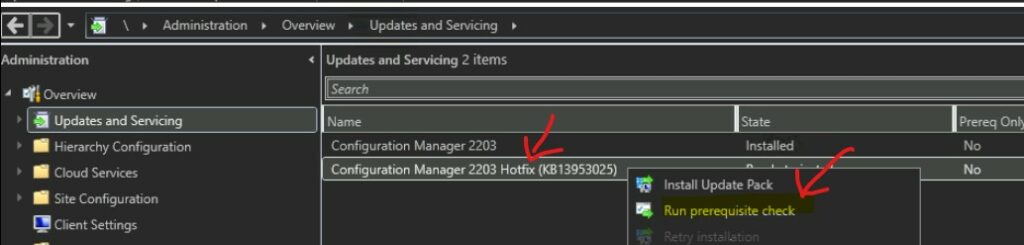
You can install this Hotfix from \Administration\Overview\Updates and Servicing similar to any other updates and servicing option in SCCM. Make sure the update is downloaded and in a Ready to Install state.
NOTE! – If there is any download issue with KB13953025, refer to the following article that might help fix the issue with download ➡ CM Update Reset Tool Fixes SCCM CB Update Download Issue.
- Launch the Configuration Manager Console.
- Select the Administration tab.
- Expand Overview -> Select Updates and Services node.
- Right, Click on the update Configuration Manager 2203 Hotfix KB13953025 once it’s Ready to install stage.
- Click on Install Update Pack.
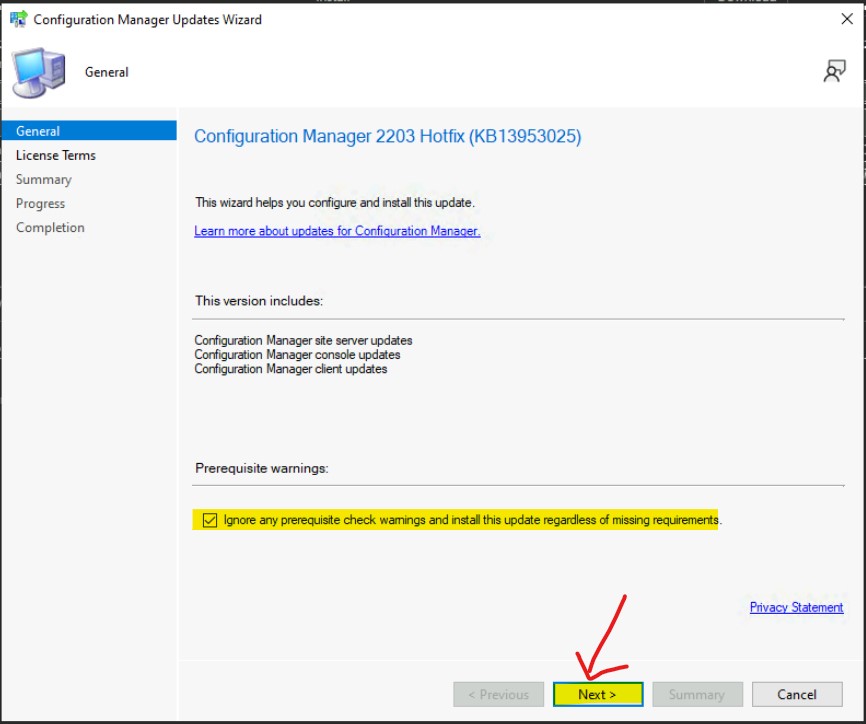
Click on the button from Next after selecting Ignore any prerequisite check warnings and install the update regardless of the missing requirements option as shown in the below picture.
NOTE! – Make sure you enable the option called Ignore any prerequisite check warnings and install the update regardless of missing requirements from Configuration Manager Updates Wizard to avoid setup will not continue issues.
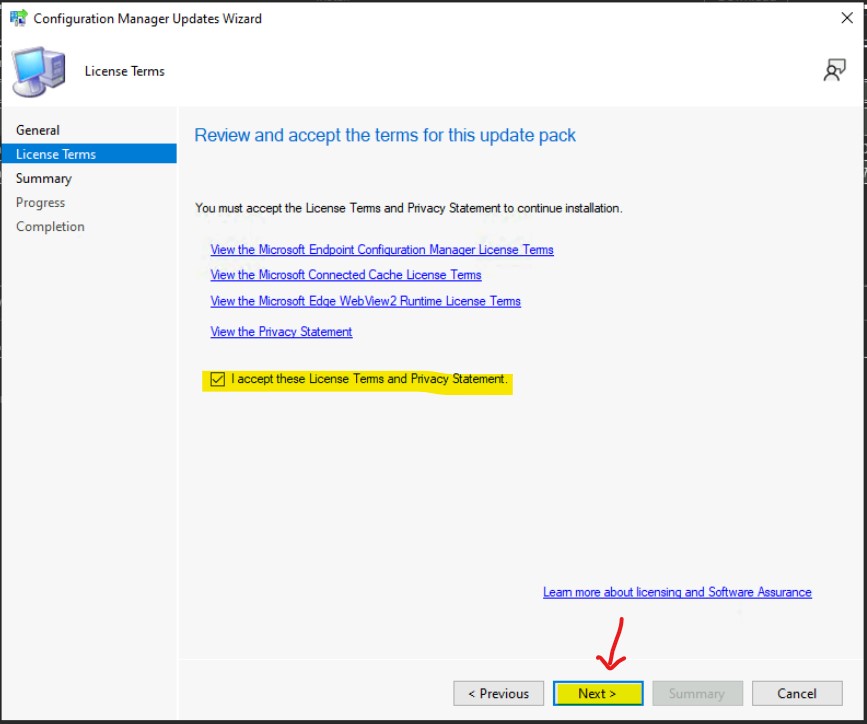
Review and accept the terms of this update pack KB13953025. Click on the Next button after accepting the terms as shown in the screenshot.
Summary of update package installation KB13953025
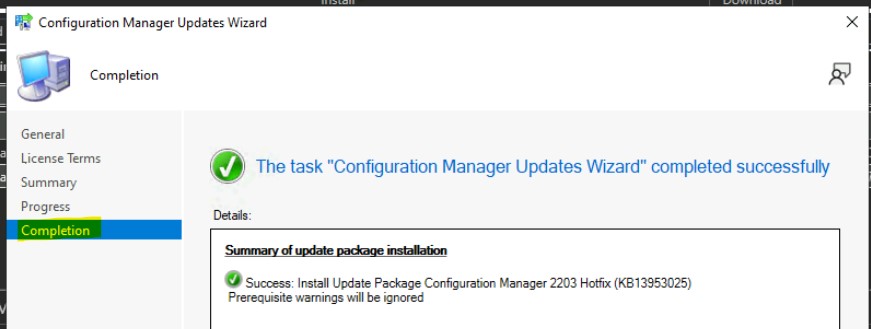
The following is the summary of the Install Update Package Configuration Manager 2203 Hotfix (KB13953025). Prerequisite warnings will be ignored. Click on the Next button to continue.
Click on the Close button to complete the Configuration Manager Updates Wizard. Once the Wizard is closed the actual installation of the Hotfix will begin.
Monitor SCCM Hotfix KB13953025 Installation
Let’s check how to monitor SCCM hotfix installation. You have several options to monitor the status of the SCCM hotfix installation. I would recommend monitoring the status from the SCCM admin console itself.
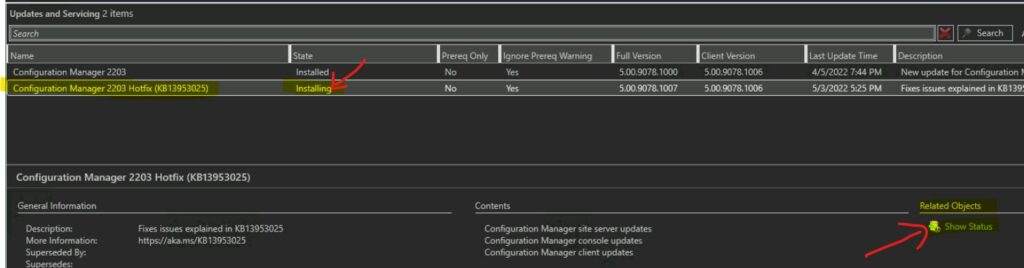
- Navigate to \Administration\Overview\Updates and Servicing
- Select the Hotfix Update KB13953025.
- Click on the Show Status link as shown in the below screenshot.
The update pack installation status window from \Monitoring\Overview\Updates and Servicing Status\Configuration Manager 2203 Hotfix (KB13953025) is the place where you can check the Hotfix installation status.
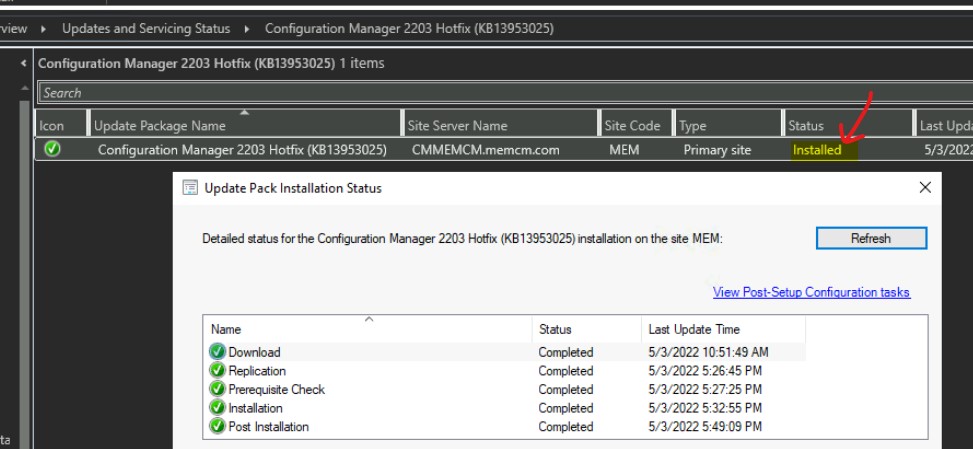
The KB13953025 got installed successfully and this will fix the issues explained in the below section of this post.
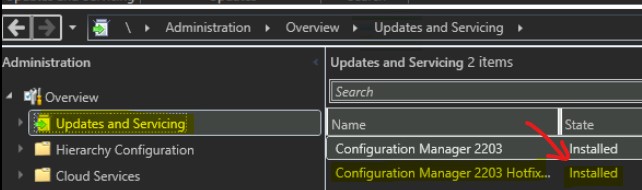
Let’s check the SCCM full site version number after the hotfix KB13953025 installation. 5.00.9078.1007 is the full version number after the installation of the first hotfix. The build number of SCCM 2203 stays the same as 9078 even after the hotfix installation.
Console Upgrade to 5.2203.1063.1500 Version
Let’s see how to upgrade the SCCM console to the 5.2203.1063.1500 Version. After the successful installation of the KB13953025, the console presents you with a pop-up on the upgrade.
Read More on SCCM Versions – SCCM Versions Build Numbers Client Console Site
- Click on the OK button to continue with the SCCM admin console upgrade.
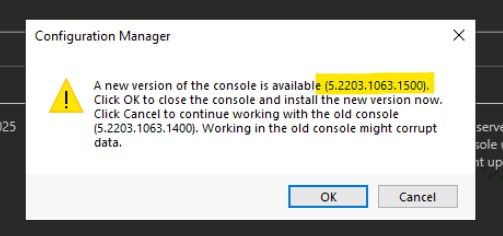
The upgrade of the console is completed automatically. If you want to upgrade the remote consoles, you need to follow the steps explained – Install or update SCCM Console Remotely – Guide.
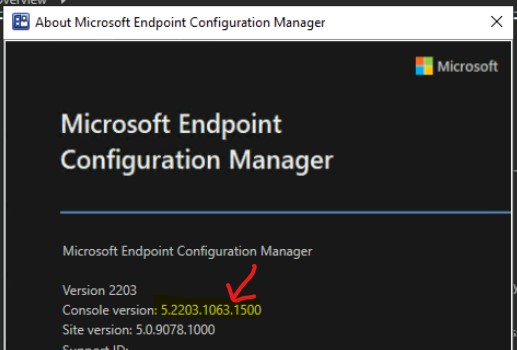
Issues Fixed with KB13953025
Let’s check the list of 5 known issues fixed with SCCM 2203 first KB for the early version.
- The number of clients reporting an unhealthy state increases unexpectedly after installing an early update release of SCCM 2203.
- Windows Feature Updates do not apply as expected due to a timing condition during the shutdown of the SMS Agent Host service (CCMExec.exe).
- Administrators are unable to offboard from the Azure US Government Cloud because the checkbox for Upload to Microsoft Endpoint Manager admin center is disabled.
- The SCCM Admin console terminates unexpectedly if you select the Community Hub node before the Documentation node finishes loading.
- The Browse button on the collection picker for the Windows 10 servicing dashboard does not work. The SMSAdminUI.log contains errors resembling the following:
Webview: Win10ServicingHomePageScriptManager: An error occurred processing request type 'LaunchWizardCollectionPicker' error is InvalidOperationException : System.InvalidOperationException: The calling thread must be STA, because many UI components require this.



Discussion