Skip to content
KB14959905 Hotfix Released for SCCM 2207 Early Ring

KB14959905 Hotfix Released for SCCM 2207 Early Ring

Written By Jitesh Kumar
Last Updated September 21, 2022
Posted In SCCM
SHARE

Microsoft released KB14959905 Hotfix for SCCM 2207 early ring. Configuration Manager KB14955905 hotfix is available only for the SCCM (a.k.a ConfigMgr) environments where you have used the PowerShell script to make the 2207 update available.

This update KB14959905 addresses important, late-breaking issues that were resolved after version 2207 became available globally. You can access the update in the Updates and Servicing node of the Configuration Manager console.

The latest 2207 update is available as an in-console update for the SCCM. Admins can apply this update to the sites running on version 2103 or later. Also, you can go through SCCM 2207 Upgrade Step by Step Guide for a step-by-step installation guide.

Microsoft added many new features and improvements to SCCM latest version 2207 and fixes a lot of existing (known or unknown) issues with the latest version of SCCM, here you can check the Top 10 New Features Of SCCM 2207.

Patch My PC

NOTE! – There is a new KB15498768 released for SCCM 2207. FIX NTLM connection fallback update for Microsoft Endpoint SCCM.

Issues Fixed with KB14959905 Hotfix Update

Microsoft is fixed the following issues with SCCM 2207 early ring. This update does not apply to sites that downloaded version 2207 on August 26, 2022, or a later date. Therefore, it will not be listed in the Configuration Manager console for those sites.

  • Administrators with tenant attached devices are not able to manage software updates when Intune role-based access control (RBAC) is used.
  • The Configuration Manager console terminates unexpectedly when resuming from sleep or standby.
  • An Automatic Deployment Rule (ADR) may not be visible after moving it to a folder in the Configuration Manager console.

Install SCCM 2207 Hotfix KB14959905

Let’s follow the steps below to Install ConfigMgr 2207 Hotfix KB14959905. The installation process is straightforward. The summary of the hotfix KB14959905 installation is given below.

  • Launch the SCCM console. Navigate to Administration > Updates and Servicing.
  • The update Configuration Manager 2207 Hotfix (KB14959905) is Ready to install stage.
  • Right-click Configuration Manager 2207 Hotfix KB14959905 and click Install Update Pack.
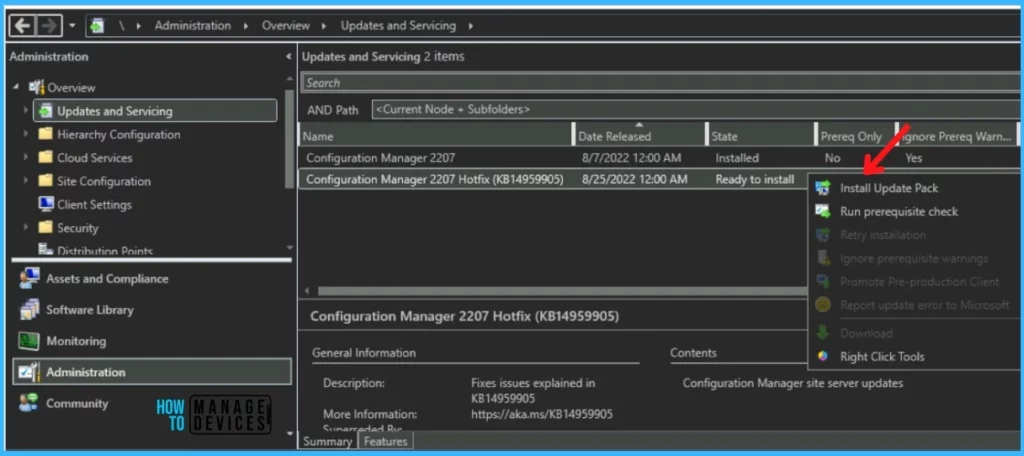
Install Update Pack - KB14959905 Hotfix Released for SCCM 2207 Early Ring 1
Install Update Pack – KB14959905 Hotfix Released for SCCM 2207 Early Ring 1

The Configuration Manager 2207 Hotfix (KB14959905) includes Configuration Manager site server updates. Click Next.
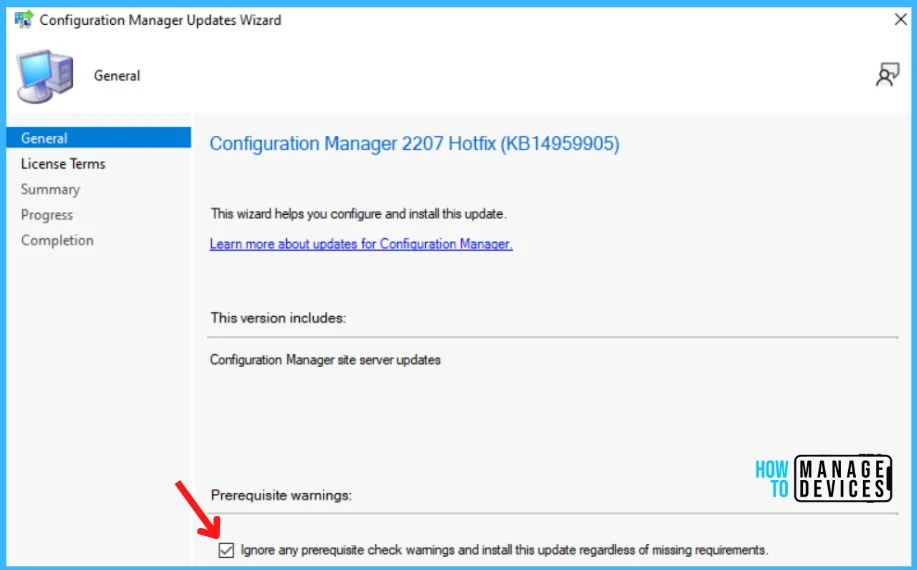
Ignore Prerequisite Warnings - KB14959905 Hotfix Released for SCCM 2207 Early Ring 2
Ignore Prerequisite Warnings – KB14959905 Hotfix Released for SCCM 2207 Early Ring 2

Review and Accept the license for this update pack and click Next to continue.
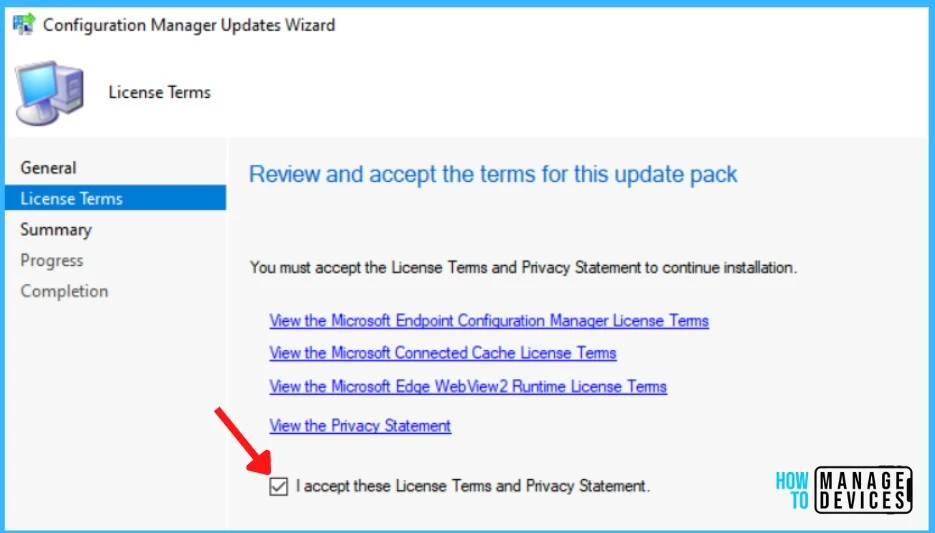
Accept License Terms - KB14959905 Hotfix Released for SCCM 2207 Early Ring 3
Accept License Terms – KB14959905 Hotfix Released for SCCM 2207 Early Ring 3

Check the Summary of updated package installation and Click on Close to complete Configuration Manager Updates Wizard.

Summary of update package installation Install Update Package Configuration Manager 2207 Hotfix (KB14959905), Prerequisite warnings will be ignored
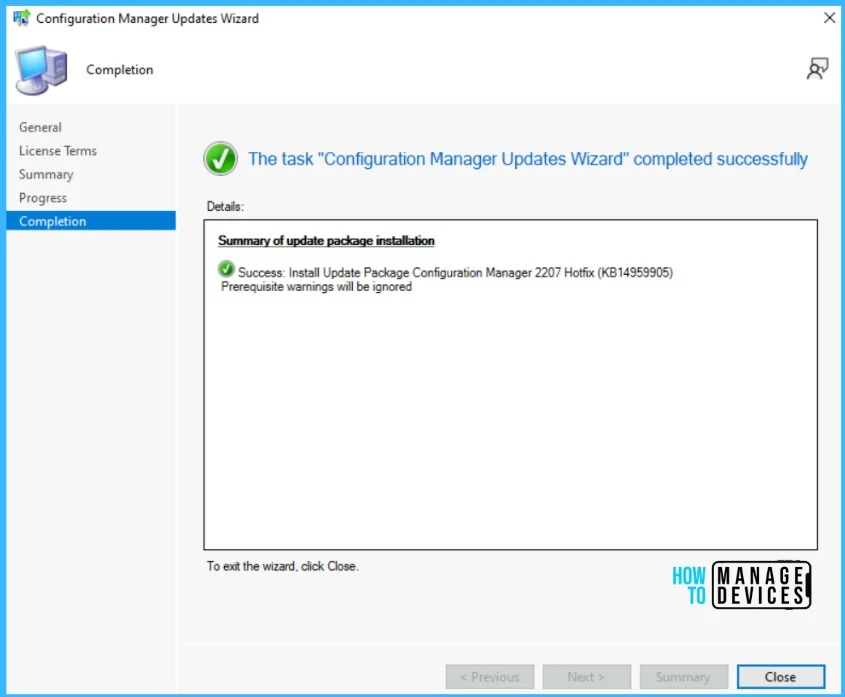
Success - KB14959905 Hotfix Released for SCCM 2207 Early Ring 4
Success – KB14959905 Hotfix Released for SCCM 2207 Early Ring 4

Verification of Successful Installation of KB14959905 Hotfix Rollup Update

Following are the verification steps for SCCM 2207 Hotfix KB14959905.

  • In Configuration Manager Console, Navigate to the Monitoring workspace.
  • \Monitoring\Overview\Updates and Servicing Status\Configuration Manager 2207 Hotfix (KB14959905).

You can also review the cmupdate.log to know the hotfix installation progress.
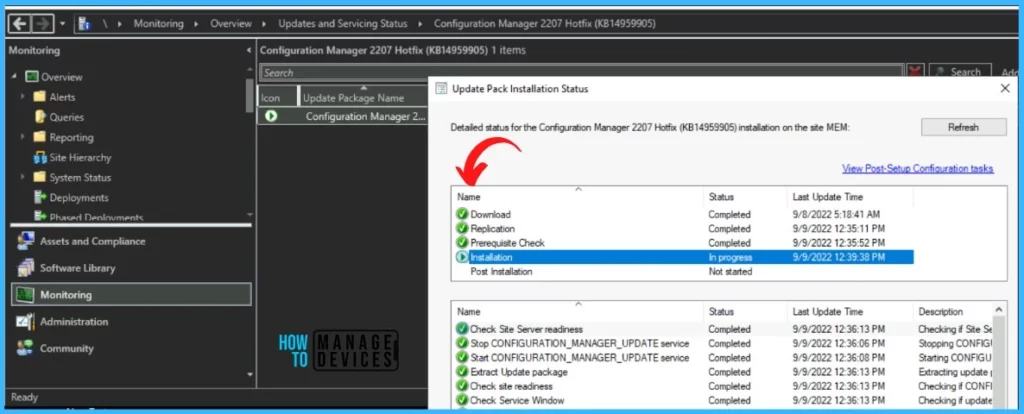
Installation Status - Verification of Successful Installation of KB14959905 Hotfix Rollup Update
Installation Status – Verification of Successful Installation of KB14959905 Hotfix Rollup Update

You can confirm the successful installation of Configuration Manager 2207 Hotfix (KB14959905) from the console, \Administration\Overview\Updates and Servicing.

Note – The Configuration Manager 2207 Hotfix (KB14955905) update does not require a computer restart but will initiate a site reset after installation.
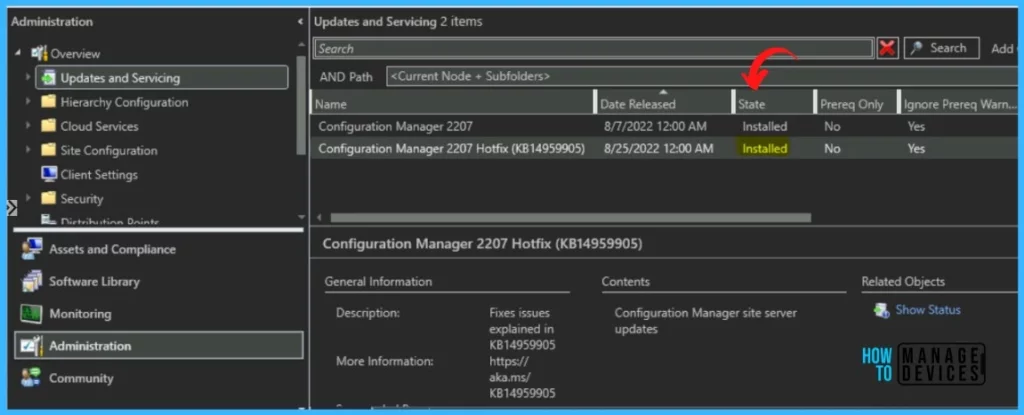
Installed - Verification of Successful Installation of KB14959905 Hotfix Rollup Update
Installed – Verification of Successful Installation KB14959905 Hotfix

Latest Version of SCCM 2207 Hotfix (KB14959905) Hotfix Install

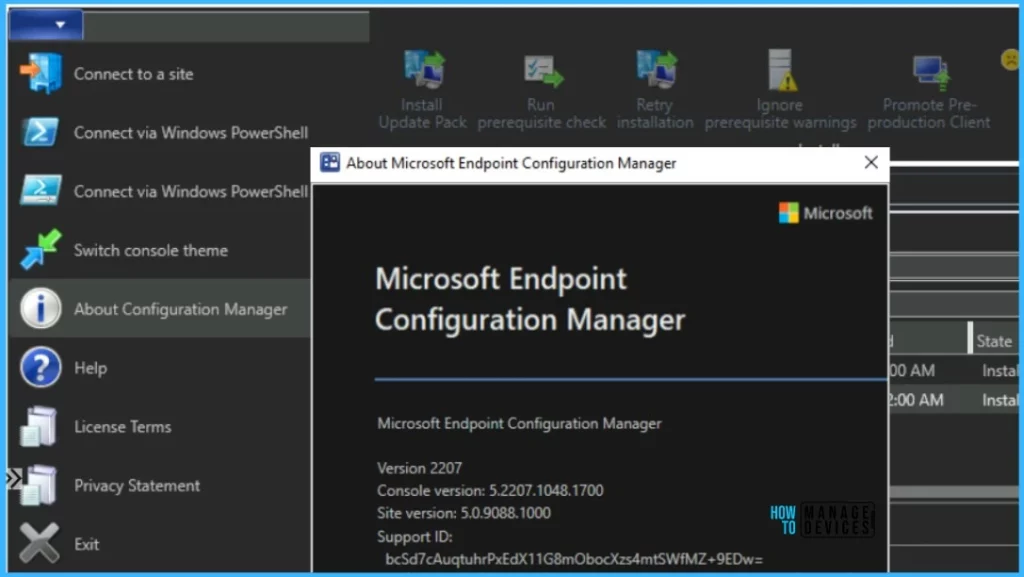
The following major components are updated to the versions specified. Read More on SCCM Versions – SCCM Versions Build Numbers Client Console Site.

ComponentVersion
Configuration Manager console5.2207.1048.1700
Client5.0.9088.1010
Verification of Successful Installation of KB14959905 Hotfix Rollup Update
Console Version - Verification of Successful Installation of KB14959905 Hotfix Rollup Update
Console Version – Verification of Successful Installation of KB14959905 Hotfix Rollup Update

Author

Written by

Jitesh has over 5 years of working experience in the IT Industry. He writes and shares his experiences related to Microsoft device management technologies and IT Infrastructure management. His primary focus area is Windows 10 Deployment solution with Configuration Manager, Microsoft Deployment Toolkit (MDT), and Microsoft Intune.

Discussion

Join the discussion

Your email address will not be published. Required fields are marked *

Related guides

Intune

Windows 11 KB5101650 KB5099414 July 2026 Patch and 3 Zero Day Vulnerabilities and 570 Flaws

Key Takeaways Windows 11 KB5101650 KB5099414 July 2026 Patch and 3 Zero Day Vulnerabilities and 570 Flaws! In the July 2026 Patch, Microsoft introduced new features designed to improve the overall Windows experience. The update adds enhancements to Windows Update for more flexible update management and introduces Point-in-Time Restore, providing an additional recovery option for […]

AC Anoop C Nair 9 min read
Intune

2026 June KB5094126 KB5093998 Windows 11 Patch | 3 Zero Day Vulnerabilities and 200 Flaws

Key Takeaways 2026 June KB5094126 KB5093998 Windows 11 Patch | 3 Zero Day Vulnerabilities and 200 Flaws! The June 2026 Windows 11 Patch Tuesday update brings several improvements to File Explorer. It adds support for additional archive formats, including UU, CPIO, XAR, and NuGet Packages (NUPKG). The update also preserves View and Sort preferences in […]

AC Anoop C Nair 10 min read
Intune

2026 May KB5089549 KB5087420 Windows 11 Patch | 0 Zero Day Vulnerabilities and 120 Flaws

Key Takeaways The Windows 11 May 2026 Patch KB5089549 KB5087420 Update brings important security fixes, performance improvements, and reliability enhancements across the operating system. The update introduces new features such as Xbox Mode for gaming, File Explorer improvements, enhanced input and sharing experiences, better taskbar and Windows Hello reliability, and additional enterprise management capabilities for […]

AC Anoop C Nair 8 min read
SCCM

ConfigMgr 2603 Introduces New Early Update Enrollment Process

Key Takeaways In this post we are discussing the ConfigMgr 2603 Introduces New Early Update Enrollment Process. Microsoft has officially released Configuration Manager version 2603 to the Early Update Ring, giving organizations an opportunity to test upcoming improvements before the global production rollout. The release is targeted at enterprises running ConfigMgr version 2409 or later […]

AC Anoop C Nair 3 min read