






How to Start Learning Microsoft Intune with a New Strategy and Become an Expert by 2026
How to Start Learning Microsoft Intune with a New Strategy and Become an Expert by 2026. Learning technologies such as Microsoft Intune, SCCM, and Azure is not just about knowing how the tools work. It’s about developing a habit of learning and growing all the time. The most difficult part is simply starting overcoming that first hesitation.
Once you begin, stay positive and focus on what you can gain, instead of worrying about the future of any technology. Keep learning by joining tech communities, practising in labs, and following reliable online resources.
In this post, you will find a complete step-by-step guide on how to learn Microsoft Intune, SCCM, and Azure the key technologies behind modern endpoint management. Whether you’re just starting or looking to strengthen your IT career, this guide will help you understand where to begin, how to stay motivated, and what practical steps to take for hands-on learning.
Your future success in IT depends more on your passion, effort, and continuous learning than on which technology you choose. Learning doesn’t end once you graduate or land your first job. In the fast-changing IT world, staying updated is the key to staying relevant.

Table of Contents
Pillars of Learning – SCCM Intune Azure – How to Start Learning Microsoft Intune with a New Strategy and Become an Expert by 2026
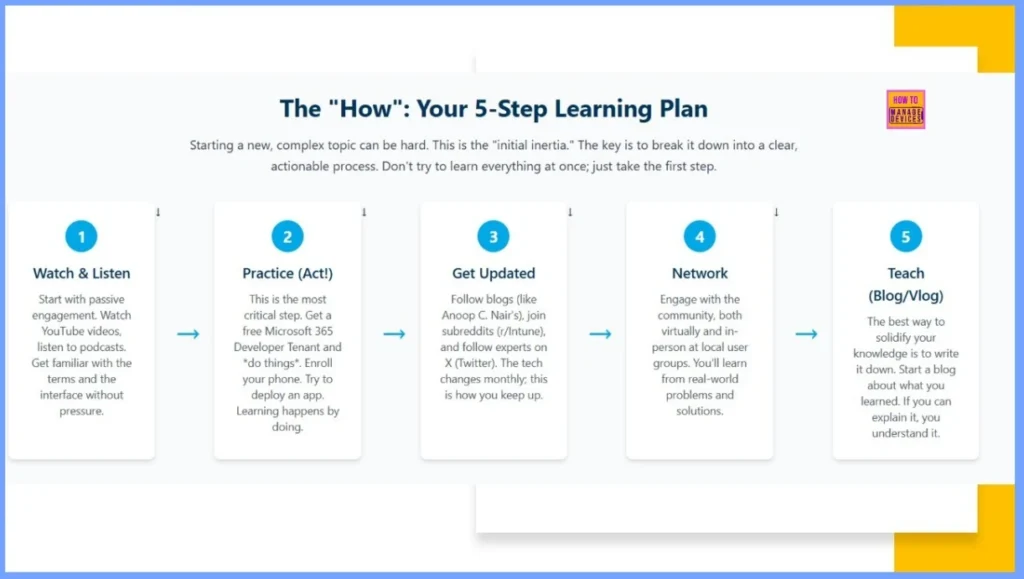
There is no shortcut to becoming an expert in SCCM, Intune, or Azure. Success comes from consistent effort, dedication, and a strong learning routine. By understanding and applying the key pillars of learning, you can build a solid foundation for long-term growth and success in your IT career.
Read More – How to Learn SCCM Intune Azure
| 6 Key Pillars of Learning | Details | Listen & Watch |
|---|---|---|
| Get Rid of Initial Inertia | Decide to learn both SCCM and Intune, understanding their integration. | |
| Stay Motivated – Focus on the Future | Learn Intune for the future while leveraging your SCCM experience. | |
| Listen & Watch – Engage with the Community | Follow Microsoft announcements, join user groups, and attend webinars. | I’ve already listed down videos in the post – https://www.anoopcnair.com/sccm-configmgr-videos/ Microsoft Virtual Academy – http://www.microsoftvirtualacademy.com/training-courses Be part of the TechNet forum community, IT Pro User Group Community, and Facebook Community groups. These initiatives will help to increase your network among the IT Pro. Facebook User Group – https://www.facebook.com/groups/ConfigMgr2012/ |
| Start the Action – Practice Regularly | Set up a lab with SCCM, connect it to Intune, and explore Azure integrations. | Set up your SCCM ConfigMgr lab a TechNet documentation – here Download the trial version of SCCM 2012/CB from here. |
| Keep Updated – Continuous Virtual Learning | Keeps your skills fresh and relevant to modern IT. | |
| Share and Network – Real & Online | Builds reputation, credibility, and valuable professional connections. |
- Set up your SCCM lab a TechNet documentation
- Download the Trial version of Technologies
- Intune the Free Trial version
- Azure Free Trial version
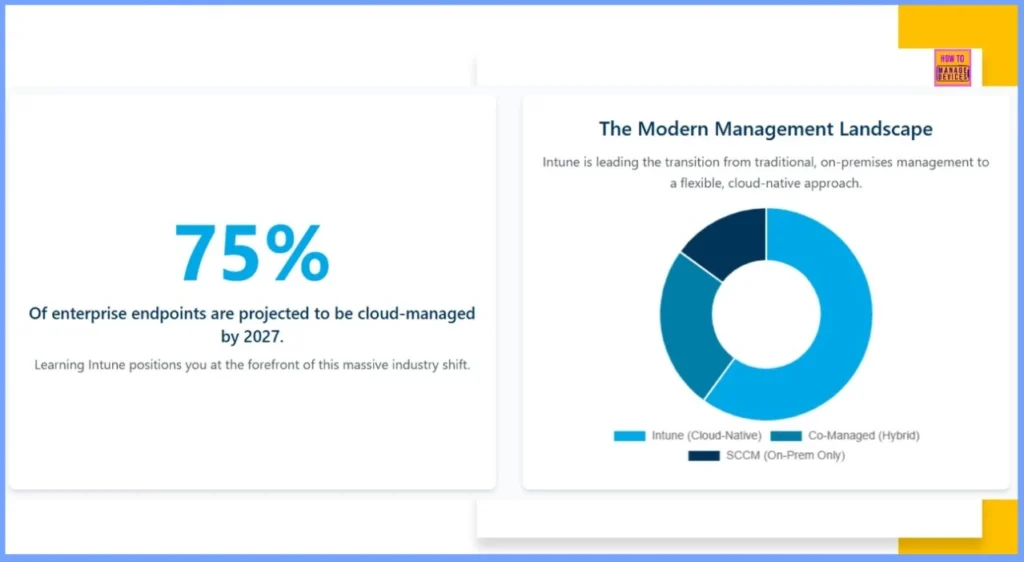
The Modern Management Landscape
Intune is a key player leading the transition from traditional, on-premises management to a flexible, cloud-native approach. The landscape of enterprise endpoint management is undergoing a significant transformation. By 2027, a remarkable 75% of enterprise endpoints are projected to be cloud-managed.
- Intune (Cloud-Native): Represents the largest portion, indicating a strong move towards fully cloud-managed solutions.
- Co-Managed (Hybrid): Shows that many organizations are adopting a hybrid approach, combining cloud and on-premises management.
- SCCM (On-Prem Only): Represents the smaller, traditional on-premises management segment, which is steadily shrinking.
Start the Action — The Kinesthetic Path
The principle of “practice makes perfect” is essential for building technical confidence and problem-solving skills. Once you’ve completed your Microsoft 365 Developer Sandbox setup, it’s time to move into active experimentation. Microsoft provides several resources to help you gain hands-on experience and understand how Intune works in real-world environments.
| Resource | Description | Purpose / Benefit |
|---|---|---|
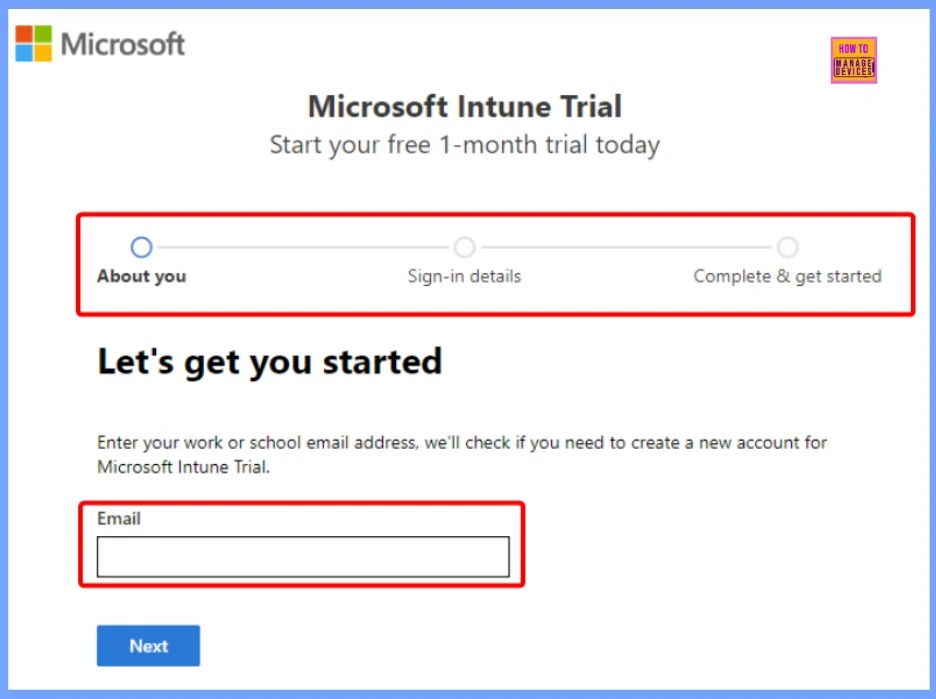
| Microsoft Intune Free Trial | A 30-day dedicated environment to explore Intune and its related services in isolation. | Ideal for focused learning, testing configurations, and short-term evaluation projects. |
| Deployment Lab Kits | Downloadable Windows 11 and Microsoft 365 lab kits that automatically create a virtual environment including a domain controller, client machines, and a preconfigured Configuration Manager instance. | Perfect for testing hybrid and co-management scenarios with SCCM + Intune integration. |
Building a Free Fully-Featured Intune Lab
If you want to learn Microsoft Intune, you will learn best by actually using it and for that, you need a lab environment. You have two main options to start learning Microsoft Intune. The first is the Microsoft Intune Free Trial, which lasts for 30 days and is ideal for short-term testing or quick evaluations. The second, and more sustainable option, is the Microsoft 365 Developer Program.
- It offers a free, renewable Microsoft 365 E5 subscription that includes Intune and other premium features, making it perfect for long-term, hands-on practice and continuous learning.
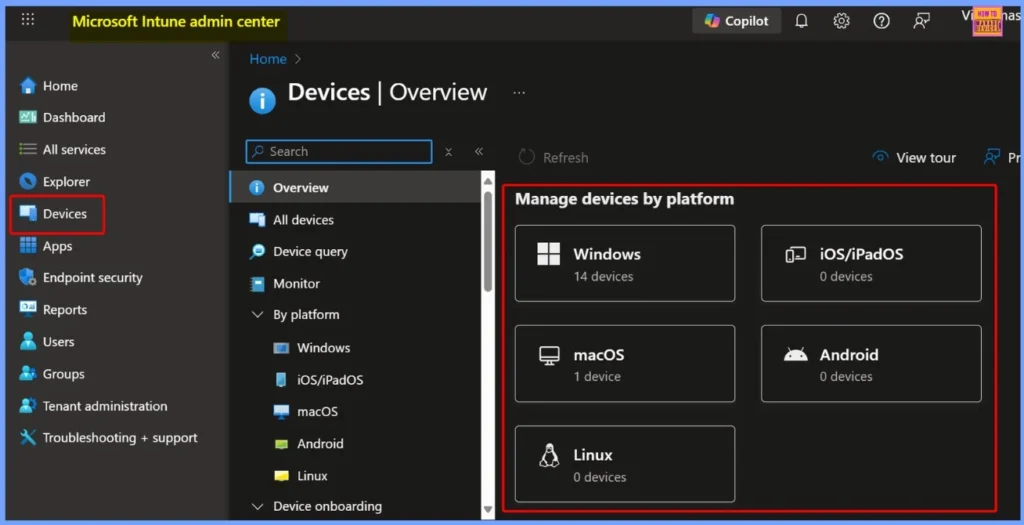
Learn Microsoft Intune – Overcome Inertia and Step Into the Future of Endpoint Management
Microsoft Intune is a powerful Unified Endpoint Management (UEM) solution that brings together security, control, and simplicity across all device types and platforms. When combined with Microsoft Configuration Manager (SCCM) through Microsoft Endpoint Manager, it delivers a simple hybrid management experience for both on-premises and cloud environments.
- Intune Design Decisions Free Training | Version 1 Starter Kit | Basic
- Intune Exam MD 102 Study Guide Starter Kit – Microsoft Intune Certification
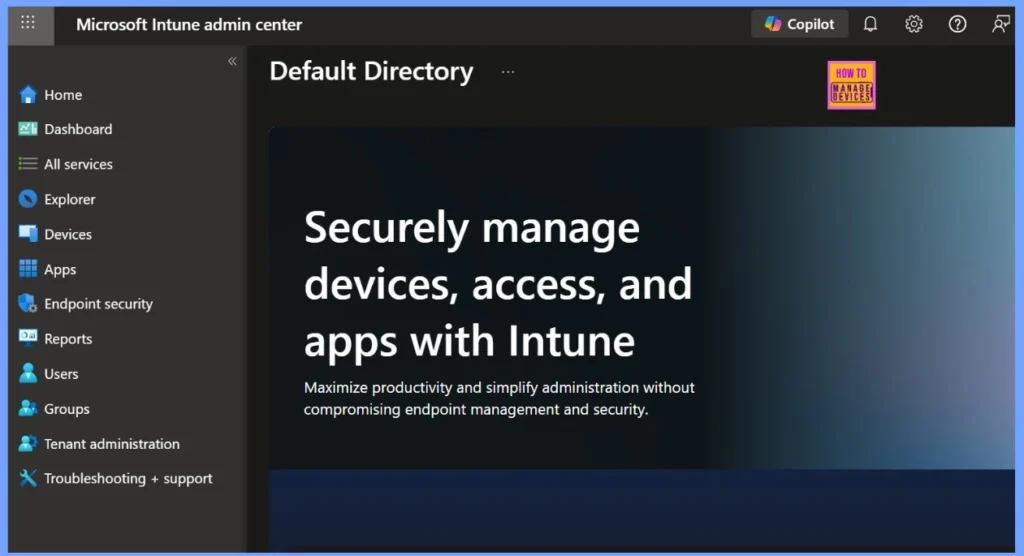
Why Learn Microsoft Intune?
Microsoft Intune is a Mobile Device Management (MDM) and Mobile Application Management (MAM) solution. It helps IT administrators to enforce policies, ensure compliance, and protect corporate data. As organizations increasingly move to cloud-based management, mastering Intune enhances your career growth and ensures long-term relevance in IT infrastructure management.
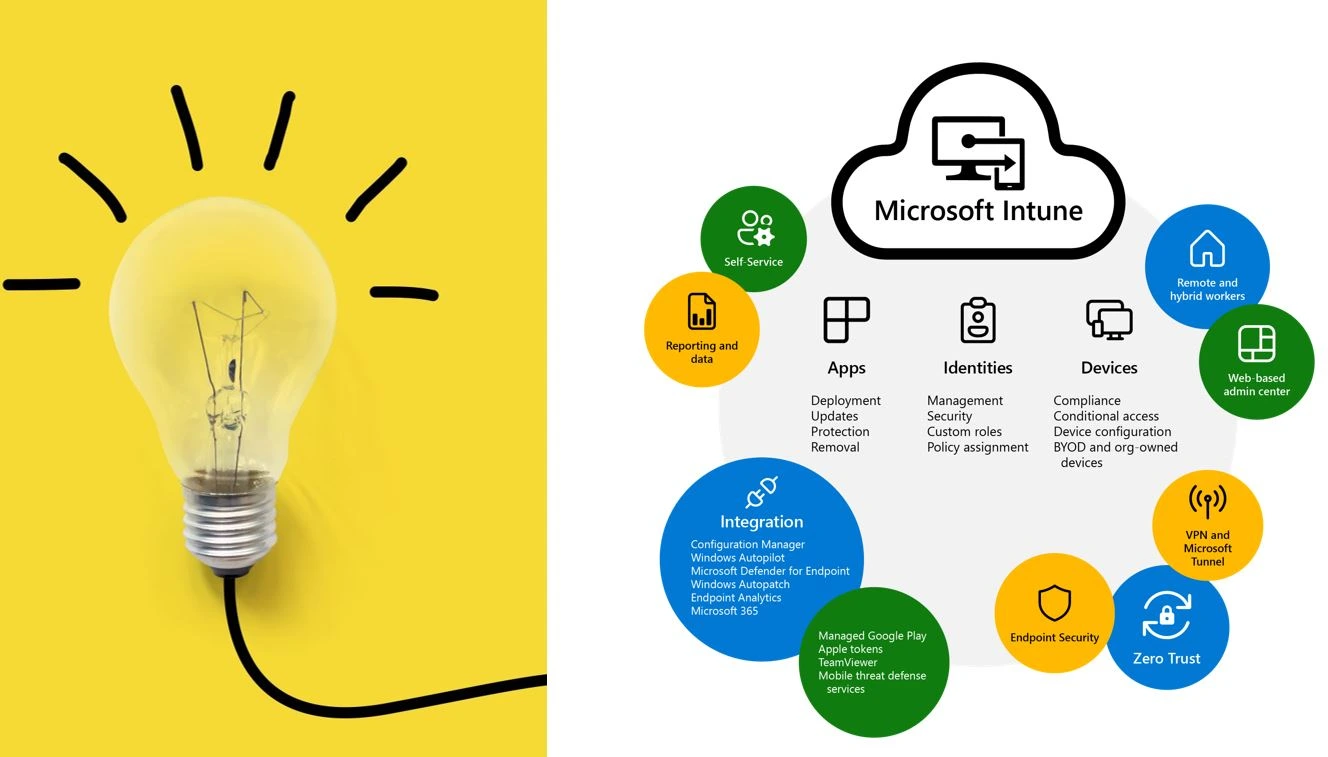
Gartner’s Magic Quadrant for Unified Endpoint Management (UEM)
Modern endpoint management is all about reducing manual effort and increasing automation. Gartner predicts that by 2025, more than 90% of organisations will rely on cloud-based Unified Endpoint Management (UEM) tools. By 2027, UEM and Digital Employee Experience (DEX) tools will combine to cut human effort in endpoint management by at least 40%. Automation is the future and Microsoft Intune plays a key role in driving that transformation.
For more details go through the video – https://youtu.be/G8T88L289O4
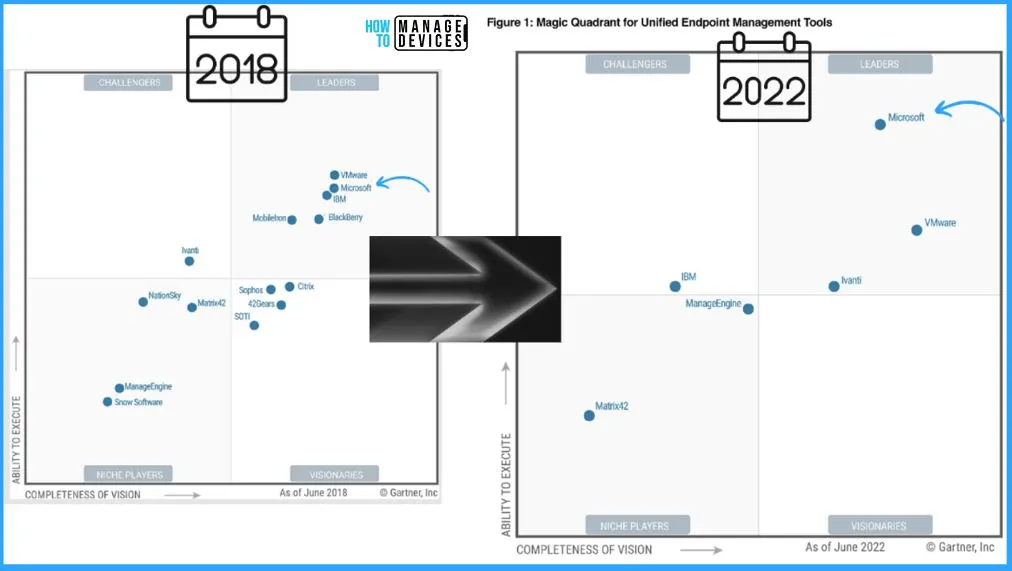
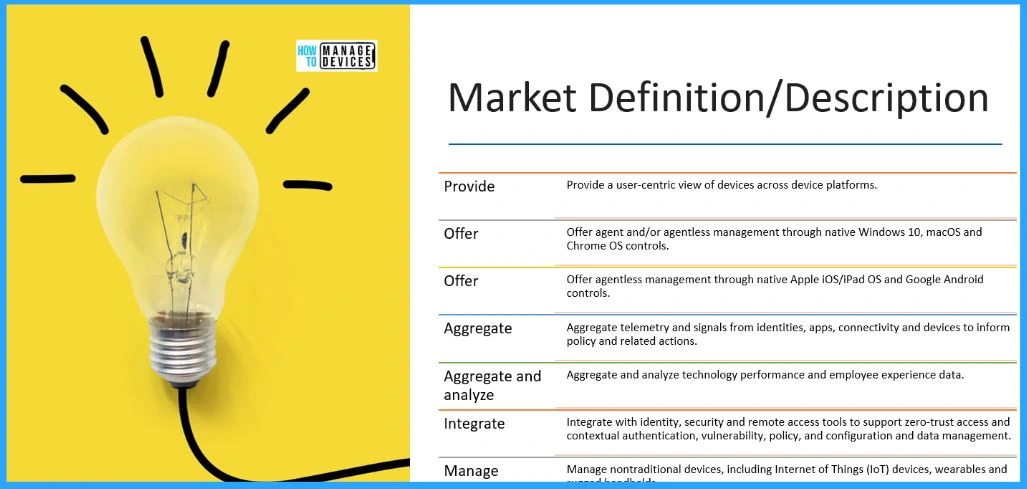
Intune Supports both Agent-Based and Agentless Device Management
Microsoft Intune as part of the Unified Endpoint Management (UEM) framework. It supports both agent-based and agentless device management. It uses an agent-based approach for Windows 10, macOS, and Chrome OS devices, while managing iOS/iPadOS and Android devices through native, agentless controls.
Microsoft Intune A Comprehensive Suite Within Microsoft 365
Microsoft Intune is an umbrella suite within Microsoft 365 that consolidates a range of advanced endpoint management tools. These tools work seamlessly to deliver a unified, scalable, and secure management experience for organizations of all sizes. The Intune ecosystem integrates both cloud and on-premises solutions.
Read More on – What Is Microsoft Intune Product Family?
- Why is Microsoft Intune Considered a Product Umbrella?
- Microsoft Intune
- Microsoft Configuration Manager
- Microsoft Intune Suite of Advanced Solutions
- Microsoft Intune Remote Help
- Microsoft Tunnel for Mobile App Management
- Microsoft Intune Endpoint Privilege Management
Need Further Assistance or Have Technical Questions?
Join the LinkedIn Page and Telegram group to get the latest step-by-step guides and news updates. Join our Meetup Page to participate in User group meetings. Also, Join the WhatsApp Community to get the latest news on Microsoft Technologies. We are there on Reddit as well.
Author
Anoop C Nair has been Microsoft MVP for 10 consecutive years from 2015 onwards. He is a Workplace Solution Architect with more than 22+ years of experience in Workplace technologies. He is a Blogger, Speaker, and Local User Group Community leader. His primary focus is on Device Management technologies like SCCM and Intune. He writes about technologies like Intune, SCCM, Windows, Cloud PC, Windows, Entra, Microsoft Security, Career, etc.


Discussion