






Software Licensing Troubles But Don’t Trouble SCCM Admins
Software Licensing Troubles But Don’t Trouble SCCM Admins Configuration Manager ConfigMgr. I’m not a licensing expert, and the license documents are successfully able to confuse me more whenever I try to understand them. I have seen people trying to resolve Software licensing troubles with SCCM inventory.
I don’t believe that SCCM can provide software licensing insights. Instead, we should have a dedicated solution for license management. However, SCCM can be a great data-feeding tool for Software licensing solutions. I will provide you with more details about this solution in the coming weeks.
In this post, I’ll give you an overview of Cireson’s True Software Asset Management (SAM) solution. This tool will reduce the headaches of SCCM admins, such as creating more inventory reports and working on Excel files.
This is a more comprehensive solution from Cireson. True SAM can very well integrate with your SCCM environment. I have uploaded a YouTube video that walks through the Cireson True SAM solution.

Table of Contents
How to Gain Visibility to Control Microsoft License Costs
We can all recognize that Microsoft licensing is complex and can change at any given moment across hundreds of different products. Implementing an effective software management program is important to keep up with these changes, avoid audits, and help your organization save tens of thousands of dollars annually by providing clear data visibility to reclaim underutilized software licenses.
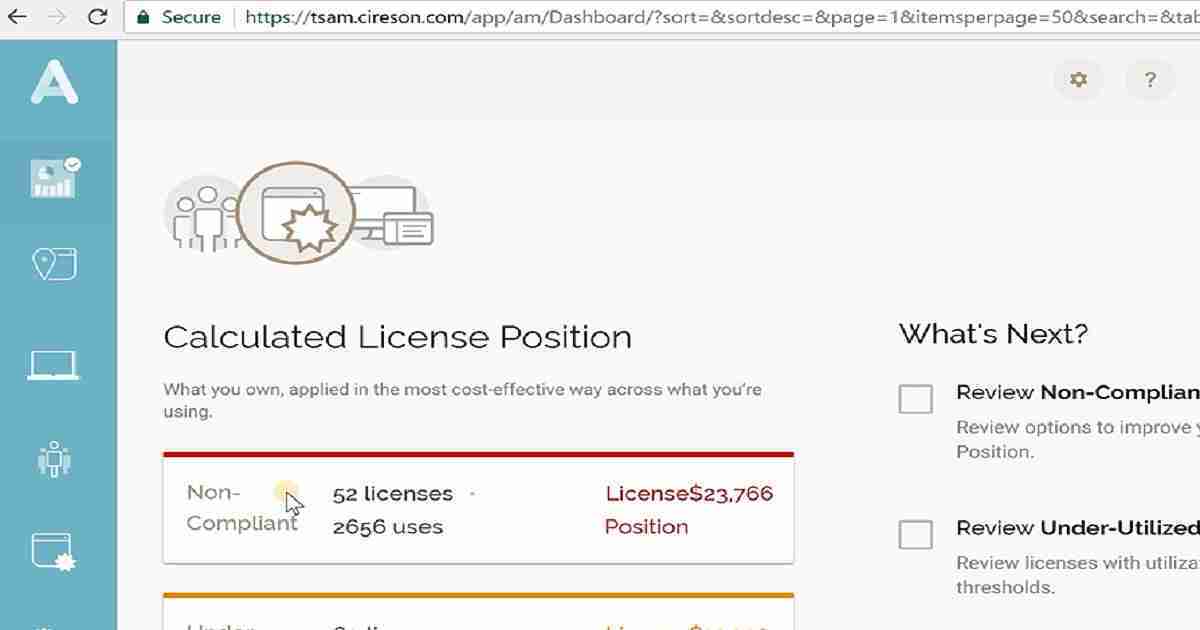
Many organizations rely on manual processes and programs like Excel to track software assets with limited visibility of software usage. This time-consuming and error-prone process produces inaccurate and incomplete data. Others try to leverage Software Metering and Inventory Data within Microsoft Configuration Manager to gain insight into their assets.
While a step in the right direction, this also does not provide a complete or accurate picture to optimize spend and reduce risks. Attempting to cleanse and manually normalize the raw inventory data from Configuration Manager while trying to keep up with the Microsoft Licensing rules for each product that could change at any given moment can be extremely time-consuming.
- IIS Troubleshooting Tips for SCCM Admins|MP DP IIS Error Codes
- ConfigMgr Best Practices Related to IIS for SCCM SUP WSUS Setup
- Configuration Manager Default IIS Configurations DP Troubleshooting Issues
How Do You Gain Control of Your Microsoft Licensing?
Cireson believes managing Microsoft software licensing doesn’t have to be expensive or complicated. This is why they recently released True Software Asset Management for Microsoft Licensing, a beautiful and simple solution that natively integrates with Microsoft Configuration Manager to leverage your existing investment.
True Software Asset Management helps with every stage of the SAM journey, from importing and managing your asset data to data normalization with the Global Content Library and, finally, providing the ability to truly manage compliance and optimize spend with visibility to your calculated license position leveraging the License Calculation Engine.
With the data you need at your fingertips, everyone in the organization can make informed decisions for Enterprise Agreement renewals, contract negotiations, as well as license reclamation and redistribution as needed.
| Benefits include: |
|---|
| Automatically calculate your Microsoft license position |
| Ensure compliance |
| Optimize spend |
| Normalize software data with the powerful Global Content Library |
| Identify opportunities to reclaim under-utilized licenses |
| Provide visibility to excess licenses |
| Prepare for upcoming Enterprise Agreement renewals |
| Understand license position for improved contract negotiations |
| Leverage product use rights to reduce consumption |
| Connect Microsoft Configuration Manager to bring in device data |
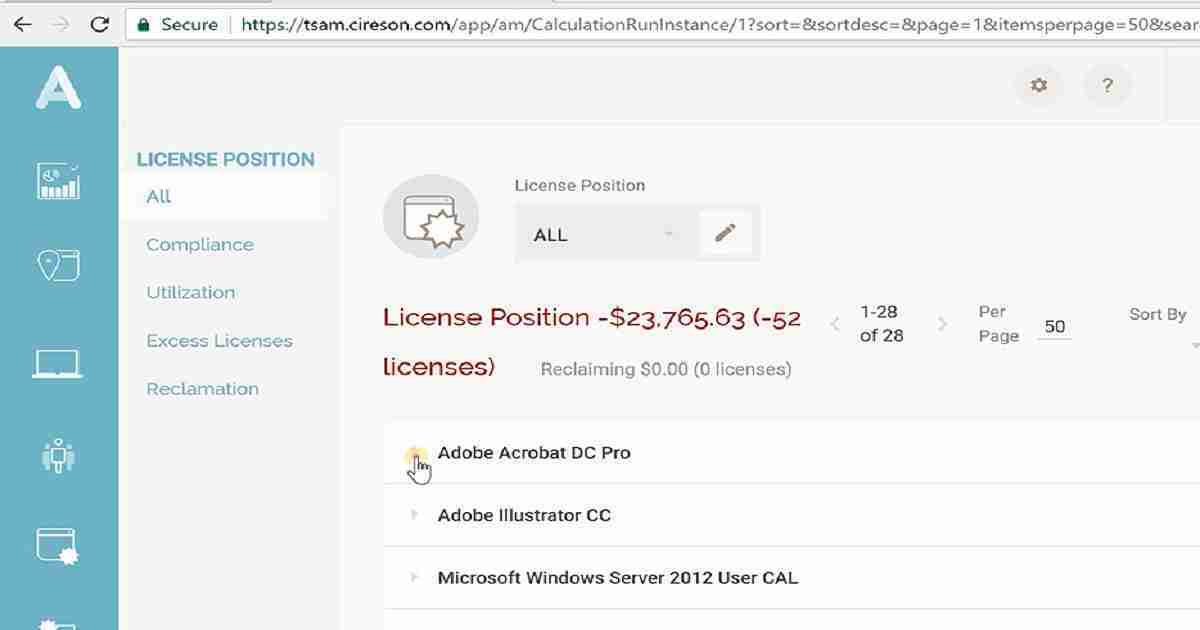
How True Software Asset Management can help Solve Microsoft Licensing Challenges Across your Organization
No matter your job function, True Software Asset Management puts the data you need at your fingertips to reduce costs and ensure compliance with your Microsoft license estate. Take a look at some common challenges solved by role.
SAM Manager
- Automatically calculate Microsoft license compliance
- Eliminate time-intensive and manual product license calculations
- Optimize spend with an accurate, complete picture of your Microsoft license data
- Reduce errors from manually maintaining license entitlement data
Procurement Manager
- Improve contract negotiations with accurate Microsoft license data
- Reduce spend on renewals and under-utilized applications
- Make informed purchase decisions with better visibility into license data
- Insert bullets from the website
IT Management
- Ongoing visibility to under-utilized, non-compliant and excess licenses
- Prepare audit defense
- Reduce costs of unbudgeted true-ups
- Forecast software needs and create annual budgets with accurate Microsoft license data
- Leverage your existing SCCM investment with direct integration into True SAM
IT Administrator
- Reduce time to manage, maintain, and support your SAM solution
- Automatically track credentials and network access for Server applications
- Gain accurate, real-time reporting
- Schedule data import with preconfigured connectors to SCCM, Active Directory, Office 365, or CSV files
Get started with a free demo request today, or try True SAM out in the online demo lab.
We are on WhatsApp now. To get the latest step-by-step guides, news, and updates, Join our Channel. Click here. HTMD WhatsApp.
Author
Anoop C Nair is Microsoft MVP from 2015 onwards for consecutive 10 years! He is a Workplace Solution Architect with more than 22+ years of experience in Workplace technologies. He is a Blogger, Speaker, and Local User Group Community leader. His main focus is on Device Management technologies like SCCM and Intune. He writes about technologies like Intune, SCCM, Windows, Cloud PC, Windows, Entra, Microsoft Security, Career etc…




Discussion