






Latest Fixes for SCCM 2111 with Hotfix KB12896009 Update Rollup
Let’s see the latest Fixes for SCCM 2111 with Hotfix KB12896009 Update Rollup. Microsoft released the hotfix rollup update for ConfigMgr 2111 on the 3rd of March 2022.
When you upgrade SCCM infrastructure to the latest version 2111, make sure to install the newest rollup update KB12896009. This helps you resolve many known issues with the 2111 version of Configuration Manager (aka MEMCM).
Microsoft released the SCCM 2111 version back on December 2, 2021. This hotfix rollup update KB12896009 applies to customers who opted in through a PowerShell script to the early update ring deployment and customers who installed the globally available release.
Make sure the SCCM clients are also updated with Hotfix KB12896009 Update Rollup for SCCM 2111. I have seen many SCCM admins missing or having no importance to this part.

You should install the client update for Hotfix KB12896009 at the earliest to fix all the known issues with the 2111 version.
Latest Fixes for SCCM 2111 with Hotfix KB12896009 Update Rollup
You can get the details of the SCCM 2111 fixed issues rollup update KB12896009. I have highlighted one or more issues in the 2111 known issue list.
The following table helps you understand the fixes released with rollup update KB12896009 for each component. My recommendation is to install this hotfix rollup update as soon as possible.
- The Configuration Manager console fails to open after installing an updated version of a required console extension.
- Users without the Read Client Status Settings permission on the Site object are unable to see the client health dashboard.
- Windows LEDBAT isn’t automatically enabled or disabled for a distribution point when selecting the Adjust the download speed to use the unused network bandwidth (Windows LEDBAT) setting in site properties.
- Automatic registration of the Configuration Manager PowerShell module (ConfigurationManager.psd1) can trigger a false positive alert from security software.
- The Configuration Manager console now allows wildcards when defining Microsoft Defender Attack Surface Reduction (ASR) rules.
- CMPivot queries against the Processor entity may fail with an “Invalid query” error.
- Clients that aren’t Intune enrolled will record the following error in the execmgr.log file after receiving a task sequence policy.textCopy
Failed to check enrollment url, 0x00000001: - The OneTrace log file viewer (CMPowerLogViewer.exe) may terminate unexpectedly when opening a log file.
- The Show Table link in the Windows Servicing dashboard displays repetitive information after selecting different collections.
- The Post Installation task Installing SMS_EXECUTIVE service displays a status of Completed with warning even though it was successful and no warnings are recorded in the sitecomp.log file.
- Clients will now throttle communication with a cloud management gateway if they make five unsuccessful contact attempts in five minutes.
- If a client computer is offline for multiple days with a pending state message resync request, it will receive duplicate policies for the resync when it comes back online. This leads to repeated resynchronization of the same messages.
- When the Configuration Manager console is installed on a computer with an x86 processor, it doesn’t detect the installation state of console extensions.
- The built-in cloud features notification message continues to display in the Configuration Manager console even after it is dismissed.
- A remote control session doesn’t display as expected when the target computer has multiple monitors and the display has a custom scale over 125 percent.
- Internet-based clients fail to register over the cloud management gateway when the management point is hosted on a remote site system. This occurs for clients installed using a Windows Imaging Task sequence and boot media over an internet connection.
- After updating to Configuration Manager version 2111, client policies for Windows Defender Firewall Remote Management that were previously disabled may be re-enabled.
Install Hotfix KB12896009 Update Rollup for SCCM 2111
Let’s check how to Install Hotfix KB12896009 Update Rollup for SCCM 2111. This process is going to take much lesser time than the 2111 upgrade. This update hotfix rollup includes SCCM Console, server-side & client-side updates.
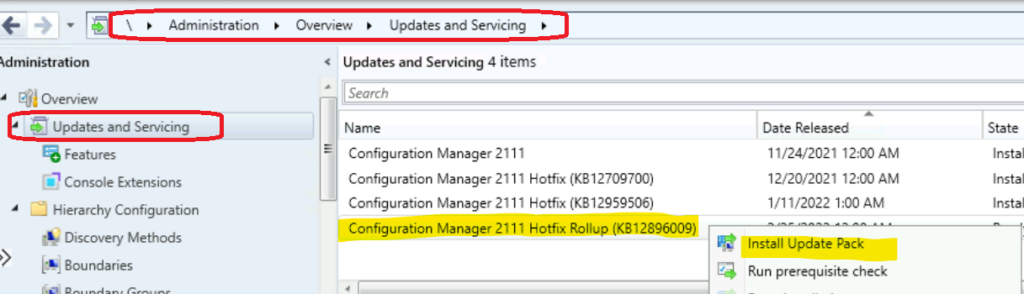
- Launch the Configuration Manager Console.
- Select the Administration tab.
- Expand Overview -> Select Updates and Services node.
- The update Configuration Manager 2111 Hotfix Rollup KB12896009 is Ready to install stage.
- Click on Install Update Pack.
NOTE! – If there is any download issue with KB10036164, refer to the following article that might help fix the issue with download ➡ CM Update Reset Tool Fixes SCCM CB Update Download Issue.
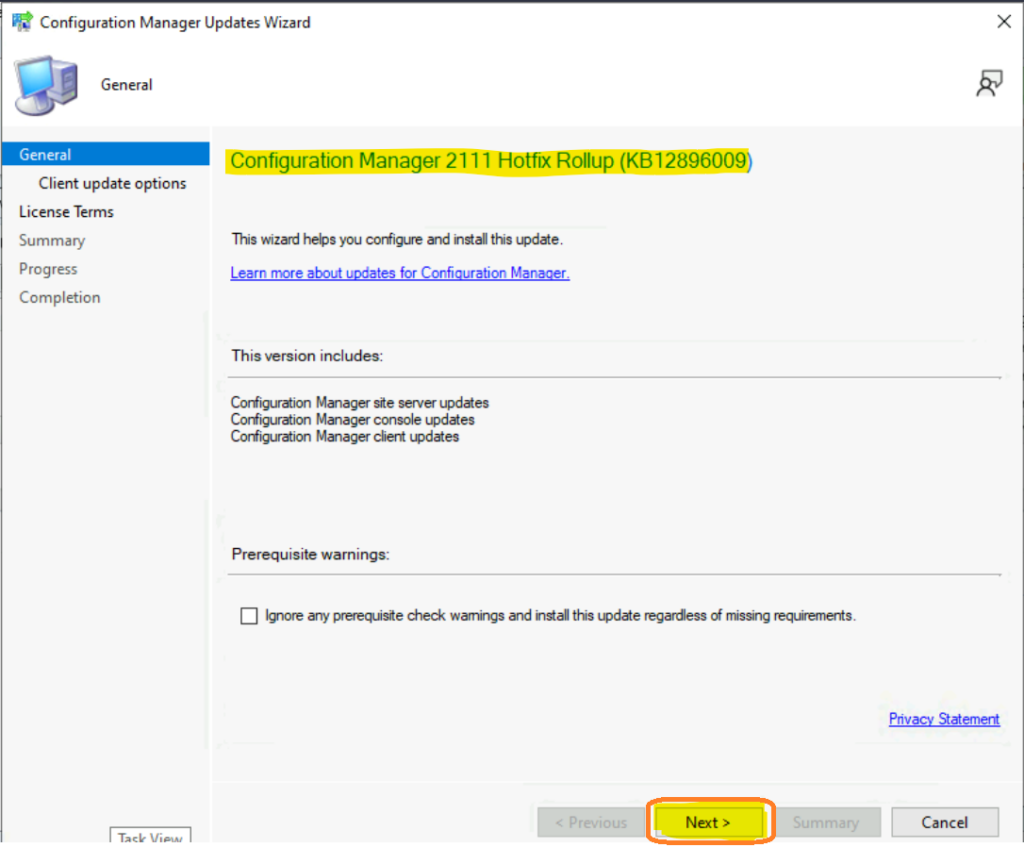
Click on the button from Next.
NOTE! – Make sure you enable the option called Ignore any prerequisite check warnings and install the update regardless of missing requirements from Configuration Manager Updates Wizard to avoid setup will not continue issues.
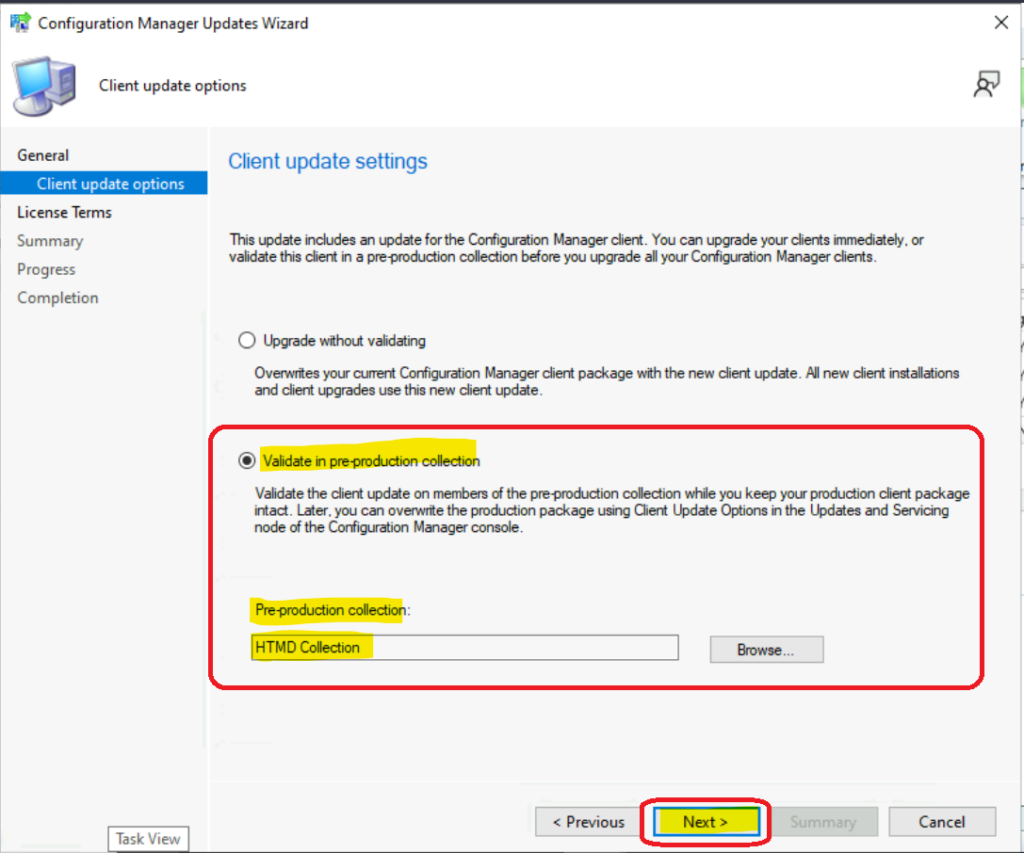
Select Client Update Settings. More details about the pre-prod client testing option are given in the following post – SCCM Client Upgrade – Promote Pre-Production Client To Production.
I have selected validate in the pre-production collection option from the below. I have selected the HTMD Collection test for the SCCM client upgrade.
- Validate in pre-production collection.
- Click on Next.
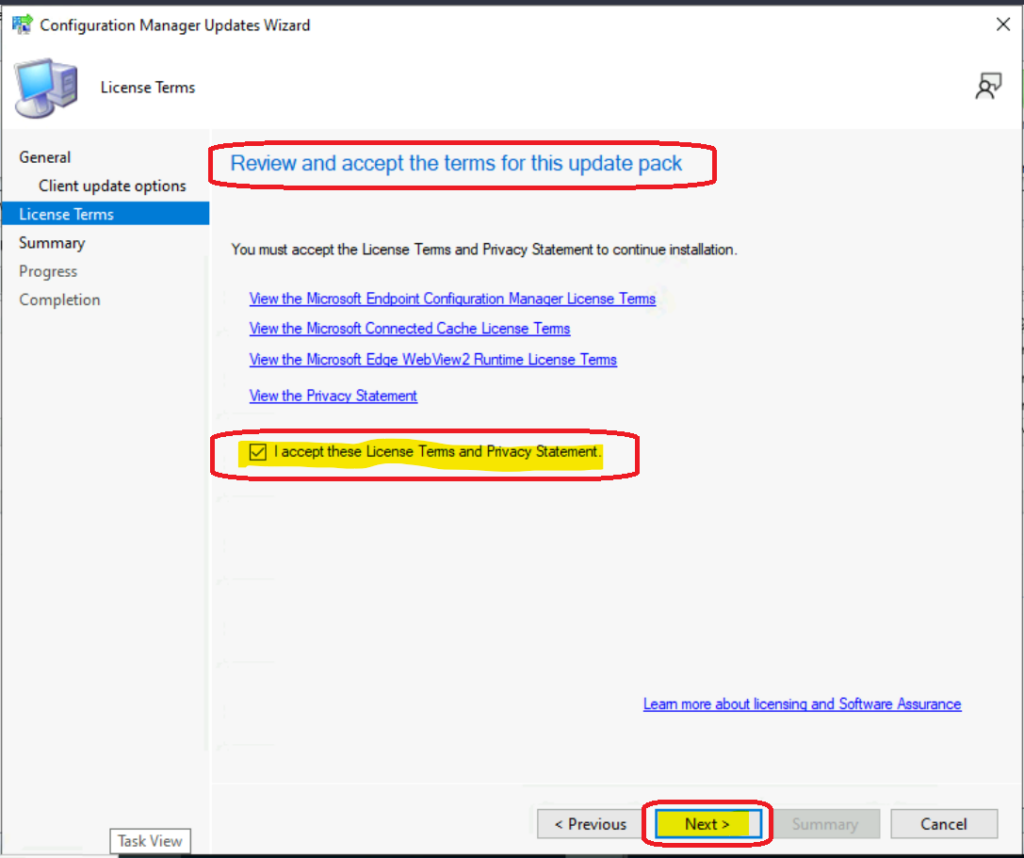
Accept the license and click on the Next button to continue.
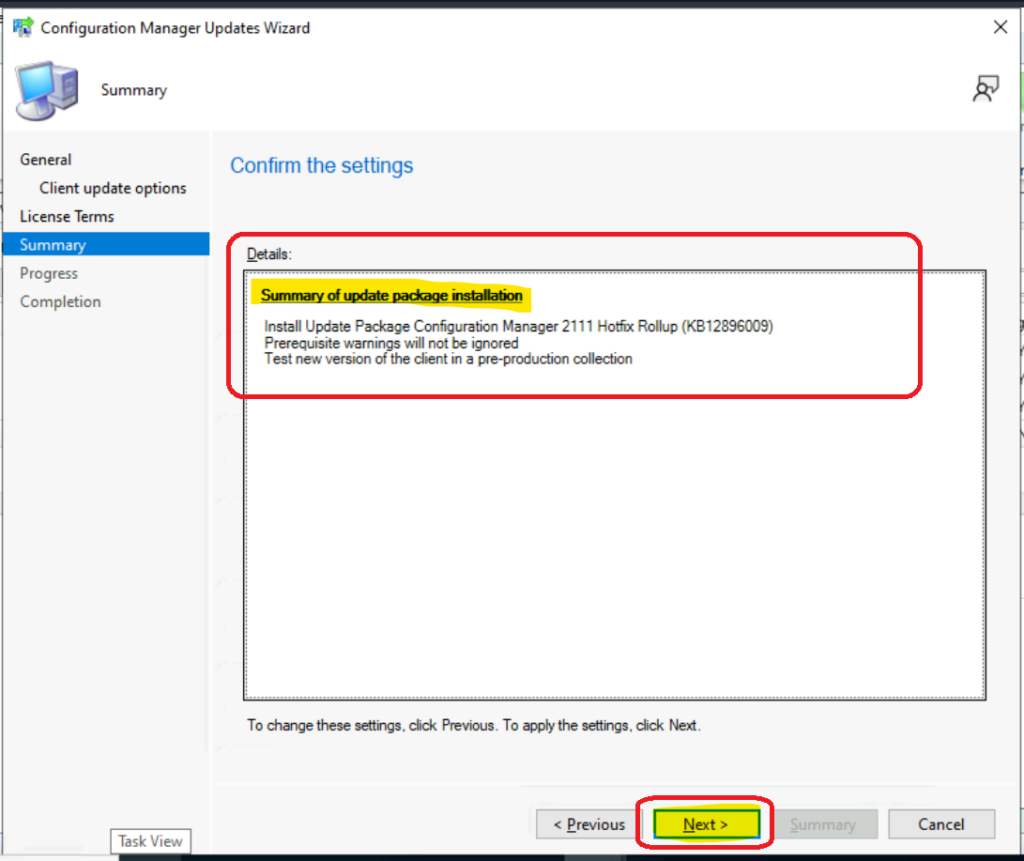
Check the Summary of updated package installation and click on the Next button to continue.
Install Update Package Configuration Manager 2111 Hotfix Rollup (KB12896009).
Prerequisite warnings will not be ignored.
Test new version of the client in a pre-production collection
Click on Close to complete Configuration Manager Updates Wizard.
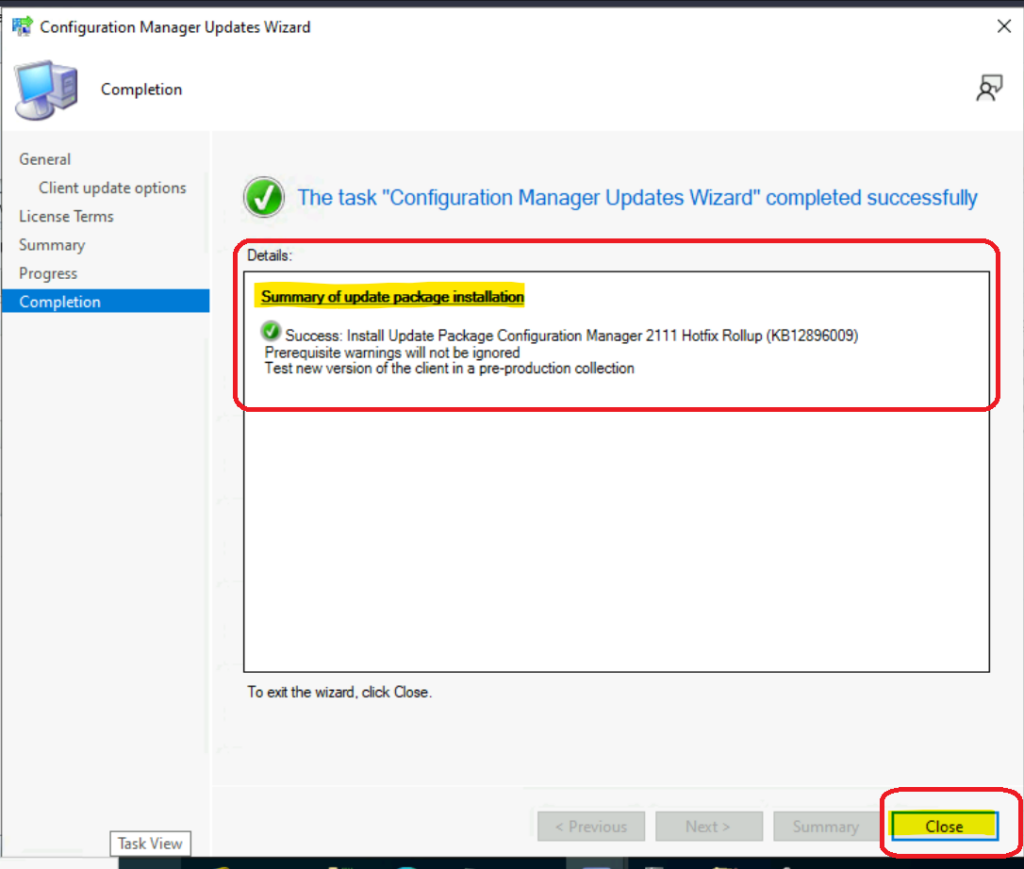
Check the status of the installation of Hotfix KB12896009 Update Rollup
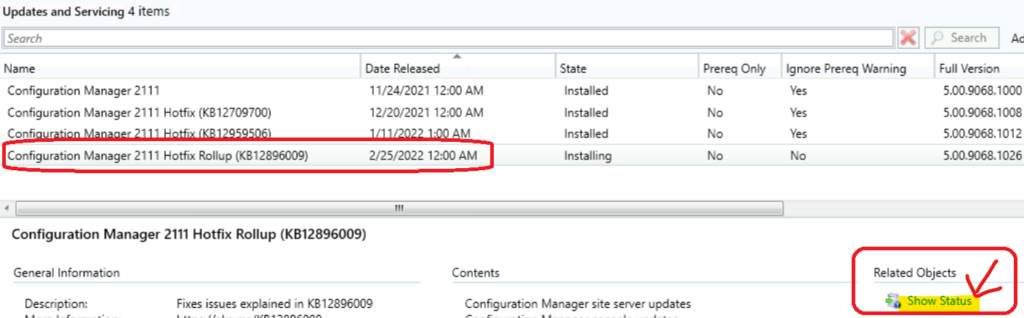
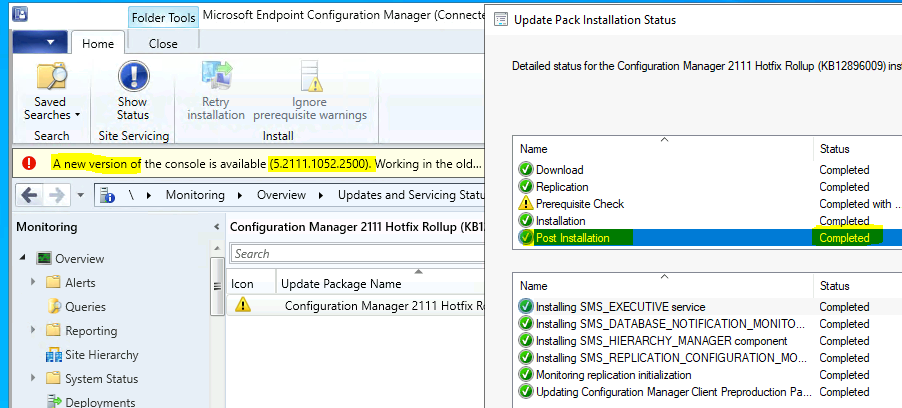
Let’s check the status of the SCCM 2111 hotfix KB12896009 Update Rollup from the Monitoring workspace in the console. There is another option to check the status of the hotfix rollup update – Show Status link as shown in the below screenshot.
Navigate to \Monitoring\Overview\Updates and Servicing Status\Configuration Manager 2111 Hotfix Rollup (KB12896009). Click on the Show Status ribbon button to confirm the status.
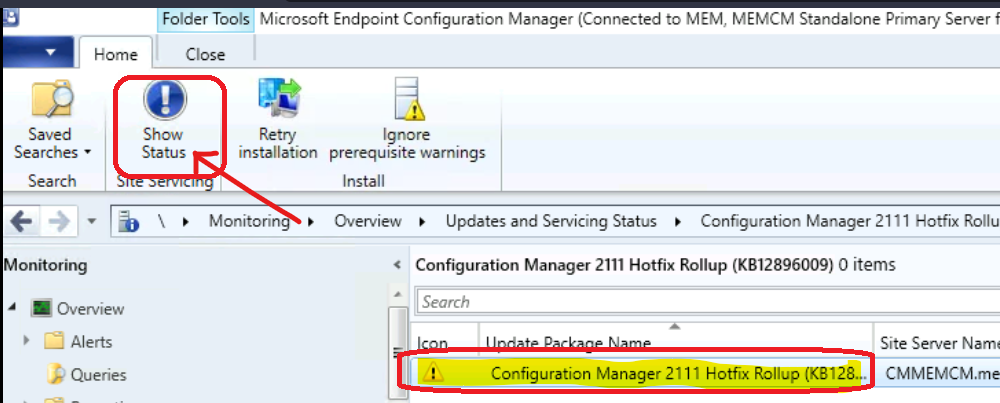
The SCCM 2111 Hotfix KB12896009 Update Rollup is updated successfully after fixing the warning issue.
Secondary Server Installation of SCCM 2111 Hotfix KB12896009 Update Rollup
Let’s see how to install SCCM 2111 Hotfix KB12896009 Update Rollup on the secondary server. Follow the steps to complete the hotfix installation on the secondary server:
- Launch SCCM console.
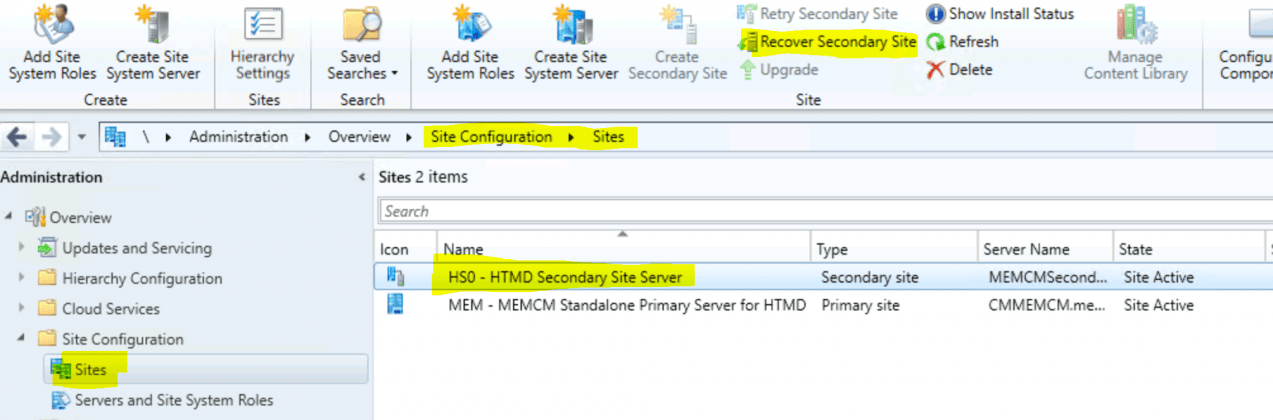
- Navigate to \Administration\Overview\Site Configuration\Sites.
- Click secondary server and click on Recover Secondary Site from the ribbon menu.
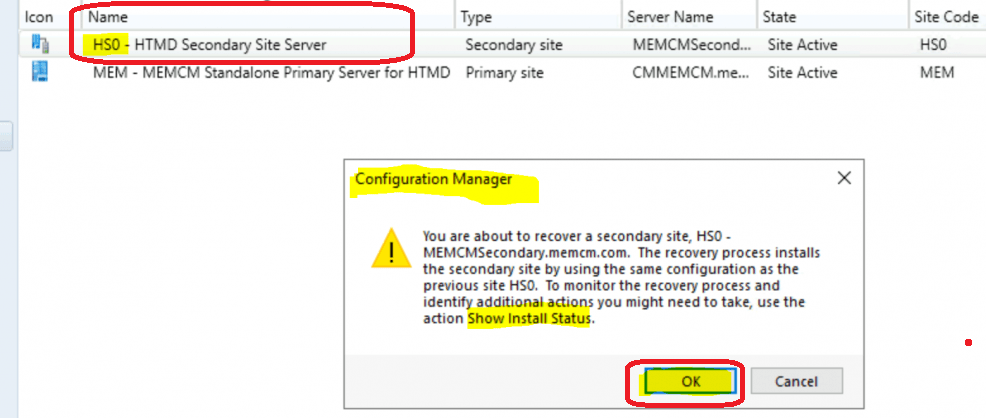
Click OK to continue SCCM Secondary Server Hotfix Installation. This will kick start the installation of the hotfix on the secondary server.
Read more – I have explained the end-to-end hotfix update process for SCCM secondary server in the following blog post, along with the log file and background process details – SCCM Secondary Server Hotfix Installation Guide | ConfigMgr HTMD Blog (anoopcnair.com).
Client and Console Version Details after SCCM 2111 Hotfix KB12896009 Update Rollup
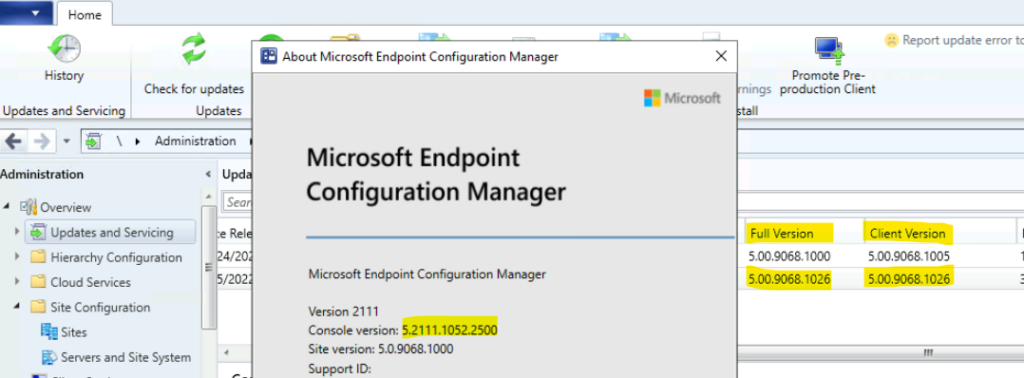
Below are the updated version details of the console, client, site after SCCM 2111 Hotfix KB12896009 Update Rollup update.
- SCCM 2111 Client Version after Rollup update – 5.00.9068.1026
- SCCM 2111 Full Version after Rollup update – 5.00.9068.1026
- SCCM 2111 Console Version after Rollup update – 5.2111.1052.2500
Resource
SCCM 2111 Hotfix KB12959506
Microsoft updated another SCCM 2111 Hotfix KB12959506. This is a client update is available to address the following two issues.
- The remote control viewer hangs at “Connecting to host session” when starting a remote control session.
- The Configuration Manager client (ccmexec.exe) may terminate on startup if it receives a policy to change the peer cache source client setting from disabled to enabled, while also having cached content.
| Version | |
|---|---|
| SCCM Client Version | 5.00.9068.1012 |




Hello Anoop,
I would like to upgrade my 2107 version to 2111.
Since the release of version 2203, I no longer see the hotfix of version 2111.
Are they now integrated in version 2111?
Thank you and well done for all you have done on your blog for us !
StaffYes, I will directly go with the 2203 upgrade. You can skip any hotfixes available for 2107 version.