






Let’s check MDM wins over GPO options available as Intune policy. The Group Policy Vs. Intune Policy Who wins? Windows modern device management relies on CSP for security & other configurations.
Many discussions about whether CSP can replace Group Policy (GPO). By default, GPO has higher precedence over CSP when a setting conflict occurs.
However, starting with Windows 10 1803, this behavior is controllable with CSP “MDMWinsOverGP.” With this new Windows MDM CSP setting, we know Microsoft’s long-term roadmap for modern device management. Group Policy vs. Intune Policy: Who wins?
Let’s also find more details on migrating group policies (GPOs) to the Intune Settings Catalog policy. You don’t have to migrate every GPO to MDM, but you must review each GPO and then migrate it to MDM if needed.

Table of Contents
Prerequisite MDM Wins Over GPO
NOTE! This MDM wins over Group Policy CSP, but it doesn’t work for Windows Update for Business policies as well. Hence, when you use WUfB, ensure all the group policies related to Windows Update are removed.
Let’s check the prerequisites for MDM winning over GPO settings. This setting doesn’t work for any custom GPO out of ADMX, like Edge.
| Prerequisite MDM Wins Over GPO |
|---|
| Windows 10 1803 version |
| Microsoft Intune |
| Active Directory Group Policy |
- SCCM Application Deployment Status Using SQL Query Custom Report
- Group Policy Vs Intune Policy After Intune Unenrollment Microsoft Intune Policies AD Group Policy
- Fix MDM Profile Installation Failed with 401 Error during Intune Enrollment for Apple Devices
- How to Configure Automatic Intune MDM Enrollment | Auto Enrollment
- Troubleshoot MDM Enrollment Error Code 80180004
- iOS iPadOS Intune Enrollment Method is Based on Web Based
- FIX Intune Windows Enrollment Invalid_Client Error
MDM Wins Over GPO – MDM CSP Details
In this post, we will go through the “MDMWinsOverGP” setting and the conflicting settings. I deployed different Home page URLs for the demo using Intune CSP and GPO. Finally, we will see who wins.
- OMA-URI: ./Vendor/MSFT/Policy/Config/Browser/Homepages
- Value (home page example): CSP.com
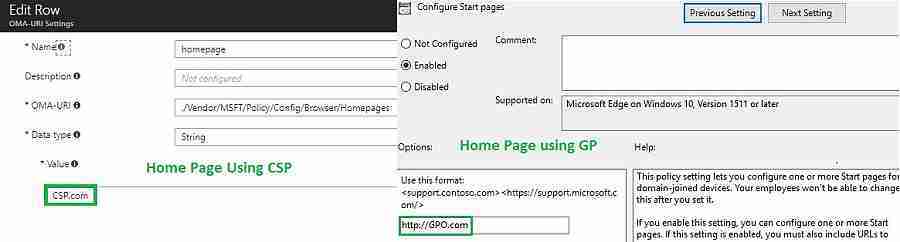
For MDM CSP to override GP, we must enable the ” MDMWinsOverGP ” setting. The following are the values for this MDM Wins Over GPO policy.
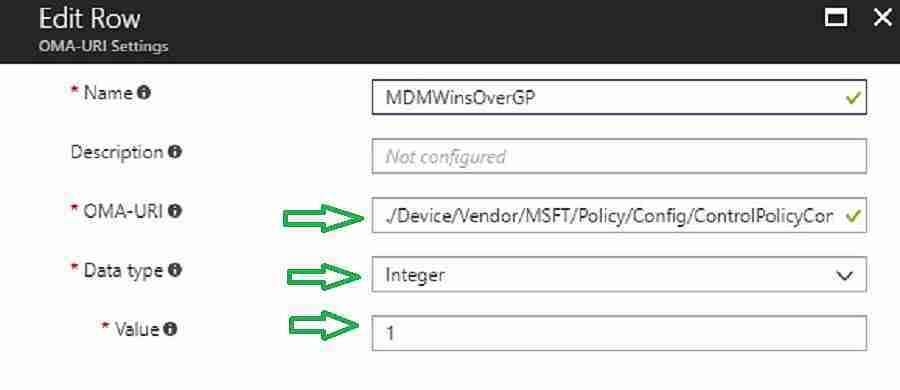
- 0 – (default) – GPO Wins over MDM?
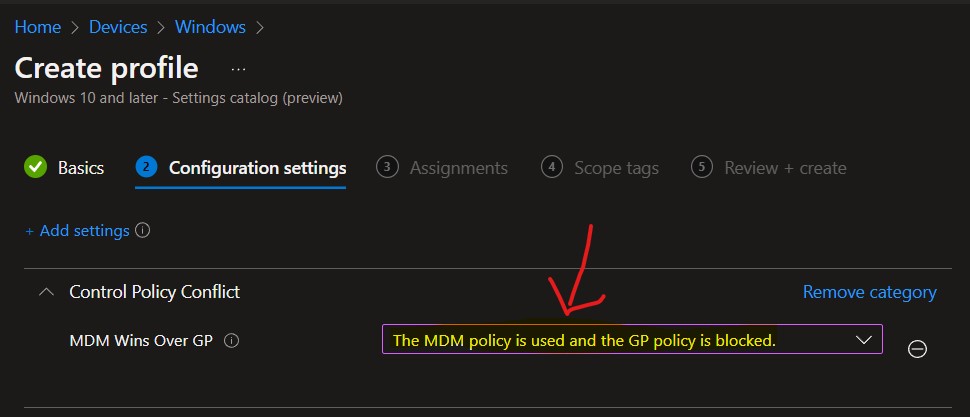
- 1 – The MDM policy is used, and the GP policy is blocked.
Option #1 (New Method) – Intune Settings Catalog | Create MDM Wins Over GPO Policy
As the following blog post explains, you can now create an Intune Settings Catalog policy to deploy MDM wins over GPO policy. For more details, see Create Intune Settings Catalog Policy.
- Sign in to the Microsoft Endpoint Manager admin center (Endpoint.Microsoft.coom)
- Select Devices -> Windows -> Configuration profiles > Create profile.
- In Create Profile, You can select Platform: Windows 10 and later and Profile: Select Settings catalog (preview).
- Click on the Create button.
In Configuration Settings, select Add Settings and use the following search keyword: “MDM Wins Over GP.” You need to choose the MDM Wins Over GP policy from the list.
Browse by category – “Control Policy Conflict.”
Category and Setting name = MDM Wins Over GP
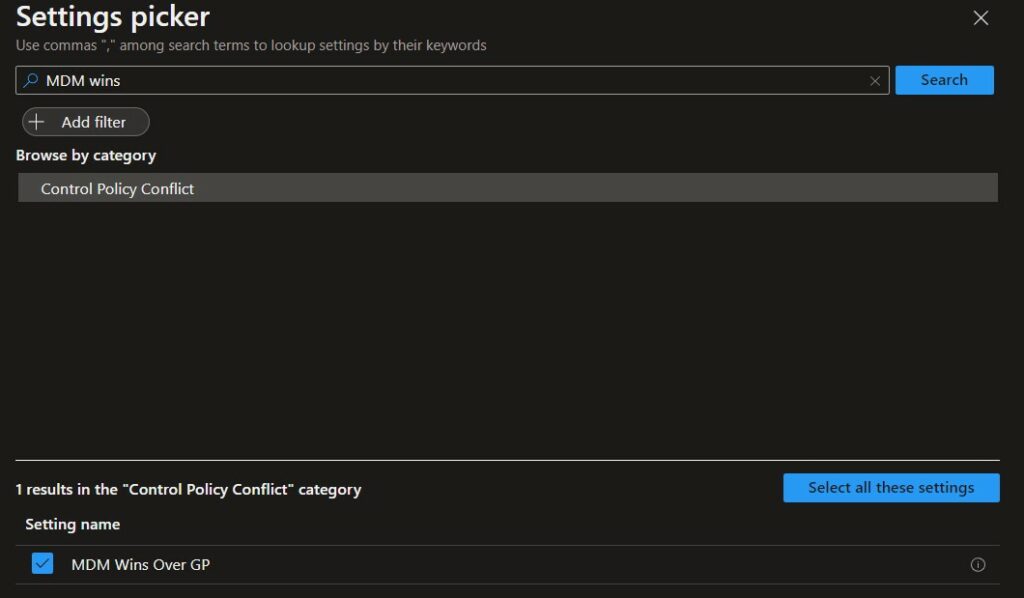
Select the following option from the drop-down menu ->The MDM policy is used, and the GP policy is blocked.
Option #2 (Old) – Intune Configuration of “MDMWinsOverGP” – MDM Wins Over GP
Let’s follow the steps below to MDM Wins Over GPO.
- Login to MEM Admin Center Portal.
- Navigate Devices – Create a profile – Settings – Configure.
- Custom OMA-URI Settings – Windows 10 and later – Add OMA-URI settings (as shown below)
./Device/Vendor/MSFT/Policy/Config/ControlPolicyConflict/MDMWinsOverGP
Validation of MDMWinsOverGP (CSP Policies Override Group Policy Settings)
Now we will observe the client-side events using the Event Viewer in the following location:
- Applications and Services Logs > Microsoft > Windows > DeviceManagement-Enterprise-Diagnostic-Provider
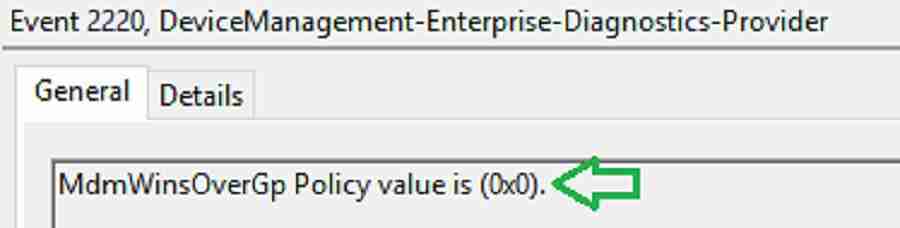
- The value for “MdmWinsOverGp” is 0 before applying the CSP.
MdmWinsOverGp Policy value is (0x0)
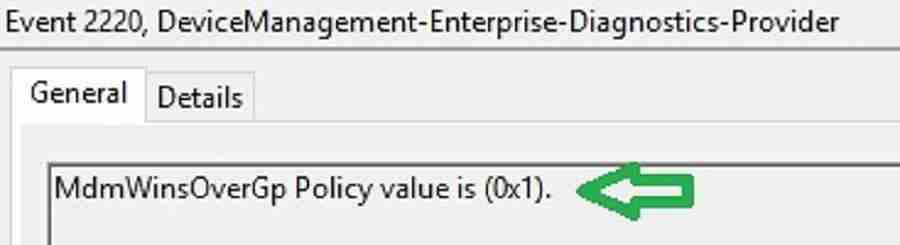
The “MdmWinsOverGp” value changes from 0 to 1 after applying the CSP.
MdmWinsOverGp Policy value is (0x1)
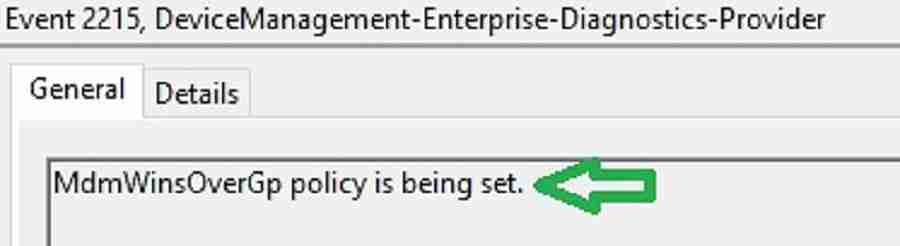
The policy is set for MdmWinsOverGp. MdmWinsOverGp Policy is being set.
Group Policy Vs. Intune Policy, who will win, and Microsoft allows us to select who will win.
Registry Analysis of CSP Policies Override Group Policy Settings
The registry was created to set MDM as a higher precedence than GP.
Computer\HKEY_LOCAL_MACHINE_Microsoft\PolicyManager\current\device\ControlPolicyConflict
| Registry Analysis of CSP Policies Override Group Policy Settings |
|---|
| Default – Value Not Set |
| MDMWinsOverGP – 0x000000001 (1) |
| MDMWinsOverGP_ProviderSet – 0x000000001 (1) |

If a GPO and MDM CSP conflict occurs in a setting, the current GP value saved before CSP takes precedence.
Attempted to save existing GP Value. GP Location: (Software\Policies\Microsoft\MicrosoftEdge\Internet Settings), GP ValueName: (ProvisionedHomePages), Result: (The operation completed successfully.). Failures are expected if this location isn’t set.
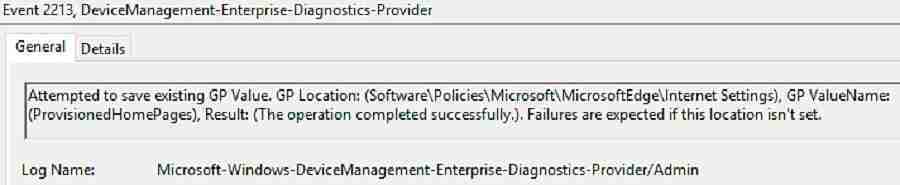
GP value gets deleted. Example: GP value “ProvisionedHomePages” deleted
Attempted to delete existing GP Value. GP Location: (Software\Policies\Microsoft\MicrosoftEdge\Internet Settings), GP ValueName: (ProvisionedHomePages), Result: (The operation completed successfully.). Failures are expected if this location isn’t set.

A block record was created to ensure MDM wins over GP. GP enforcement for the home page value is blocked.
Created a blocking record. Record: (Software\Microsoft\MDMWins\device\Software/Policies/Microsoft/MicrosoftEdge/Internet Settings\ProvisionedHomePages).
Uri: (./Device/Vendor/MSFT/Policy/Config/Browser/Homepages

Result – Intune Policies Override Group Policy Settings – The Winner is here Group Policy Vs. Intune Policy
Finally, MDM CSP wins over GP. As shown below, MDM CSP configures the “Home Page” value.
HomePages – CSP.com

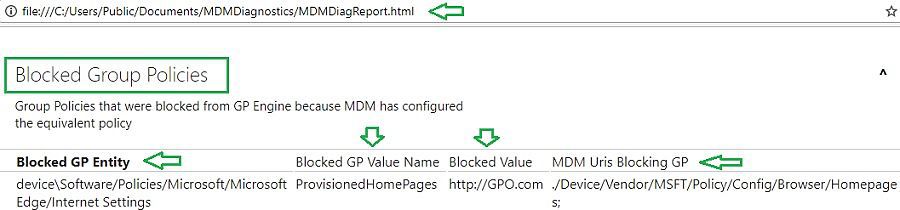
Verify the MDM Diagnostics report ( Section “Blocked Group Policies” ). This report gives detailed information on the list of GP values blocked by MDM CSP.
Blocked GP Entity – device\software/Policies/Microsoft/MicrosoftEdge/Internet Settings
Blocked GP value Name – ProvisionedHomePages
Blocked Value – http://GPO.com
MDM Uris Blocking GP – ./Device/Vendor/MSFT/Policy/Config/Browser/Homepages
We are on WhatsApp now. To get the latest step-by-step guides, news, and updates, Join our Channel. Click here. HTMD WhatsApp.
Author
Vimal has more than 10 years of experience in SCCM device management solutions. His main focus is on Device Management technologies like Microsoft Intune, ConfigMgr (SCCM), OS Deployment, and Patch Management. He writes about SCCM, Windows 10, Microsoft Intune, and MDT.


Hi Vimal,
What will be your suggestion (GP or CSP) or for a closed Win10 (Version 1607) system with the intention to shut down all external connections at login and optional to enable the Eth/USB based on needs?
Thanks.
Regards,
Frank
This settings doesn’t work for any custom GPO out of ADMX like Edge etc.. & it may likely be depreciated in future is what i understand from MS.