






Removal Depreciation of Paint 3D is Announced and Use 3D Viewer Instead
Hi everyone, We are discussing the latest news: Microsoft has officially announced the Depreciation of Paint 3D, and a 3D Viewer has been used instead. You all know about Paint 3D, right? It’s a creative tool introduced by Microsoft. Recently, the news came out that Microsoft had officially announced the depreciation of Paint 3D.
As you know, Microsoft recently depreciated many features, including Adobe PostScript Type1 Fonts, NTLM, and VBScript. Paint 3D is a free app from Microsoft that lets you create 2D and 3D art. You can use shapes, text, and effects to make unique 2D pictures and build 3D objects.
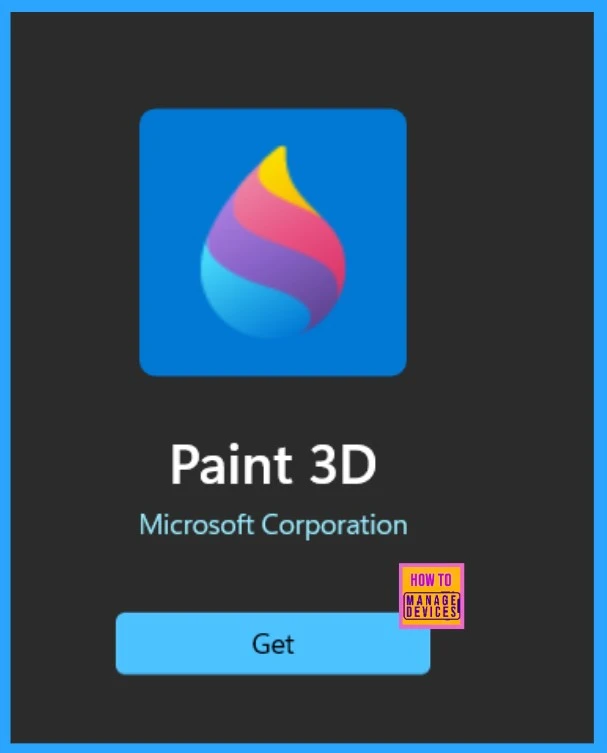
Paint 3D is impressive because of its ease of use. In August, Microsoft officially announced the depreciation of Paint 3D, which will be removed in 2024. Paint 3D will be available on the desktop as usual. We can also install the application right now.
Paint 3D is a free app from Microsoft that lets users create 2D and 3D art. Users can use brushes, shapes, text, and effects to make unique 2D pictures and build 3D objects. In this post, we can look at an overview of the latest news on depreciating 3D paint.

Table of Contents
What is Paint 3D?
Removal Depreciation of Paint 3D is Announced and Use 3D Viewer Instead
Above, we see some overall views on this topic; recent Microsoft documentation announced the depreciation of Paint 3D, which will not be available in the Microsoft store after the depreciation. As you know, Paint 3D was introduced in 2017 with the Creators Update to replace the old Paint app with 3D features. However, it did not get much user attention and was phased out in 2021.
- The app will be removed from the Microsoft Store on November 4, 2024.
- After November 4, 2024, you cannot download the Paint 3D app from the MS Store.
| Alternatives to Paint 3D | Info |
|---|---|
| View and edit 2D images | You can use Paint and Microsoft Photos |
| View 3D content | You can use 3D Viewer |
- Adobe PostScript Type1 Fonts are Deprecated Migrate to OpenType Fonts that can Support Larger Glyph Sets
- Microsoft is Planning to Remove VBScript from Windows Permanently
- Microsoft Announces Deprecation of NTLM Authentication Protocols
- Improved Brush Size Selection in Paint
Banner Appearing on Paint 3D
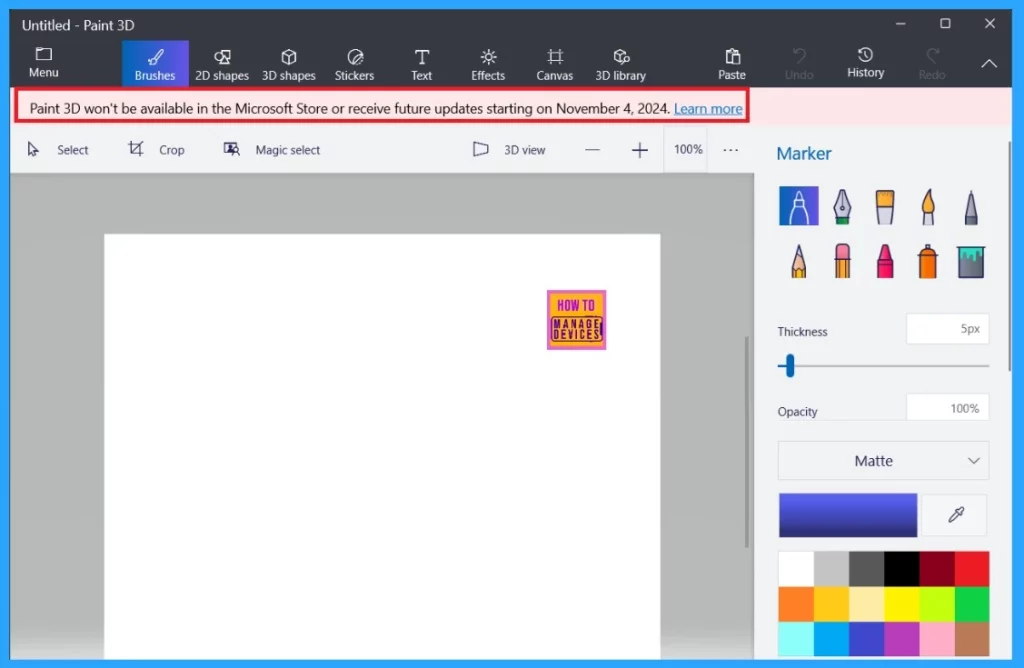
The users get a new banner on the Paint 3D application right now, indicating that Paint 3D won’t be available in the Microsoft store or receive future updates starting in November 2024. It does not show why Paint 3D discontinued the service. When users uninstall the Paint 3D app before November 2024, they can reinstall it, but it won’t be available after November 2024.
Banner – Paint 3D won’t be available in the Microsoft Store or receive future updates starting on November 4, 2024.
- Microsoft Announces Deprecation of WSUS Driver Synchronization
- Microsoft Announce Deprecation of MSDT and MSDT Troubleshooters
- MS Paint Background Removal Feature
- MS Paint Cocreator Feature Now Rolling Out
The MS Official Announcement
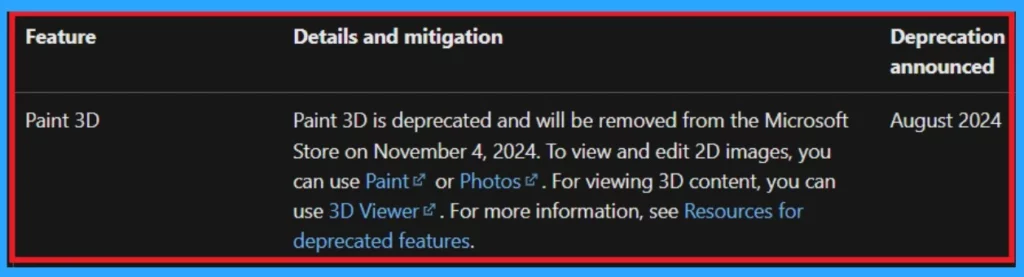
I have already mentioned Microsoft’s official announcement on deprecated features for Windows client documentation. The announcement mentions that you can now use Paint or Microsoft Photos to view and edit 2D images.
| Feature | Details and Mitigation | Depreciation Announced |
|---|---|---|
| Paint 3D | Paint 3D is deprecated and will be removed from the Microsoft Store on November 4, 2024. I suggest that you view and edit 2D images using Paint. and use 3D viewer for 3D content. | August 2024 |
3D Viewer is the Replacement
3D Viewer is the best choice for Replacement of Paint 3D. If you want to view 3D content, the 3D Viewer application gives you the best experience for the user. This application allows the real-time experience in the view of 3D models and animations.
Note: You can quickly get this application From the MS Store –3D Viewer
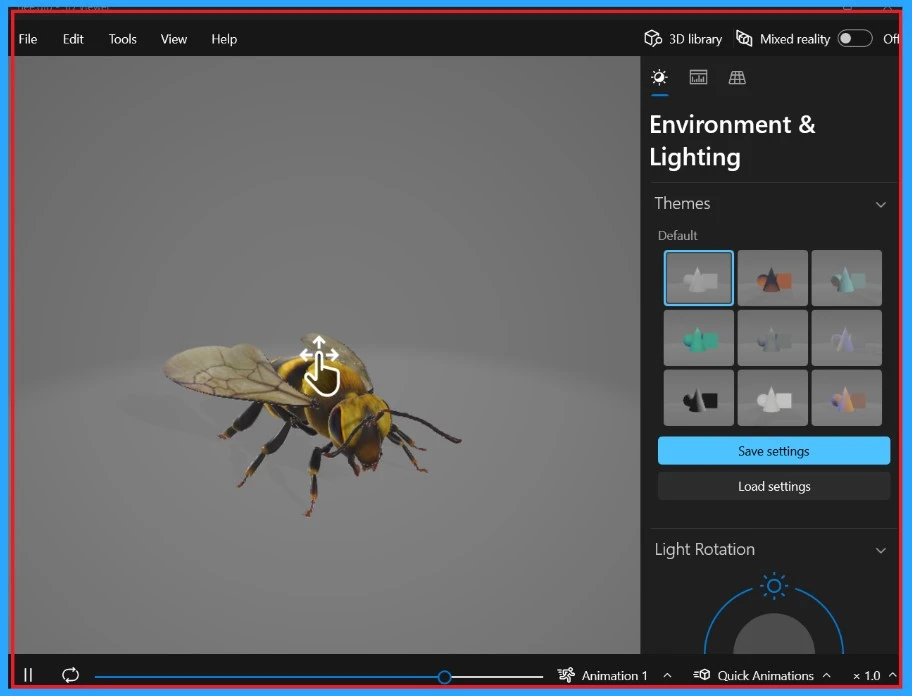
- Below, you can see the home screen of 3D Viewer.
- This application allows 3D models with many light controls.
- Also, it allows light rotations and various shading modes to enhance the visualizations.
We are on WhatsApp now. To get the latest step-by-step guides, news, and updates, Join our Channel. Click here. HTMD WhatsApp.
Author
Anoop C Nair has been Microsoft MVP from 2015 onwards for 10 consecutive years! He is a Workplace Solution Architect with more than 22+ years of experience in Workplace technologies. He is also a Blogger, Speaker, and leader of the Local User Group Community. His main focus is on Device Management technologies like SCCM and Intune. He writes about technologies like Intune, SCCM, Windows, Cloud PC, Windows, Entra, Microsoft Security, Career, etc.




Discussion