






Microsoft Edge Application Management with Intune
Let’s check about the latest development in Microsoft Intune supporting Edge application management. The app management capability is currently only offered when Edge for iOS and Android, Microsoft extending management to Windows.
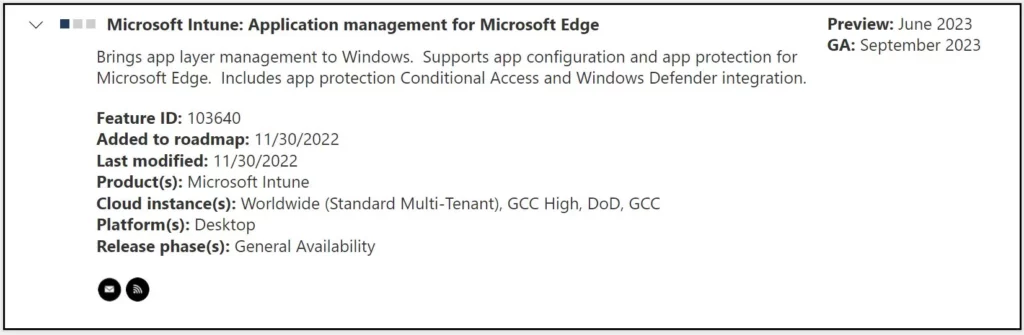
The roadmap added for supports app configuration and app protection for Microsoft Edge. Includes app protection, Conditional Access, and Windows Defender integration.
Microsoft has added many exciting features to the roadmap, including supporting a new security baseline for Office updates currently in the development and testing phase. You may expect the public preview to be announced in 2023.
Edge supports the various settings for configuration, These settings can be deployed to the app regardless of device enrollment status.

You deploy app configuration and protection for edge to groups of users or devices in Intune, and the settings apply to Windows 10/11. That can help you to have a secure end-to-end workflow when working from managed devices.
- Intune Driver Firmware Update Policies | Review Approve Schedule Suspend Options
- Intune Support For Endpoint Privilege Management
Microsoft Edge Application Management with Intune – Roadmap
Microsoft added the Application management for Microsoft Edge from Intune to the roadmap end of November 2022. The edge application management feature is expected in the Public preview in June 2023 and based on the mentioned date GA: September 2023.
| Feature | Release phase | Preview Expected (Year) | GA |
|---|---|---|---|
| Application management for Microsoft Edge | Preview | June 2023 | September 2023 |
Organizations can use Azure AD Conditional Access policies to ensure that users can only access work or school content using Edge for Windows. You will need a conditional access policy that targets all potential users.
App Protection Policies (APP) define which apps are allowed and the actions they can take with your organization’s data. The choices available in APP enable organizations to tailor the protection to their specific needs.
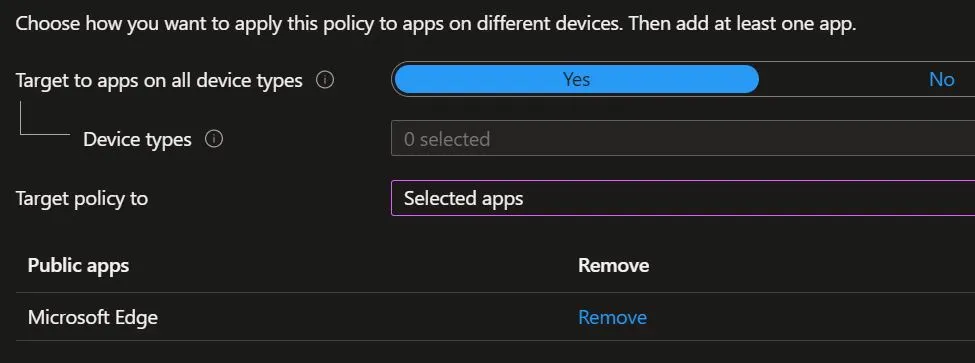
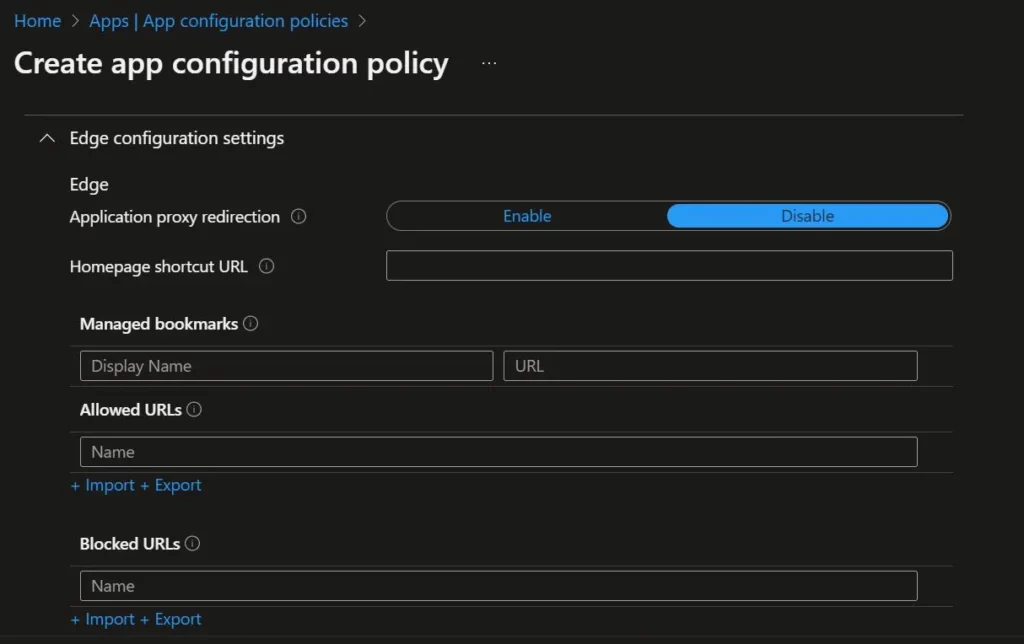
App Configuration for Edge
Edge for iOS and Android allows administrators to customize the default configuration for several in-app settings. This capability is currently only offered when Edge for iOS and Android has an Intune App Protection Policy applied to the work or school account signed into the app, and the policy settings are delivered only through a managed apps App Configuration Policy.
Edge supports the following settings for configuration, These settings can be deployed to the app regardless of device enrollment status.
- New Tab Page experiences
- Bookmark experiences
- App behavior experiences
- Kiosk mode experiences
You can perform the basic Microsoft Edge security policy troubleshooting from the Intune admin center portal. One example is given below How To Start Troubleshooting Intune Issues from the server-side. The next level of troubleshooting is with MDM Diagnostics Tool to collect the log and information from the client-side.
Author
About Author – Jitesh, Microsoft MVP, has over five years of working experience in the IT Industry. He writes and shares his experiences related to Microsoft device management technologies and IT Infrastructure management. His primary focus is Windows 10/11 Deployment solution with Configuration Manager, Microsoft Deployment Toolkit (MDT), and Microsoft Intune.


Discussion