






Microsoft Shares your Data With 801 Third Parties
Important News! Microsoft Shares your Data With 801 Third Parties. The new Outlook update transforms Microsoft’s email app into more than just a communication tool. The updates hint that Outlook is now an email app and a data collection tool for Microsoft and its 801 external partners.
Outlook has always been known for its incredible email communication. Although it used to send and receive emails, Outlook now takes on a new role: it collects data and enables targeted advertising. Now, the new Outlook gathers user information for Microsoft and its external partners to show targeted ads.
Outlook is one of the most trusted Microsoft platforms, but it’s not trusted anymore. The new Outlook for Windows collects and shares a wide range of user data, including emails, contacts, events, geolocation data, browsing history, and more.
The new Outlook isn’t just an email app; it’s a data-sharing platform with implications for user privacy and advertising practices. As users, staying informed and making correct choices about how our data is utilized online is crucial.

- New Unified Outlook Experience Overview
- How to set Microsoft Outlook for macOS using Intune
- Fix Something Went Wrong 1001 Outlook Error Microsoft 365 Desktop Applications

Microsoft Shares your Data With 801 Third Parties
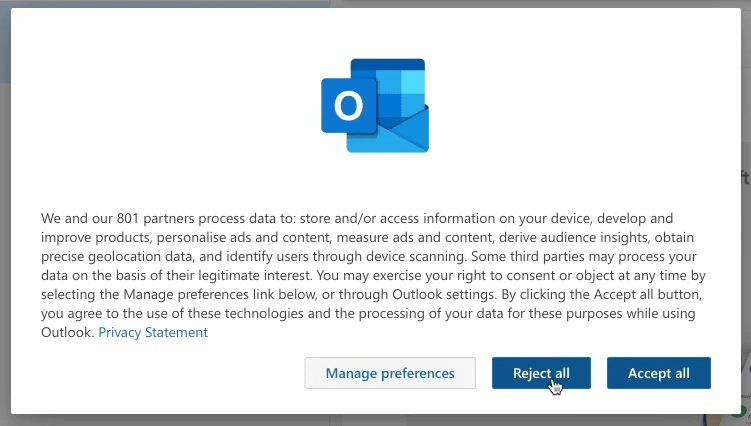
In the new Outlook, European users who get the new Outlook for Windows see a warning that Microsoft and many other companies will handle their data. The warning says;
”We and our 801 partners (emphasis ours) process data to store and access information on your device, develop and improve products, personalize ads and content, measure ads and content, derive audience insights, obtain precise geolocation data, and identify users through device scanning. Some third parties may process your data based on their legitimate interest.”
| Microsoft and 801 Third Parties Data-Sharing Insights (What do they do with your data) |
|---|
| They will Store and/or access information on the user’s device |
| They will Develop and improve products |
| Derive audience insights |
| Measure ads and content |
| They will personalize ads and content |
| Obtain precise geolocation data |
| Identify users through device scanning |
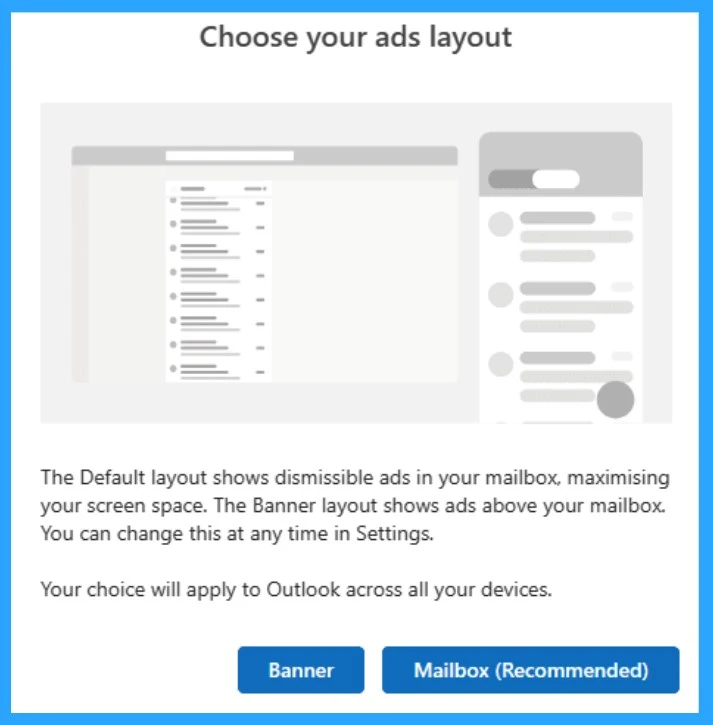
Many Big Tech companies are collecting your data. Outlook lets users choose how ads display on their screens, making it clear that advertising is a crucial part of the deal. In this update, you can select the ad layout.
- ”The default layout shows dismissible ads in your mailbox, maximising user screen space. The banner layout shows ads above your mailbox. You can change this at any time in settings.”
- Easy Way to Repair Reset Outlook in Windows
- How to Search Emails in Outlook
- How to Set Out of Office in Outlook
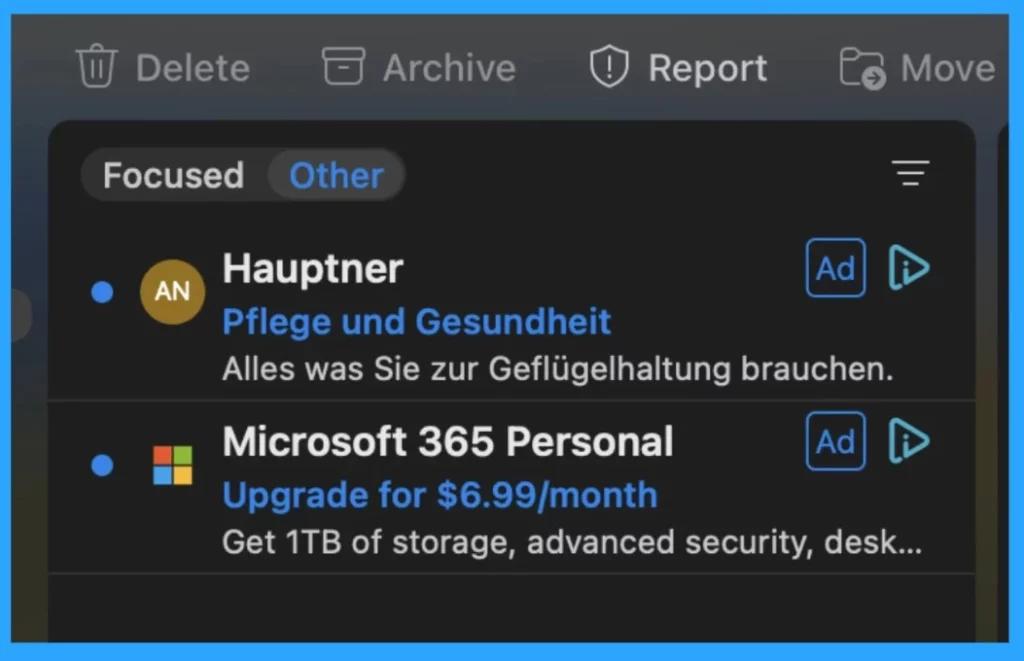
When Mac users log into the new Outlook, they may see ads that appear directly in their inbox. These ads can be related to Microsoft applications or originate from third-party vendors selling various products. It indicates that advertising plays a significant role in the overall Outlook experience.
- Microsoft Clipchamp Speech Audio to Video Editing Feature
- How to Prepare Microsoft Copilot with Zero Trust
- What is Microsoft Defender XDR?
Microsoft’s Advertising Partners
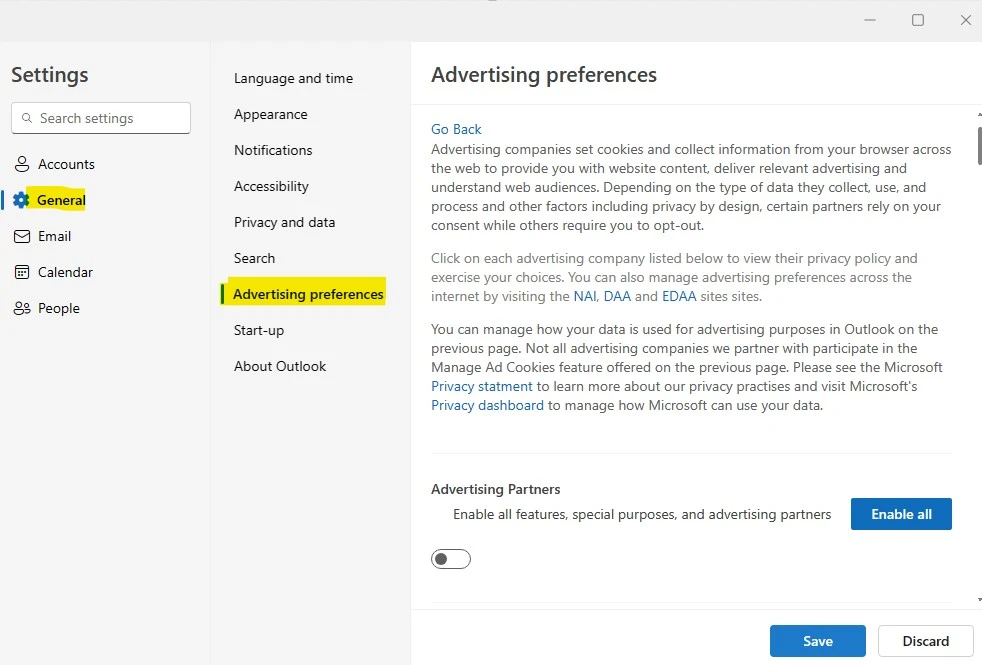
Europeans benefit from the EU’s General Data Protection Regulation (GDPR), which ensures they are informed about third-party data access. In Outlook settings, UK users can find a “List of Advertising Partners,” which reveals numerous ad companies collaborating with Microsoft.
- To manage this, you can click on each advertising company’s preference listed below to review their privacy policy and make informed choices.
- Settings > General > Advertising Preference
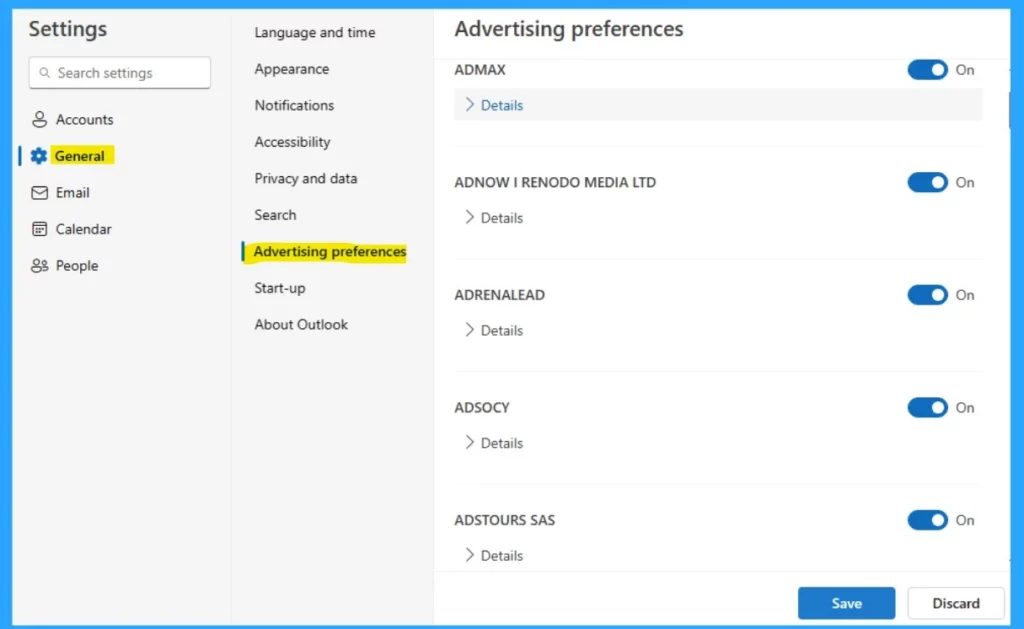
The preferences page for UK users explains that different advertising partners handle data in various ways. To manage this, you can click on each advertising company listed to review their privacy policy and make informed choices.
New Outlook Steals your Email Password
When syncing third-party email accounts with the new Outlook, users grant Microsoft access to their IMAP and SMTP credentials and all their emails, contacts, and events associated with those accounts.
Microsoft explaining that users can switch back to previous apps doesn’t prevent the company from storing data, but Microsoft has the ability to read users’ emails.
- Microsoft could access, scan, and potentially share users’ emails from synced third-party accounts without their knowledge
- Professor Ulrich Kelber, a Federal Commissioner for Data Protection Of Germany, expressed concern about the data capabilities of the new Outlook
- Microsoft has yet to address the criticisms publicly, but the privacy about targeted advertising strategies to increase revenue continues
What kind of Data Does Microsoft Collect?
Microsoft’s advertising policy does not use personal data from emails, chats, or documents to target ads. Also, the ads you see may be influenced by other data they have about you, such as your interests, location, transactions, product usage, search queries, and viewed content.
| Personal data they may collect |
|---|
| Name and contact data |
| Passwords |
| Demographic data |
| Payment data |
| Subscription and licensing data |
| Search queries |
| Device and usage data |
| Error reports and performance data |
| Voice data |
| Text, inking, and typing data |
| Images |
| Location data |
| Content |
| Feedback and ratings |
| Traffic data |
Microsoft Steers Toward Data Dollars
Like other tech giants, Microsoft has shifted toward surveillance revenue, following in the footsteps of Google, Facebook, and Apple. They recognize the opportunity to generate substantial income by collecting and analyzing user data. This shift reflects established companies competing for a share of the surveillance-driven profits.
Surveillance in the Name of Profit
Microsoft claims data collection enhances user experiences, but Big Tech increasingly prioritizes advertising revenue. The new Outlook data collection and ad delivery reveal Microsoft’s alignment with Google and Meta.
Reference
Outlook is Microsoft’s new data collection service
We are on WhatsApp. To get the latest step-by-step guides and news updates, Join our Channel. Click here –HTMD WhatsApp.
Author
Krishna. R is a computer enthusiast. She loves writing about Windows 11 and Intune-related technologies and sharing her knowledge, quick tips, and tricks about Windows 11 or 10 with the community.




Discussion