






Microsoft stopped Developing WSUS and Will No Longer Add New Features to Windows Server Update Services
Hi, Everyone. In this post, let’s discuss how Microsoft stopped Developing WSUS and Will No Longer Add New Features to Windows Server Update Services. Microsoft recently announced the depreciation of WSUS and the longer time it will take to add new features.
As you know, Microsoft recently depreciated some Windows Server Update Services (WSUS) features, such as WSUS Driver Synchronization. WSUS is an essential tool for many organizations to manage updates and fixes for Microsoft Products. WSUS RIP is coming soon! But, Microsoft won’t tell us! Similar to SCCM RIP.
It is an essential tool for Microsoft to stop supporting WSUS because it plays a vital role in software updates. In this case, this change impacts enterprise environments that depend on WSUS for their update management. This Depreciation will not develop WSUS and suggests that it is straightforward to use modern cloud solutions such as WuFB and Windows Autopatch.
Microsoft added that WSUS will be part of the next update for the server operating system, Windows Server 2025. It also mentioned that IT administrators should start using cloud-based tools for updates. This post can provide a quick overview of this recent announcement.

What is Depreciation?
What is Windows Server Update Services (WSUS)?
What is the Difference between WSUS and WUfB?
More details – Intune Vs SCCM And WSUS Vs WUfB Patching Method Differences
Microsoft stopped Developing WSUS – WSUS RIP is Coming Soon
Above, we briefly discussed Microsoft’s plan to depreciate and whether adding new features to Windows Server Update Services (WSUS) will take longer. Microsoft introduced Windows Server Update Services (WSUS) in 2025.
- WSUS will still be available in Windows Server 2025, and it is recommended to use cloud-based tools (Windows Autopatch and Microsoft Intune for managing client updates and Azure Update Manager for server updates)
| No. | Suggestions of Microsofts |
|---|---|
| 1 | Microsoft will stop working on Windows Server Update Services (WSUS) to encourage IT managers and organizations to start using cloud-based tools for updates, such as WUfB Deployment. |
| 2 | This includes Windows Autopatch and Microsoft Intune for managing PC updates and Azure Update Manager for updating servers. |
| 3 | WSUS will continue to function as it currently does, and Microsoft will keep delivering updates through this system. |
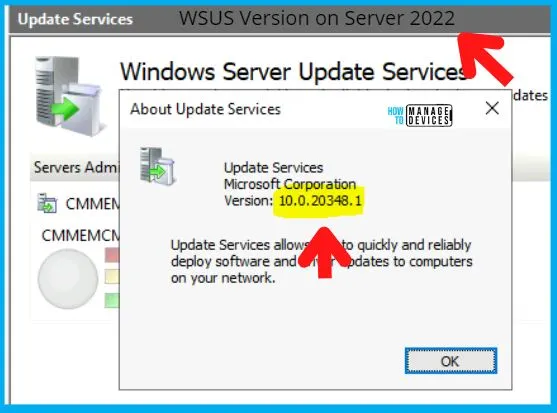
- WSUS Enhancements Preview Expected Soon as per Microsoft | Exciting News
- Differences between WSUS Vs. WUfB Patching method
- Windows WMI Command Line WMIC Reaching End of Life
Why this Depreciation of WSUS? Killing WSUS?
Microsoft has also stopped WSUS driver synchronization for its new cloud-based driver services, which will take effect on April 18, 2025. We already have a post of this announcement. This announcement is made up for many reasons, such as 34% of users using WSUS for driver updates. There will be many reasons for this new announcement of depreciation.
- After WSUS is no longer supported, Microsoft advises businesses to use cloud-based tools to update client and server systems.
- Microsoft is Focusing on cloud services like Microsoft Intune and Windows Autopatch.
- The cloud tools are more flexible, smoother, and automated than older on-premises solutions such as WSUS.
- With the deprecation, Microsoft will not introduce new features to WSUS. Existing functionality will also remain the same.
See More: Microsoft Announces Deprecation of WSUS Driver Synchronization
Join the LinkedIn Page and Telegram group to get the latest step-by-step guides and news updates. Join our Meetup Page to participate in User group meetings. Also, Join the WhatsApp Community to get the latest news on Microsoft Technologies. We are there on Reddit as well.
Author
Anoop C Nair has been Microsoft MVP from 2015 onwards for 10 consecutive years! He is a Workplace Solution Architect with more than 22+ years of experience in Workplace technologies. He is also a Blogger, Speaker, and Local User Group Community leader. His primary focus is on Device Management technologies like SCCM and Intune. He writes about technologies like Intune, SCCM, Windows, Cloud PC, Windows, Entra, Microsoft Security, Career, etc.




Discussion