






Microsoft Store Apps Fail to Install with Error Code 0x80190194
Let’s check the details of the Microsoft Store Apps Fail to Install with Error Code 0x80190194 issue. If you are using SCCM and Microsoft Store apps, you must be careful with this known issue.
Before starting the main topic, Microsoft Store for Business and Education integration support with SCCM is already deprecated. This happened with SCCM 2203 release. So there is not much support available if you still use this method to deliver apps.
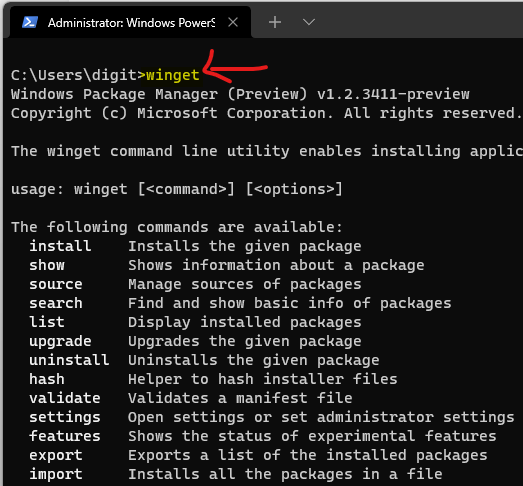
You can try using Windows Package Manager to deploy the application using SCCM. I have been attempting to get WinGet working with SCCM and Intune using some PowerShell methods. As per my testing, WinGet is not yet 100% enterprise-ready.
The interesting fact with the Microsoft Store Apps Fail to Install with Error Code 0x80190194 issue is the installation returns a successful message in Software Center. However, when you check the device, it won’t be installed on the device.

Out of Support – Microsoft Store for Business and Education integration with SCCM
Microsoft announced the deprecation of the scenario Microsoft Store for Business (MSfB) and Education (MSfE) integration with SCCM back in November 2021. This came with the announcement of the new Microsoft Store and Windows 11.
You need to make a strategy to move away from Microsoft Store for Business application deployment scenarios with SCCM and Intune. Microsoft plans to integrate Intune and Windows Package Manager in the second half of 2022.
SCCM Microsoft Store Apps Fail to Install with Error Code 0x80190194
Let’s try to understand the problem with SCCM and Microsoft Store Apps installation failing with Error Code 0x80190194. The first step is to understand where you can find this error?
Obviously, not on the Software Center application because, as I mentioned in the introduction, SCCM Software Center thinks the application is installed successfully. This is what the software center is going to show you. More details are in the below section of the post.
So you need to go back to basics and check for SCCM log files to find more details and error codes. Here in this scenario of application deployment, the AppEnforce.log is going to help you with the details. Following are some of the other analyses shared by the Microsoft Support team.
- Microsoft Store for Business application: error visible in AppEnforce.log
- The application is not discovered in AppDiscovery.log.
- AppIntentEval.log shows that the application is NonCompliant.
- No download is made on DataTransferServifes.log.

The following is a snippet of the AppEnforce.log that gives you more details about the error code 0x80190194 and licensing check failures. This is why Microsoft Store Apps Fail to Install with Error Code 0x80190194.
No license specified. Nothing to do – License check which will lead to the failure
Enforcing application in user context, impersonating
Polling for installation status of Microsoft.Todos_8wekyb3d8bbwe for up to 5 minutes.
Installation failure, error code = 0x80190194
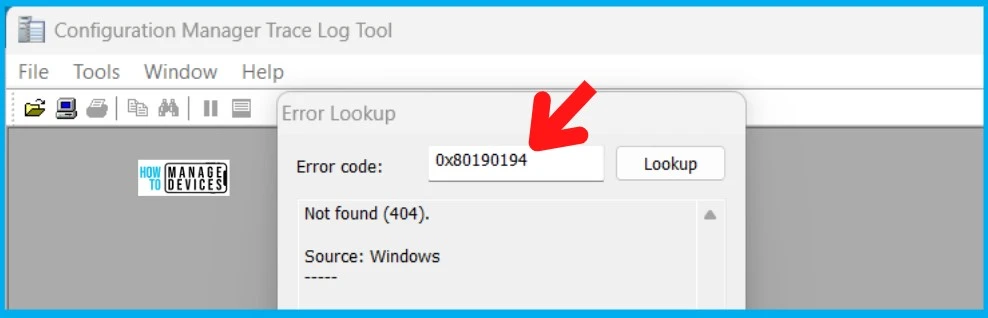
I searched for specific error details with the error code 0x80190194 on the CMTrace log reader, but nothing was useful. The error lookup function on CMTrace translates error code 0x80190194 to not found (404).
Known Issue with SCCM and Microsoft Store for Business
As per the Microsoft Support team, the following are the details and known issues with SCCM and Microsoft Store for Business.
- A known issue causes Installation Failures of Store Apps (Online) via SCCM.
- This is a Windows problem that occurs when SCCM tries to process the license file. Ultimately, the step fails, which prevents the application from being installed with the error: Installation failure, error code = 0x80190194.
- At this point, Software Center already considers the application as “Installed” by policy despite the application being missing.
As per Microsoft support, there is no direct workaround available for this problem. One alternative approach could be to deploy the application using the Offline-licensed model.
Conclusion – SCCM & Microsoft Store Apps Fail to Install
I think even the Microsoft Store App offline licensed model deployment with SCCM is also not supported by Microsoft. It’s time to think about other solutions such as WinGet (Windows Package Manager) type of deployments for Microsoft Store applications for the future.
I think ultimately, there must be a PowerShell scripting solution to cater to all the enterprise-class scenarios with WinGet and SCCM app deployments.
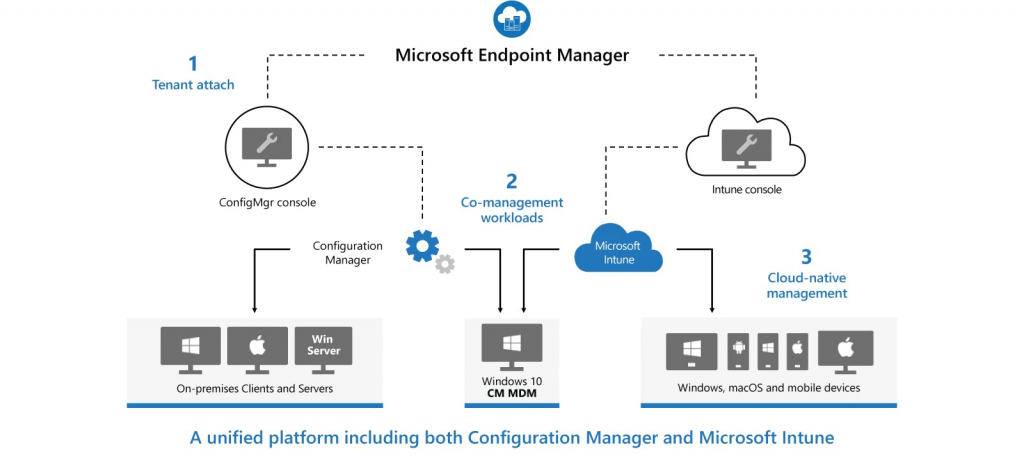
NOTE! – I don’t think Microsoft will build any native integration between SCCM and Windows Package Manager apart from suggesting to go with the SCCM co-management solution.
Author
Anoop C Nair is Microsoft MVP! He is a Device Management Admin with more than 20 years of experience (calculation done in 2021) in IT. He is Blogger, Speaker, and Local User Group HTMD Community leader. His main focus is on Device Management technologies like SCCM 2012, Current Branch, and Intune. He writes about ConfigMgr, Windows 11, Windows 10, Azure AD, Microsoft Intune, Windows 365, AVD, etc.




Discussion