






Let’s discuss Windows Update troubleshooting using MoUxCoreWorker-Udiag and MoNotificationUx-Udiag. When facing issues with Windows Update, troubleshooting becomes essential to identify and fix problems. Two useful tools for this are MoUxCoreWorker-Udiag and MoNotificationUx-Udiag.
MoUxCoreWorker-Udiag helps you to diagnose and resolve update-related problems. It helps you to check for issues in the update process. It provides insights into any errors that might be occurring. On the other hand, MoNotificationUx-Udiag is another tool that helps you focus on the notification system.
It helps you identify problems related to update notifications. If users are not receiving notifications about updates or have issues with the notification display, MoNotificationUx-Udiag helps pinpoint and resolve those issues.
Windows Update Logs as a helpful tool for troubleshooting. It gives you an overview of the update process, showing if everything is running smoothly. Suppose there are any issues in the update process. Analyzing these logs is the best guide for fixing any problems.

- MDE Portal Security Settings Policy Creation and Troubleshooting using Windows Sense Event Logs
- Export Azure AD Logs to Azure Monitor | Analyse the Logs using KQL Queries
- New Azure AD Audit Logs | MicrosoftGraphActivityLogs | EnrichedOffice365AuditLogs
What are MoUxCoreWorker-Udiag and MoNotificationUx-Udiag?
MoUxCoreWorker-Udiag and MoNotificationUx-Udiag are tools designed to troubleshoot issues with Windows Update.
Windows Update Troubleshooting using MoUxCoreWorker-Udiag and MoNotificationUx-Udiag
By using these tools, you can efficiently troubleshoot Windows Update problems. It ensures a smoother and more reliable update experience. If any errors are detected, these tools help in providing valuable information to address the specific issues. This makes the troubleshooting process more effective and user-friendly.
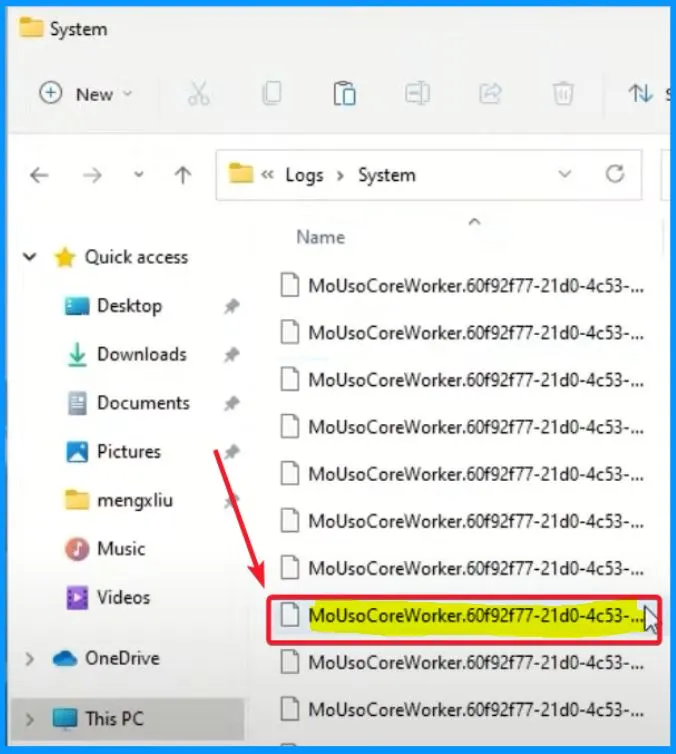
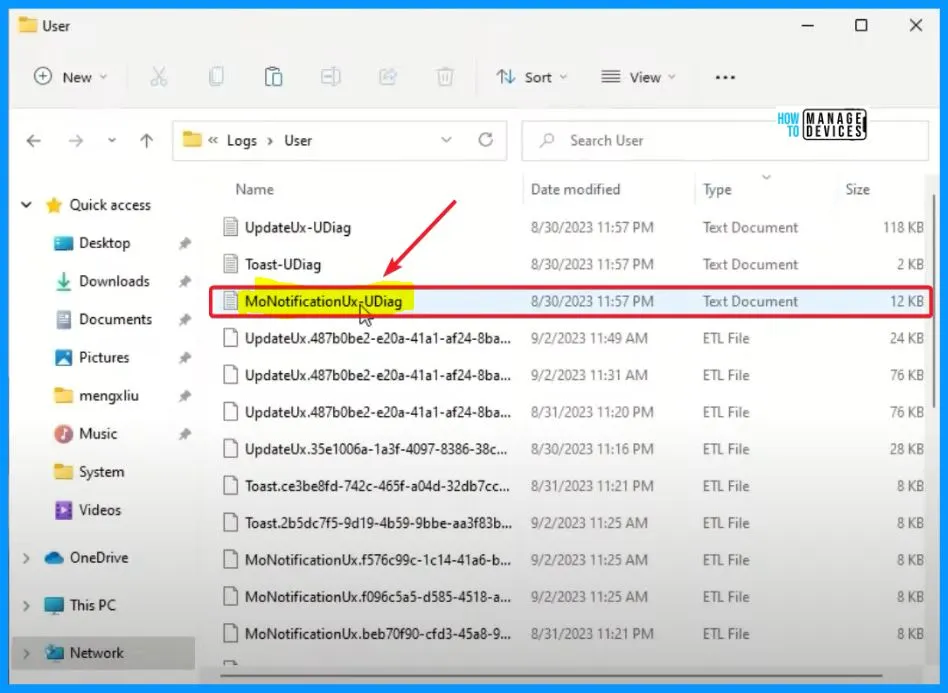
- Navigate to the logs directory > ProgramData > USOShared > Logs > User and System.
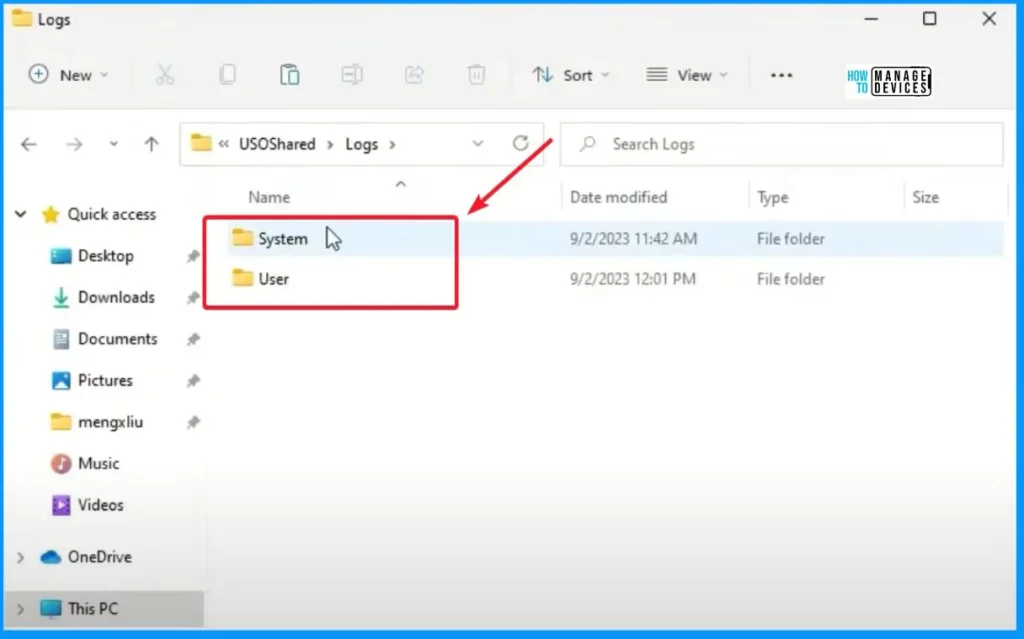
MoUSOCoreWorker
MoUSOCoreWorker is a vital component of the Windows operating system. It is precisely part of Microsoft’s Unified Update Platform. Its primary role is to manage and facilitate system updates. It operates in the background, ensuring that your system remains up-to-date with the latest software improvements, security patches, and other important updates Microsoft releases.
- Open the log files MoUSOCoreWorker.
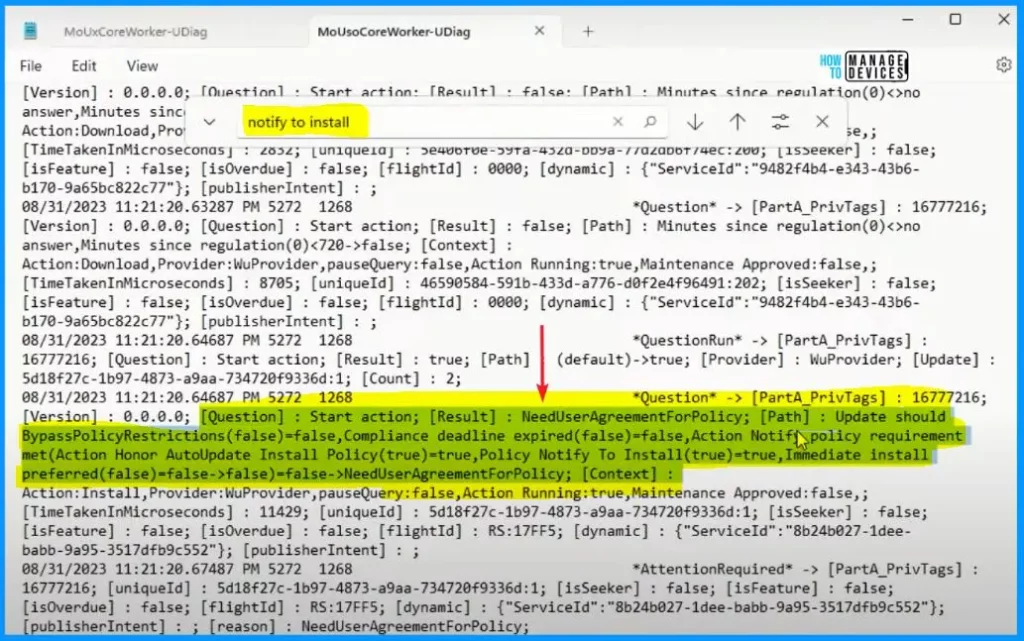
In the MoUSOCoreWorker logs, search for the term “notify to install” using the Ctrl + F function. Verify if the result shows that “notify to install” is set to True. If True, the policy is configured correctly, and users will be notified before installation, requiring their approval.
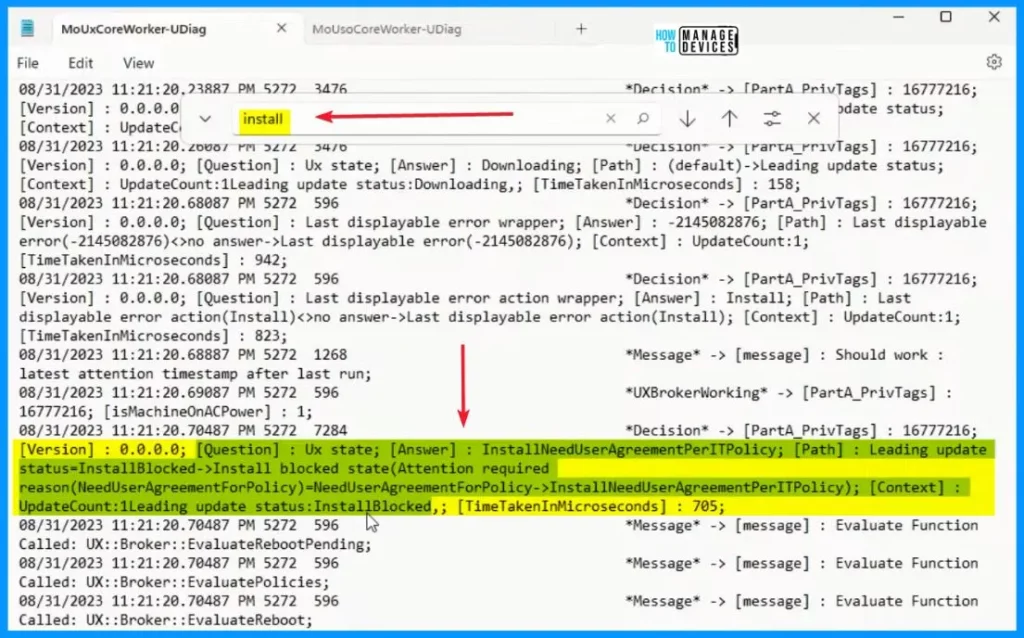
MoUxCoreWorker
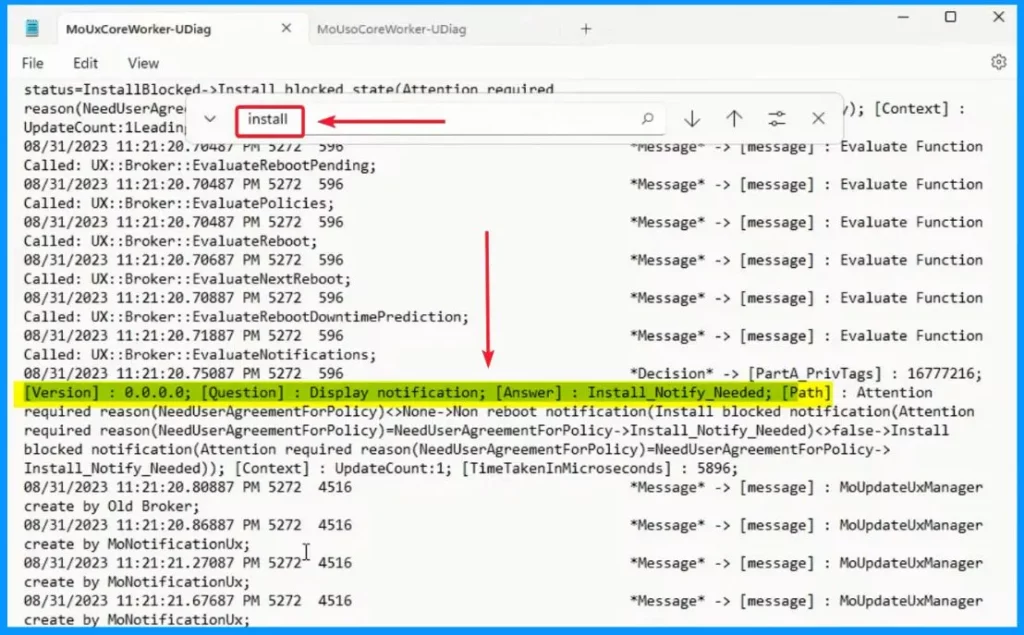
In the MoUXCoreWorker logs, search for the term “install.”Look for indications that the installation of the NeedUserAgreementperIT policy requires user agreement. This could be a phrase like “NeedUserAgreementperITpolicy.”
- Confirm that the result shows “install need user agreement” set to False. This means the user has not approved the installation.
In the MoUxCoreWorkers-UDiag, the question is Display notification, and the answer is install notification needed. The user is being notified that there is a pending installation that requires attention. This type of notification ensures that users know the need for an update or installation and prompts them to take the necessary action, such as approving the installation.
MoNotificationUx-UDiag
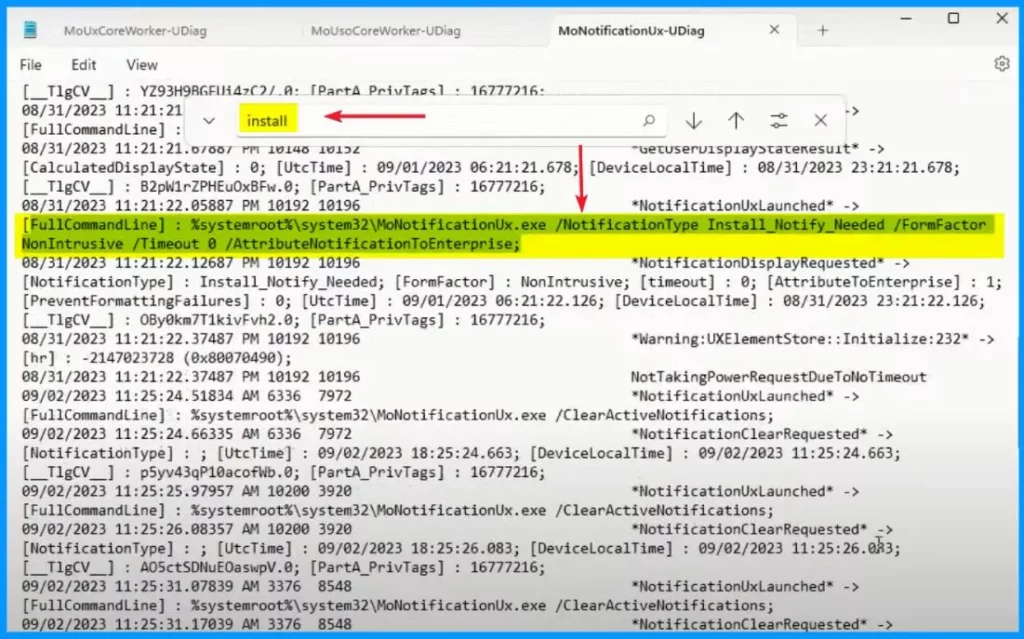
Navigate to the MoNotificationUX logs, the third set of logs in this scenario. Use Ctrl + F to search for the term “install.” Verify if “install notify needed” is set to True. This indicates that the install notification was needed.
- Logs > User >MoNotificationUx-UDiag
In the MoNotificationUx-UDiag logs, search for the term “install. Check if the result shows “install notify needed” set to True. If it’s True, it means the system started an installation notification for the user.
According to the policy, if “install notify needed” is True and the user did not interact with the notification, the installation won’t proceed. The system displayed the notification to inform the user about the pending installation, but since there was no user interaction, the policy dictates that the installation should not proceed.
We are on WhatsApp now. To get the latest step-by-step guides, news, and updates, Join our Channel. Click here. HTMD WhatsApp.
Author
About the Author – Vidya is a computer enthusiast. She is here to share quick tips and tricks with Windows 11 or Windows 10 users. She loves writing on Windows 11 and related technologies. She is also keen to find solutions and write about day-to-day tech problems.




Discussion