






Check New Intune Device Compliance Policy Report
In this post, you will get to know how to check Intune Device Compliance Policy Report. The policy compliance report focuses on the state of policy. You can get a list of all the compliant, noncompliant devices, review device compliance, and see the device details and state for settings.
Starting with Intune July Update 2307, new report Devices compliance policy to the compliance reports. This Policy compliance report displays a list of compliance policies with a count of devices that are compliant or not compliant with each policy after the report has been generated.
Compliance policy configuration is an important design decision while managing devices with Intune. Intune compliance policies are the first step of the protection before providing access to corporate applications, along with Conditional Access policies.
The report highlights the settings names and compliance status making it easy for IT admins to identify and address non-compliance state, It offers several advantages that can greatly benefit organizations in managing the device and ensuring security and compliance.

You can leverage Intune to automatically send notifications to the specified recipients whenever a device is found to be noncompliant based on the defined policies. These notifications will help you promptly address security issues and maintain a compliant and secure device environment.
- BitLocker Recovery Key Process For Windows Autopilot New Update
- Check Out Device Restriction Settings For MacOS Offered By Intune
Check New Intune Device Compliance Policy Report
The Policy Compliance report is designed to get a device compliance report based on the applied policies and help troubleshoot. Here’s how to access the device Compliance policy report.
- Sign in to the Microsoft Intune admin center https://endpoint.microsoft.com/.
- Select Reports > Device compliance.
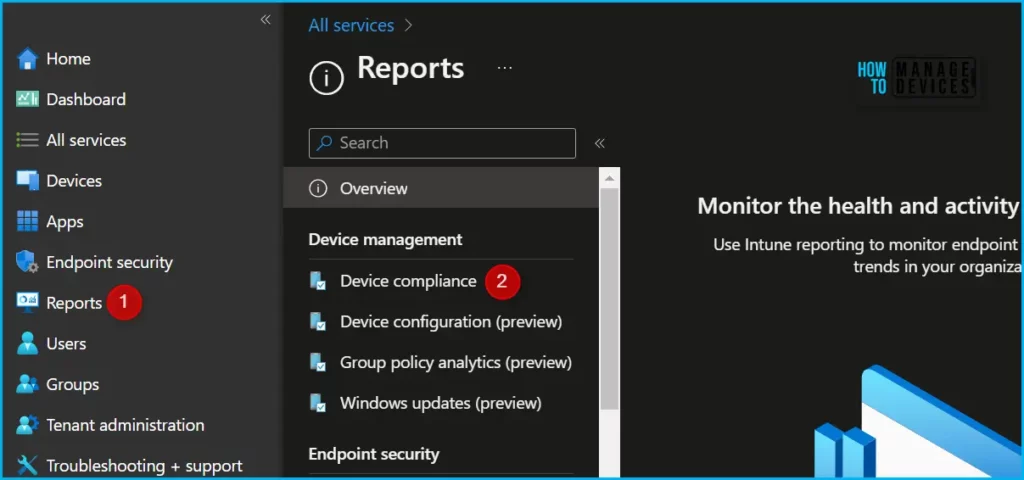
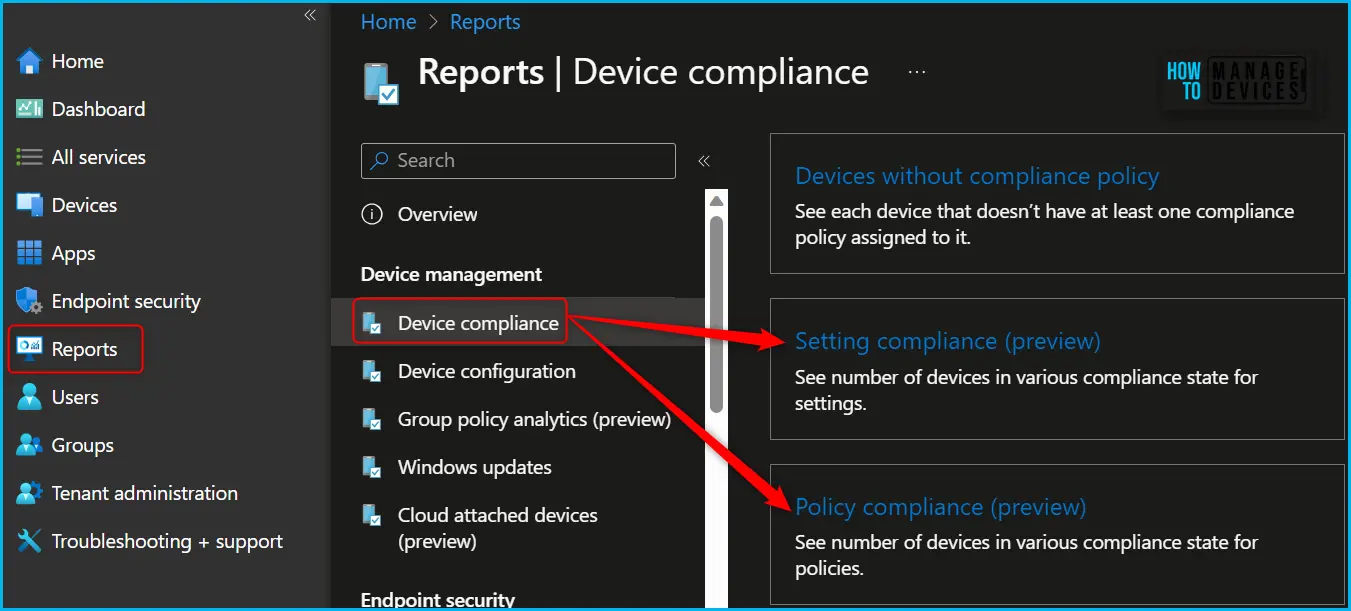
In the Device Compliance, Click on the Reports tab. You will get a list of reports (6) available specifically to get the device compliance status in more gradual control.
- Device compliance – You can see the compliance status of your devices. Shows the number of devices that are compliant and the number that need extra attention.
- Device compliance trends – To get the trend of compliance status of your devices over time. Shows device compliance over 60 days.
- Noncompliant devices and settings – See each device that is not compliant with policy alongside the compliance policy settings these devices are not compliant with.
- Devices without compliance policy – See each device that doesn’t have at least one compliance policy assigned to it.
- Setting compliance (preview) – See the number of devices in various compliance state for settings.
- Policy compliance (preview) – See the number of devices in various compliance state for policies.
Clicking on Policy Compliance provides you with a complete overview of the applied compliance policy state with compliance policy. That will give you flexibility for ensuring compliance and a secure device.
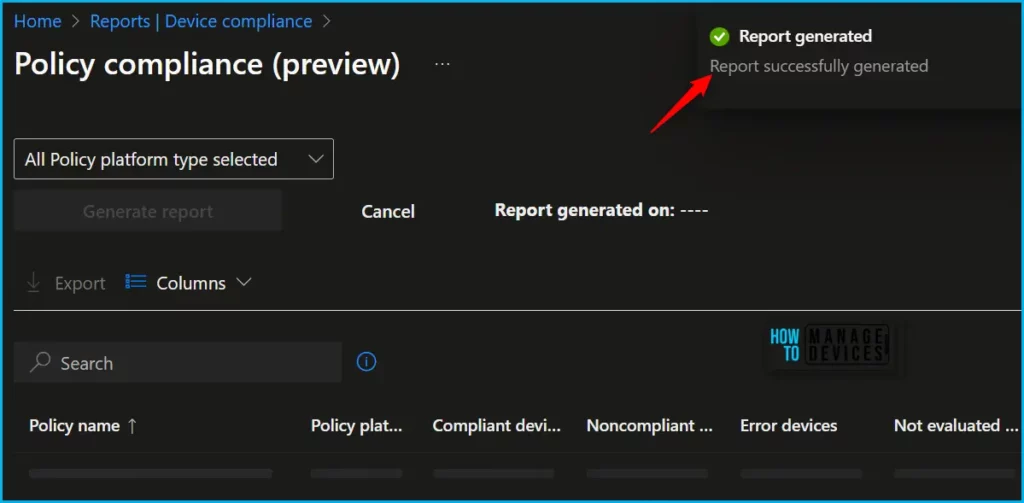
Once the report is selected, you may see the option either Generate report (or Generate again) to generate Policy compliance report for the devices.
A notification will appear automatically in the top right-hand corner with the message Report successfully generated. Please wait a moment to display the data specific to the report.
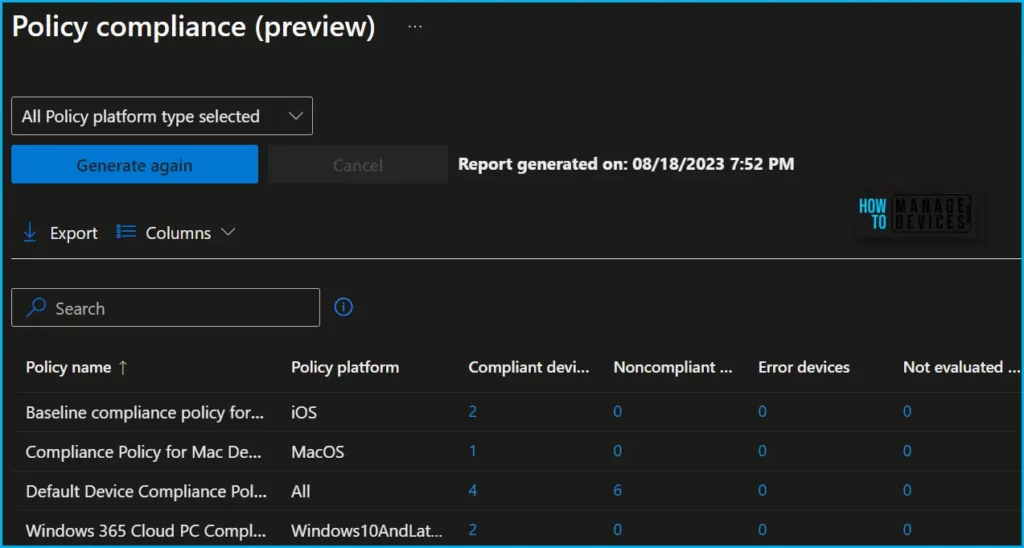
The report displays a list of compliance policies with a count of devices that are compliant or not compliant to each policy, you will find the following information that can be used to sort the results. After the report has been generated, The top-level details you will see include the details:
- Policy name
- Policy Platform
- Compliant devices
- Noncompliant devices
- Error devices
- Not evaluated devices
- Not applicable devices
- Conflict device
The report details more information and details when you proceed to export the report. The column property name would appear as shown below with the details of the settings.
By choosing the hyperlink beside the policy name, you can drill and access more detailed information regarding the policy and devices reporting a specific status.
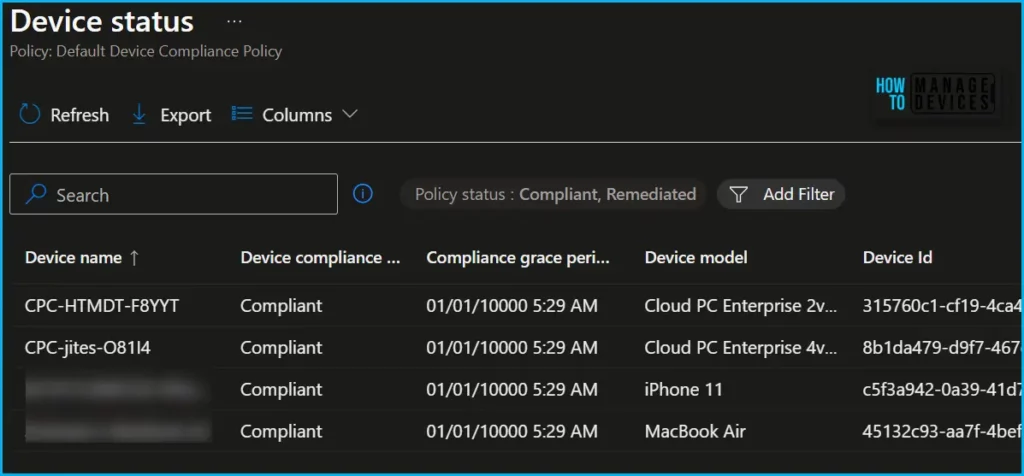
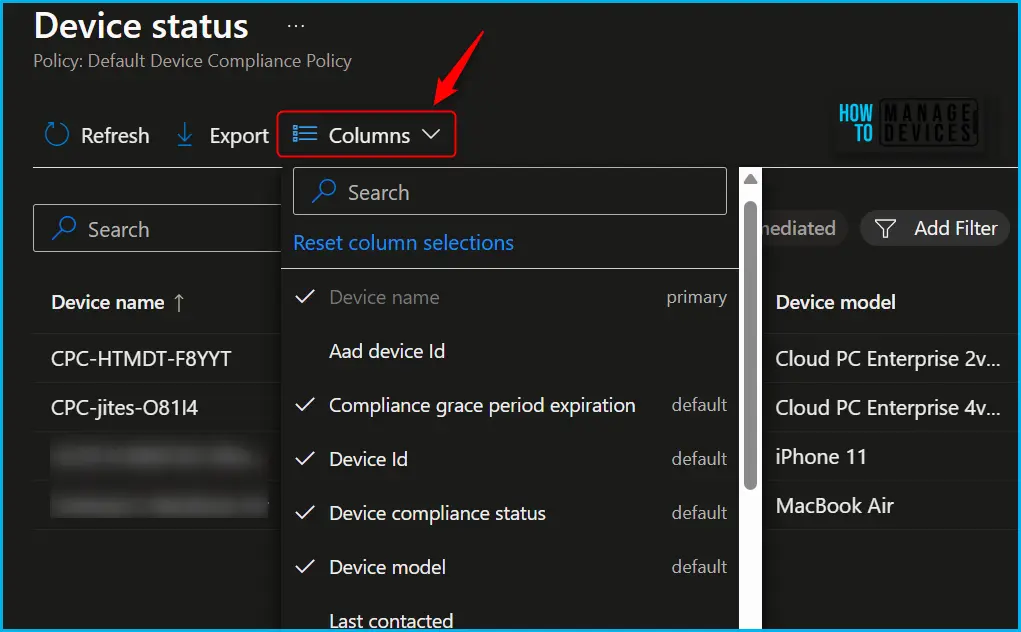
Use the Columns property to add or remove columns from the generated report. Click on the Columns, A popup appears with the pre-selected column, here, you can Check or Uncheck the columns you want to include.
You also have the option to Reset column selections in one click and search for the specific setting name, The column will show you the setting name, and primary field as default, If it’s already selected for your report.
Intune Compliance Policy Settings for Devices
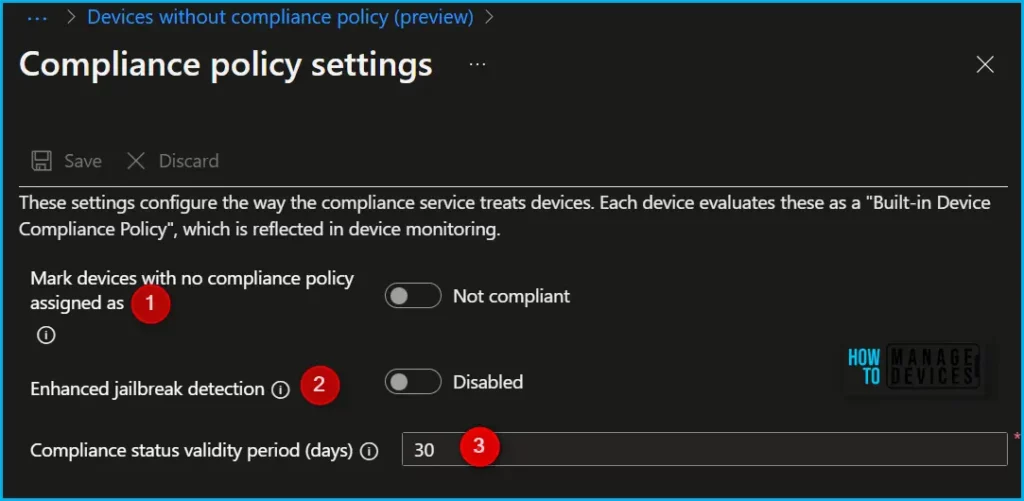
To manage the compliance policy settings, In Intune admin center and Navigate to Endpoint security > Device compliance > Compliance policy settings. Compliance policy settings include the following settings:
- Mark devices with no compliance policy assigned as This setting determines how Intune treats devices that haven’t been assigned a device compliance policy. This setting has two values:
- Compliant (default): This security feature is off. Devices that aren’t sent a device compliance policy are considered compliant.
- Not compliant: This security feature is on. Devices that haven’t received a device compliance policy are considered noncompliant.
Author
About Author – Jitesh, Microsoft MVP, has over six years of working experience in the IT Industry. He writes and shares his experiences related to Microsoft device management technologies and IT Infrastructure management. His primary focus is Windows 10/11 Deployment solution with Configuration Manager, Microsoft Deployment Toolkit (MDT), and Microsoft Intune.


Discussion